.svg)

A team ships behind feature flags for months. Every pull request gets reviewed, every merge requires a passing CI check, every deploy is logged automatically. Then someone opens a dashboard, flips a flag to 100%, and that's the moment the feature actually goes live for every user. No PR. No reviewer. No CI run. Nothing in the pipeline's audit trail even mentions it.
Feature flags change management is the part of SOC 2's CC8.1 criterion most engineering teams never connect to their flag tool: a flag toggle that changes what users see or can do is a production change, whether or not it went through code review. Most teams' change-management controls, branch protection, required reviewers, CI status checks, only cover the code path. They never touch the flag-management dashboard or API where the actual user-facing change happens.
We work with early-stage teams building out their CI/CD change management constantly, and the ones who get tripped up here almost always have a genuinely solid pipeline already. The gap isn't sloppiness. It's that flags live in a different system, and nobody extended the same controls to it.
By the end of this, you'll know exactly why a flag toggle skips your normal deploy gate, how it maps to CC8.1, what LaunchDarkly and other flag tools do and don't cover out of the box, and how to close the evidence gap without slowing releases down. Here's what's ahead:
- Why a feature flag toggle isn't the same kind of change as a code deploy
- How CC8.1 change management applies to flag governance specifically
- What flag tools like LaunchDarkly provide by default, and what's still on your team
- What real audit evidence for a flag change looks like
- Building an approval workflow and a lightweight policy for flag changes
- The mistakes that trip teams up most often
What Feature Flags Change Management Actually Means
A feature flag is a runtime switch that changes application behavior without shipping new code. The moment flipping one changes what a user sees, gets access to, or can do, it's a production change, regardless of whether any code moved that day.
This isn't the change management policy document itself. ComplyJet's Change Management Policy guide covers the formal policy, the approval workflow, and a downloadable template that spans code, infrastructure, and configuration changes broadly. This article is narrower and more technical: what happens when the change is a feature flag toggle, and why that doesn't automatically inherit the controls a code deploy already has.
This matters most for teams that already have solid CI/CD change management and assume that coverage extends everywhere it should. It doesn't extend to a dashboard the pipeline never touches.
Feature Flags Change Management: Why It Skips Your Normal Deploy Gate
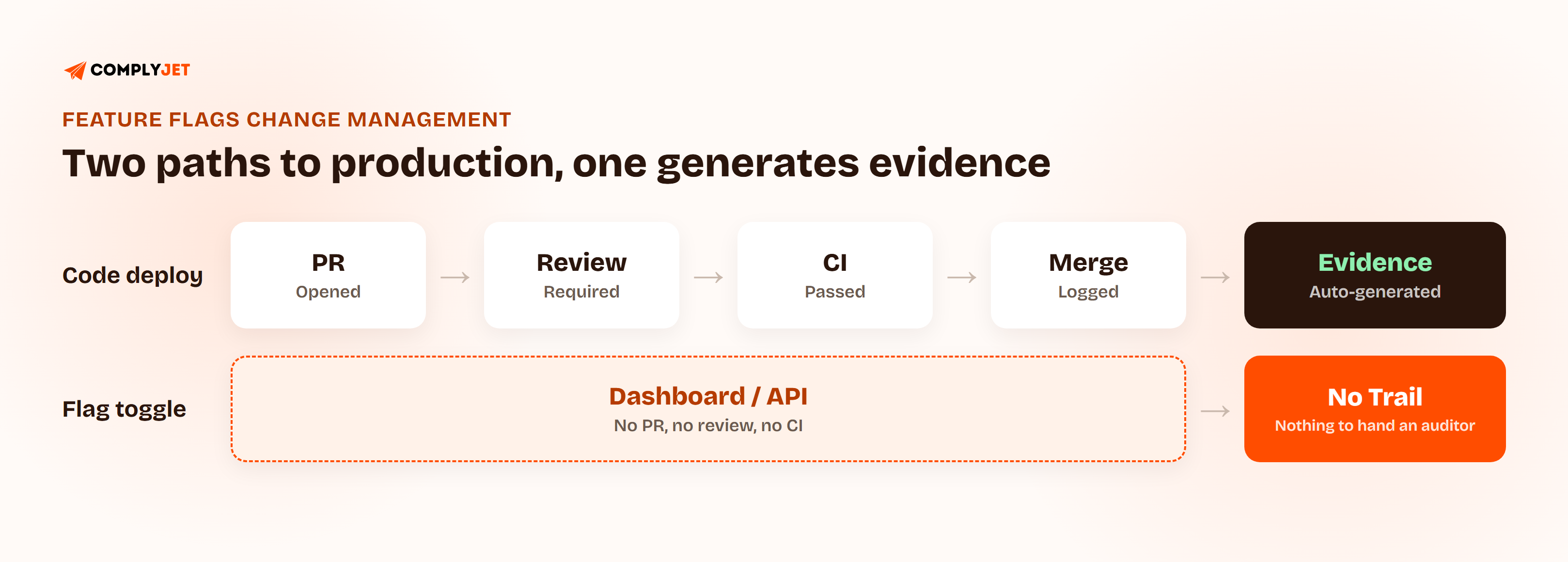
Here's the mechanism, stated plainly: a flag toggle happens through a dashboard or an API call to the flag provider, not a git commit. It never touches branch protection, never requires a reviewer, never runs a CI check, because none of those systems know the flag exists.
Compare that to a normal deploy. A pull request opens, review is required, CI has to pass, the merge is logged, the deploy is logged. That whole chain generates its own evidence automatically, the same PR-to-deploy trail Compliance as Code maps to SOC 2's CC6, CC7, and CC8 criteria. A flag toggle has none of that by default.
The code itself might have gone through exactly that process weeks earlier, sitting dark behind the flag, fully reviewed and tested. The actual user-facing change happens the day someone flips the flag, and that day generates nothing for an auditor to look at.
Feature Flags Change Management and Branch Protection: How a Toggle Bypasses Both
Walk through who can actually flip a flag in most setups: usually anyone with dashboard access, often through a shared team login or a broadly scoped API key. What's logged depends entirely on the tool's default settings, and most defaults log that something changed, not who changed it with the kind of identity trail an auditor wants.
Feature Flag SOC 2 Compliance: Mapping CC8.1 to Flag Governance
CC8.1 requires that changes to a system are authorized, tested, and approved before they take effect. A flag toggle that changes production behavior for every user clears that bar the same way a deploy does. Not every flag action carries the same weight, though, and treating them all identically either over-engineers low-risk changes or under-covers the ones that matter.
| Flag Action | Is It a CC8.1 Change? | What Evidence Answers It |
|---|---|---|
| Toggling a flag to 100% of production users | Yes, full production change | Actor, timestamp, approval record, before/after state |
| Targeting-rule change (e.g. enabling for one customer segment) | Yes, scoped production change | Actor, timestamp, targeting-rule diff |
| Internal-only or QA-environment toggle | Lower risk, still worth logging | Actor and timestamp, approval usually unnecessary |
| Emergency kill switch (disabling a flag to stop an incident) | Yes, treated as an emergency change | Actor, timestamp, and a follow-up record of why |
Targeting-rule changes deserve their own attention here. Turning a flag fully on is one kind of change; quietly expanding who it's on for, one customer segment at a time, is a slower-moving version of the same risk, and it's the one teams are most likely to leave completely unreviewed.
CC8.1 Feature Flags: What Auditors Actually Sample
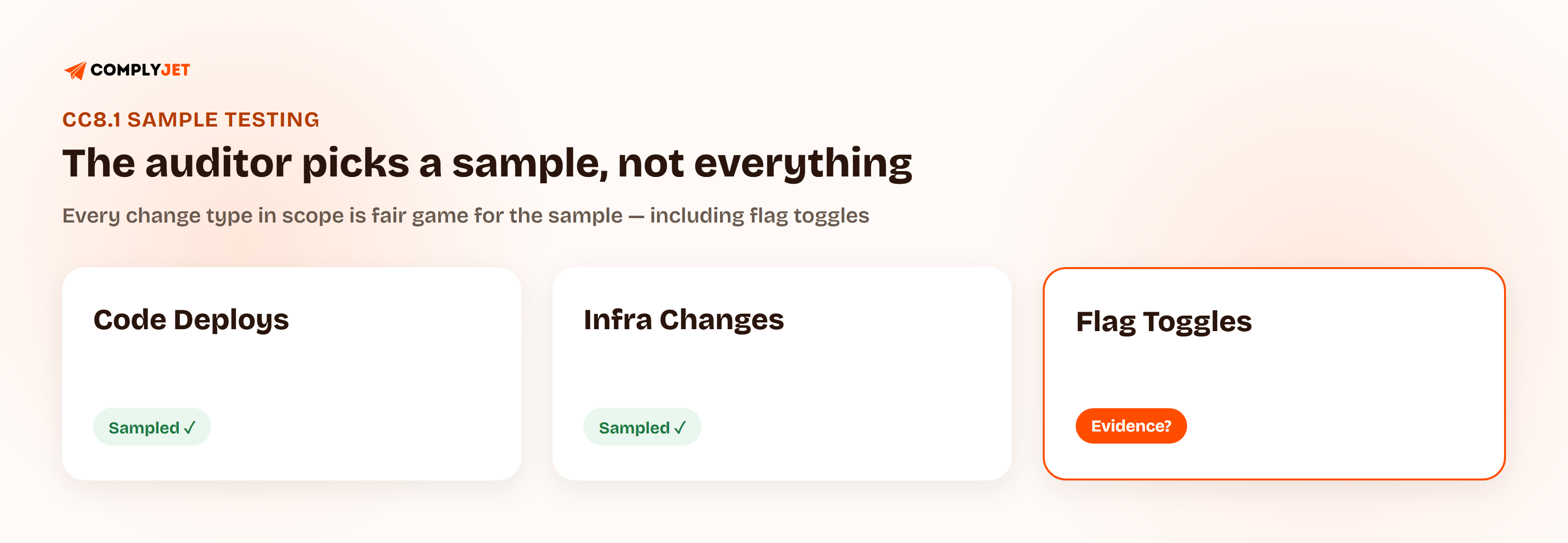
A SOC 2 Type II auditor doesn't review every change your team made across the audit period. They pull a sample and ask you to produce evidence for each one, covering the full window the report is scoped to, not just a recent snapshot.
If flag changes aren't logged with an actor, a timestamp, and an approval record where one was required, there's nothing to hand over for the ones that land in that sample. A pipeline with airtight PR evidence doesn't help here. The auditor isn't asking about your pipeline. They're asking about a specific change, and if that change happened to be a flag toggle, your CI logs are the wrong place to look.
Feature Flags Change Management: LaunchDarkly SOC 2 Compliance and Other Flag Tools
Flag platforms aren't starting from zero. LaunchDarkly, Unleash, and Split all offer some combination of audit logging, role-based access control, and approval-workflow features that can satisfy most of what CC8.1 asks for.
LaunchDarkly maintains its own SOC 2 Type II report covering its platform's security controls, and its audit log records who changed which flag, role, or setting, and when. That report covers LaunchDarkly's own platform as a vendor, not how your team configured or used it, which is exactly the part this article is about.
None of that is automatic for your account, though. A tool shipping an approval-workflow feature and your team actually turning it on, assigning approvers, and deciding which flags need sign-off are two different states.
| Capability | Built Into Most Flag Tools | Still Your Team's Job |
|---|---|---|
| Audit logging | Yes, by default in most modern tools | Deciding how long you retain it, and whether it survives a reconfiguration |
| Role-based access | Available as a feature | Actually restricting who can flip production flags |
| Approval workflows | Available on most paid tiers | Turning it on and defining which flags require it |
| Named-actor identity per change | Depends on login setup | Enforcing SSO instead of a shared account or API key |
The tool gives you the parts. Wiring them together into something that answers an auditor's question is still work someone has to do deliberately.
Feature Flag Audit Trail: What "Evidence" Actually Looks Like
A real evidence artifact for a flag change has four things: who made it, when, what the state was before and after, and, for anything above a low-risk threshold, who approved it. A flag tool's history tab having entries isn't the same as those entries being something an auditor will accept.
Retention matters here more than teams expect. A SOC 2 Type II report covers a period typically spanning six to twelve months, and evidence has to survive for that entire window, not just however long the flag tool's default log retention happens to be set to. Immutability matters too: if a flag's history can be edited or cleared by the same people whose actions it's supposed to record, it's not really an audit trail.
A flag tool's activity log and an audit-ready evidence trail aren't automatically the same thing. The gap is usually retention and identity, not the logging itself. — Upendra Varma, CTO at ComplyJet
Flag Toggle Audit Evidence: A Before-and-After Example
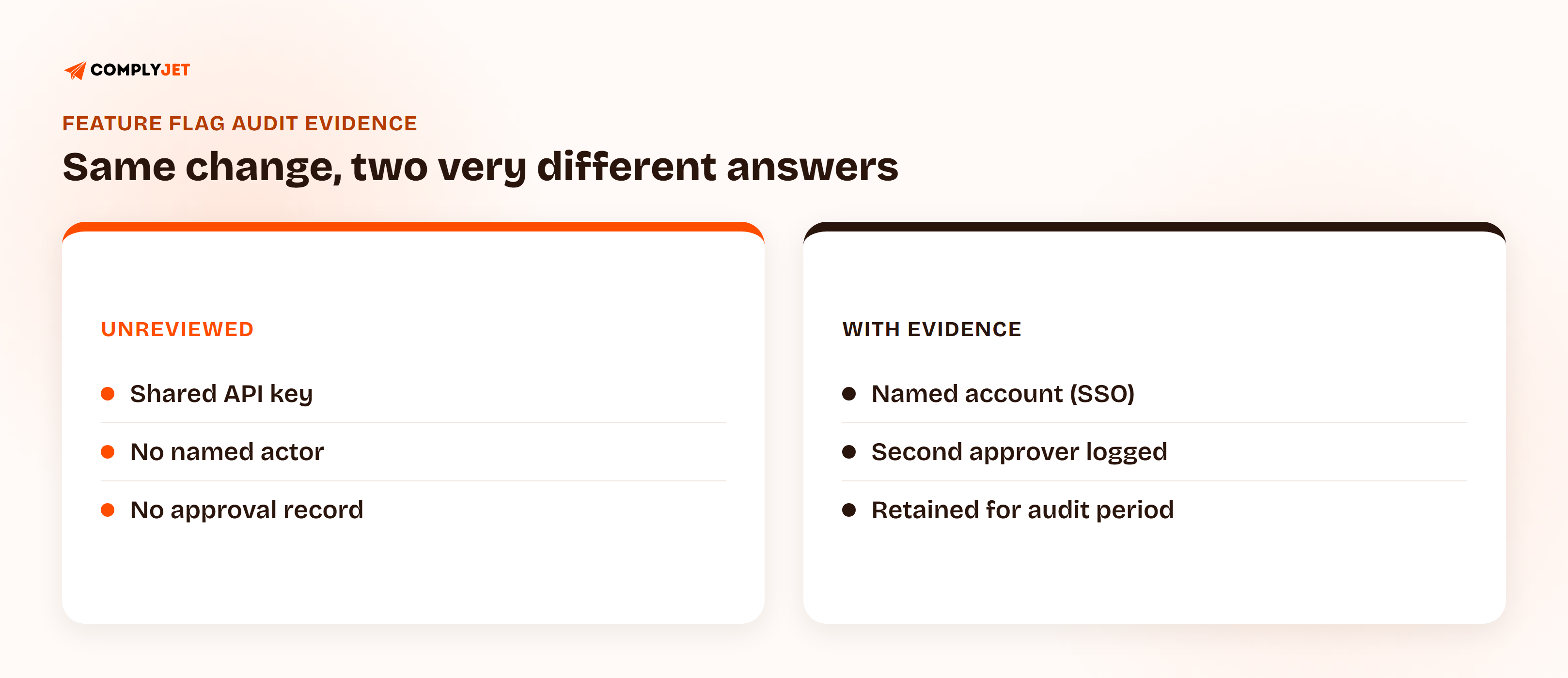
Unreviewed: a shared API key flips a flag to 100%. The log shows a timestamp and the flag name. It doesn't show which person on the team initiated it, and there's no record that anyone else looked at the change before it went out.
With evidence: the same change goes through a named account tied to SSO, requires a second approver above a defined blast-radius threshold, and the approval, the actor, and the before/after targeting state are all retained for the length of the audit period. Same change. One version answers an auditor's question in a sample-testing request. The other doesn't.
Feature Flags Change Management and a Feature Flag Approval Workflow: Adding a Four-Eyes Gate
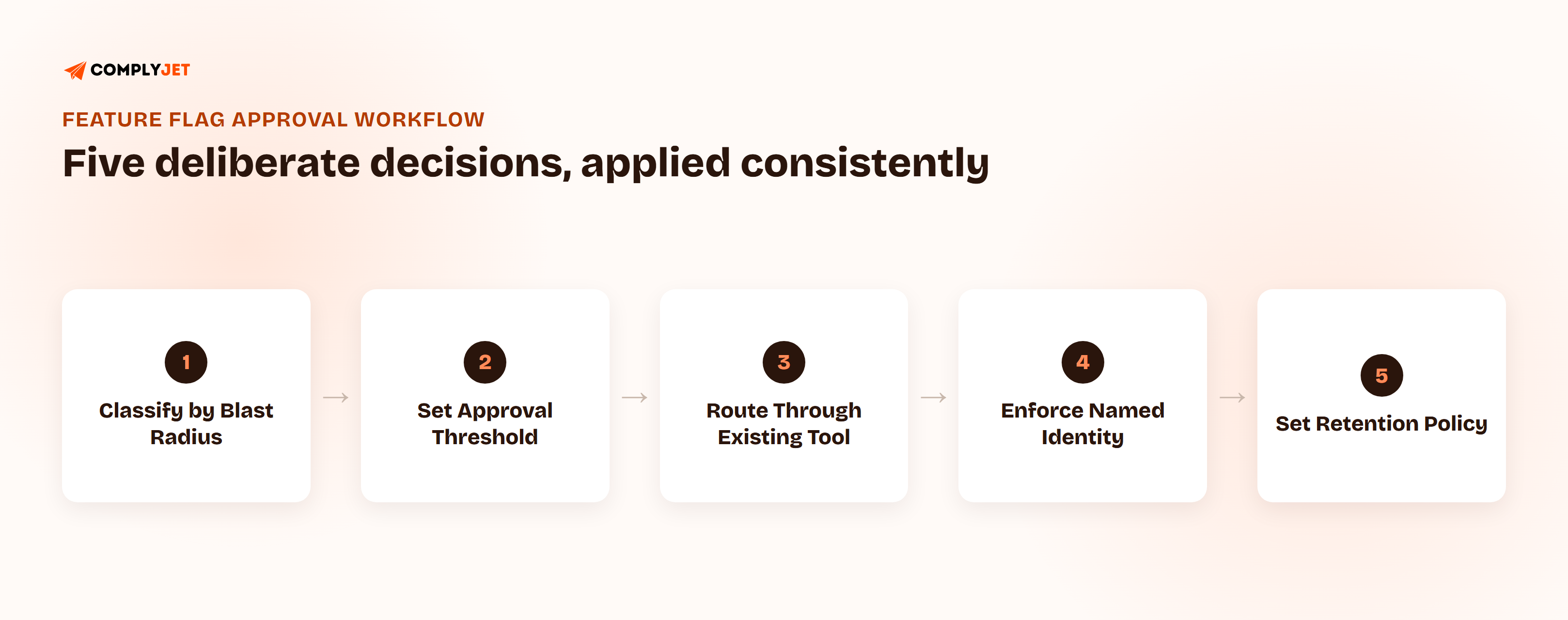
Getting from the unreviewed version to the evidenced version doesn't require a heavy process. It requires a few deliberate decisions, applied consistently.
- Classify flags by blast radius. A flag scoped to an internal team or a QA environment carries different risk than one that changes behavior for 100% of production users. Not every flag needs the same level of scrutiny.
- Set a threshold for what needs a second approver. Anything that changes behavior for a meaningful share of production users should require sign-off from someone other than the person making the change, the same four-eyes principle SOC 2 already expects for code changes.
- Route approvals through a tool your team already checks. Most flag platforms support this natively; where they don't, routing a request through the same chat or review tool used for PR approvals keeps it from becoming a separate, easily-skipped step.
- Turn off shared logins and shared API keys for flag changes. Named-actor identity, usually via SSO, is what turns "a flag changed" into "this specific person changed this flag."
- Set a retention policy that matches your audit period, not the tool's default log window.
Building a Feature Flag Change Management Policy Without Slowing Down Releases
The policy layer here is short by design: who can approve a flag change above the risk threshold, which flags require it, and how long records are retained. That belongs in a document. The audit log itself, and the actual enforcement, belongs in tooling.
If what you need is the formal policy document itself, not just this article's classification approach, start with ComplyJet's Change Management Policy guide and template and add a feature-flag-specific clause using the blast-radius classification above.
Feature Flags Change Management Beyond the Flag: Runtime Configuration Change Management
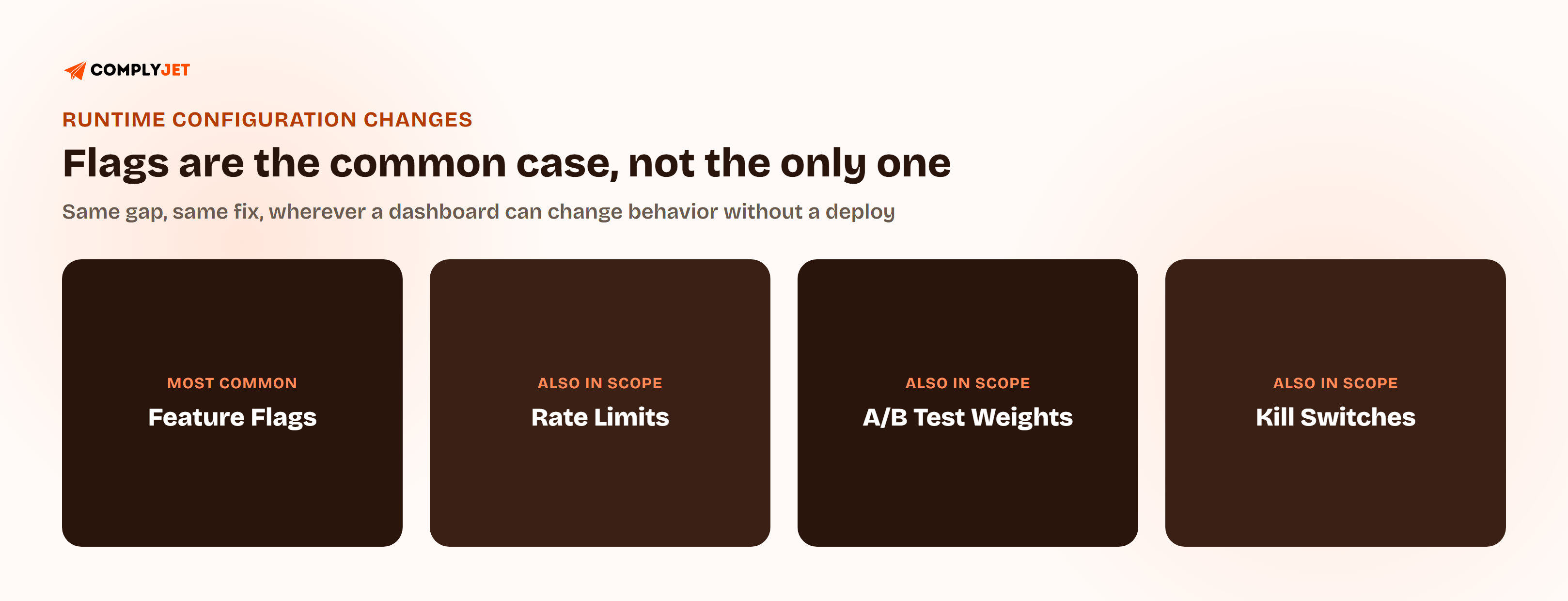
Feature flags are the most common example of a runtime configuration change, but they're not the only one. Anything a dashboard can change without a code deploy carries the same gap: rate limits, A/B test traffic weights, and manual kill switches all bypass the same PR-and-CI controls a deploy gets.
The fix is the same one covered above, applied wherever it's relevant: classify by risk, require approval above a threshold, and make sure the actor and the change are both logged somewhere that survives the audit period. None of this is specific to any one tool. It's the same underlying principle applied consistently to every path a production change can take.
Common Feature Flags Change Management Mistakes
- Using a shared API key or shared login for flag changes, so the log shows that something changed but never who changed it.
- Never setting a retention policy, leaving flag history at whatever short default window the tool ships with.
- Treating every flag the same, applying no approval requirement to a change that affects every production user, and applying unnecessary process to a QA-only toggle.
- Never auditing stale flags left at 100%, which pile up as undocumented permanent changes nobody remembers approving in the first place.
- Leaving approval workflows off because the flag tool defaults to allowing any team member to toggle anything.
- Assuming a flag tool's default settings already satisfy SOC 2 without checking what's actually turned on for your account.
- Forgetting flag changes exist when pulling a sample of changes to self-test before an audit, and getting caught off guard by the first one an auditor asks about.
How ComplyJet Fits In
ComplyJet pulls evidence from the tools a team already uses through its integrations, the same approach it takes with GitHub, cloud providers, and CI tools for code-based change management. Flag-tool audit logs and access records feed into the same evidence trail, rather than requiring a separate manual process someone has to remember to run every quarter.
Here's what closing that kind of engineering-platform evidence gap looked like for one team in practice:
The same code-hosting-provider scan that flags a missing branch-protection rule during setup is part of onboarding, not a separate audit-week scramble:
FAQs
Do feature flags need to be SOC 2 compliant?
The flag tool itself doesn't need its own SOC 2 report for your program to pass an audit, though many popular ones have one. What matters is how your team uses flags: if a toggle can change production behavior, it needs to be treated as a change under your own change management controls, the same as a code deploy.
How does feature flags change management work for SOC 2?
A flag toggle changes what users see or can do without going through the pull-request-and-CI process that generates evidence for a normal deploy. That means it falls under CC8.1's change management requirement, but most teams' existing controls never extend to the flag tool, leaving a real evidence gap.
What does an auditor want to see for feature flag changes?
The same things expected for any change under CC8.1: who made it, when, what changed, and approval from someone else where the change carries meaningful risk. If a sample-testing request lands on a flag change, that evidence needs to exist and be retrievable, not just implied by the code having been reviewed earlier.
Does LaunchDarkly meet SOC 2 requirements?
LaunchDarkly maintains its own SOC 2 Type II report covering its platform, and it offers audit logging, RBAC, and approval-workflow features that can support a customer's own compliance program. None of that is automatic for your account. Your team still has to turn approval workflows on, assign approvers, and enforce named-actor identity.
How do you add approval workflows to feature flags?
Classify flags by blast radius, set a threshold above which a second approver is required, and route that approval through a tool your team already checks regularly. Most flag platforms support this natively on paid tiers; where they don't, a manual second-approval step tied to a chat or review tool works as a starting point.
What is CC8.1 change management?
CC8.1 is the SOC 2 Trust Services Criterion covering change management: it requires that changes to a system, its infrastructure, or its configuration are authorized, tested, and approved before they take effect. It applies to any production change, including a feature flag toggle, not just code deploys.
Can a feature flag toggle bypass code review?
Yes, and that's exactly the gap this article covers. The code behind a flag can go through full review and testing, but the toggle itself, the action that actually changes what users experience, happens through the flag tool's dashboard or API, completely outside the pull-request process that generated that review.
Related Reading
- Compliance as Code: Baking SOC 2 Controls Into Your CI/CD Pipeline, for the CI/CD side of change management this article's gap sits next to
- Change Management Policy: Comprehensive Guide + Free Template, for the formal policy document and template itself
- SOC 2 Audit Process, Start to Finish, for how change management evidence fits into the full audit