PRODUCT

ComplyJet MDM Agent

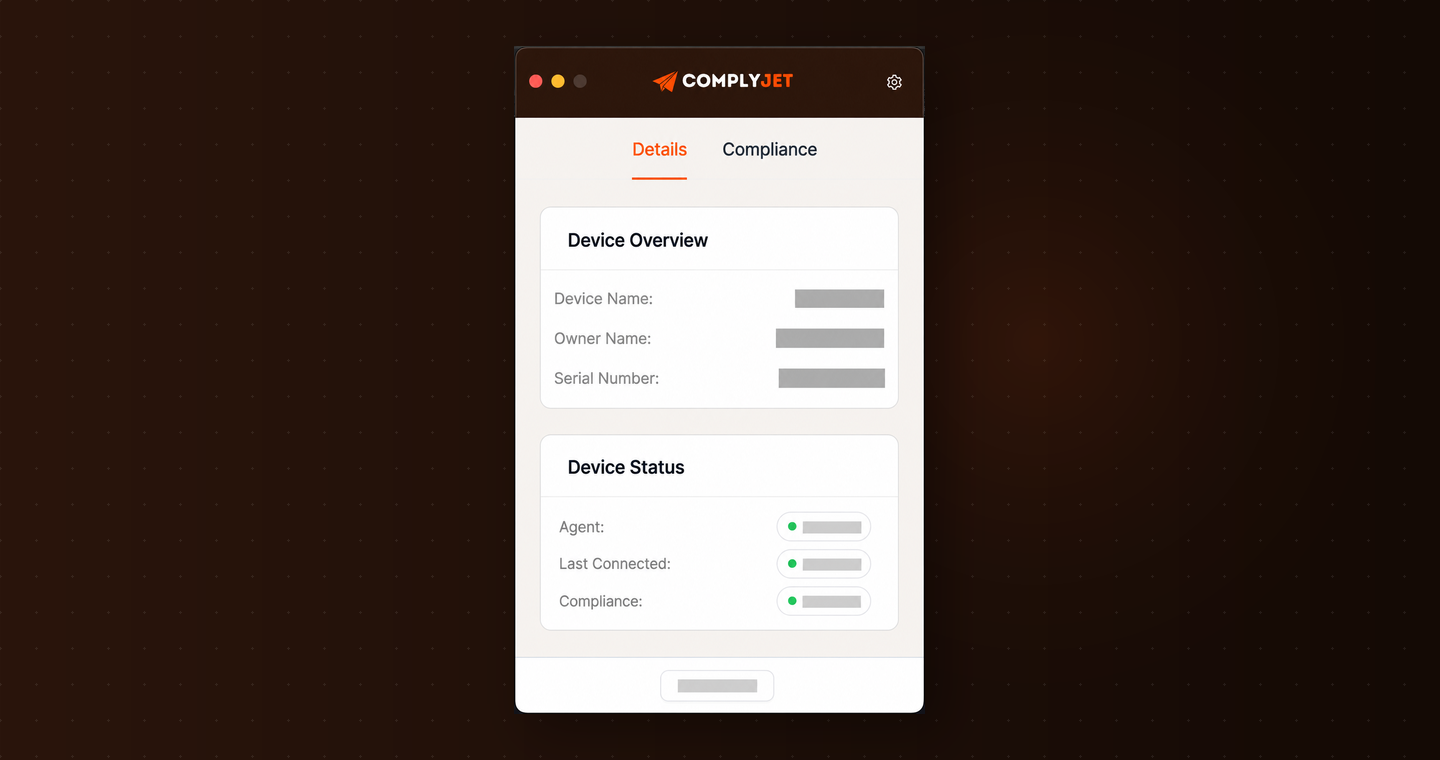
The ComplyJet MDM Agent installs in minutes and checks exactly what your auditor needs — encryption, screen lock, OS version, and password manager usage — with audit-ready evidence. Built for startups. No Jamf, no Kandji, no per-device fees.

IconIcon

Book a Demo

Book a Demo

Built for startups, not enterprises

Device compliance without buying an MDM tool

Most startups don't need Jamf. They need audit evidence. The ComplyJet MDM Agent gives you exactly that — especially for teams running compliance for the first time without a dedicated security hire.

Lightweight agent

A lightweight agent that replaces a $10/device/month MDM tool

Full MDM platforms like Jamf and Kandji are designed to manage thousands of corporate devices. If you're a 20-person startup, you're paying enterprise prices for features you'll never touch. The ComplyJet MDM Agent is different — it installs in minutes, checks exactly what your auditor needs, and does nothing else.

  • Native macOS and Windows support — installs in under 2 minutes
  • No MDM configuration profiles, no device management, no admin overhead
  • Included in your ComplyJet plan — no per-device cost
Compliance checks only

Checks what auditors look for — and nothing more

Your auditor doesn't care about device management. They care that encryption is on, the screen locks, the OS is up to date, and a password manager is in use. That's exactly what the ComplyJet Agent checks. It reads device state and reports it — no remote wipe, no policy push, no admin control over your team's machines.

  • Encryption, screen lock, OS version, password manager — the checks every auditor requires
  • Read-only — no remote control, no data access, no policy enforcement
  • Employees see exactly what the agent reports — no hidden monitoring
Audit-ready evidence

Historical device records — maintained throughout your audit window

Your auditor needs evidence that devices were compliant throughout your observation period — not just on audit day. The ComplyJet Agent logs device status continuously, so you can show your auditor a complete compliance history for every device, for every check, across the full observation window.

  • Continuous compliance records — not just a snapshot
  • Per-device audit trail — every check, every result, timestamped
  • Export in one click — in the format your auditor expects
Key capabilities

Everything the agent monitors

Eight checks. All automated. All mapped directly to your compliance controls.

Agent installation tracking
See which employees have installed the agent and which haven't — with automated reminders for anyone who's pending.
Disk encryption
Verifies that FileVault (macOS) or BitLocker (Windows) is enabled and active — flagged immediately if a device is unencrypted.
Screen lock timeout
Verifies that screen lock activates within your policy timeout period — a basic requirement for SOC 2, ISO 27001, and HIPAA.
OS version compliance
Tracks OS versions across all enrolled devices and flags anyone running a version below your minimum supported threshold.
Password manager usage
Detects whether an approved password manager is installed and active — a credential hygiene requirement for SOC 2 and ISO 27001.
Antivirus detection
Detects whether an approved antivirus or EDR solution is running — and flags devices where protection is absent or inactive.
Historical compliance log
Continuous records of every check result, timestamped — so you can demonstrate device compliance across the full audit observation period.
Audit-ready device report
Full per-device compliance report — every employee, every check, every result — exported in the format your auditor expects, in one click.
Framework requirements

Why your auditor requires it

Device compliance isn't optional — every major framework mandates it explicitly.

SOC 2
Trust Services Criteria
CC6.7
Restricts the transmission, movement, and removal of information to authorized users — requiring enrolled, compliant devices.
CC6.8
Implements controls to prevent or detect and act upon the introduction of unauthorized or malicious software.
ISO 27001
Annex A Controls
A.8.1
Information stored on, processed by, or accessible via user endpoint devices shall be protected.
A.8.7
Protection against malware shall be implemented and supported by appropriate user awareness.
HIPAA
Security Rule
§164.312(a)(2)(iv)
Encryption and decryption: Implement a mechanism to encrypt and decrypt electronic protected health information on devices.
§164.312(d)
Person or entity authentication: Implement procedures to verify that a person seeking access to ePHI is the one claimed.
Priced for startups, not enterprises

Included in your plan — no per-device charges

The MDM Agent is part of every ComplyJet plan. Install on every device at no additional cost.

Single framework
$5,000/year
SOC 2, ISO 27001, HIPAA, or any single framework. Agent included for all devices.
Two frameworks
$8,000/year
Run two frameworks simultaneously. Same flat price from 5 to 50 employees — no per-device fees ever.

Compare: Jamf Business Plan starts at $9/device/month. The ComplyJet Agent is $0/device.

See full pricing details →

See the ComplyJet MDM Agent in 30 minutes
We'll walk you through the agent install, show you what it checks, and demonstrate how it generates audit-ready evidence — built for teams doing this for the first time. No MDM tool required.
Book a Demo →
Full platform

Device compliance is one part of a full startup security program.

Every feature below is included in your ComplyJet plan — no bolt-ons, no extra modules to configure.

Compliance Automation
Connect your stack, automate evidence, and monitor controls 24/7 — your entire compliance program on autopilot.
Learn more →
Access Reviews
Schedule, run, and document access reviews across your identity systems — automatically.
Learn more →
Vulnerability Management
Sync vulnerabilities from Snyk, AWS Inspector, and Wiz directly into your compliance program.
Learn more →
Policy Management
AI-drafted policies distributed and acknowledged by your team, all tied to active controls.
Learn more →
Security Awareness Training
Run automated training, track completion, and log it as compliance evidence automatically.
Learn more →
Employee Compliance
Track background checks, training completion, and policy acknowledgements in one place.
Learn more →
FAQ

Common questions

Why build a custom agent instead of just integrating with Jamf or Kandji?

Full MDM platforms cost $8-15 per device per month and come with device management capabilities most startups will never use. For a 25-person team, that's $2,500-4,500 per year just for device monitoring — before you've paid for a compliance tool. The ComplyJet MDM Agent does the one thing startups actually need: collect audit evidence. It's read-only, lightweight, and included in your ComplyJet plan at no extra cost. We also integrate with existing MDM tools if you already have one.

What does the agent actually install on our devices?

A lightweight background process that reads device security state and reports it to ComplyJet. It checks encryption, screen lock, OS version, password manager usage, and antivirus status at regular intervals. It does not collect files, browsing history, keystrokes, or any personal data. Employees can view exactly what the agent reports about their own device at any time.

Does the agent give ComplyJet admin access to our devices?

No. The agent is read-only. It cannot push settings, remotely wipe devices, install software, or make any changes to device configuration. It reads security state and reports it — nothing more. This is by design: we built a compliance tool, not a device management tool.

What if an employee refuses to install the agent?

ComplyJet flags uninstalled devices in the dashboard and sends automated reminders to the employee. Non-installation appears as a gap in your compliance program — same as an unsigned policy or missed training. Most compliance frameworks require device compliance for all employees handling company data, so this is tracked as a risk item until resolved. Most ComplyJet customers are startups where a founder, CTO, or engineering lead owns compliance alongside their main job — the automated reminders mean you don't have to chase anyone manually.

We already have Jamf — do we need to replace it?

No — ComplyJet integrates with Jamf, Kandji, and Microsoft Intune. If you already have an MDM tool, ComplyJet pulls compliance data from it directly. The agent is the right choice for startups that don't have an MDM tool yet and don't want to buy one just for compliance. Most startups going through SOC 2 or ISO 27001 for the first time take this route — it's faster to set up and skips an entire vendor evaluation.

How does this compare to Vanta or Drata?

Vanta and Drata both ship their own device agents — similar to what ComplyJet does. The difference is pricing structure. ComplyJet is flat per company, not per seat. A 30-person team on Vanta or Drata pays significantly more than a 5-person team for identical device coverage. The ComplyJet MDM Agent is part of the same flat fee you already pay, whether your team is 5 people or 45.