.svg)

A customer's privacy questionnaire arrives with a request you can't answer in an afternoon: send over your data map and your record of processing activities. Someone built a spreadsheet for this eighteen months ago, nobody trusts it, and two new SaaS tools have shipped since. So you search for the best data mapping software, and the first results are half ETL field-mapping tools and half enterprise privacy suites.
That confusion is the honest starting point for this guide.
"Data mapping" means two unrelated things. In engineering it's matching fields between two systems. In privacy it's knowing what personal data you hold, where it lives, why you process it and where it goes.
This article is about the second one, and I ranked 10 tools by which parts of that job they actually document, for the buyer I hear from most: a SaaS company with no full-time privacy team that needs a map it can defend to a customer, an auditor or a regulator.
What Data Mapping Software Does and Why Best Data Mapping Software Lists Disagree
Data mapping software builds and maintains the inventory behind a privacy program: the systems that touch personal data, the categories of data inside them, the purposes and legal bases for using it, the vendors that receive it, and the record of processing activities (RoPA) that GDPR Article 30 asks controllers to keep.
Done well, it's the source that your privacy notice, your data subject request process and your customer questionnaires all draw from.
Lists disagree because tools sold under this label do different jobs. Some find systems and stop there. Some scan the contents of those systems for personal data. Some give you a structured place for people to document processing and generate the RoPA from their answers. A ranking that mixes them without saying so compares a scanner with a form and calls it a bake-off.
The manual alternative isn't absurd, and it's worth being fair to it. One Hacker News commenter who coordinated GDPR readiness at a small software company described what the documentation work cost:
"perhaps about the equivalent of 2-3 weeks to plan, collate and draw the diagrams and workflows" linker3000, Hacker News, 2018-05-25 (one practitioner's experience at a small company, not research)
That's a one-time effort at a small scale. The trouble starts afterward, when a new tool, vendor or product feature changes the picture and the spreadsheet doesn't change with it.
The Three Layers Behind Every Data Mapping Tools Comparison
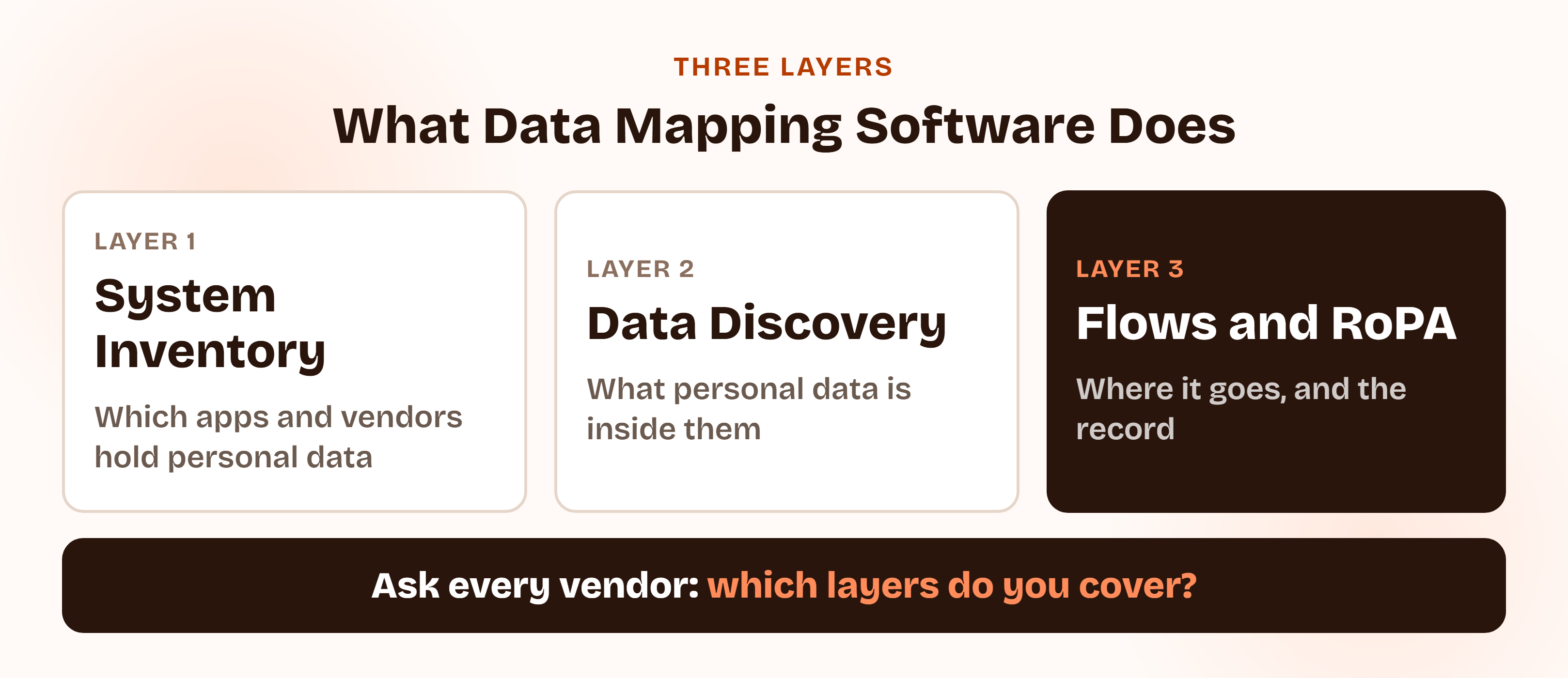
Every serious comparison of data mapping tools comes down to three layers. I scored each vendor against them, because a tool that is strong on one layer and silent on the others is a different purchase from one that spans all three.
- Layer 1, system inventory. Which applications, databases, vendors and devices process personal data. Tools find these through single sign-on, cloud and identity connections, or a list your team maintains.
- Layer 2, personal data discovery. What personal data sits inside those systems, found by scanning and classifying the content (names, emails, identifiers, sensitive categories), including the places nobody listed.
- Layer 3, flows and the RoPA. Why you process the data, who receives it, where it travels, and the Article 30 record that captures it. GDPR asks the record to cover purposes, categories of data subjects and personal data, categories of recipients, third-country transfers with their safeguards, and, where possible, erasure time limits and security measures.
Layer 2 is the one most buyers underestimate, and it's the whole reason data discovery software exists. A commenter who sells a PII-discovery tool (he says so in the same comment, so weigh it accordingly) put the risk this way:
"the most severe problems come from unexpected places (file shares, archives, email attachments…), not your "front-facing central DB"" Radim, Hacker News, 2019-02-08 (a vendor's view of where unlisted personal data hides, not research)
A documented map can only contain what someone remembered to write down. A discovered map can surface what nobody did. That difference decides most of the ranking below.
Automated Data Mapping vs. Documented Maps: Personal Data Discovery in Practice
There are two honest ways to run this job.
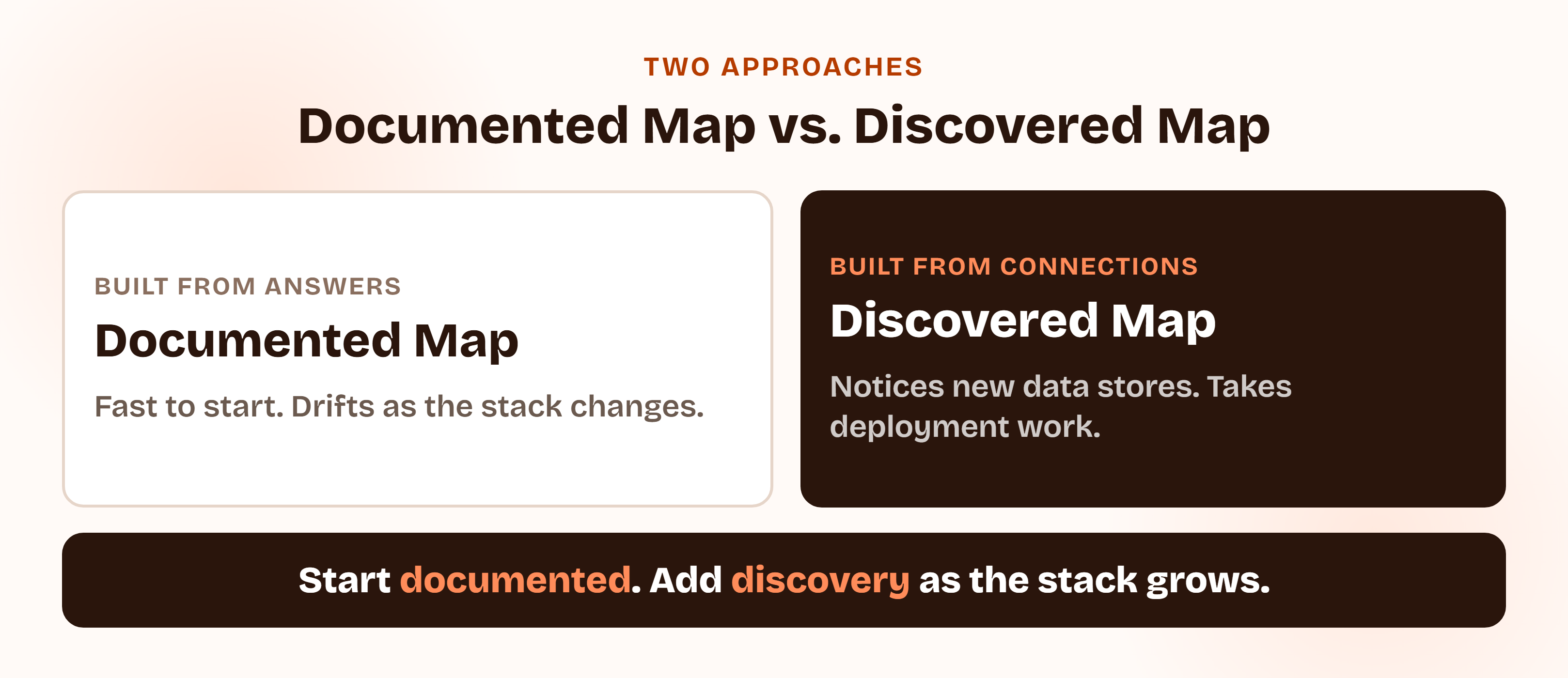
A documented map is built from your answers. Data owners or the privacy lead record systems, purposes and recipients, usually through an inventory, assessments or structured forms, and the RoPA is generated from that. It's quick to start, cheap, and fine for a small stack where the same few people know everything. Its weakness is drift: it's accurate on the day someone updates it.
An automated, discovered map connects to your systems, finds new ones as they appear, and in the stronger tools scans the content for personal data. It costs more and takes real deployment work, and it's the only approach that can notice a new data store you didn't know to list.
One DataGrail customer, a VP of Legal at Poppulo, makes the case against static maps on DataGrail's page: a one-off mapping exercise is out of date as soon as it's complete, and "DataGrail can proactively notify you of changes." That's a customer quote from a vendor's own site, so read it as a claim about what the product is designed to do.
Most teams don't need to pick one forever. They start documented, then add discovery when the stack or the data volume outgrows what people can track.
Data Mapping Software vs. Privacy Management and GDPR Software
This guide ranks one job. If you want to compare whole privacy programs, ComplyJet has separate pieces:
Looking for the wider privacy program?
For GDPR on its own, read ComplyJet's best GDPR compliance software comparison. For California, read the best CCPA compliance software comparison. For the privacy management system standard that extends ISO 27001, read the best ISO 27701 software comparison. To understand what GDPR asks of a SaaS company in the first place, start with the GDPR compliance requirements guide. This article ranks tools only on how well they find and document personal data, so several vendors appear in more than one of these, judged by a different yardstick each time.
Customer Asking for Your RoPA?
Keep your record of processing current inside your compliance program.
ComplyJet's GDPR framework builds and maintains your record of processing activities and tracks processors and sub-processors alongside SOC 2 and ISO 27001. A team guides you through it, at one flat per-company price.
How I Evaluated These 10 Best Data Mapping Software Tools
I didn't rank from a review-site grid. For each vendor I read its own current data-mapping, inventory or privacy pages and wrote down which of the three layers it documents, then checked five things:
- Layer coverage. System inventory, personal data discovery, and flows plus RoPA output. Wider isn't automatically better, but a gap should be a choice you make, not a surprise.
- How the map stays current. Connections that detect change, scheduled scans, or people updating a form. This is where most maps quietly die.
- RoPA output. Whether the Article 30 record comes out of the map or has to be assembled by hand.
- Reach for a company under about 500 people. Can a team without a privacy department run it, and does the vendor say who it's for?
- Pricing transparency and support. What's published, what buyers report paying, and who helps you get from sign-up to a working map.
Three rules kept the list honest. Where a figure came only from a vendor's own marketing, I said so. Where a vendor publishes no price, I used buyer-reported medians from Vendr's marketplace pages, read on 2026-10-01, and labeled them as third-party data, not list prices.
And where I couldn't verify a claim on the vendor's own site, I left it out. G2 and Capterra block automated access, so the only ratings quoted are badges the vendors display themselves, labeled as such.
The ranking order matters, so here's how to read it. Tools rank higher when they document more of the three layers and are reachable for a lean team. The deepest scanners (#3 and #4) sit below the broad suites (#1 and #2) because most readers of this guide aren't running petabyte-scale data estates, not because they're weaker products. At very large scale, they may be the stronger choice.
Also, ComplyJet publishes this blog and is ranked #9. I checked its claims against its own live pages the same way I checked everyone else's, and it documents fewer of the three layers than anything above it. The entry says exactly which.
I left out ETL and integration "data mapping" tools, which solve the other meaning of the term. I also left out data catalogs and data security posture products I couldn't verify for privacy mapping, and consent-banner tools, which answer a different question.
Quick Comparison: 10 Best Data Mapping Software Tools at a Glance
| Tool | Type | Best for | Pricing | Standout feature |
|---|---|---|---|---|
| OneTrust | Privacy suite | Teams wanting mapping, assessments and RoPA in one suite | Not published (Vendr buyer-reported median $12,000/yr) | Connects to IAM, cloud providers and CMDBs to detect data assets and generate the RoPA |
| DataGrail | Privacy platform | Privacy teams that want a continuously updated map | Not published (Vendr median $50,000/yr) | Live Data Map across 2,000+ integrations |
| BigID | Discovery-first | Large, sprawling data estates | Not published | Scans structured, unstructured, cloud and on-premises data and classifies it |
| Securiti | Discovery and governance | Organizations needing privacy and data security together | Not published (Vendr median $49,841/yr) | Discovery and classification with RoPA automation on 1,000+ integrations |
| MineOS | Privacy platform | Mid-market teams wanting a live inventory fast | Not published (Vendr median $60,300/yr) | SSO, email and cloud discovery feeding an automated RoPA |
| Osano | Privacy suite | Teams starting with SSO-based discovery | Not readable on its site (Vendr median $8,750/yr) | RoPA generated while you build the data map |
| TrustArc | Privacy suite | Multi-jurisdiction privacy teams | Not published (Vendr median $15,660/yr) | AI-assisted records and interactive data-flow maps |
| Vanta | Compliance platform | Teams already on Vanta adding privacy | Not published | Data inventory viewable and exportable as a RoPA |
| ComplyJet | Compliance platform | Early-stage SaaS teams needing a current RoPA and vendor list | $7,999/year Core, $9,999/year Plus (3-year plan, up to 50 employees) | Auto-maintained RoPA plus a vendor inventory and sub-processor list |
| Drata | Compliance platform | Teams mapping privacy controls to systems | Not published | Privacy controls mapped to the systems that hold consumer data |
The 10 Best Data Mapping Software Tools in 2026
The order reflects how many of the three layers each tool documents and how reachable it is for a lean team, not a claim that number one is best for you. The How to Choose section below is where fit gets decided.
1. OneTrust: Best Data Mapping Software for Enterprise Breadth
Screenshot of OneTrust's homepage, captured 2026-10-01, for informational purposes only.
OneTrust is the category default for privacy operations, and on the three layers it documents the most complete story. Its data mapping page says it connects to "Identity and Access Management (IAM) services, cloud providers, and Configuration Management Databases (CMDBs) to continuously detect data assets," identifies personal data and automates recordkeeping, and gives "a central view into your personal data processing across your data assets, processing activities, and vendors."
The output side is where it earns the top slot. The same page describes auto-generated records of processing activities that surface data transfers, automated privacy impact assessments, vendor risk evaluations and incident management, so the map feeds the rest of a privacy program instead of sitting beside it.
OneTrust names privacy, data, security and risk, and marketing teams as its audience, which tells you the real cost: it assumes several owners. It publishes no price. Vendr's marketplace shows a median of $12,000 a year with a range from $1,620 to $48,215 across 273 deals, and Vendr's own page notes that implementation and professional services typically add 20 to 40 percent.
Those are third-party figures, not a OneTrust quote. One customer testimonial on OneTrust's page, from a Director of Digital Trust at a pharmaceutical company in a Forrester Total Economic Impact study, describes the payoff:
"OneTrust exponentially grew my team's bandwidth. I'd estimate that we're now operating as if we had four to five more people." Director of Digital Trust, pharmaceutical company, in a Forrester Total Economic Impact study cited by OneTrust (a vendor-selected testimonial)
Key features:
- Automated detection of data assets through IAM, cloud and CMDB connections
- Personal data identification and automated recordkeeping
- Data processing view across assets, activities and vendors; auto-generated RoPA
- Privacy impact assessments, vendor risk evaluations and incident management on the same platform
Pros
- Broadest documented scope across the three layers
- The RoPA, assessments and incident workflows come out of the same map
- A single vendor you can grow into as the program matures
Cons
- No published pricing; modular, so cost follows the scope you buy
- Built for several owners (privacy, data, security, marketing), which is more staffing than a lean company has
- Mapping is one product area inside a wider platform, so a mapping-only buyer pays for breadth they may not use
Pricing: Not published. Vendr's buyer-reported data (read 2026-10-01) shows a median of $12,000 a year, range $1,620 to $48,215, across 273 deals. That's a third-party figure, not a OneTrust price.
Best for: Organizations with a privacy or security team that want mapping, assessments and the RoPA from one suite.
2. DataGrail: Best Data Mapping Software for A Continuously Updated Map
Screenshot of DataGrail's homepage, captured 2026-10-01, for informational purposes only.
DataGrail's pitch is that a data map should be alive. Its Live Data Map page says the platform "discovers and inventories every system across your tech stack" and reflects new applications, including AI tools, when they're added. Underneath it sits an integration network of more than 2,000 applications, including Salesforce, Okta, Shopify, Zendesk and Webflow, which is how it finds systems without asking a person to list them.
On layer 2, it describes "privacy-safe discovery" that locates and classifies personal data across SaaS tools and data stores, and on layer 3 it generates the RoPA automatically, bringing system details, processing risks and assessments into one view. It also says it provides context on known processing risks across 2,400+ systems as they connect, which is a useful head start if your stack is mostly common SaaS.
The audience is privacy, legal and security teams working across GDPR, CCPA and other US state laws. The trade-off is price and fit: buyer-reported medians sit around $50,000 a year, and a map built on integrations is only as complete as the systems it can connect to or detect, so test it against the long tail of tools you actually run.
Key features:
- Live Data Map: continuous discovery of systems and new applications
- More than 2,000 integrations; processing-risk context on 2,400+ systems
- Privacy-safe discovery and classification of personal data in SaaS tools and data stores
- RoPA generated automatically from the map and assessments
Pros
- Built around keeping the map current rather than producing it once
- Strong coverage of common SaaS through its integration network
- Map, RoPA and assessments connect in one view
Cons
- No published pricing; Vendr's median is around $50,000 a year, which is steep for a lean team
- Strongest where your systems are among its integrations; uncommon or internal systems need checking
- Aimed at dedicated privacy and legal owners
Pricing: Not published. Vendr's buyer-reported data (read 2026-10-01) shows a median of $50,000 a year, range $20,000 to $365,500, across 32 deals. Vendr says the price depends on data subject volume, request volume, integration count and modules. That's a third-party figure, not a DataGrail price.
Best for: Privacy teams at companies with a large SaaS footprint that want a continuously updated map and have the budget for it.
3. BigID: Best Data Mapping Software for Deep Personal Data Discovery
Screenshot of BigID's homepage, captured 2026-10-01, for informational purposes only.
BigID is the discovery specialist on this list. Its data discovery page says it scans structured, unstructured, semi-structured, cloud, SaaS, on-premises, hybrid and AI-connected data, covering databases, file shares, applications, data lakes and messaging systems. That is exactly the territory where the Hacker News commenter above says unlisted personal data hides.
Classification is the other half of the story. BigID describes machine learning, natural language processing, pattern recognition and metadata analysis, plus custom classifiers, to identify personal data, health and payment data, secrets, and dark data. It also enriches catalogs with ownership and lineage, supports RoPA mapping, and maps data connections to identities, permissions and access paths, which matters if you want the map to double as a security view.
The reason it isn't higher is reach. BigID's homepage now leads with AI risk and data security, privacy mapping is one use among several, and it publishes no price (its /pricing page returned a 404 when I tried it). It's the right answer when the data estate is large and messy. It's more than most small SaaS teams need on day one.
Key features:
- Scanning across structured, unstructured, cloud, SaaS and on-premises data
- ML, NLP, pattern and metadata classification with custom classifiers
- Data lineage and ownership; RoPA mapping
- Maps data to identities, permissions and access paths
Pros
- Deepest documented personal data discovery on this list
- Finds personal data in files and unstructured stores, where manual maps are weakest
- One discovery layer can serve privacy and security teams
Cons
- No published pricing, and I couldn't verify a reliable buyer-reported figure
- Homepage emphasis is AI risk and data security; privacy mapping is one use case
- Deployment effort and data-source scope make it heavy for a small team
Pricing: Not published. I couldn't verify a buyer-reported figure: Vendr's BigID page returned an error when I fetched it, so no number is quoted here.
Best for: Large or sprawling data estates where finding unlisted personal data is the main problem.
4. Securiti: Best Data Mapping Software for Discovery Plus Data Security
Screenshot of Securiti's homepage, captured 2026-10-01, for informational purposes only.
Securiti sells a platform that spans data security, governance, privacy and compliance, and its data discovery page is plain about the starting point: "Discover shadow and cloud-native assets and accurately classify data." It lists 1,000+ pre-built integrations across hybrid multicloud and SaaS, with support for major clouds and data platforms such as AWS, GCP, Azure, Databricks and Snowflake.
For this category the relevant pieces are data mapping automation, which it describes as managing "your entire data mapping lifecycle" and automating RoPA reports, and data lineage that tracks changes and transformations through a dataset's life. Its homepage header now reads "a Veeam company," which is worth knowing if vendor ownership is part of your due diligence.
Securiti targets data security, governance and privacy teams together, and its pricing is custom and module-based. Vendr's median is around $49,841 a year. Pick it if privacy mapping and data security are budgeted as one program. If your only need is a RoPA, you'd be buying a lot of platform.
Key features:
- Discovery of shadow and cloud-native assets, with classification
- 1,000+ pre-built integrations across hybrid multicloud and SaaS
- Data mapping automation and RoPA reports
- Data lineage tracking
Pros
- Strong discovery and classification alongside RoPA automation
- Covers privacy and data security teams in one platform
- Wide connector coverage for cloud and data platforms
Cons
- Enterprise-oriented, custom, module-based pricing
- More platform than a RoPA-only buyer needs
- No attributed customer testimonial on the product page I read
Pricing: Not published. Vendr's buyer-reported data (read 2026-10-01) shows a median of $49,841 a year, range $4,650 to $80,612. That's a third-party figure, not a Securiti price.
Best for: Organizations that need privacy mapping and data security from the same discovery layer.
5. MineOS: Best Data Mapping Software for A Live Inventory, Fast
Screenshot of MineOS's homepage, captured 2026-10-01, for informational purposes only.
MineOS describes itself as an autonomous AI governance, privacy and risk management platform, and its inventory and discovery page is the one that matters here. It lists three discovery methods: SSO and email discovery to track data across employees, vendors and AI tools; shadow IT detection to uncover unsanctioned apps and data flows; and cloud scanning to map cloud data stores and track access.
The result is described as a live data inventory that updates automatically, with automated RoPA tracking and one-click reports for audit documentation. Data classification and DSR automation sit on the same platform. MineOS says customers can be live in 30 days, which is a vendor claim worth testing in a proof of concept rather than assuming.
Its homepage now leads with AI governance, and its pages point to mid-market and larger customers. It shows "200+ verified reviews" on G2 on its homepage, which I could not verify because G2 blocks automated access.
It publishes no price; Vendr's median is around $60,300 a year. It sits mid-list because it covers all three layers with a faster path to a working inventory than the enterprise suites, but without the long enterprise track record of the top two.
Key features:
- SSO, email and cloud discovery of systems and data flows
- Live data inventory that updates automatically
- Automated RoPA and one-click audit reports
- Data classification and DSR automation on the same platform
Pros
- Three discovery methods feed one inventory
- Stated focus on a fast deployment (a vendor claim to test)
- RoPA output comes from the live inventory
Cons
- No published pricing; Vendr's median is around $60,300 a year
- Homepage emphasis is AI governance, so check the depth of the privacy mapping for your stack
- Customer proof and ratings come from the vendor's own pages
Pricing: Not published. Vendr's marketplace page shows a median of about $60,300 a year, range $18,600 to $66,000 (deal count not shown, so treat it as indicative). That's a third-party figure, not a MineOS price.
Best for: Mid-market privacy teams that want a live inventory and RoPA without a long enterprise rollout.
6. Osano: Best Data Mapping Software for SSO-Based Discovery
Screenshot of Osano's homepage, captured 2026-10-01, for informational purposes only.
Osano is better known for consent, but its data mapping product is straightforward about how it works. It connects to your single sign-on provider to discover the systems your organization uses, so you reduce the number of integrations you set up by hand. For data stores outside SSO, it uses semi-automated assessment workflows so data owners help you find personal and sensitive data.
Layer 3 is where the design is tidy. Osano says you can generate a RoPA at the same time you build the data map, and its interface shows relationships and flows between systems with a high-level view you can drill into. It also scores systems on risk to flag missing assessments and targets for data minimization.
The honest limit is layer 2. Discovery is by system through SSO, plus people answering assessments, so the content-level scanning of the specialists isn't what's described. That makes it a reasonable middle option for teams that want automation on the inventory without a scanning deployment. The homepage shows a 4.5 out of 5 rating from 175+ reviews, a figure Osano displays itself.
Key features:
- SSO-based discovery of systems through umbrella sources
- Semi-automated assessments sent to data owners
- RoPA generated while the data map is built
- Visualization of relationships and flows between systems; risk-based prioritization
Pros
- Low-friction start: SSO connection first, detail later
- The RoPA comes out of the same work as the map
- Risk flags point at where to act first
Cons
- Layer 2 depends on people answering assessments rather than content scanning
- Vendr's median ($8,750 a year) reflects Osano's whole suite and is driven by site traffic tiers, so it isn't a mapping-only price
- Systems outside your SSO ecosystem need manual follow-up
Pricing: Not readable on Osano's site when I tried. Vendr's buyer-reported data (read 2026-10-01) shows a median of $8,750 a year, range $2,572 to $20,500, across 44 purchases. That's a third-party figure for the wider suite, not a mapping price.
Best for: Teams that want SSO-driven inventory with an auto-generated RoPA and don't need content scanning.
7. TrustArc: Best Data Mapping Software for Assessment-Driven Records
Screenshot of TrustArc's homepage, captured 2026-10-01, for informational purposes only.
TrustArc's Data Mapping and Risk Manager takes an assessment-first approach. The product page describes a "living personal-data inventory using automated and AI-assisted record creation" across systems, vendors and jurisdictions, with records populated from an Evidence Library that it says produces more accurate entries than manual input.
On layer 3 it's strong: interactive data-flow maps, transfer maps and relationship views across business processes, vendors and entities, plus Article 30 RoPA output configurable for controllers and processors. It scores risk against what it describes as 130+ global laws and standards, and links third parties to the systems and processes they support.
It's aimed at privacy teams managing complex, multi-jurisdiction environments that want to move beyond spreadsheet tracking. TrustArc's homepage shows "Ranked #1 on G2" and 300+ reviews, which is the vendor's own claim and which I couldn't verify.
It publishes no price; Vendr's median is $15,660 a year. It ranks seventh because its approach leans on structured records and assessments more than on scanning, which suits teams with privacy staff and less so those without.
Key features:
- AI-assisted business process records populated from an Evidence Library
- Interactive data-flow maps, transfer maps and relationship views
- Article 30 RoPA output for controllers and processors
- Risk scoring across 130+ laws and standards; vendors linked to systems
Pros
- Strong flow and transfer visualization for multi-jurisdiction programs
- Assessments, mapping and vendor links in one record
- Mature fit for teams with privacy staff
Cons
- No published pricing; modular, so the median understates a multi-module deployment
- Record-and-assessment approach needs privacy staff time to keep populated
- Rating claims on its homepage are the vendor's own
Pricing: Not published. Vendr's buyer-reported data (read 2026-10-01) shows a median of $15,660 a year, range $8,096 to $43,985, across 54 purchases. That's a third-party figure, not a TrustArc price.
Best for: Privacy teams managing several jurisdictions that want flow maps and transfer records.
8. Vanta: Best Data Mapping Software for Teams Already on Vanta
Screenshot of Vanta's homepage, captured 2026-10-01, for informational purposes only.
Vanta is a compliance automation platform, and its privacy support shows up as a data inventory rather than a discovery engine.
Its Privacy Management help article describes a Data Inventory page where you document processing activities: "what you collect, why you use it, who's involved, and where it's stored." You can view and manage that inventory as a RoPA and export it as evidence for GDPR, ISO 27701, ISO 27018 and US data privacy standards.
That's a documented map in the sense used above. The article says you can import your inventory with a few clicks, but it doesn't say whether integrations or discovery populate it, so I can't confirm any automated discovery of systems or personal data. Access requires a current Vanta plan with a privacy framework enabled, and the Vanta pricing page publishes no dollar figures.
For a company already running its security program in Vanta, that's a sensible place to keep the RoPA next to the evidence. For a company looking for discovery, it's not what's described.
Key features:
- Data inventory of processing activities viewable as a RoPA
- RoPA export as evidence for GDPR, ISO 27701, ISO 27018 and USDP
- Custom processing activity fields through Privacy Settings
- Import of an existing inventory
Pros
- RoPA lives next to your security evidence
- Customizable fields to match how your team records processing
- Familiar workflow for existing Vanta users
Cons
- No documented automated discovery of systems or personal data
- Requires a current plan with a privacy framework enabled
- No published pricing
Pricing: Not published. Vanta's pricing page lists no dollar figures and directs buyers to request a demo.
Best for: Teams already on Vanta that want a documented RoPA alongside their security evidence.
9. ComplyJet: Best Data Mapping Software for Lean SaaS Teams Needing a Current RoPA
Screenshot of ComplyJet's homepage, captured 2026-10-01, for informational purposes only.
ComplyJet is a compliance automation platform, not a data discovery product, and I've ranked it ninth because it documents fewer of the three layers than anything above it. What it does cover is real, and for the right buyer it's enough.
On layer 3, its GDPR page describes a record of processing activities "built and maintained automatically," a required Article 30 deliverable, and says ComplyJet "updates your ROPA as your stack changes." On layer 1, its vendor risk product builds a vendor inventory "from your connected tools," lets you categorize vendors by data access (customer data, personal data, infrastructure), and builds and maintains the sub-processor list automatically from that inventory.
Its pricing page also lists asset management with an auto-discovered cloud inventory, connected code repositories and an endpoint inventory.
Around that sits the platform: 350+ integrations, DPIA workflows, tracking of data processing agreements, continuous monitoring and a team that guides you through the process instead of leaving you alone with the software. Pricing is flat and per company: $7,999 a year for Core and $9,999 a year for Plus on the 3-year plan, up to 50 employees.
Core covers one framework package and Plus two, per its pricing page. As a team grows from five people to thirty or forty inside that band, the price stays the same. One disclosure: ComplyJet publishes this blog, and I've written its limits as plainly as the others'.
Here's where it stops.
None of the pages I read describe scanning databases, files or SaaS content for personal data, classifying what's found, or drawing interactive data-flow or transfer maps. The pages say the RoPA is built and maintained automatically but not what feeds it, so ask to see it populated from your own stack in a demo.
CCPA and ISO 27701 appear on ComplyJet's frameworks list, but neither has its own page, so I can confirm only that they're listed. If you need discovery, #1 to #7 are the tools for that job.
Key features:
- RoPA built and maintained automatically as part of the GDPR framework
- Vendor inventory built from connected tools, categorized by data access
- Sub-processor list built and maintained automatically from the vendor inventory
- Auto-discovered cloud inventory, connected repositories and endpoint inventory
- 350+ integrations, DPIA workflows, DPA tracking, Trust Center
Pros
- The RoPA and the vendor list sit inside one security compliance program instead of a second tool and a second bill
- Flat, published per-company pricing with no per-seat creep
- A team that guides you through the work, useful for a first privacy program
Cons
- No scanning of databases, files or SaaS content for personal data, and no classification of what's found
- No interactive data-flow or transfer maps on any page I checked
- The pages don't say what populates the RoPA, so verify it in a demo
- CCPA and ISO 27701 are listed as frameworks but have no dedicated pages; check what each includes
- Newer and smaller than OneTrust, Vanta or Drata; the homepage shows a G2 rating of 4.8 out of 5, but G2 blocks automated access so I couldn't check the review count
- Core is one framework package and Plus two, so a program spanning several frameworks needs a conversation about scope
Pricing: $7,999/year Core and $9,999/year Plus on a 3-year plan, up to 50 employees, published at complyjet.com/pricing. Flat per company, not per seat.
Best for: Early-stage SaaS companies that need a current RoPA and vendor and sub-processor list inside a compliance program, rather than a discovery scan.
Documentation-Level Mapping
See the RoPA and vendor inventory in the product.
Walk through how ComplyJet builds and maintains the RoPA, the vendor inventory and the sub-processor list from your connected tools, and ask what it does and doesn't cover for your stack. A team guides you through it, at one flat per-company price.
10. Drata: Best Data Mapping Software for Mapping Privacy Controls to Systems
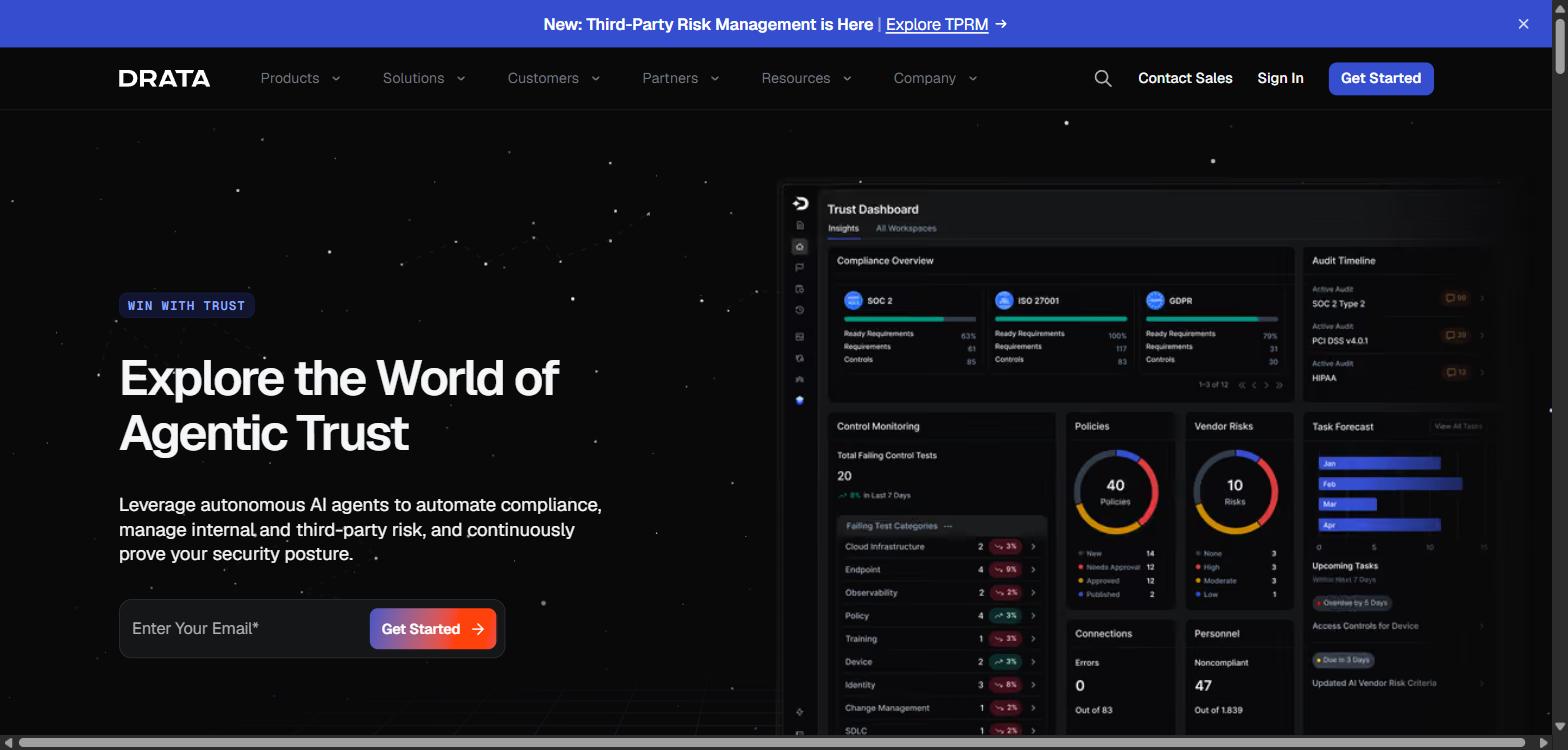
Screenshot of Drata's homepage, captured 2026-10-01, for informational purposes only.
Drata is another compliance automation platform, and its privacy language is about controls rather than data. Its CCPA page says it lets you "map CCPA controls to systems handling consumer data with clear ownership and accountability," evaluate how third parties collect, use and protect personal data, and link privacy risks directly to controls, ownership and evidence.
It lists GDPR, ISO 27701 and ISO 27018 among its privacy frameworks and mentions consumer rights requests without detailing a workflow.
That's useful, and it's different from data mapping in the sense of this guide. Mapping a control to a system tells an auditor who owns what. It doesn't tell you what personal data is in the system, where it goes, or produce a RoPA, and the page doesn't document a data inventory or RoPA. I ranked it last on that basis, not because it's weak at what it does.
For a team already running SOC 2 or ISO 27001 in Drata, it's a way to tie privacy controls to the same evidence. For a team that needs a data map, it's not the tool the page describes. Drata publishes no pricing on that page.
Key features:
- Privacy controls mapped to the systems that handle consumer data
- Third-party privacy evaluation and risk linked to controls
- GDPR, ISO 27701 and ISO 27018 among supported privacy frameworks
- Control alignment, evidence and ownership tracked across vendors
Pros
- Clear ownership of privacy controls across systems
- Privacy evidence sits with the rest of your compliance program
- Familiar for existing Drata users
Cons
- No documented data inventory, discovery or RoPA on the page I read
- Control mapping is not data mapping
- No published pricing
Pricing: Not published. The page I read offers only demo and sales contact options.
Best for: Teams already on Drata that want privacy controls tied to systems and evidence.
Already Running SOC 2?
Add the privacy record to the program you already have.
If SOC 2 or ISO 27001 is already in motion, ComplyJet's GDPR RoPA and vendor inventory sit on the same connected program, with a team guiding the work and one flat per-company price.
How to Choose Data Mapping Software for Your Company
The list gets you to a shortlist. If you're working out how to choose data mapping software, these six questions get you to a choice. Here's the lens I'd use: the safe pick is the biggest name, and the smart pick is the map your team will still be maintaining in a year.
Start With the Layer You Are Missing
Write down which layer is causing the pain this quarter.
If a customer wants a RoPA and a vendor list, you need layer 3 and some of layer 1, and a documentation-level tool covers it. If you keep discovering systems nobody listed, you need layer 1 automation.
If you suspect personal data is sitting in file shares, exports and attachments, you need layer 2 scanning, and that means #1 to #5. Buying all three layers for a problem that lives in one of them is how small teams end up with an enterprise contract and a spreadsheet anyway.
Company Stage and Team Size
Under about 50 people with no privacy owner, favor tools that come with guidance and a bounded scope: #8 to #10 here, or Osano if you want SSO-driven discovery. Between roughly 50 and 500, with a named privacy or legal owner, the connected platforms (#2, #5, #6, #7) open up. Above that, with a large data estate and several jurisdictions, the deep discovery tools are built for you.
Budget and Pricing Model for Data Discovery Software
Ask what the price scales with: data subjects, data sources, integrations, site traffic or modules. Each scales differently. Flat per-company pricing stays predictable as you grow. Volume-based pricing rises with your data.
The buyer-reported medians I found run from $8,750 a year (Osano, which is a whole suite) to about $60,300 (MineOS), before implementation. For OneTrust, Vendr says implementation and professional services typically add 20 to 40 percent. Use those as a range to hold a quote against, not as a price list.
Test Automated Data Mapping on Your Own Data
Don't judge discovery from a demo environment. Ask each vendor to run against a slice of your real stack, including a messy file share or an export folder, and count what it finds that your team didn't know about, and what it flags that isn't actually personal data.
That second number matters. The same commenter who sells a discovery tool was candid about why:
"Regexps tend to be too narrow and produce a lot of noise" Radim, Hacker News, 2020-12-06 (a vendor's comment on pattern-matching discovery, not research)
A tool that buries your team in false positives will be switched off within a quarter, and then you're back to a spreadsheet.
ROPA Software Output: What Auditors Ask For
Open the RoPA a tool generates and compare it with Article 30. Does it carry purposes, categories of data subjects and personal data, recipients, third-country transfers with safeguards, and, where possible, retention periods and security measures? Can you export it in a form you'd hand to a customer or regulator?
Smaller organizations aren't always required to keep one: Article 30(5) exempts organizations under 250 people unless the processing is risky, non-occasional or involves special categories of data. That is a general explanation, not legal advice, and most B2B SaaS companies end up keeping one anyway because customers ask.
When Customers Are the Ones Asking
A lot of buyers in this position aren't being pushed by a regulator. They're being pushed by an enterprise customer's questionnaire.
In that case the tool's job is to make your answers true and provable: a current RoPA, a vendor and sub-processor list, and a record of who owns what. A compliance platform that already runs your security evidence can do that without a second system. If the questions get deeper than documentation, because customers want to know where personal data lives inside your systems, that's the signal to add discovery.
Not Sure Which Layer You Need?
Talk it through with a team that has seen both approaches.
If your mapping work is driven by customer questionnaires and audits, ComplyJet can show you how a maintained RoPA and vendor inventory fit inside one compliance program. If a discovery tool is the better fit, that's a useful answer to get before you sign.
FAQs
What Is Data Mapping Software?
Data mapping software records what personal data an organization holds, where it lives, why it's processed and where it flows, and usually produces the record of processing activities. In privacy work it's different from ETL data mapping, which matches fields between systems.
What Is the Difference Between Data Mapping and Data Discovery?
Data discovery finds systems and personal data, either by connecting to systems or by scanning content. Data mapping documents what was found and adds purposes, recipients and flows. Most tools in this guide do some of both, and the three layers above show where each one stops.
Is Data Mapping Required Under GDPR?
GDPR requires a record of processing activities under Article 30, not a specific tool or a "data map" by name. A data map is the practical way to build and keep that record accurate. Article 30(5) exempts organizations under 250 people unless the processing is risky, non-occasional or involves special categories of data, and this is a general explanation, not legal advice.
Do Startups Need Data Mapping Software?
Not always at first. If your stack is small and a few people know where personal data lives, a maintained spreadsheet or a documentation-level tool can do the job. Software earns its place when the stack grows, when customers keep asking for a current RoPA, or when you can no longer say with confidence where personal data is.
How Much Does Data Mapping Software Cost?
Most vendors here don't publish prices. Buyer-reported medians on Vendr's marketplace, read on 2026-10-01, run from $8,750 a year for Osano to about $60,300 for MineOS, with OneTrust at $12,000, TrustArc at $15,660, Securiti at $49,841 and DataGrail at $50,000.
These are third-party figures, not quotes, and implementation is extra. ComplyJet publishes its pricing: $7,999 a year for Core and $9,999 for Plus on the 3-year plan, up to 50 employees.
How Often Should a Data Map Be Updated?
GDPR asks you to maintain the record, but it doesn't set a refresh interval. In practice, update it whenever something changes: a new vendor, a new product feature that collects data, a new data store. That is also the argument for tools that detect change, since a static map can be out of date as soon as it's finished.
Can I Do Data Mapping in a Spreadsheet?
Yes, and for a small company it's a legitimate start. The risks are drift, because nothing alerts you when a system changes, and ownership, because a spreadsheet records what people remembered rather than what exists. If you start there, assign an owner and tie updates to events such as vendor onboarding.
What Is a Record of Processing Activities?
A record of processing activities (RoPA) is the document GDPR Article 30 asks controllers to keep. It covers the controller's details, the purposes of processing, categories of data subjects and personal data, categories of recipients, third-country transfers with safeguards, and, where possible, erasure time limits and a description of security measures.
Can Vanta or Drata Do Data Mapping?
Partly, and it depends on what you mean. Vanta's help article describes a data inventory you can view as a RoPA and export, but it doesn't say the inventory is populated by discovery. Drata's CCPA page describes mapping privacy controls to the systems that handle consumer data, which is control mapping rather than a data inventory. Neither page documents scanning for personal data.
Final Thoughts on the Best Data Mapping Software
Every tool here can document part of a privacy data map, and the differences are in which part. The discovery-first tools go deepest on finding personal data you didn't know you had. The suites connect the map to assessments and the RoPA.
The compliance platforms are the practical fit when your privacy work comes from customers and audits and you'd rather not run two systems. If all you need is ROPA software that stays current, that last group is where to look first.
If you take one thing from this guide, let it be the three layers. Decide which one is actually hurting, then ask each vendor to show it working on your own stack before you believe the category label. ComplyJet is the considered choice for a lean SaaS team that needs a current RoPA and vendor list inside its compliance program, with the limits I listed above.
Free Demo
See how ComplyJet keeps your RoPA and vendor inventory current.
Talk to ComplyJet about GDPR alongside SOC 2 and ISO 27001, with a team that guides you through it and flat per-company pricing.
Related Reading on the Best Data Mapping Software
- Best GDPR Compliance Software, for the single-law comparison focused on GDPR.
- Best CCPA Compliance Software, for the California-specific ranking.
- Best ISO 27701 Software, for the privacy management system standard.
- GDPR Compliance Requirements, for what GDPR actually asks of a SaaS company.
- Data Classification Policy, for the policy that sits behind discovery and classification.
- Best GRC Software, for teams weighing a wider governance, risk and compliance platform.
- Best Vendor Risk Management Software, for tracking the processors and sub-processors on your map.
Sources: Vendor capabilities read from each vendor's own pages on 2026-10-01: OneTrust data mapping, DataGrail, DataGrail Live Data Map and DataGrail data mapping, BigID data discovery, Securiti, MineOS and MineOS inventory and discovery, Osano data mapping, TrustArc Data Mapping and Risk Manager, Vanta Privacy Management and Vanta pricing, Drata CCPA, and ComplyJet's frameworks, GDPR, vendor risk management and pricing pages.
Legal text: GDPR Article 30. Buyer-reported pricing from Vendr: OneTrust, DataGrail, Securiti, TrustArc, Osano and MineOS, flagged in-text as third-party. Practitioner comments: Hacker News items 17158837, 19113772 and 25327126.