.svg)

You probably have something called a risk register. It’s a spreadsheet, maybe inherited from a template someone pulled off the internet. It gets updated once a year during audit prep, and then it sits there, frozen in time. That’s not a risk assessment program. It’s a snapshot dressed up as one.
The difference matters. SOC 2, ISO 27001, and HIPAA all require documented, ongoing risk assessments, not a once-a-year checkbox exercise. When your auditor or an enterprise prospect asks to see your risk assessment program, a spreadsheet with no owner assignments, no treatment plans, and no update history doesn’t hold up.
I reviewed 10 risk assessment tools, each verified as having risk assessment either as its primary product or as a dedicated core module, not a bolt-on. The category ranges from purpose-built platforms designed entirely around risk programs to compliance automation tools where risk management is deeply embedded. Depending on where you are, you need one more than the other.
Here’s what I looked at, and how I made the call on each.
What risk assessment software actually does (and why a spreadsheet isn’t enough)
Here’s the scenario a spreadsheet can’t handle: a risk you flagged six months ago has three controls attached to it, one of which failed a test last week, the vendor it’s linked to just renewed their contract, and your CISO needs a board update by Friday. In a spreadsheet, that’s four separate tabs, two email threads, and a manual reconciliation job. In a proper risk assessment tool, it’s one view.
Why it matters
A software platform that keeps that evidence continuous and auditable makes a real difference when your auditor asks for it.
A risk assessment is the process of identifying what could go wrong in your environment, scoring each risk by likelihood and impact, assigning someone to own it, deciding how to treat it (accept, mitigate, transfer, or avoid), and tracking that treatment over time. The software automates most of that and connects it to your broader compliance program.
Most tools cover three main domains: cyber and IT risk (vulnerabilities, misconfigurations, access control gaps), vendor and third-party risk (the risk introduced by every tool and contractor you depend on), and operational and enterprise risk (business continuity, regulatory exposure, process failures). The better platforms handle all three in one place.
For compliance specifically, frameworks like SOC 2 and ISO 27001 require documented evidence that you’ve identified, assessed, and tracked risks. A software platform that keeps that evidence continuous and auditable makes a real difference when your auditor asks for it.
How I evaluated these 10 tools
I checked each tool against six criteria:
- Risk assessment is primary, not a bolt-on: the tool must have a dedicated risk module, or be purpose-built for risk programs
- Framework alignment: supports NIST CSF, ISO 27001, SOC 2, HIPAA, or PCI DSS out of the box
- G2 ratings and review depth: verified user reviews, not just analyst recognition
- Coverage across use cases: cyber risk, IT risk, and/or vendor/third-party risk
- Fit across company sizes: tools for startups through enterprise represented
- Transparent or discoverable pricing: either public pricing or a clear demo-first path
Key insight
Every tool in this list has risk assessment as a primary product or dedicated core module, not a checkbox feature buried in a settings tab.
Quick comparison: 10 best risk assessment tools at a glance
| Tool | Best for | Pricing | Standout feature |
|---|---|---|---|
| LogicGate Risk Cloud | Enterprise GRC teams | Contact for pricing | 30+ risk apps, FAIR model, Monte Carlo simulations |
| Vanta | Compliance-first startups | Contact for pricing | Risk register + 100+ pre-built risk scenarios |
| ComplyJet | Early-stage startups | From $4,000/year | Risk management bundled with full compliance program |
| Sprinto | Autonomous multi-framework compliance | Contact for pricing | Autonomous risk detection, 4.8/5 across 1,596 reviews |
| AuditBoard (now Optro) | Enterprise GRC + audit | Contact for pricing | Gartner MQ Leader 2026, 1,585 reviews |
| OneTrust | Privacy + IT risk combined | Contact for pricing | Unified privacy, AI governance, and tech risk suite |
| Centraleyes | SMBs wanting fast GRC onboarding | Contact for pricing | AI Risk Register, onboards in days |
| Resolver | Enterprise resilience programs | Contact for pricing | Risk + incident management in one platform |
| Archer | Multi-domain enterprise GRC | Contact for pricing | AI-powered risk quantification (Archer Evolv) |
| MetricStream | Quantitative enterprise risk modeling | Contact for pricing ($75K+) | VaR, loss distribution, scenario analysis |
Free Demo
Risk management + compliance in one platform.
SOC 2, ISO 27001, HIPAA: ComplyJet covers risk from day one, from $4,000/year.
The 10 best risk assessment tools in 2026
1. LogicGate Risk Cloud

LogicGate Risk Cloud is one of the few platforms where risk assessment isn’t a module inside a bigger compliance tool. It’s the whole point. The platform gives you 30+ purpose-built GRC applications covering cyber risk, enterprise risk, third-party risk, and operational risk, all configurable without IT using a no-code workflow builder.
What stands out is the depth of quantification. Risk Cloud Quantify uses the FAIR model and Monte Carlo simulations to put financial figures on your risk exposure, something most tools in this category can’t do. If you need to report risk in dollar terms to a board or investment committee, that matters.
It’s built for enterprise GRC teams and mid-market companies scaling up their programs. If you want something fast to set up with minimal configuration, this probably isn’t it. The learning curve is real, and early users report some confusion in the UI. But if you’re serious about a structured risk program and want the flexibility to build it your way, LogicGate is the most capable platform in this list. Read our LogicGate review for a deeper breakdown.
“
LogicGate allows us to manage risks, compliance, and audits all in one place, eliminating manual, spreadsheet-based GRC work through automated workflows. The ease of setting up and customizing applications and their risk analysis functionality using FAIR is what I like most.
★★★★★Verified User· Mid-Market
Via G2 ↗Key features:
- 30+ purpose-built GRC applications
- Risk quantification using FAIR model and Monte Carlo simulations (Risk Cloud Quantify)
- No-code workflow builder: configure without IT
- Automated evidence collection and control monitoring
- Cyber risk, enterprise risk, TPRM, and operational risk modules
- AI-powered insights via Spark AI
- Framework support: NIST CSF, ISO 27001, SOC 2, GDPR, HIPAA, PCI DSS
Pros of LogicGate Risk Cloud
- Most comprehensive risk quantification in this list (FAIR + Monte Carlo)
- Highly customizable: configure to match your existing risk methodology
- Strong support team; 9.6/10 quality of support score
Cons of LogicGate Risk Cloud
- Steep learning curve; UI can be confusing initially
- No free trial or free tier
- Reporting functionality needs more polish per user feedback
Pricing: Custom modular pricing. You purchase the applications you need plus Power User licenses. Standard and external users included at no additional cost. Contact for a quote.
Best for: Enterprise GRC teams and mid-market companies building a dedicated, structured risk program that requires quantitative exposure modeling.
2. Vanta

Vanta is the name most compliance teams encounter first. It started as a compliance automation platform and has built a dedicated Risk Management product that sits alongside its core compliance modules. The risk register, automated workflows, and 100+ pre-built risk scenarios mean you can get a structured risk program off the ground quickly, especially if you’re already using Vanta for SOC 2 or ISO 27001.
The integration between risk and compliance is the strongest argument for Vanta: you can link risks directly to controls, policies, and vendor assessments and see everything in one view. For a startup building its first risk program alongside its first compliance program, that connected experience is genuinely useful.
The limitations are worth knowing. The risk score is calculated automatically and you can’t adjust the scoring methodology yourself. Vanta uses a basic calculation where inherent risk only changes to residual once all attached controls pass, which doesn’t always reflect real-world risk nuance. It’s a good starting point, but teams with more mature risk programs often run into these walls. See our Vanta alternatives breakdown for a full comparison of where Vanta leads and where it falls short.
“
Vanta automated the vendor risk management process, which used to be a mess of spreadsheets and manual labor. Very easy to use with automations and integrations that save time and make compliance much more efficient.
★★★★☆Verified User· SMB
Via G2 ↗Key features:
- Dedicated Risk Management product (not a tab inside compliance)
- Risk register with inherent and residual risk scoring
- 100+ pre-built risk scenarios library
- Automated risk assessment and review workflows
- Risk treatment plan tracking and owner assignment
- Vendor risk management (TPRM)
- 350+ integrations
Pros of Vanta
- Risk links directly to controls, policies, and vendor assessments
- Fast setup; 350+ integrations cover most startup stacks
- Well-known brand, useful for credibility with enterprise prospects
Cons of Vanta
- Risk scoring methodology not customizable; basic calculation model
- Pricing not published; often cited as expensive for early-stage companies
- Full risk management features require Professional plan or higher
Pricing: Four plans (Essentials, Plus, Professional, Enterprise). Pricing on request.
Best for: Startups and SMBs building compliance and risk together for the first time on a single platform.
3. ComplyJet
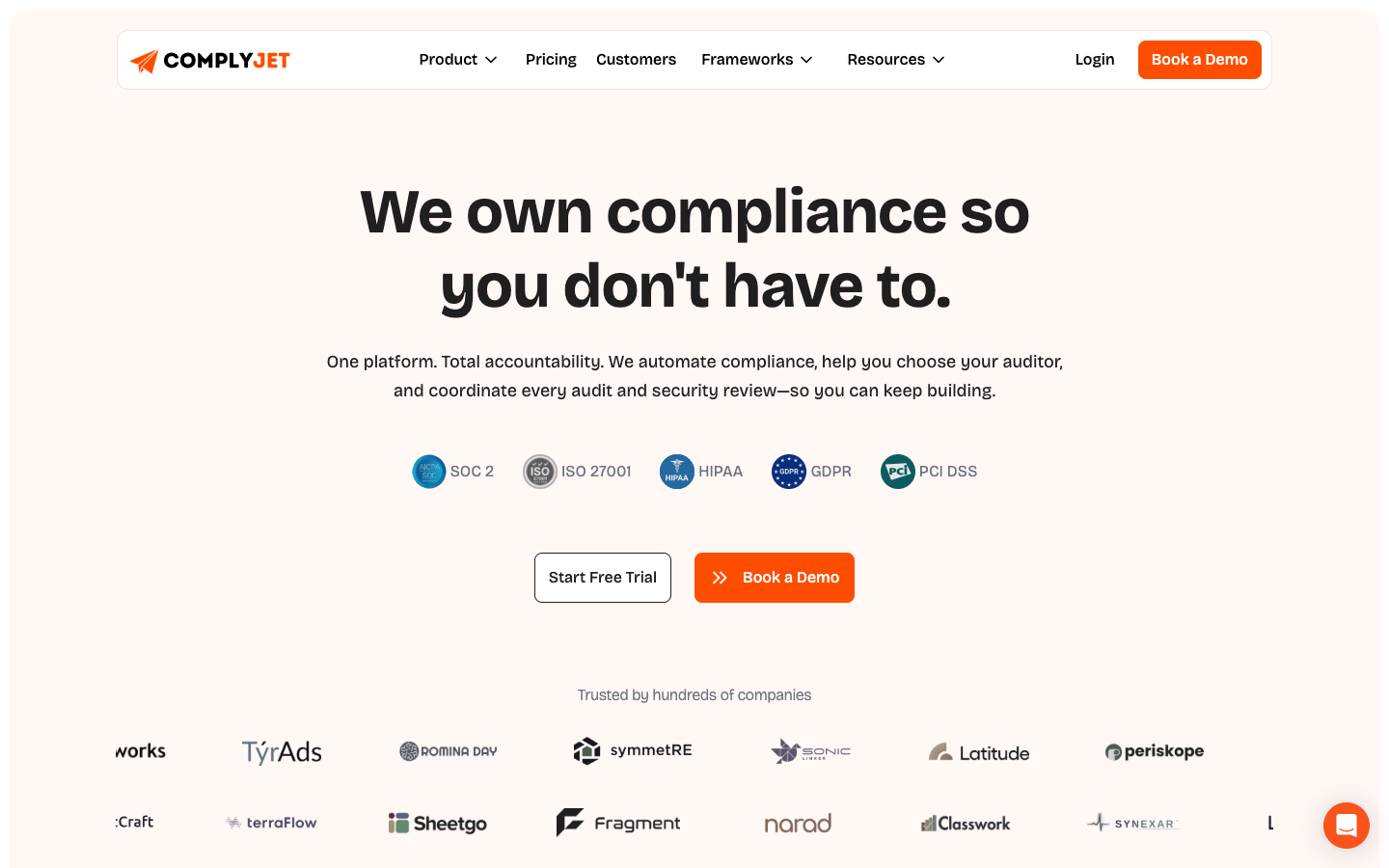
ComplyJet isn’t a standalone risk assessment platform. It’s a compliance automation platform where risk management is included in every plan, not gated behind a higher tier, not sold as an add-on. If you’re a startup working toward SOC 2, ISO 27001, or HIPAA, risk management is part of the program from day one.
The difference in model matters. Most platforms here are built for teams where GRC is a function, with someone hired specifically to run the risk program. ComplyJet is built for the startup where the founder or a small team needs to get compliance done without becoming a GRC specialist.
The platform guides you through the process: what to assess, how to score it, and what evidence your auditor will need. A team is behind it making sure the work gets done, not just that you have access to a tool.
Risk management at ComplyJet covers risk registers, vendor risk assessment, access reviews, and continuous monitoring, all connected to your compliance program so audit evidence is always current. Pricing is publicly listed and flat per company, so it doesn’t scale with headcount.
“
ComplyJet made SOC 2 and ISO 27001 readiness manageable with automated workflows, evidence collection, and expert support. The team was hands-on and flexible.
David Orr· COO · Romina Day
Via complyjet.com ↗Key features:
- Built-in risk register and risk management included in all plans
- Vendor management with vendor risk assessment
- 350+ integrations with automated evidence collection
- Access reviews, asset management, and people management
- Security questionnaire automation
- Custom-branded Trust Center
- End-to-end audit coordination with 40+ vetted auditors
- 25+ supported compliance frameworks
Pros of ComplyJet
- Risk management included in the base plan, not an upsell
- Publicly listed flat pricing: no per-seat surprises as you hire
- Team-guided process: outcome delivery, not just software access
Cons of ComplyJet
- Not a standalone risk tool: built for compliance-driven risk programs
- Best fit when a compliance certification is also the goal, not just risk documentation
- Less suited for large enterprises with complex, multi-domain GRC requirements
Pricing: $4,000/year (1 framework), $6,400/year (2 frameworks). Flat per company, not per seat.
Best for: Early-stage startups pursuing their first SOC 2, ISO 27001, or HIPAA certification and wanting risk management included without extra cost.
Free Demo
See your risk program and certification in one place.
ComplyJet guides you through risk, evidence collection, and your first audit.
4. Sprinto
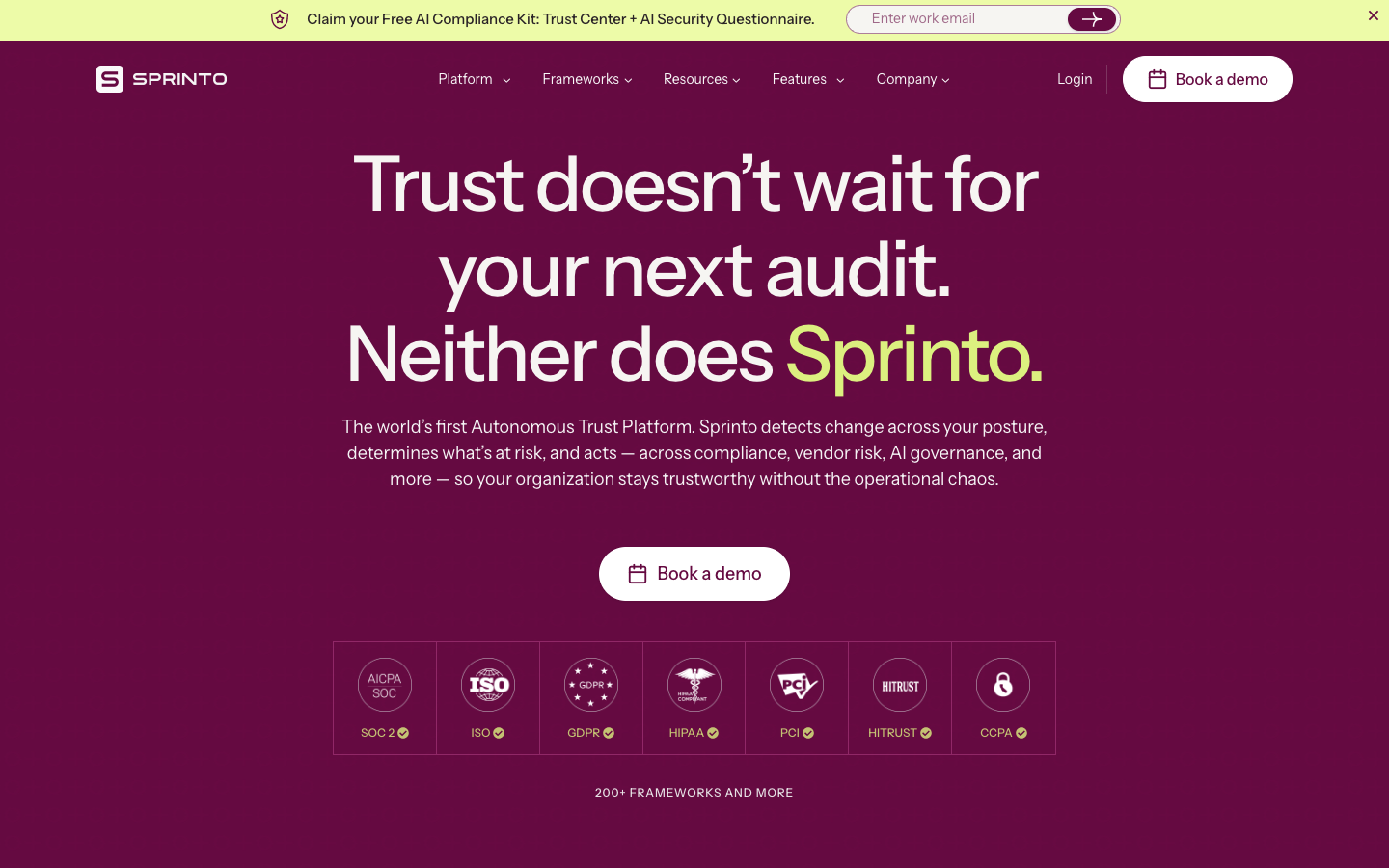
Sprinto calls itself the world’s first Autonomous Trust Platform, and the description is accurate: it doesn’t wait for you to flag a risk. It monitors your environment continuously, detects changes in your security posture, and surfaces what’s at risk before you have to look for it. Combined with 200+ supported compliance frameworks and 4.8/5 across 1,596 reviews, it’s the highest-rated tool in this list.
The autonomous risk detection model is Sprinto’s strongest differentiator. Where other tools require you to maintain the risk register manually, Sprinto connects to your infrastructure and SaaS stack and keeps it updated. If a new integration introduces a gap or a control test fails, it shows up in your risk view automatically.
It’s a strong fit for fast-growing companies that want compliance and risk management to scale with them without adding headcount to manage it. Setup takes some effort, and users report occasional sync delays and browser compatibility issues, but the core product is solid. Read our full Sprinto review for more detail, or if you’re comparing options, the Sprinto alternatives breakdown.
“
For a company with small risk management and IT security teams, Sprinto has been a valuable tool in helping us manage our risks. It has reduced the amount of manual work, eliminated risks, and made us always ready for an audit.
★★★★★Verified User· SMB · 11-50 employees
Via G2 ↗Key features:
- Autonomous risk detection: surfaces risks without manual prompting
- Compliance automation across 200+ global standards
- Vendor risk management
- AI governance module with ISO 42001 support
- Real-time security posture visibility
- Continuous control monitoring
- Risk-based audit readiness
Pros of Sprinto
- Highest-rated tool in this list (4.8/5 across 1,596 reviews)
- Autonomous risk detection reduces manual maintenance
- Broad framework support: 200+ global standards
Cons of Sprinto
- Initial setup can be overwhelming for first-time users
- Occasional sync delays and browser compatibility issues
- Pricing requires a discovery call; not publicly listed
Pricing: Contact for pricing.
Best for: Fast-growing startups and mid-market companies that want risk and compliance to scale autonomously without manual upkeep.
5. AuditBoard (now Optro)
A quick note before diving in: AuditBoard rebranded to Optro in 2025. The platform is the same, the URL has changed to optro.ai, and most buyers still search “AuditBoard”, so both names are worth knowing when you’re evaluating it.
It’s an enterprise-grade GRC platform with a dedicated RiskOversight module for risk management, plus Cyber Risk, TPRM, AI Governance, and audit modules. Over 50% of Fortune 500 companies use it, it’s a Gartner Magic Quadrant Leader in 2026 for TPRM, and it has the highest review volume in this list outside of Sprinto (1,585 reviews at 4.6/5).
If your organization has a formal audit function and wants risk, compliance, and audit programs in a single connected platform, this is probably the enterprise standard to evaluate. Smaller teams or companies without a dedicated GRC function will likely find it more than they need.
“
AuditBoard improves risk transparency and connectivity among our defense lines, streamlining controls with AI to reduce manual work, allowing focus on critical risk areas. The dashboard is very helpful for viewing project statuses at a glance.
★★★★★Verified User· Enterprise
Via G2 ↗Key features:
- RiskOversight: dedicated risk management module
- Cyber Risk Management
- Third-Party Risk Management (TPRM)
- Controls Management with autonomous testing
- AI Governance module
- OpsAudit for operational audit programs
- CrossComply for compliance management
- RegComply for regulatory change tracking
- GRC-trained AI for proactive risk intelligence
Pros of AuditBoard (now Optro)
- Most complete enterprise GRC suite in this list
- Gartner MQ Leader 2026; strong recognition across eight G2 categories
- 1,585 G2 reviews, the most battle-tested platform here for enterprise use
Cons of AuditBoard (now Optro)
- Rebrand to Optro causes confusion; AuditBoard branding still widespread externally
- Some users report limited analytics depth in newer Optro features
- Enterprise-scale pricing and scope; not suited for startups
Pricing: Contact for pricing. Enterprise-scale.
Best for: Large enterprises with formal audit, risk, and compliance programs that need everything in one connected platform.
6. OneTrust
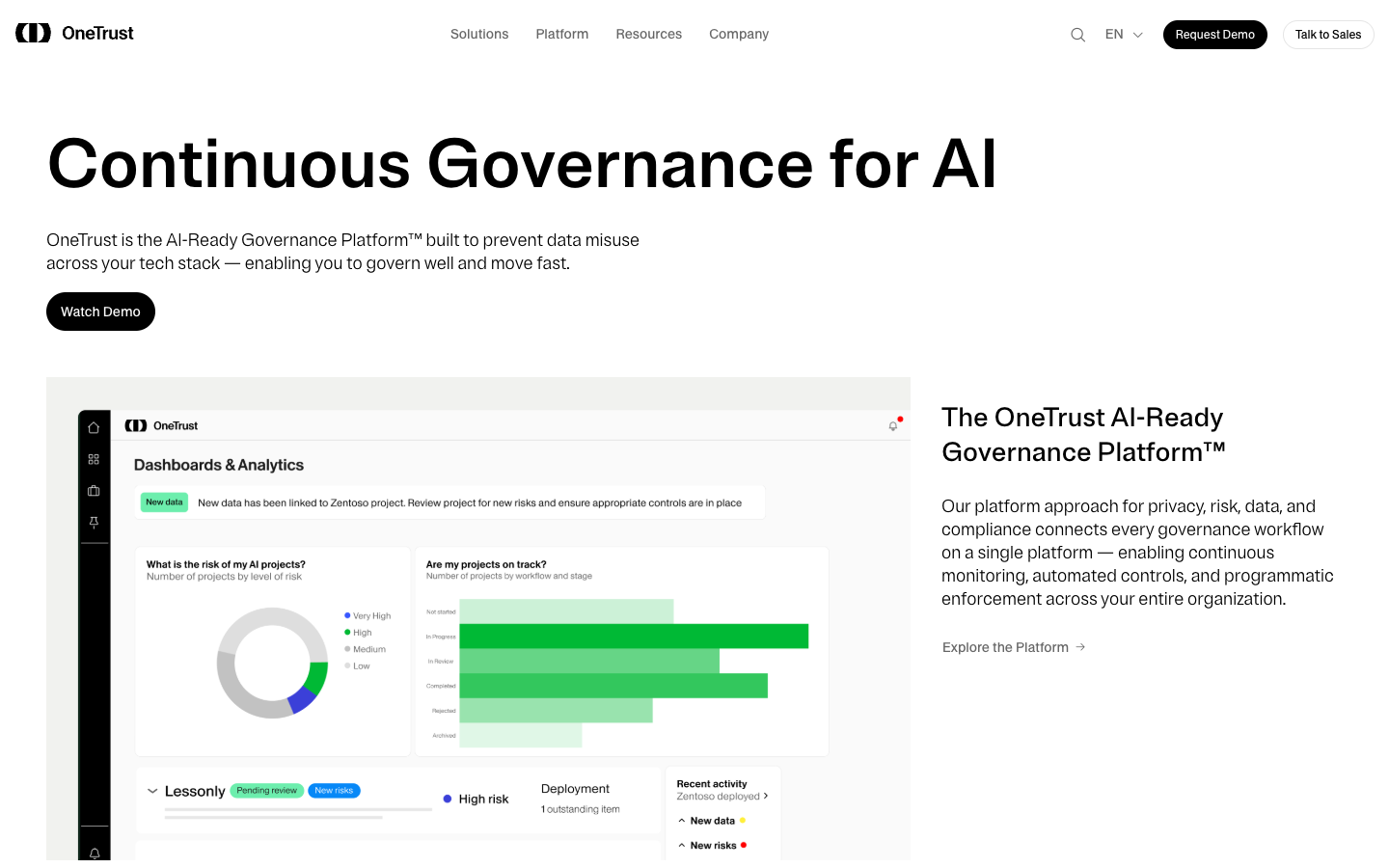
OneTrust is the largest platform on this list. It covers privacy automation, AI governance, data use governance, and tech risk and compliance. The Tech Risk and Compliance product is their dedicated risk assessment module. It handles IT risk assessment, cybersecurity risk management, third-party management, and policy tracking. IDC named it a Leader in 2025 for integrated risk.
The honest reason to choose OneTrust is that you need privacy and IT risk in the same platform. If your organization manages GDPR obligations, data subject requests, and cookie consent alongside your IT risk program, building that in two separate tools creates real friction. OneTrust connects them. If you only need IT risk assessment with no privacy footprint, there are more focused options in this list.
4.6/5 across 109 G2 reviews, solid rating, but lower review volume than the top tools here.
“
OneTrust is fundamental in allowing us to proactively identify, evaluate, and mitigate IT and cybersecurity risks. The centralized single-dashboard approach consolidates everything into one place, increasing visibility and streamlining processes across IT systems and vendors.
★★★★★Verified User· Enterprise
Via G2 ↗Key features:
- Tech Risk and Compliance module: IT and cybersecurity risk assessment
- Third-Party Management with vendor risk workflows
- AI Governance for AI risk assessment and compliance
- Privacy Automation and consent management
- Automated risk scoring and workflows
- Centralized risk and compliance dashboard
- Policy management and regulatory change tracking
Pros of OneTrust
- Only platform in this list combining privacy, AI governance, and IT risk in one place
- Strong automated workflows; reduces manual risk management effort
- IDC Leader 2025 for integrated risk
Cons of OneTrust
- Privacy and consent is the primary identity; risk module is strong but secondary
- Steep learning curve; complex initial setup
- Pricing requires a demo call; not published
Pricing: Contact for pricing. Modular suite, licensed per product.
Best for: Enterprises that need privacy management (GDPR, consent, data governance) and IT risk assessment from a single platform.
7. Centraleyes
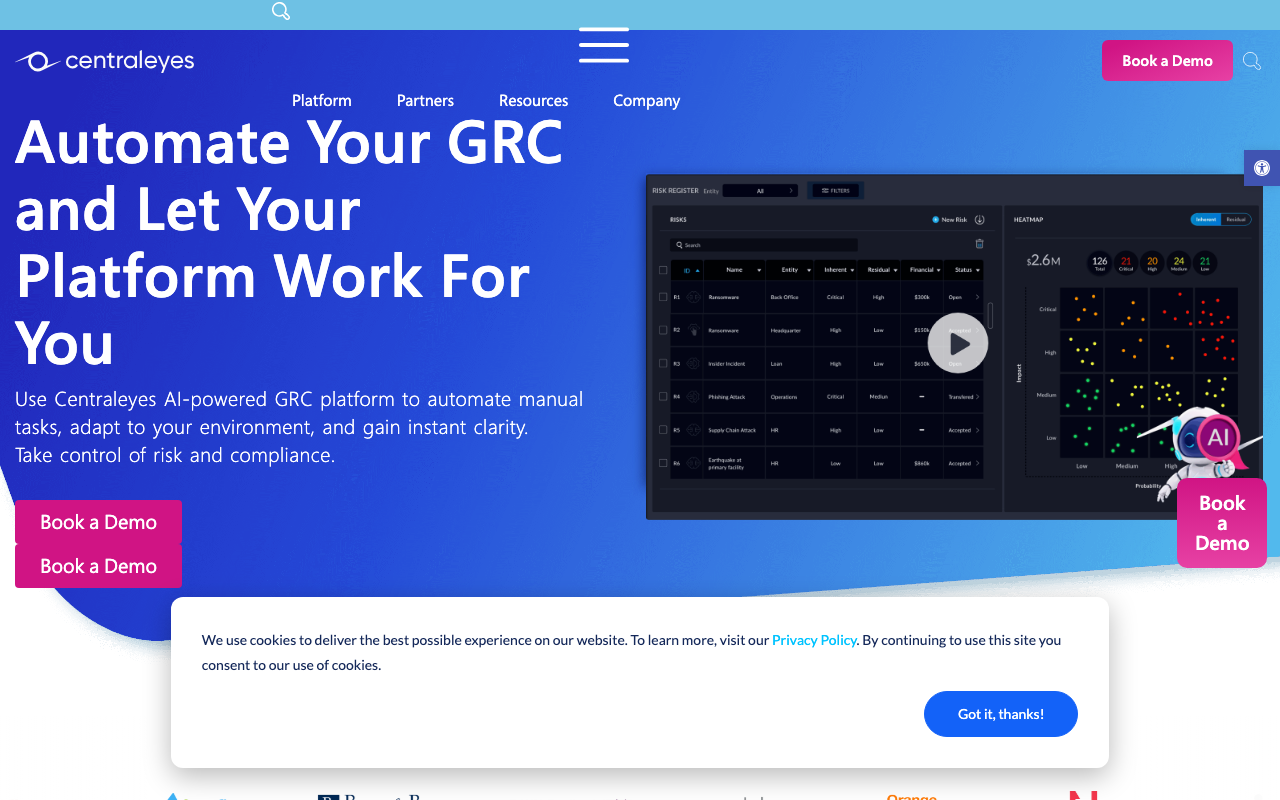
Centraleyes stands out for how fast it moves. Most enterprise GRC tools take months to implement. Centraleyes claims onboarding in days, and user feedback backs that up. The core offering is an AI Risk Register that automates risk documentation, plus internal and vendor risk assessment modules mapped against 180+ compliance frameworks.
For a security team that needs a real risk program but doesn’t have months to spend on implementation, Centraleyes sits in a useful middle ground between the startup-focused tools and the enterprise heavyweights. The GRC-as-a-Service option is worth knowing about if you want managed support rather than a self-service platform.
The main limitation users flag: reports look strong at a high level but drill-down capability is limited for granular data analysis.
“
Centraleyes can be onboarded in a few days and start automating cyber risk tasks immediately. The AI risk register helps us understand our cyber risk exposure in a way that actually makes sense to leadership, not just technical metrics.
★★★★★Verified User· SMB
Via G2 ↗Key features:
- AI Risk Register with automated risk documentation
- 1st Party Risk Management (internal risk assessment)
- 3rd Party / Vendor Risk Management
- Boardview: executive-level cyber risk reporting
- 180+ pre-populated compliance framework support
- Dynamic risk scoring and real-time monitoring
- Regulatory Watch: automatic regulatory change tracking
- GRC-as-a-Service option for managed support
Pros of Centraleyes
- Fast onboarding: days, not months
- AI Risk Register reduces manual documentation effort
- GRC-as-a-Service option for teams wanting managed support
Cons of Centraleyes
- Reports lack granular drill-down capability
- Platform can be slow when navigating between modules
- Lower community review volume than the enterprise tools in this list
Pricing: Contact for pricing. GRC-as-a-Service option available.
Best for: SMBs and mid-market security teams that need a real risk program up and running quickly, without a long implementation cycle.
8. Resolver

Resolver takes a different angle from the rest of this list. Where most tools separate risk from incident response, Resolver connects them: a risk that materializes becomes an incident that gets managed in the same platform. That continuity matters for organizations that need to show they didn’t just identify a risk, they responded to it.
It’s an Enterprise Resilience platform covering ERM, IT risk, TPRM, business continuity, and incident management, with a physical security risk component that no other tool here offers. Over 1,000 enterprise customers rely on it, including GitHub, Starbucks, and Toyota.
Setup is complex and takes time. Users consistently report a steep learning curve in the first few weeks. But once configured, the platform provides the kind of structured evidence trail that large enterprises need for regulatory reviews and board-level reporting.
“
Everything feels structured once you're inside the platform: incident records, risk registers, and follow-ups all in one place. The dashboards reflect real operational data, which makes reviews with leadership easier and more factual. Setup takes time but it's worth it.
★★★★☆Verified User· Enterprise
Via G2 ↗Key features:
- Enterprise Risk Management
- IT Risk Management
- Third-Party Risk Management
- Incident Management and investigations (linked directly to risk events)
- Business Continuity Management
- Security Risk Management (physical and cyber)
- Regulatory Compliance tracking
- Proactive risk monitoring
Pros of Resolver
- Unique: connects risk identification directly to incident response
- Physical and cyber risk in one platform
- 4.3/5 across 180 G2 reviews; G2 Best Software Award 2025 (GRC)
Cons of Resolver
- Complex initial setup; steep learning curve
- Not suited for startups or small teams without a risk function
- No public pricing
Pricing: Contact for pricing. Enterprise-focused.
Best for: Enterprises that need operational risk, IT risk, incident management, and business continuity managed in a single connected platform.
9. Archer
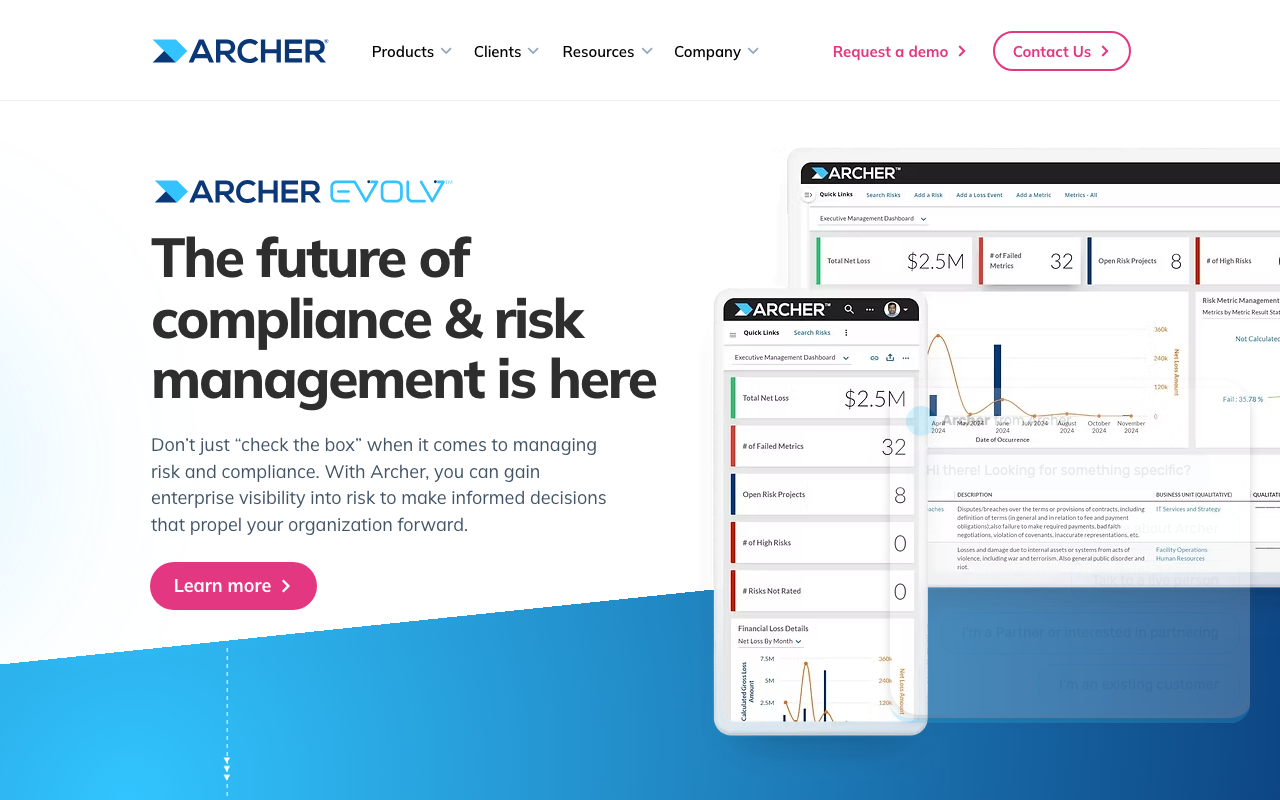
Archer has been the enterprise GRC standard for decades. The recent launch of Archer Evolv, an AI-powered risk intelligence layer that quantifies exposure with financial impact modeling, adds a capability most platforms here can’t match. 80% of Archer clients manage multiple risk domains on the platform simultaneously.
It’s comprehensive, handles complexity that most tools can’t, and supports programs spanning IT, operational, third-party, and resilience risk alongside Risk Control Self Assessments (RCSAs), Key Risk Indicator monitoring, SOX 404 support, and COSO framework compliance.
The honest caveat: Archer is known for requiring significant implementation effort. Multiple users mention hiring a dedicated Archer expert. If you don’t have a GRC function already, Archer will create one by necessity. For large enterprises with the resources and the requirement, it’s the right call. For everyone else, it’s probably more than you need.
“
Archer is a powerful tool from a GRC perspective. We use it to manage vendor relationships, risk exceptions, policy management, and compliance tracking all in one place. The data visualization is helpful for tracking risk status across dashboards. Implementation requires dedicated expertise: we hired a full-time Archer expert on our team.
★★★★☆Verified User· Enterprise
Via G2 ↗Key features:
- Enterprise and Operational Risk Management
- IT and Security Risk Management
- Third-Party Risk Management
- Resilience Management
- Archer Evolv: AI-powered risk quantification with financial impact modeling
- Risk Control Self Assessments (RCSAs)
- Key Risk Indicator (KRI) monitoring
- Compliance mapping: NIST, SOX, COSO, ISO 27001, PCI DSS
Pros of Archer
- Most battle-tested enterprise GRC platform in this list
- Archer Evolv adds AI-powered financial risk quantification
- 80% of clients manage multiple risk domains simultaneously
Cons of Archer
- Known for complex implementation; typically requires dedicated expertise
- Not suited for teams without an existing GRC function
- Enterprise-only pricing
Pricing: Contact for pricing. Enterprise budgets.
Best for: Large enterprises with dedicated GRC teams that need comprehensive, multi-domain risk management with AI-powered financial risk quantification.
10. MetricStream
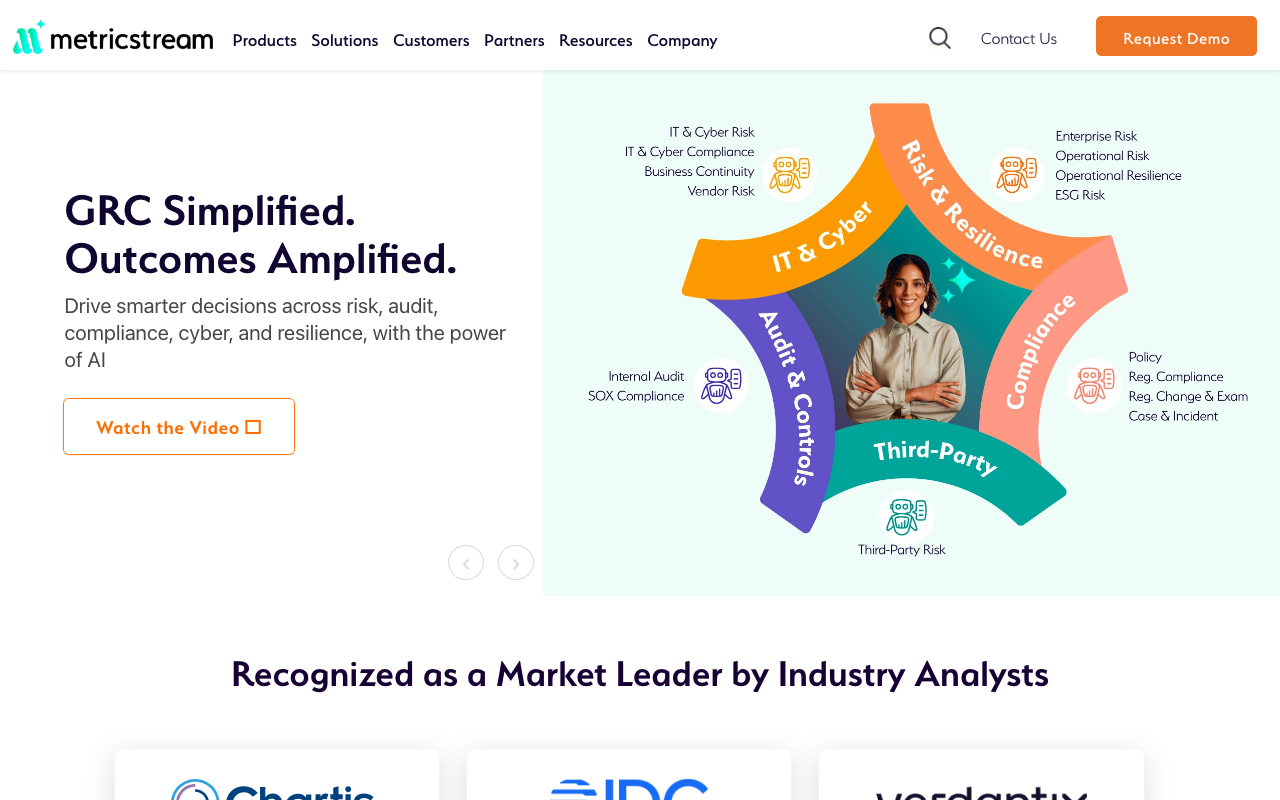
MetricStream is the only platform in this list that offers the full spectrum of quantitative risk modeling: Value at Risk (VaR) calculations, loss distribution modeling, and scenario analysis at enterprise scale. If your risk team needs to express exposure in financial terms using actuarial-grade methods, MetricStream has the depth to do it.
A few things are worth being upfront about. G2 review volume is low (13 reviews at 3.9/5). This is a platform where analyst recognition from Gartner and Forrester carries more weight than peer reviews. Pricing starts at $75,000/year and goes significantly higher. Implementation is complex and adds more cost. This is not a tool for companies where risk management is someone’s part-time job. It’s for organizations where risk management is a department.
“
MetricStream is very responsive to functional and economic requirements, with great integration to other platforms. It provides a centralized platform for identifying, assessing, monitoring, and mitigating risks across the enterprise, integrating risk registers, control libraries, issue management, compliance tracking, and reporting dashboards all in one place.
★★★★☆Verified User· Enterprise
Via G2 ↗Key features:
- Enterprise Risk Management (ERM) with full risk lifecycle management
- Operational Risk Management
- IT and Cyber Risk Management
- Quantitative risk analysis: VaR calculations, loss distribution modeling, scenario analysis
- Risk register and control library
- Key Risk Indicator (KRI) monitoring
- AI-driven dashboards and heat maps
- Framework support: NIST, ISO 31000, ISO 27001, SOC 2, GDPR
Pros of MetricStream
- Deepest quantitative risk modeling capabilities in this list
- Full enterprise risk lifecycle management in one platform
- Strong framework library including ISO 31000
Cons of MetricStream
- Low G2 review volume (13 reviews); analyst recognition-heavy, not peer-review driven
- Pricing starts at $75,000/year; implementation fees add more
- Designed for organizations with a dedicated risk management function
Pricing: Contact for pricing. Typically $75,000 to over $1,000,000/year depending on modules and user scope.
Best for: Large enterprises where risk management is a full department and quantitative modeling (VaR, scenario analysis) is a requirement.
How to choose the right risk assessment tool
Cyber risk assessment tools vs. IT risk assessment tools vs. vendor risk assessment tools: which type do you need?
The three types cover different parts of your risk surface.
Cyber and IT risk assessment focuses on technical exposure: vulnerabilities in your infrastructure, cloud misconfigurations, access control gaps, endpoint risk. Tools best suited for this: LogicGate, Sprinto, Centraleyes, Archer. If you’re pursuing ISO 27001 or want to connect risk directly to security control monitoring, start here.
Vendor risk assessment covers the risk introduced by every third-party tool, contractor, and service provider you depend on. Vanta, OneTrust, AuditBoard (Optro), and Resolver all have strong TPRM modules. If your business depends on a long list of SaaS tools or handles customer data on behalf of enterprise clients, vendor risk deserves its own program.
Compliance-anchored risk (where the goal is meeting SOC 2 or ISO 27001 requirements) works best with tools that connect risk to compliance controls directly: ComplyJet, Sprinto, Vanta. The risk register becomes audit evidence automatically.
Most mature programs eventually need all three. Start with where your biggest exposure is.
Qualitative risk assessment tools vs. quantitative risk assessment tools: match the method to your maturity
Qualitative assessment scores risks on a scale (likelihood × impact) to produce a risk rating. It’s fast, accessible, and what most compliance frameworks require. Almost every tool in this list supports it.
Quantitative assessment expresses risk in financial terms: expected annual loss, Value at Risk, probability distributions. It requires more data and more expertise, but gives executives something they can act on in budget terms. The tools that do this well: LogicGate (FAIR model and Monte Carlo), Archer (Evolv risk quantification), MetricStream (VaR and loss distribution).
If you’re a startup building your first risk program, start qualitative. Get the register built, get the frameworks aligned, get through your audit. Once the program is established and leadership wants financial-impact reporting, the quantitative layer becomes relevant.
Free risk assessment tools: what’s actually available
Fully free enterprise-grade risk assessment software doesn’t really exist. Most platforms are contact-for-pricing, and the few with public pricing start in the thousands per year.
For a free starting point: NIST publishes free CSF implementation guides you can use to build a manual process. These give you the methodology without the software.
For the lowest-cost paid option with risk management included: ComplyJet starts at $4,000/year flat, with risk management built into the base plan. If cost is a constraint and you also need compliance automation, that’s the most economical path to a real program.
Framework requirements: confirm before you sign
Most tools in this list support NIST CSF, ISO 27001, SOC 2, HIPAA, and PCI DSS. That covers most startups and mid-market companies. Before committing, verify:
- Does the tool have a pre-built framework mapping, or do you build it yourself?
- Are framework updates (e.g. ISO 27001:2022) already reflected, or still in progress?
- For edge cases like CMMC, FedRAMP, or DORA: ask specifically, as coverage claims in marketing often don’t match actual depth
Implementation timeline: quick start vs. deep program
If timeline matters, this is roughly what to expect:
- Days: Centraleyes, Sprinto, ComplyJet
- Weeks: Vanta, LogicGate, AuditBoard (Optro)
- Months: Archer, MetricStream: dedicated implementation teams required
Faster onboarding typically means less customization upfront. For early-stage companies, that’s usually the right trade. For enterprise programs where the tool needs to match existing risk taxonomy and workflow requirements, the longer implementations are appropriate.
Frequently asked questions (FAQ)
What are risk assessment tools?
Risk assessment tools are software platforms that help organizations identify risks, score them by likelihood and impact, assign ownership, and track treatment plans over time. They range from dedicated GRC platforms like LogicGate and Archer to compliance automation tools with built-in risk modules like Vanta, ComplyJet, and Sprinto. The best ones connect risk data to compliance programs, vendor assessments, and incident management rather than keeping it in an isolated register.
What is a risk assessment?
A risk assessment is the process of identifying what could go wrong in your environment, evaluating how likely it is and how severe the impact would be, and deciding what to do about it. In the context of security and compliance, it typically covers cyber and IT risks, vendor risks, and operational risks. Frameworks like NIST CSF and ISO 27001 provide structured approaches for conducting and documenting risk assessments.
How do you do a risk assessment?
The standard process has five steps: (1) identify your assets and what could threaten them; (2) score each risk by likelihood and potential impact; (3) assign an owner to each risk; (4) decide on a treatment: accept, mitigate, transfer, or avoid; (5) track treatment progress and review regularly. Most risk assessment software automates the evidence collection and tracking steps and connects the risk register to your compliance controls.
What are examples of risk assessment tools?
Good examples across different segments: LogicGate Risk Cloud (purpose-built GRC with quantitative modeling), Vanta (compliance automation with built-in risk register), ComplyJet (compliance platform with risk management in the base plan), Sprinto (autonomous risk detection), and AuditBoard/Optro (enterprise GRC with a dedicated RiskOversight module). See the full comparison table above for all 10.
Are there free risk assessment tools?
No dedicated free risk assessment software exists at an enterprise level. NIST publishes free CSF guides and templates you can use to build a manual process. For paid tools, ComplyJet starts at $4,000/year and includes risk management in the base plan, the lowest-cost option in this list that covers both risk and compliance automation.
What is the difference between qualitative and quantitative risk assessment?
Qualitative risk assessment scores risks on a descriptive scale (typically likelihood × impact) to produce a risk rating. Quantitative risk assessment assigns financial values to those ratings, expressing exposure as expected annual loss or probability distributions. Qualitative is faster and sufficient for most compliance frameworks. Quantitative is more resource-intensive but gives executives financial context for risk decisions. Tools supporting quantitative assessment: LogicGate (FAIR model), Archer (Evolv), MetricStream (VaR and scenario analysis).
Which risk assessment tool is best for small businesses?
For small businesses and startups, ComplyJet, Sprinto, and Centraleyes are the best fits. ComplyJet is the most affordable ($4,000/year flat) and includes risk management as part of a broader compliance program, useful if you also need SOC 2 or ISO 27001. Sprinto is the highest-rated (4.8/5) and offers autonomous risk detection. Centraleyes onboards fastest and has a GRC-as-a-Service option if you want managed support rather than a self-service tool.
Final thoughts
The right risk assessment tool depends on one honest question: is building a risk program your primary goal, or is it something that needs to happen alongside a compliance certification?
For dedicated risk programs at enterprise scale, LogicGate, Archer, and MetricStream have the depth to match. For startups building compliance and risk together for the first time, ComplyJet, Sprinto, or Vanta are better starting points: faster to set up, connected to audit workflows, and scaled to early-stage budgets.
Free Demo
Build your risk program and get certified.
SOC 2, ISO 27001, or HIPAA starting at $4,000/year flat. Risk management included.