.svg)

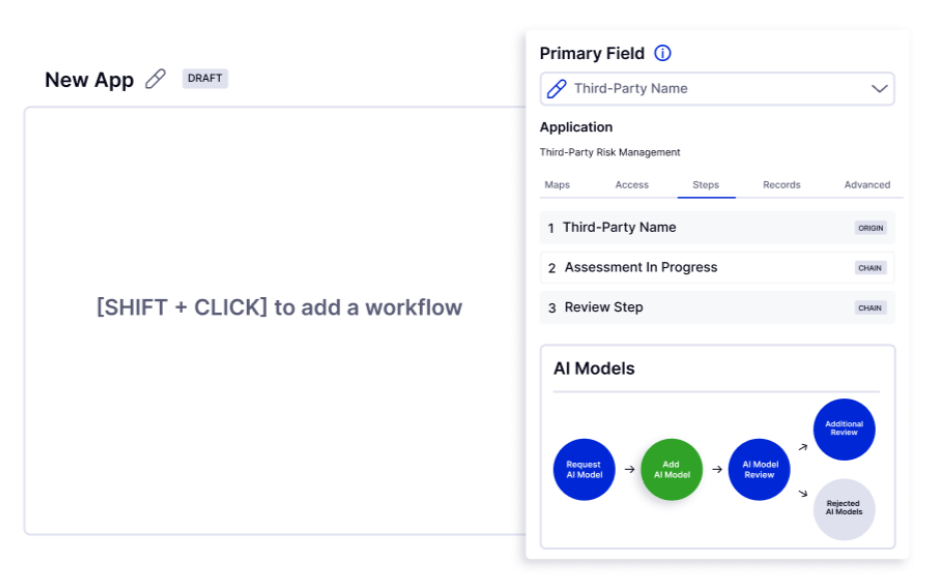
LogicGate is a modern GRC tool built to help teams manage risk, audit workflows, compliance tasks, and security processes in one place. Most users know it today through Risk Cloud, a no-code platform with 40+ modular apps covering cyber risk, audit management, policy workflows, privacy, and more. Many LogicGate reviews highlight its clean interface and flexible automation, especially for teams that want to customize processes without heavy technical lift.
But while the product is known for ease of use, LogicGate pricing remains unclear since the company does not publish its plans. Buyers must speak with sales to get a quote, which works for some teams but slows down comparison for others.
If you want upfront clarity, you can book a demo with ComplyJet and review pricing and setup paths without waiting.
LogicGate's Core Value Propositions & Who It's For
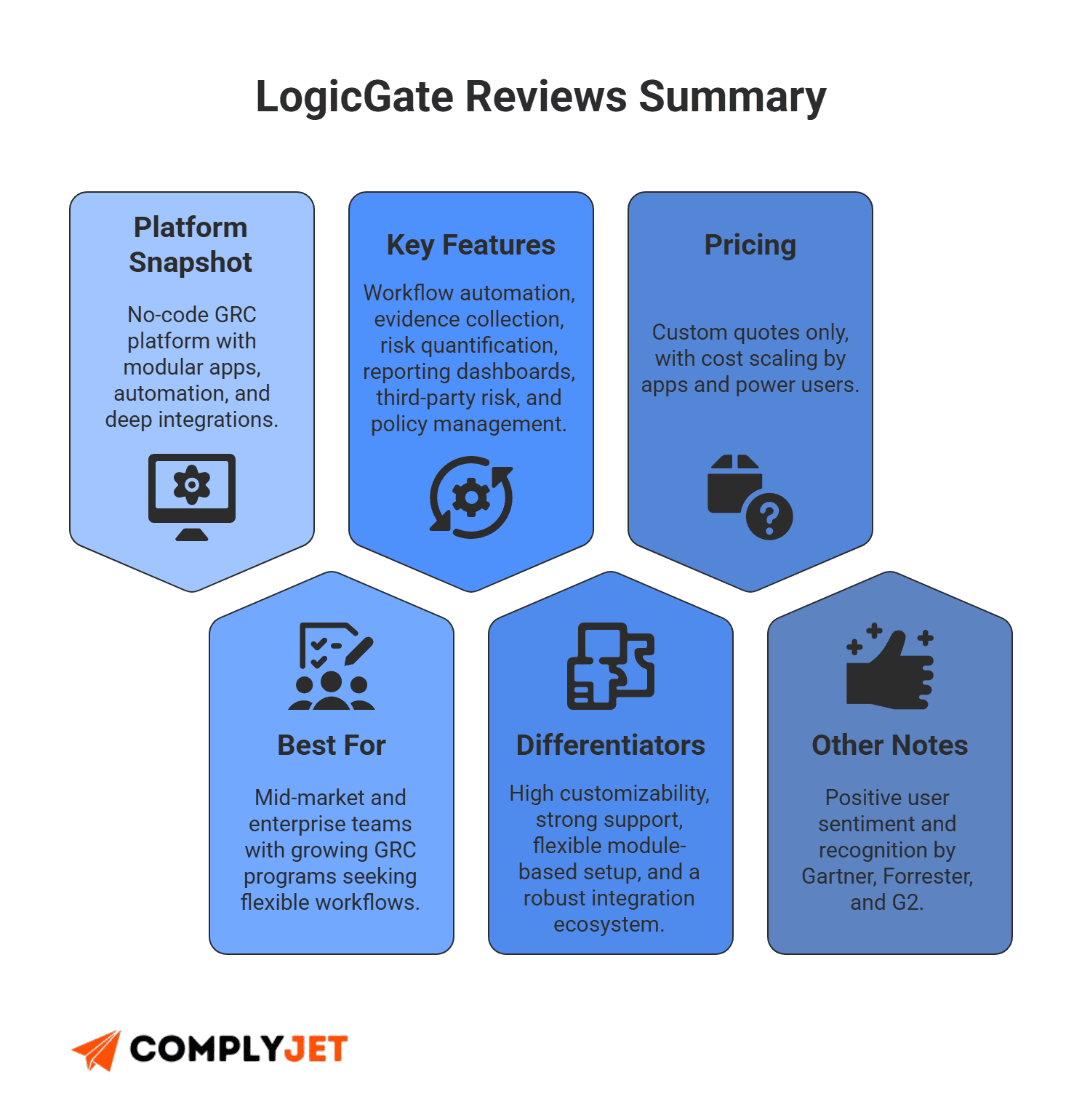
LogicGate was built to give companies a modern way to manage risk and compliance. It offers a unified platform with strong automation, flexible apps, and a design that allows teams to shape their own workflows. Many LogicGate reviews highlight that balance of structure and freedom.
LogicGate works best for:
- Mid-market and enterprise teams with growing GRC needs
- Companies that want modular deployment
- Teams that need advanced workflows without code
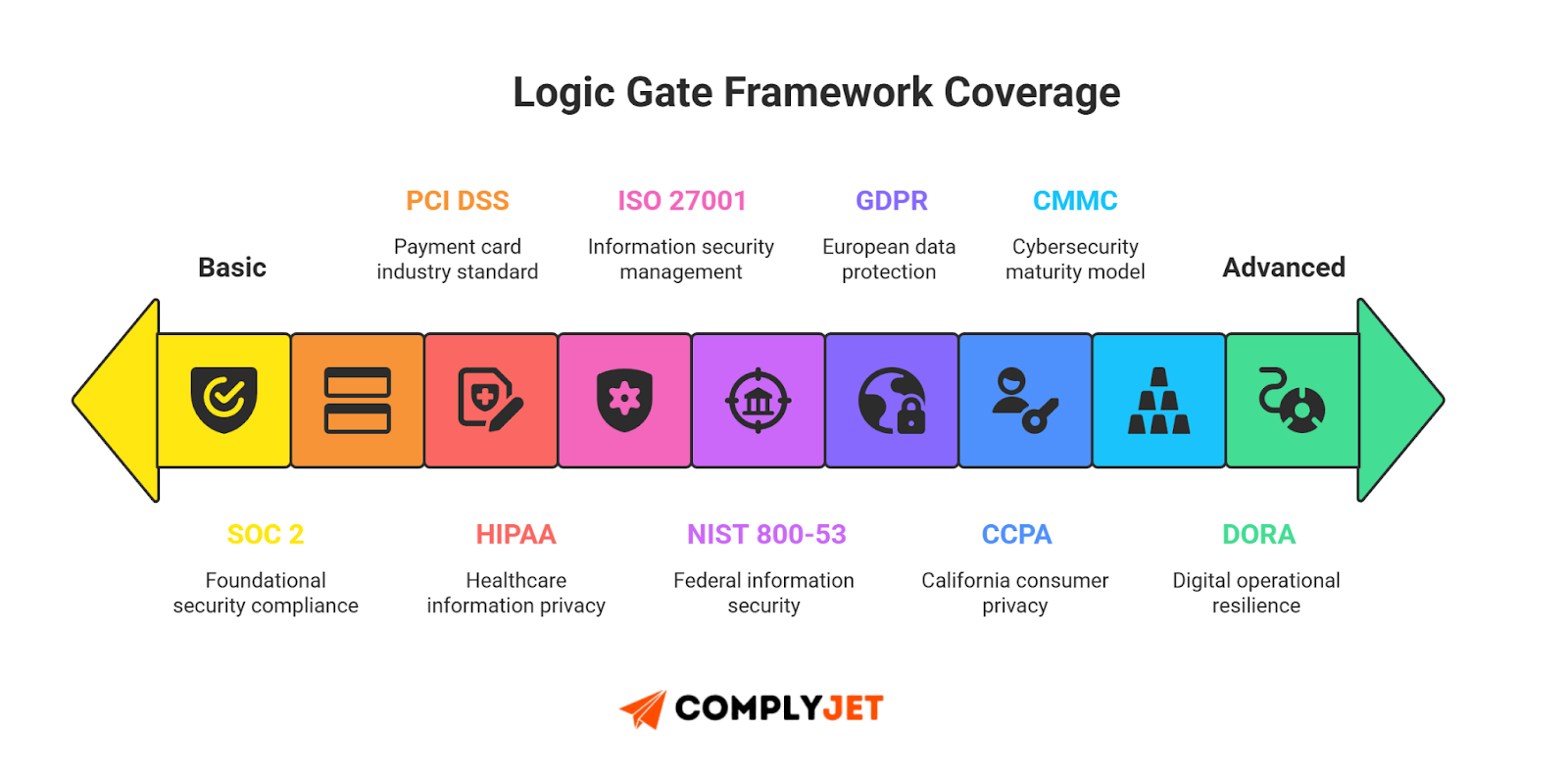
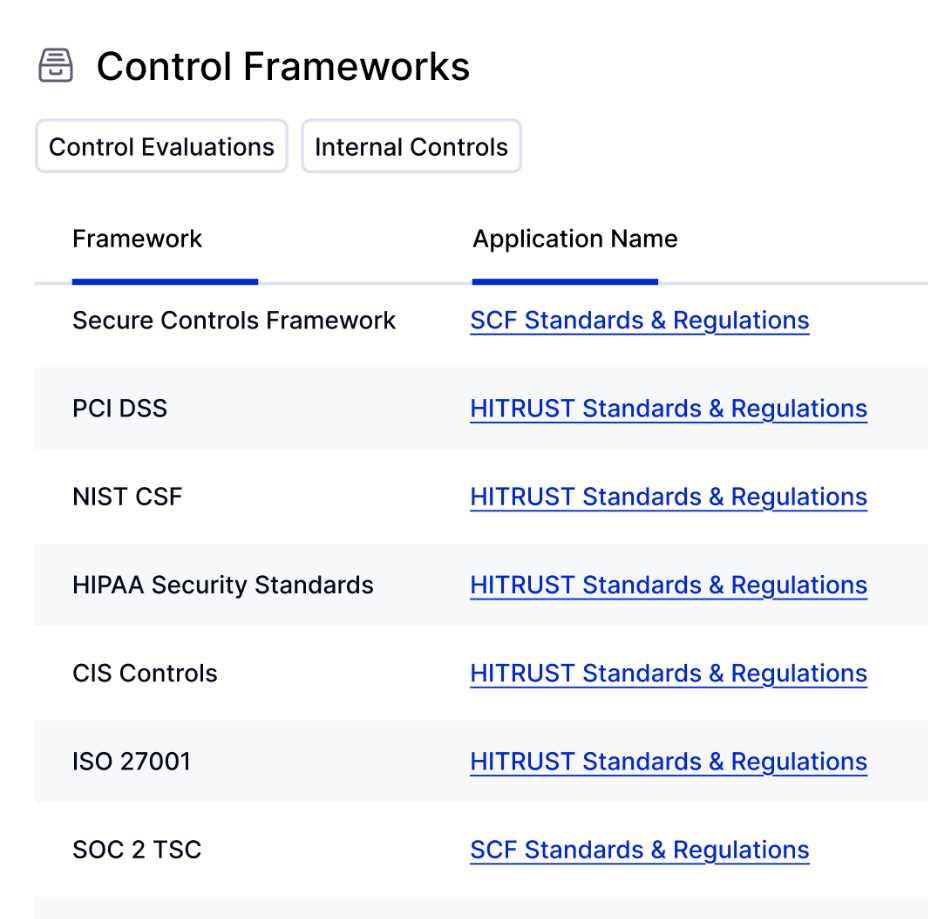
The core value lies in how it handles cyber risk management, audits, privacy tasks, and ongoing control work without forcing teams into rigid templates. Spark AI adds speed with autofill, recommendations, and context-aware insights. The platform also supports major frameworks, including NIST compliance, ISO, SOC 2, GDPR, and more.
Platform Overview - Governance, Risk & Compliance in One Ecosystem
LogicGate structures its platform around three core areas. Each one supports a different part of the GRC lifecycle, but they all connect inside Risk Cloud.
Governance
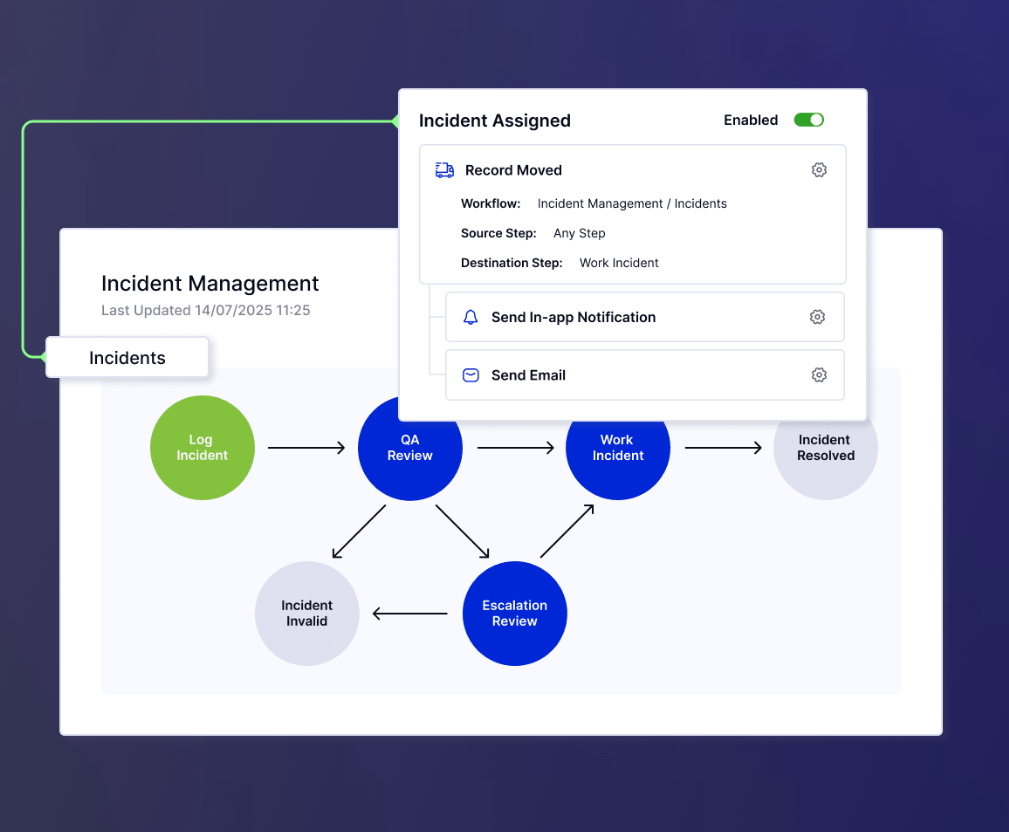
Helps teams manage policies, approvals, and oversight. It links updates to controls and tracks progress for smoother security audit cycles. These workflows form the base of a strong compliance management system, and they work with many frameworks, including NIST compliance.
Risk Management
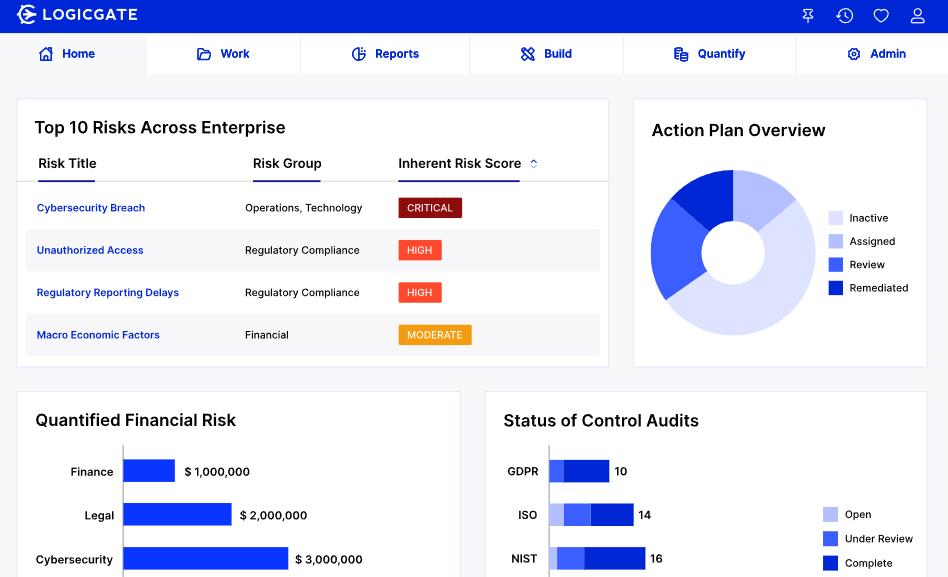
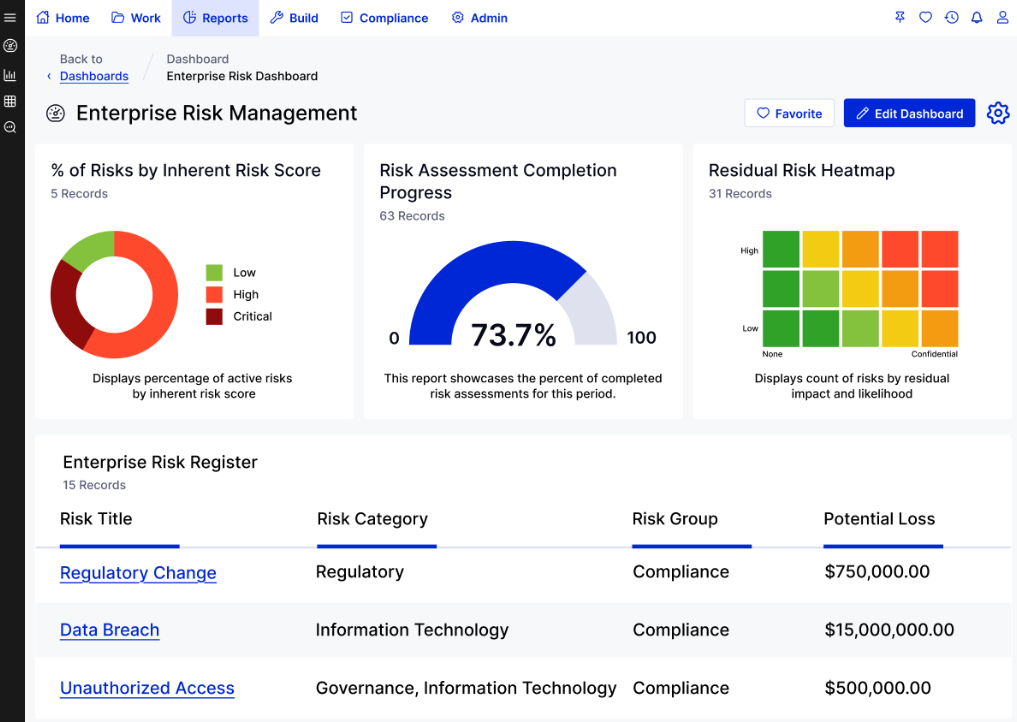
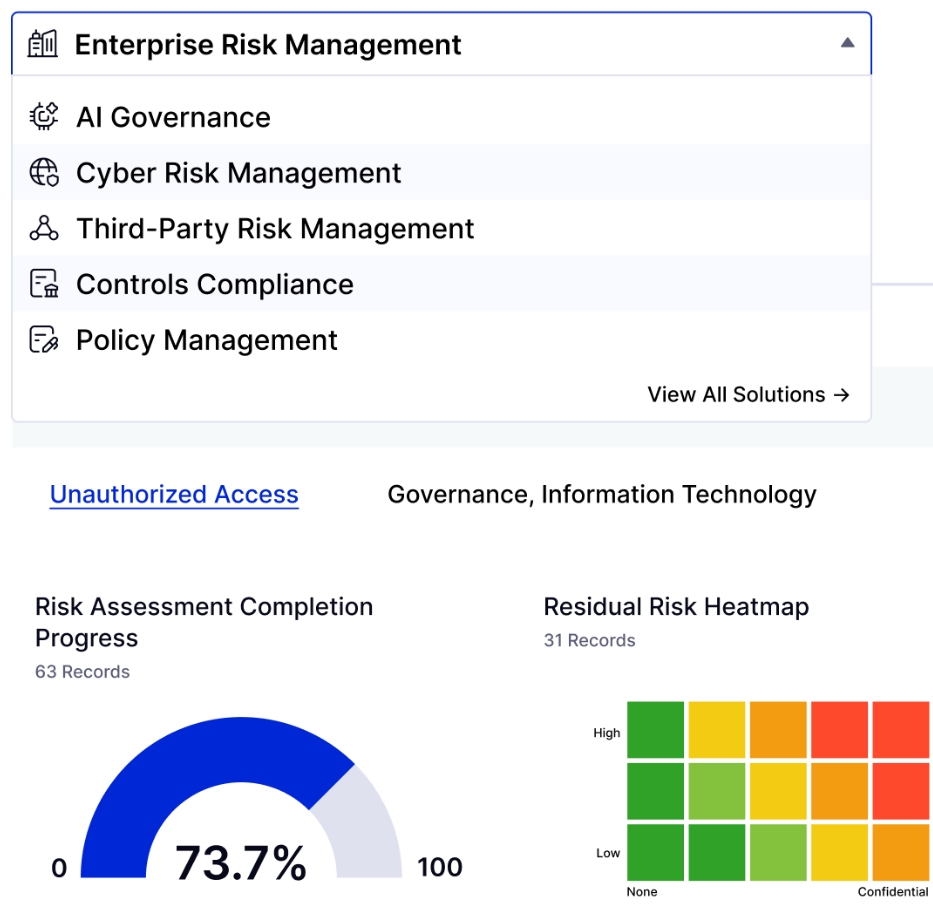
Covers enterprise, operational, and cyber risk management programs. It includes assessments, scoring, dashboards, and automation. Teams that want early structure for SOC 2 for startups also use this area to keep risk, controls, and tasks aligned in one place.
Compliance & Audit

Supports control mapping, framework tracking, and automated evidence collection. It connects with cloud, HR, and SaaS tools through broad compliance integrations, which reduces manual work during audits and continuous monitoring.
These three pillars give companies one connected system to manage their entire GRC program without switching tools.
Notable Features, AI Capabilities & Integrations
LogicGate packs a wide set of capabilities that cover automation, reporting, workflows, AI, and integrations. Risk Cloud is built as a modular system, but each feature connects to the next, so teams can scale without adding new tools.
Standout Features of Risk Cloud
LogicGate stands out most in areas where structure and automation matter.
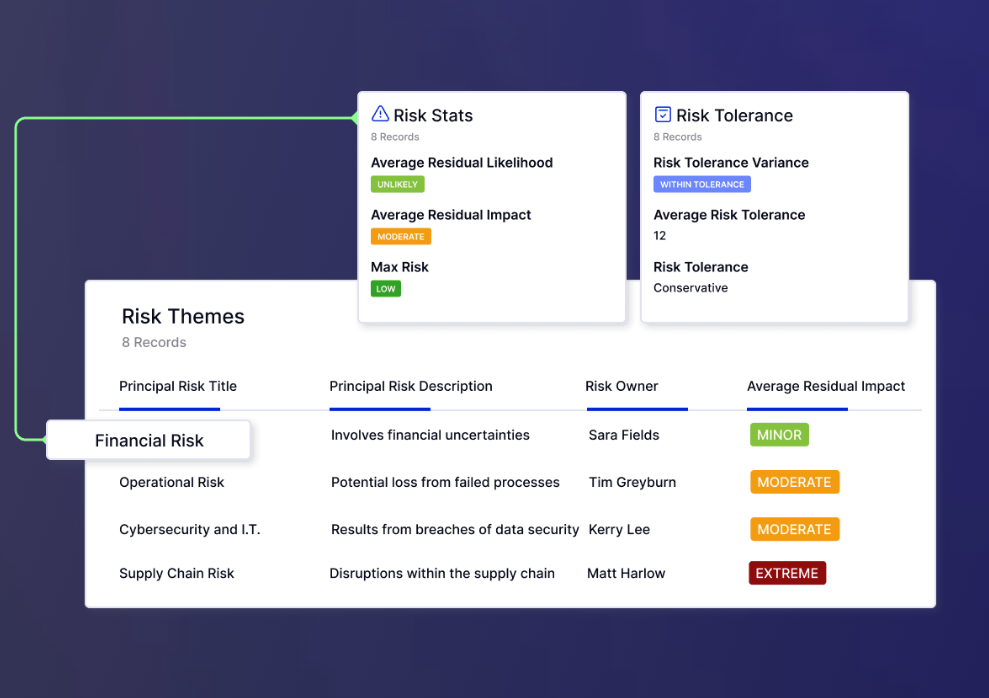
Key strengths include:
- Strong automated evidence collection that reduces manual upload cycles and keeps audit tasks organized.
- Clear workflows that help teams stay consistent during any security audit.
- Flexible configuration options that support unique processes without code.
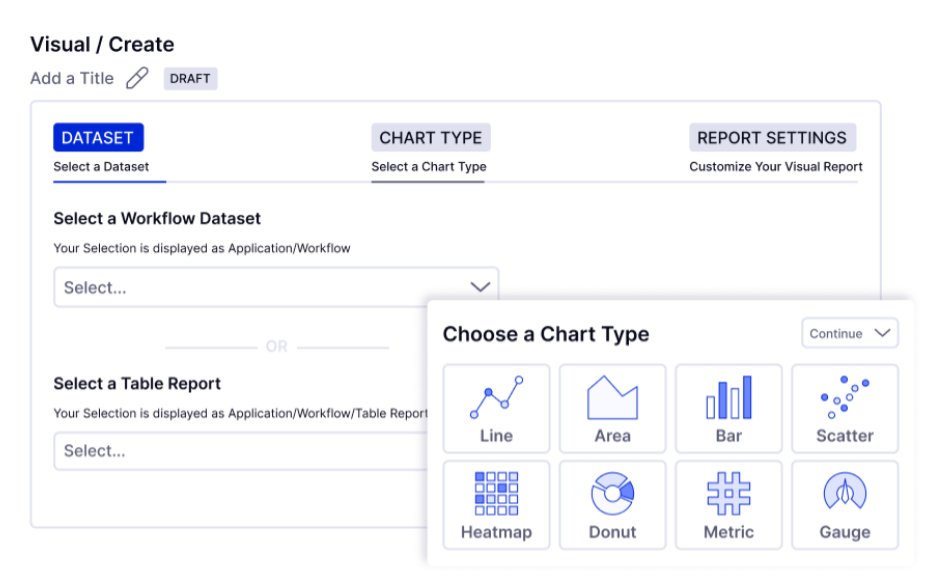
- Dashboards that make trends and gaps easy to spot.
Spark AI - Embedded GenAI in GRC

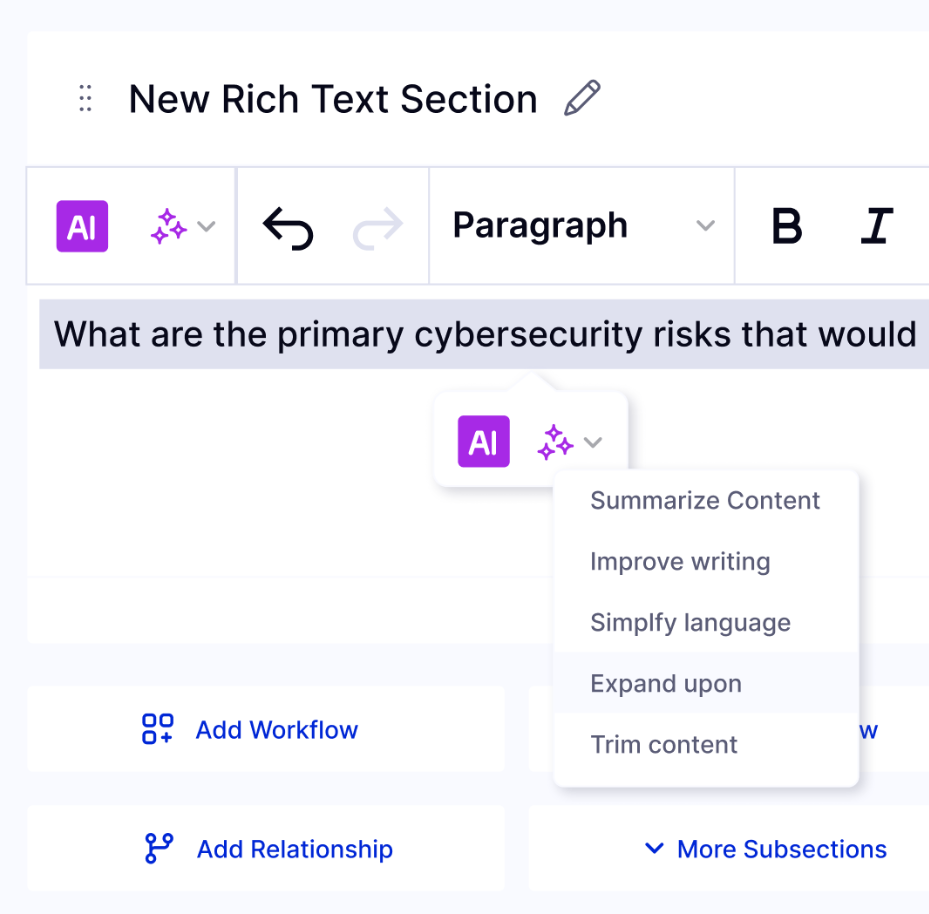
Spark AI helps teams work faster by reducing documentation time and repetitive tasks. It drafts text, links related items, fills fields, and suggests improvements based on context. Many LogicGate reviews mention that Spark AI removes busywork and keeps programs moving without extra manual effort.
Integrations & Extensible Ecosystem
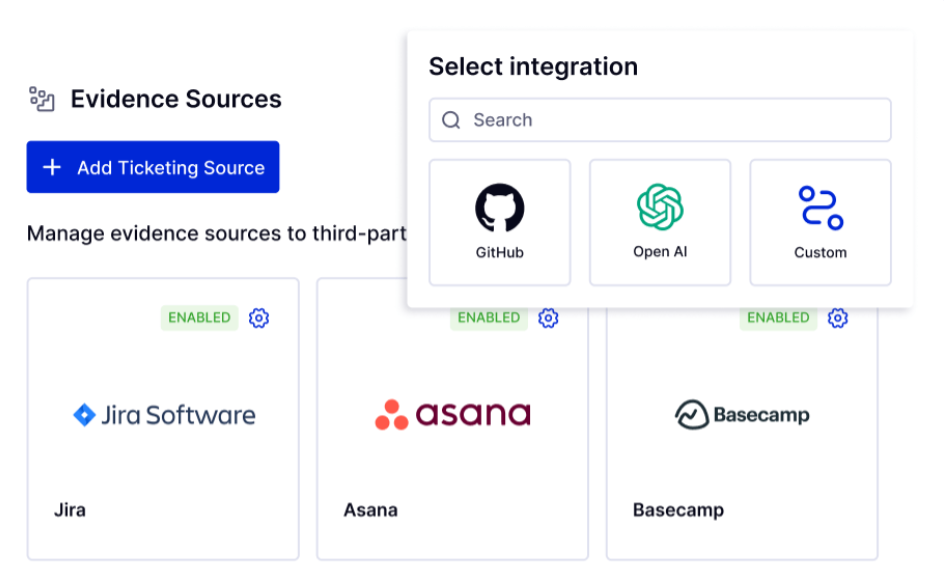
LogicGate offers a wide set of compliance integrations that connect the platform to the rest of a company's tech stack. These links help teams centralize workflows and cut down on switching between tools.
It supports integrations across:
- Cloud environments: AWS Security Hub, Amazon S3
- Ticketing and workflow tools: Jira, ServiceNow
- Identity and access systems: Microsoft 365, SCIM, SSO, RBAC
- Analytics platforms: Power BI, Looker, Tableau
- Storage and signing tools: Google Drive, Adobe Sign, DocuSign
- Security and monitoring tools: CrowdStrike, Mandiant, Black Kite, 24/7 monitoring
LogicGate also works well with external penetration testing services. Teams can track issues, review findings, manage remediation, and store supporting evidence in a single place. This creates a cleaner and more connected GRC workflow.
Logic Gate Pricing Models
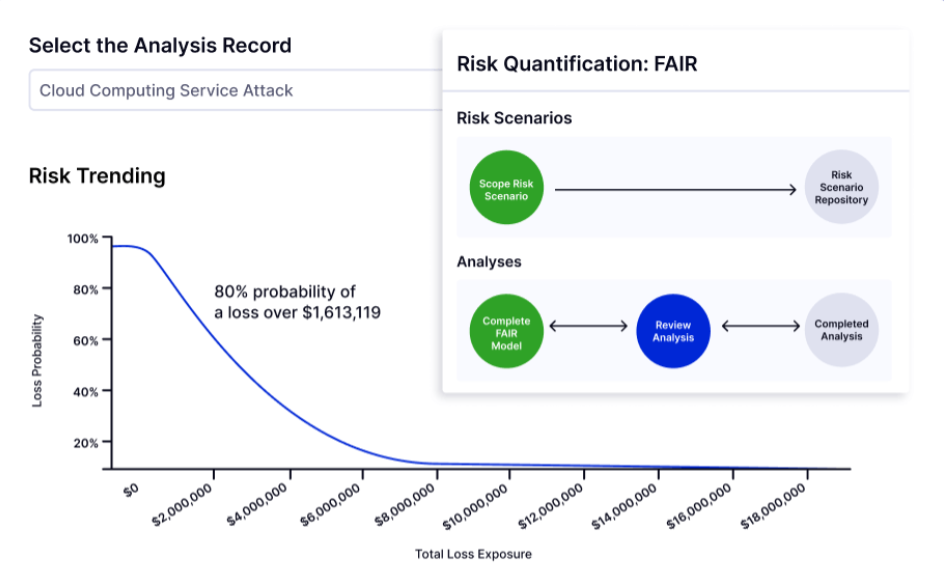
LogicGate follows a modular pricing structure. Teams pay for the applications they choose and the number of power users they need. Standard and external users are free, which helps companies scale programs without multiplying user costs. Add-ons like Quantify, advanced integrations, and services sit on top of the base package.
Pricing varies widely by maturity, scope, and the number of workflows a team wants to automate. Vendr's market data shows a median annual spend of around $52,567, with a range that can go from $11k to more than $120k per year for larger deployments. Because quotes are custom, many buyers only understand their total cost after multiple conversations with sales.
If you prefer predictable numbers, you can explore ComplyJet instead. Pricing is fully transparent, helping founders skip the spreadsheets and get audit-ready fast.
How LogicGate Pricing works
LogicGate pricing is built around modularity. Each application is priced individually, and buyers decide which parts of the platform they want to activate. Only power users contribute to licensing costs, which can help reduce spending for larger teams.
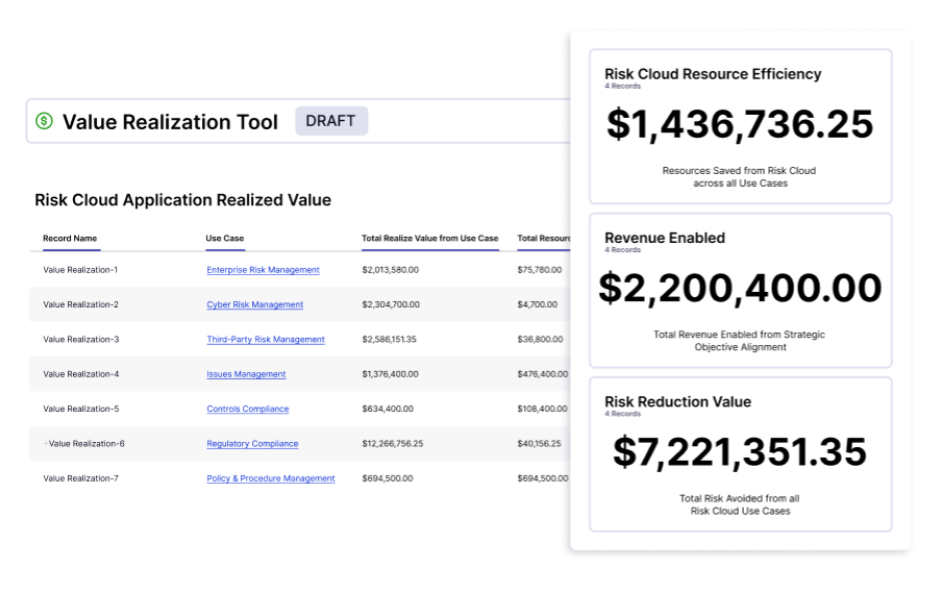
As teams add workflows or frameworks, LogicGate pricing scales up, especially when add-ons like Quantify or advanced integrations are included.
What Buyers Should Expect
Buyers should expect a custom quote rather than fixed tiers. For some companies, this flexibility is useful. For others, it makes budgeting difficult because LogicGate pricing depends heavily on the size of the program and how many modules a team chooses.
Teams expanding into multiple frameworks or large workflows may see LogicGate pricing rise as more applications and features are added over time.
LogicGate Customer Reviews - Pros, Cons & Real-World Feedback
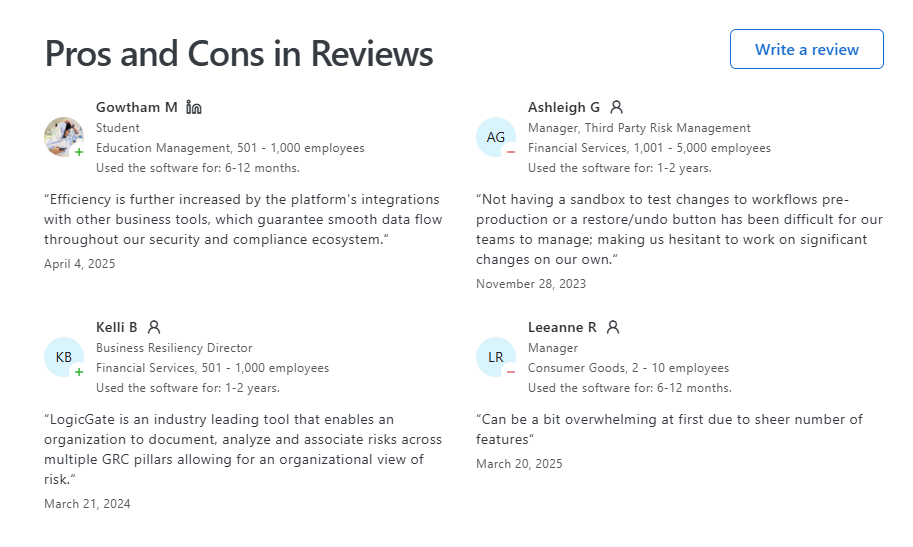
User feedback shows where LogicGate performs well and where teams want more support. Most insights come from GRC, audit, and security teams that use the platform every day.
What Users Love
Many LogicGate reviews highlight strengths that help teams work faster:
- Easy to learn. The interface feels simple and clean.
- High flexibility. Teams shape workflows without help from developers.
- Strong automation. Evidence, tasks, and approvals move with less manual effort.
- Consistent workflows. The platform helps teams follow the same process each time.
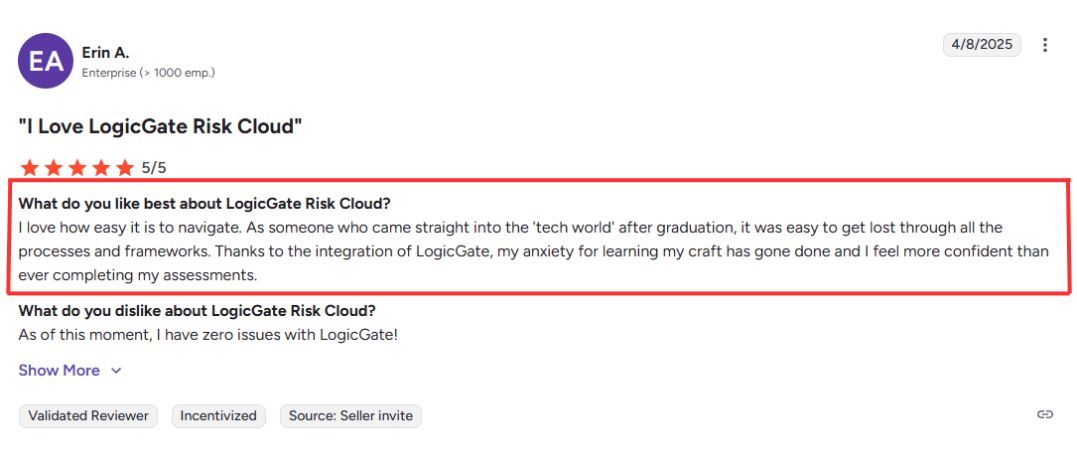
- Good support. Users say the support team responds fast.
- Scales well. It works across risk, audit, compliance, privacy, and third-party programs.
- Broad integrations. Data stays updated without constant manual syncing.
- Positive reputation. Many LogicGate reviews mention long-term reliability and strong satisfaction.
Where Users Face Challenges
Not all feedback is smooth. Many LogicGate reviews point to areas that need more polish:
- Setup takes time because customization requires planning.
- Reporting feels limited for teams that want deep visual changes.
- Some modules feel early-stage compared to others.
- Navigation can be harder in complex builds.

- Custom workflows may need ongoing admin work.
- Pricing is unclear during early evaluation.
- Collaboration features could be stronger.
Overall Sentiment & Recognition

Most LogicGate reviews describe a positive experience. Users like the balance of automation, structure, and flexibility. Analysts also rate the platform highly. Gartner, Forrester, and G2 list it as a leader. Teams state that LogicGate becomes more valuable as their programs grow and mature.
Security, Compliance Posture & Technical Safeguards
LogicGate's platform is built on strong security foundations. The company combines organizational safeguards, technical controls, and regional hosting to support customers with strict compliance needs. Each part of the system is designed to help teams stay ready for audits and regulatory checks.
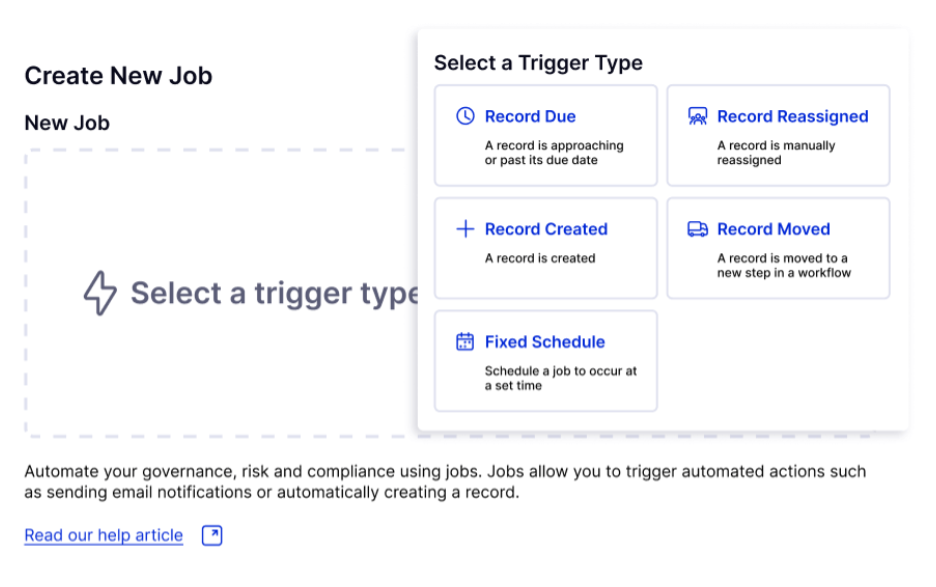
Key controls and safeguards include:
- A structured compliance management system that supports controls, assessments, evidence, and remediation.
- Role-based access, SSO, SCIM, and strong identity safeguards across all GRC tools.
- Regular penetration testing services and a public vulnerability disclosure program.
- Continuous monitoring, encryption, secure backups, and detailed logs to support any security audit.
- Global hosting options across US, UK, Europe, and Australia, aligned with privacy and data governance needs.
- Clear data processing rules, deletion workflows, and regional storage policies as part of the broader compliance management system.
LogicGate's approach keeps the platform stable, transparent, and ready for both internal and external reviews.
LogicGate Alternatives - How It Compares in the GRC Landscape
Teams look for LogicGate alternatives when they need a different balance of speed, structure, or pricing. LogicGate works well for mature programs that want clear workflows and strong automation. But some companies want a tool that gets them audit-ready faster. Others want strict pricing clarity. A few need a lighter setup that fits a small security team.
When buyers explore LogicGate alternatives, they usually compare five things:
- Setup time: Some platforms offer faster, template-driven onboarding.
- Pricing: Fixed pricing helps teams plan without surprises.
- Ease of use: Early-stage companies sometimes prefer simpler dashboards.
- Automation depth: Some tools lean on AI to reduce manual work.
- Framework coverage: Buyers look for clean mapping across SOC 2, ISO, NIST, GDPR, PCI, and more.
If you want to compare -
- LogicGate vs Delve
- LogicGate vs Vanta
- LogicGate vs Secureframe
- LogicGate vs Drata
- LogicGate vs Scytale
- read our in-depth blogs on different alternatives and match-ups.
FAQs: Founders' Most Asked Questions
How does LogicGate pricing work, and what should buyers expect?
LogicGate uses a modular model, so teams pay for the applications and power users they choose. LogicGate pricing changes based on scope, maturity, and the number of workflows you run. Most buyers get a custom quote because there are no public tiers. Teams can expect costs to rise as they add more modules or advanced features.
What do LogicGate reviews say about day-to-day use?
Many LogicGate reviews mention that the platform feels easy to learn and simple to navigate. Users like the flexibility and the way workflows fit different teams. Automation reduces follow-up work, which helps during audits. Some reviewers want faster setup or more reporting options, but overall sentiment is strong.
Is LogicGate a good fit for teams building or expanding risk programs?
Yes, LogicGate suits teams that want structure and repeatable workflows. It helps companies grow from basic checklists to full risk and compliance programs. The platform also supports mature functions like audit, privacy, and third-party risk. It works best for teams that want a long-term system that can scale with them.
How strong are LogicGate's integrations and ecosystem?
LogicGate supports a wide set of integrations across cloud, ticketing, identity, analytics, and storage tools. These links help teams keep data flowing into one workflow. The platform also supports security and monitoring tools for deeper visibility. This ecosystem reduces manual work and keeps processes aligned.
Should startups choose LogicGate or start with a simpler platform?
Startups often need faster onboarding and fixed pricing, so a simpler GRC tool may fit better. LogicGate works well for companies with growing teams and heavier workflows. It becomes more valuable when you need customization and automation. Early-stage teams may benefit from lighter platforms such as ComplyJet.
Conclusion & Next Steps
LogicGate gives teams a solid base for risk, audit, and compliance work. It works well for companies that want structure and steady automation. Many teams use it as their main system once their programs grow. Its range of GRC tools also helps them stay organized as new requirements come in.
Some companies need something different. They want:
- Faster onboarding
- Clearer pricing
- Shorter path to early wins
This is common for teams working toward SOC 2 for startups or their first major audit.
In those cases, a guided platform can help. That is where ComplyJet often fits. It offers:
- A quick setup path
- Simple workflows
- 24/7 support
- Audit-readiness in two to three weeks
It also includes help with evidence, controls, and penetration testing services. If you want to see how that approach works, you can start with a free trial and explore the setup at your own pace.