.svg)

Your on-call rotation is a spreadsheet. Your incident channel is a Slack thread that someone forgets to update. Your post-mortems are a Google Doc that nobody reads. This works fine until it doesn’t, and when it stops working it stops at 2am on a Friday.
I reviewed 10 incident management software tools to figure out which ones are actually worth using. I looked at alert routing, Slack and Teams integration, automation, post-mortem tooling, and pricing. Whether you’re a DevOps team outgrowing your current setup or an IT department standardising on a proper ITSM platform for the first time, this list will save you the demo calls.
One thing to know upfront: this category has split into two distinct types of tool. There are dedicated on-call and incident response tools built for engineering and SRE teams (PagerDuty, incident.io, Rootly, Squadcast), and there are full ITSM suites built for IT departments managing the entire service lifecycle (ServiceNow, Jira Service Management, Freshservice). They look similar from the outside. They’re built for different problems. I’ll flag which type each tool is so you can skip to what’s relevant.
Why “ping whoever’s on Slack” isn’t an incident management strategy
Most teams handle their first 20 incidents just fine without any dedicated tooling. Someone’s on call, they get a Slack message, they fix it.
Key insight
What incident management software actually does is eliminate the improvisation: alerts get routed to the right person, channels get created automatically, timelines get tracked, all without anyone having to remember to post an update.
But then the team grows, the system gets more complex, and suddenly nobody agrees on who owns what. An alert fires at 3am, hits the wrong person, and they escalate to someone who’s on holiday. The incident gets resolved eventually, but nobody writes it up, the same failure happens six weeks later, and this time it takes twice as long.
What incident management and incident response management software actually does is eliminate the improvisation. Alerts from your monitoring stack get correlated and routed to the right person based on a schedule that’s been defined in advance. An incident channel is created automatically. Stakeholders get updates without anyone having to remember to post them. After resolution, a timeline is reconstructed and the team runs through what happened in a structured post-mortem.
The two tool types handle this differently. Dedicated incident tools are fast to set up, Slack-native, and built around the experience of an on-call engineer getting an alert at midnight. ITSM suites add change management, asset tracking, and full ITIL process compliance on top of incident handling, which is powerful if you need it and heavy if you don’t. Use this article to figure out which category you’re actually shopping in before you book a single demo.
Evaluation criteria: how we chose the best incident management tools
I evaluated every tool on the same six criteria:
Key insight
Tools that require weeks of configuration to become useful are a real cost. Time to first correctly-routed alert is a genuine evaluation criterion.
Alert routing and on-call management: flexible schedules, escalation policies, and alert noise reduction. A tool that wakes up the whole team for every minor alert isn’t useful.
Collaboration integrations: native Slack and Teams experience versus a web portal you have to pull people away from their workflow to use. For most engineering teams, this is the deciding factor.
Automation and runbooks: how much manual coordination the tool eliminates during an active incident. The best tools reduce the cognitive load on responders so they can focus on the actual problem.
Post-incident workflow: retrospective templates, action item tracking, MTTR analytics. Prevention matters as much as response.
Pricing and free tier: what you get before you pay, and how the per-seat cost compounds as your team grows.
Time to value: how long between signing up and having the first alert correctly routed. Tools that require weeks of configuration to become useful are a real cost.
Quick comparison: best incident management software in 2026
| Tool | Best For | Starting Price | Free Tier | Standout Feature |
|---|---|---|---|---|
| PagerDuty | Enterprise at scale | $21/user/mo | Yes (5 users) | 750+ integrations, AIOps |
| incident.io | Slack-native teams | $15/user/mo | Yes | On-call + response + status page in one |
| Rootly | AI-powered automation | $20/user/mo | No | AI SRE root cause analysis |
| Better Stack | Startups, monitoring + on-call | $29/user/mo | Yes | Monitoring + incidents + logs in one stack |
| Jira Service Management | Atlassian teams | $19/agent/mo | Yes (3 agents) | 1,000+ integrations, ITIL-aligned |
| Freshservice | Mid-market ITSM | $19/agent/mo | No | Freddy AI agent studio |
| Squadcast | Budget-conscious DevOps | $12/user/mo | Yes (5 users) | Lowest paid price in the category |
| FireHydrant | SRE + post-mortems | $25/user/mo | Yes (10 users) | AI-enhanced retrospectives |
| xMatters | Multi-tool enterprises | $9/user/mo | Yes (10 users) | Signal enrichment + no-code automation |
| ServiceNow ITSM | Large enterprise IT | Custom | No | CMDB + AI agents + full ITIL lifecycle |
The 10 best IT incident management and incident response software in 2026
1. PagerDuty
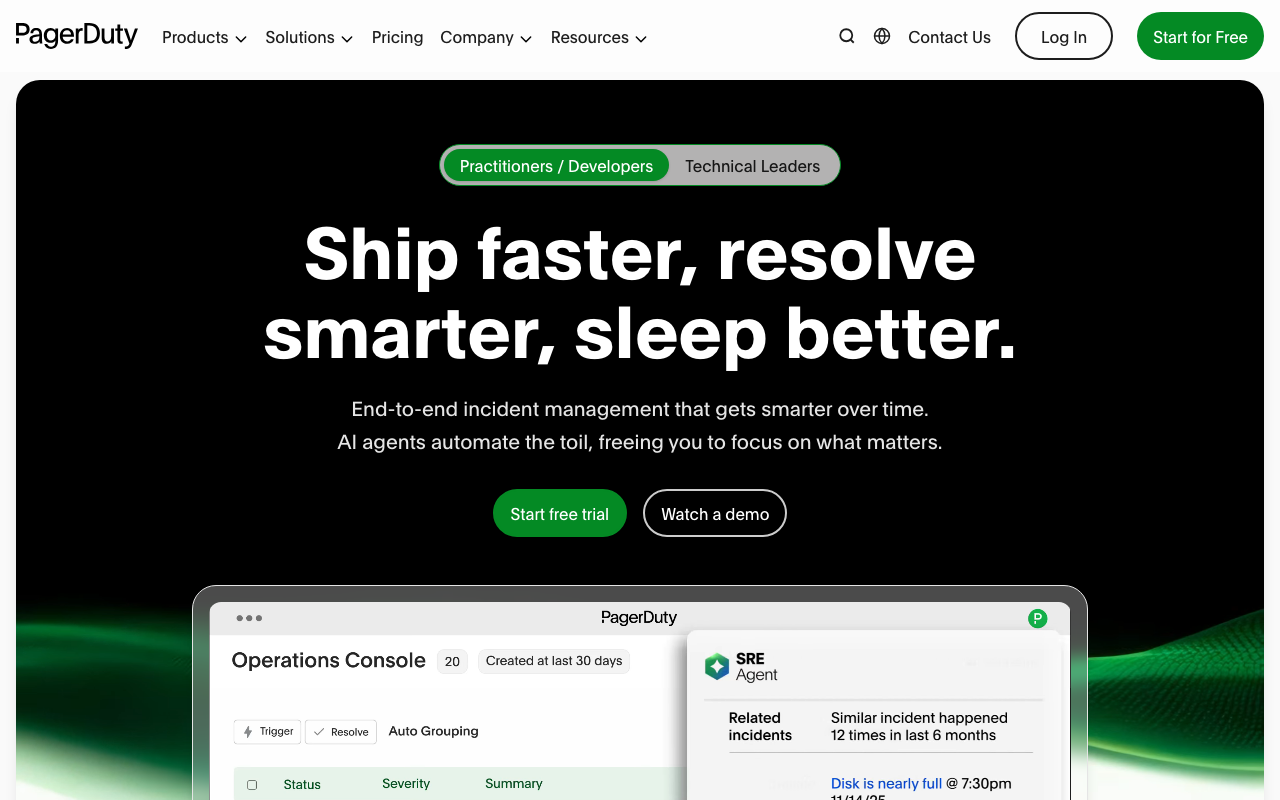
PagerDuty is the category’s default choice, which means it’s what most teams end up with when they don’t choose deliberately. That’s not a knock. It’s a default because it works: 30,000+ companies use it, it has 750+ integrations, and it has been absorbing on-call alerts reliably since 2009.
The platform has since grown into what it calls an “AI-first operations platform,” adding AIOps for alert noise reduction, AI Agents for autonomous incident handling, and generative AI features under the PagerDuty Advance umbrella.
For an engineering team that needs solid on-call management and can justify the per-seat cost, PagerDuty is a defensible choice. The integration depth is unmatched: if your monitoring tool exists, there’s a PagerDuty integration. The enterprise tier adds bi-directional ServiceNow sync, which matters if your IT and engineering teams are operating on different platforms.
The honest caveat: PagerDuty has accumulated features for 15 years, and it shows. The UI feels heavier than newer tools, advanced incident workflow features are locked to Business and Enterprise tiers, and the per-seat pricing adds up quickly at scale. If you’re a startup team of 10, you’re paying for a lot of headroom you don’t need yet.
“
With a small team supporting a global workforce, we needed VIP assistance availability without exposing services to general employees. PagerDuty's features and functionality enabled this while allowing services to scale as the company expanded. Easy to setup and configure.
★★★★★Joe D.· Small business, Computer Software
Via Capterra ↗Key features:
- AIOps: alert noise reduction and ML-based triage
- AI Agents for autonomous incident operations
- On-call scheduling and escalation policies
- Full incident orchestration with custom roles and incident types
- Bi-directional ServiceNow integration
- Internal and external status pages
Pros of PagerDuty
- Deepest integration catalog in the category (750+)
- Battle-tested at enterprise scale
- Free tier for up to 5 users
- Strong mobile app for on-call
Cons of PagerDuty
- Per-seat pricing adds up fast for larger teams
- Advanced automation locked to Business tier ($41/user/mo) and above
- UI feels dated compared to newer Slack-native tools
Pricing: Free (5 users) → Professional ($21/user/mo) → Business ($41/user/mo) → Enterprise (custom)
Best for: Mid-market and enterprise engineering teams that need proven, scalable on-call and incident orchestration with an extensive integration library.
2. incident.io
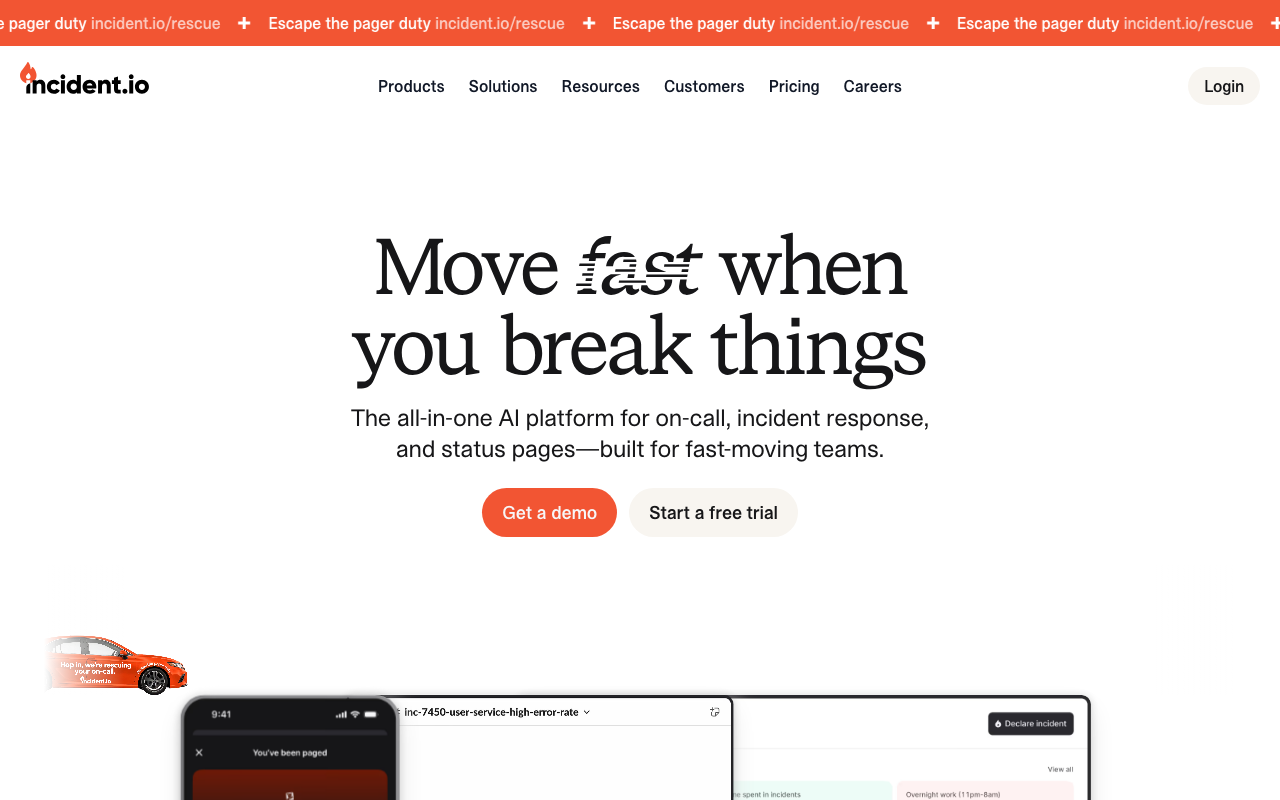
incident.io is what PagerDuty would look like if it were built today, by engineers who live in Slack. It launched in 2021, raised $96M (most recently a $62M Series B at a $400M valuation), and has built a genuinely impressive customer list for a four-year-old product: Netflix, Airbnb, Intercom, Vanta, and Skyscanner all use it.
The core idea is consolidation: instead of stitching together PagerDuty for on-call, Statuspage for customer communication, and a separate tool for post-mortems, incident.io handles all three from inside Slack. An alert comes in, a Slack channel is created automatically, the right responders are paged, and the status page is updated.
After the incident resolves, timeline reconstruction happens inside the same workflow. The AI SRE layer adds automated root cause investigation on top, analysing Slack conversations and service dependencies to surface probable causes.
The free Basic tier is genuinely usable, not a crippled trial. Single-team on-call, one status page, core Slack automation. For a small engineering team getting started, this is a reasonable starting point. Where it gets expensive is if you want both incident management and on-call: the on-call add-on is priced separately on top of the incident management subscription, so costs compound faster than the headline price suggests.
“
incident.io rapidly creates a Jira ticket as soon as we receive alerts and sends notifications via Slack and SMS. We do not need to sit in front of the system twenty-four hours a day. Our team maintained SLAs by resolving P1 tickets within 30-60 minutes.
★★★★★reviewer2167305· Small team (~5 DevOps members)
Via AWS Marketplace ↗Key features:
- Native Slack and Microsoft Teams incident response
- AI SRE for automated root cause investigation
- On-call scheduling with flexible rotations and cover requests
- Alert noise reduction and deduplication
- Public and private status pages
- Post-incident review and MTTR analytics
- Service catalog with service ownership context
Pros of incident.io
- Best-in-class Slack experience in this category
- Genuinely free Basic tier (not a trial)
- Replaces three tools: PagerDuty + Statuspage + post-mortem tooling
- Strong AI roadmap backed by Insight Partners
Cons of incident.io
- On-call pricing is a separate add-on, so real cost is higher than the base rate
- Fewer legacy ITSM integrations than PagerDuty
- Smaller review base means less community signal on edge cases
Pricing: Free → Team ($15/user/mo annual) → Pro ($25/user/mo) → Enterprise (custom)
Best for: Fast-growing startups and engineering teams that want on-call, incident response, and status pages in a single Slack-native platform.
3. Rootly
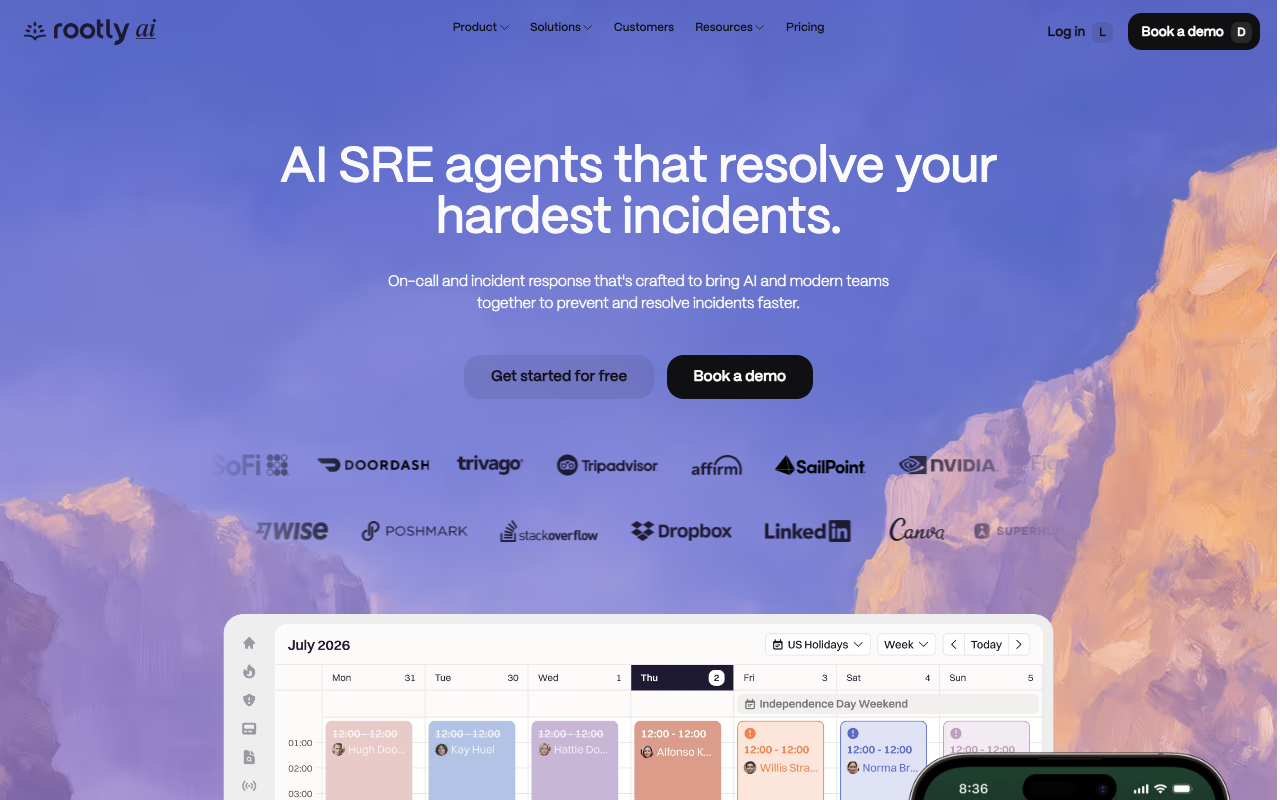
Rootly is a YC S21 company that raised $15.2M and built an incident management platform used by DoorDash, Figma, Dropbox, Canva, and Nvidia. The fact that it counts those names as customers with only $15M raised is a meaningful signal. It is doing something genuinely useful.
The standout is the AI SRE layer: Rootly analyses Slack conversations from the incident channel, GitHub diffs, and observability data to surface probable root causes with confidence scoring and suggested fixes. That’s a level of investigative automation that most incident tools don’t offer. It also auto-generates incident timelines and drives collaborative retrospectives, which saves the significant manual effort that typically goes into post-incident review.
No free tier is a real limitation for small teams that are cost-sensitive. The startup program (50% off for companies with fewer than 100 employees and under $50M raised) helps, and the early-stage program offers “pay what you can” for companies with fewer than 25 employees. If your team qualifies, those programs bring Rootly into range. If not, $20/user/mo for both incident response and on-call is competitive with the category.
“
It's friendly, easy to use, and simple to configure, with an extremely high level of customization and flexible integrations that enable workflow automation for incident management.
Guillermo S.
Via G2 ↗Key features:
- AI SRE: root cause analysis with confidence scoring and suggested fixes
- Analyses Slack conversations, GitHub diffs, and observability data
- On-call scheduling with shadow rotations and holiday calendars
- Auto-generated incident timelines and collaborative retrospectives
- No-code visual workflow builder
- Rootly MCP Server for IDE-based incident resolution
Pros of Rootly
- Best AI root cause analysis in this list
- Clean Slack-native experience
- Startup and early-stage pricing programs available
- Strong enterprise customer list for a young product
Cons of Rootly
- No free tier
- Smaller integration catalog than PagerDuty (100+ vs 750+)
- Fewer reviews than established tools, so less community signal
Pricing: Incident Response Essentials ($20/user/mo) → Enterprise (custom); On-Call Essentials ($20/user/mo) → Enterprise (custom)
Best for: SRE and DevOps teams at growth-stage companies who want AI-assisted root cause analysis and automated retrospectives.
4. Better Stack
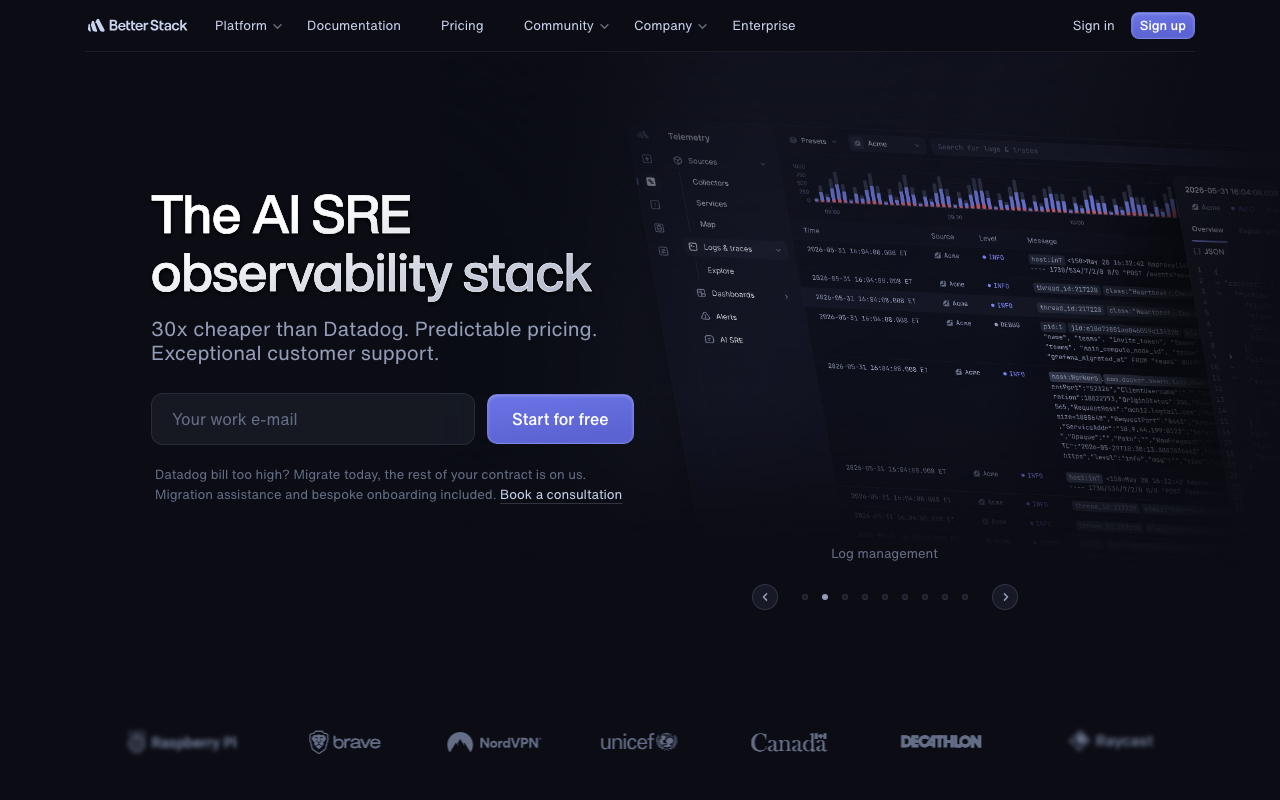
Better Stack takes a different approach from everything else on this list. It’s not a standalone incident management tool. It’s a full observability stack: uptime monitoring, log management, distributed tracing, error tracking, real user monitoring, and incident management, all in one platform. The pitch is consolidation: stop paying for Datadog, PagerDuty, and Statuspage separately. Better Stack does all of it, with a free tier, at prices that hold up at startup scale.
If you’re an engineering team that currently patches together three or four tools, Better Stack is worth a serious look. The free tier includes 10 uptime monitors, one status page, Slack and email alerts, and log ingestion, which covers the basics for a small product.
The Responder license ($29/user/mo annual) adds on-call and incident management on top. The telemetry bundles (logs, traces, metrics) are additive and priced by storage volume rather than per-seat, which is genuinely different from how most APM tools price.
The caveat: Better Stack is monitoring-first, not incident-first. If you need sophisticated incident workflow automation, deep runbook tooling, or complex escalation logic, dedicated tools like PagerDuty or incident.io handle that better. For teams that primarily need “alert me when something breaks and help me track the response,” Better Stack is excellent value.
“
Easy to set up and maintain. Better Stack enables monitoring without direct server access and provides incident reports, helping minimize downtime through timely issue resolution.
★★★★★Bogdan P.· Small Business (≤50 employees)
Via G2 ↗Key features:
- Uptime monitoring (HTTP, API, SSL, DNS, SMTP, domain expiry)
- On-call scheduling and escalation chains with SMS and voice alerting
- AI SRE for root cause analysis
- Smart incident merging and AI-generated post-mortems
- Log management with SQL querying
- OpenTelemetry-native distributed tracing
- Error tracking (Sentry SDK-compatible)
- Status pages (public and white-label)
Pros of Better Stack
- Only tool in this list that bundles monitoring, incidents, logs, and traces
- Generous and genuinely usable free tier
- Pricing doesn’t scale per-seat for telemetry
- 4.8/5 from 310 reviews
Cons of Better Stack
- Monitoring-first, not incident-first: fewer incident workflow features than dedicated tools
- Modular pricing gets complex to predict at scale
- Smaller integration catalog than PagerDuty or incident.io
Pricing: Free → Responder license ($29/user/mo annual) + telemetry bundles from $30/mo
Best for: Startups and small engineering teams who want uptime monitoring, on-call, and log management consolidated into one affordable platform.
5. Jira Service Management

If your engineering team already lives in Jira, Jira Service Management (JSM) is the path of least resistance. It’s Atlassian’s ITSM platform, used by 60,000+ organisations, built around the same Jira engine but extended with incident management, change management, asset tracking, and a full-service catalog. It’s PinkVERIFY certified, meaning it meets the ITIL process standards that enterprise IT teams and compliance auditors care about.
The practical appeal for Atlassian shops: Confluence knowledge base articles surface automatically during incidents. CI/CD pipeline events feed into change management with auto-approval for low-risk deployments. Jira Software tickets and JSM incidents are the same data model. If your developers are already in Jira, incidents live in the same place as everything else. That’s a real operational advantage that’s easy to underestimate until you’re triaging an incident across five different tools.
Where JSM struggles is new-user complexity. Setup requires real investment, custom workflows take time to configure, and the UI is not beginner-friendly. Multiple reviewers flag it as powerful but intimidating. If you’re an IT team that needs full ITSM process coverage and has the capacity to configure it properly, it’s excellent. If you want something running in a day, look elsewhere.
“
Whenever we face an issue, we immediately check the related Jira ticket for updates, which helps keep communication clear.
Nithiya
Via G2 ↗Key features:
- Incident, problem, change, and request management across the full ITIL lifecycle
- AI-powered triage and resolution suggestions via Atlassian Rovo
- AI virtual service agent in Slack and Microsoft Teams
- CI/CD pipeline integration for automated change approval
- Asset management and CMDB via Insight
- Confluence knowledge base integration with contextual article surfacing
- SLA management with real-time breach alerts
Pros of Jira Service Management
- Free tier for up to 3 agents
- 1,000+ integrations via Atlassian Marketplace
- Best developer change management in this list
- Native Confluence and Jira Software integration
Cons of Jira Service Management
- Setup complexity is consistently cited as a barrier in reviews
- UI is not beginner-friendly
- Premium tier ($48/agent/mo) pricing becomes significant at scale
- Not ideal for pure on-call and alerting use cases
Pricing: Free (3 agents) → Standard (~$19/agent/mo) → Premium (~$48/agent/mo) → Enterprise (custom)
Best for: Teams already using Atlassian products who want ITSM capabilities without introducing a new vendor, and IT organisations that need full ITIL lifecycle coverage.
6. Freshservice
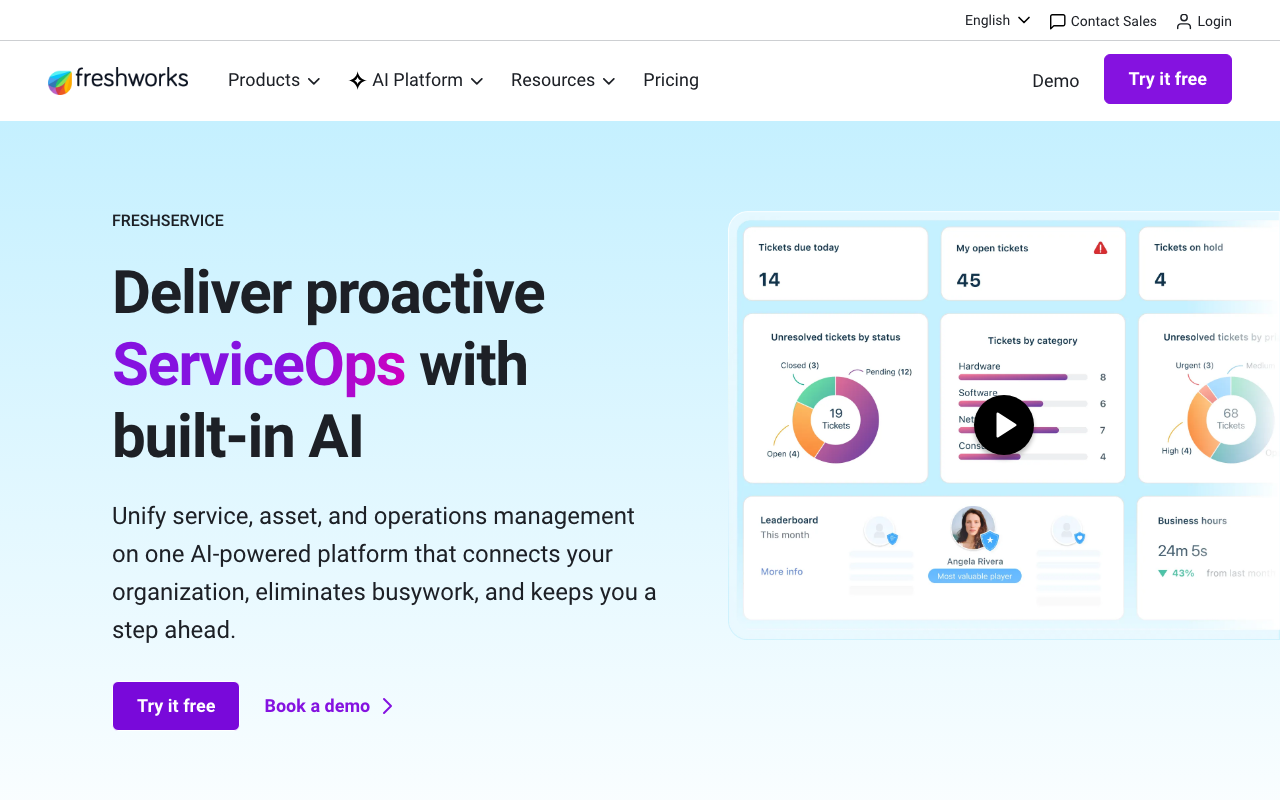
Freshservice is what you get when you want ServiceNow-level ITSM without the ServiceNow price tag and implementation complexity. It’s a Freshworks product (Nasdaq: FRSH), used by 74,000+ organisations, holds SOC 2, ISO 27001, and HIPAA certifications, and has 1,319 reviews at 4.6/5, making it the most-reviewed tool in this list by a significant margin.
The AI story here is built around Freddy, Freshworks’ AI platform. Freddy AI Agent Studio lets IT teams build custom AI agents for specific workflows: auto-resolving known issue types, routing tickets by content analysis, or surfacing knowledge base articles before a human has to respond. It’s a practical toolset rather than a marketing feature. Reviewers specifically call out the routing automation and AI suggestions as genuinely reducing workload.
The pricing starts reasonably ($19/agent/mo on Starter) but escalates steeply: the tier most mid-market teams want is Pro at $99/agent/mo. There’s no free tier, just a 14-day trial. If you have a team of 20 IT agents and need Pro features, you’re at $2,000/mo before you’ve added any integrations. Size up your agent count and tier requirements before committing.
“
Freshservice is great value for money and it gives you almost all the tools you need for small and medium sized companies. Easy to delegate tasks and solid automation capabilities.
★★★★★Niklas F.· ~300 employees
Via Capterra ↗Key features:
- Freddy AI Agent Studio: build and deploy custom AI agents for IT workflows
- Incident, problem, change, and release management
- Auto-updating CMDB and IT asset management
- Omnichannel employee support (email, Slack, Teams, portal)
- Intelligent ticket routing and workload management
- Enterprise service management for cross-team workflows
- SOC 2 Type 2, ISO 27001, HIPAA certified
Pros of Freshservice
- Most reviewed ITSM tool in this list (1,319 reviews)
- Strong and practical AI feature set
- Most comprehensive compliance certifications of any tool reviewed
- Starts at $19/agent/mo on the entry tier
Cons of Freshservice
- No free tier (trial only)
- Per-agent pricing escalates sharply at Growth ($49) and Pro ($99) tiers
- Enterprise service management features gated to higher tiers
Pricing: Starter ($19/agent/mo) → Growth ($49/agent/mo) → Pro ($99/agent/mo) → Enterprise (custom)
Best for: Mid-market IT teams wanting a feature-rich, AI-powered ITSM platform with enterprise-grade compliance certifications at a price point well below ServiceNow.
7. Squadcast
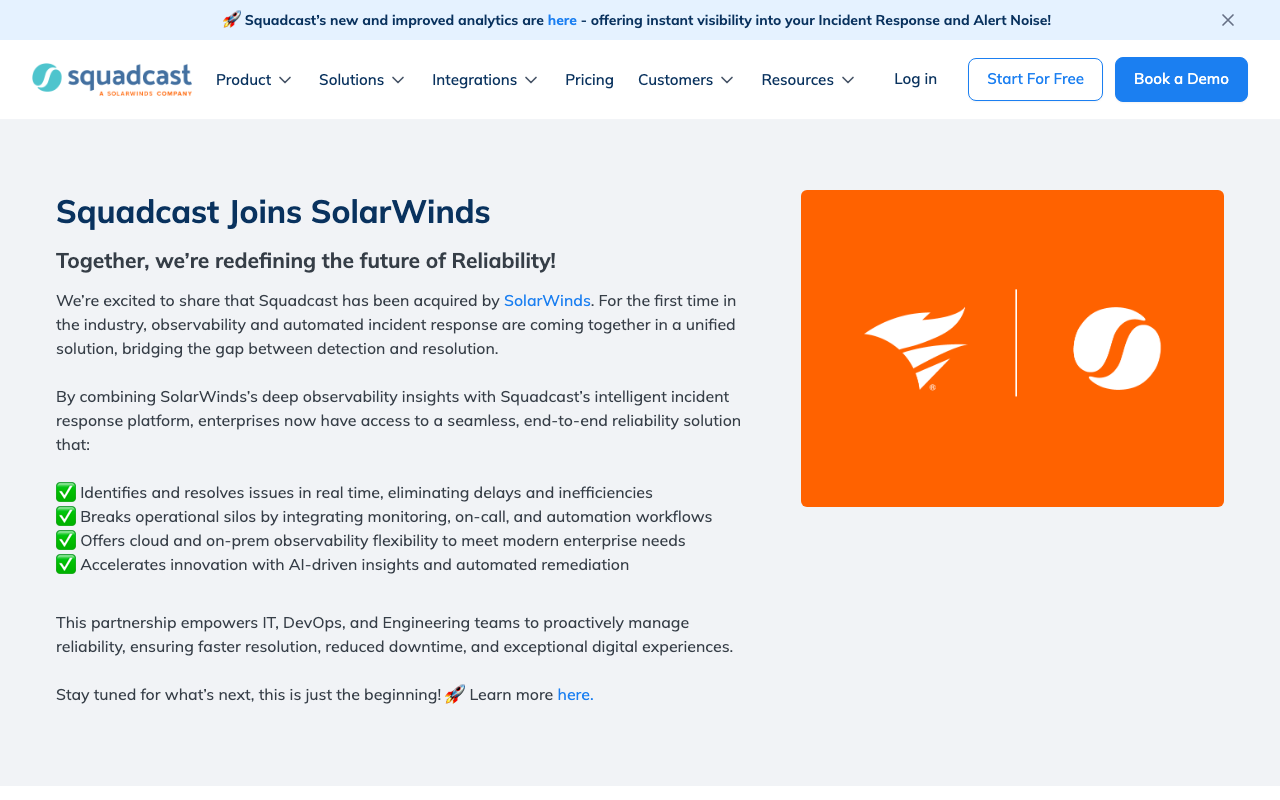
Squadcast has one clear selling point: it’s the cheapest serious on-call and incident management tool in this category. Pro tier is $12/user/mo (annual), the free tier covers 5 users, and it has most of the core features you’d expect: on-call scheduling, alert deduplication, runbooks, SLO tracking, and status pages. The company was acquired by SolarWinds in March 2025, which brings enterprise roadmap resources but also a question mark on product direction.
For a DevOps team that’s currently using PagerDuty and watching the per-seat bill grow, Squadcast is a credible alternative. The 200+ integrations covers the common monitoring stack (Datadog, CloudWatch, Prometheus, Grafana), and the Premium tier ($19/user/mo) includes postmortems, SLO tracking, and workflows that would cost twice as much on PagerDuty. The SolarWinds acquisition adds enterprise connectivity: ServiceNow bidirectional sync and AI-generated incident summaries are both available on Enterprise.
The watch-out is the acquisition. Roadmap commitments from a newly acquired product deserve scrutiny before signing an annual contract. PagerDuty and incident.io have larger communities and more established review histories. Squadcast’s G2 review count became unclear post-acquisition. If you’re evaluating Squadcast, check what the current SolarWinds product roadmap says about it before committing.
“
Squadcast is innovating the on-call space by providing customization around alert suppression/deduplication as well as automation around specific alert sources such as CloudWatch infra alarms.
Verified User
Via G2 ↗Key features:
- On-call scheduling with escalation policies
- Alert routing, deduplication, and noise reduction
- Incident collaboration and automation workflows
- Runbooks and postmortems
- SLO and error budget tracking
- Status pages
- ServiceNow bidirectional sync (Enterprise)
- Mobile app for iOS and Android
Pros of Squadcast
- Cheapest paid tier in this list ($12/user/mo)
- True free tier for small teams (5 users)
- SolarWinds acquisition brings enterprise-grade roadmap
- Solid on-call fundamentals
Cons of Squadcast
- Acquired by SolarWinds March 2025: product direction and support continuity worth verifying
- AI features limited to Enterprise tier
- Smaller community than PagerDuty or incident.io
Pricing: Free (5 users) → Pro ($12/user/mo) → Premium ($19/user/mo) → Enterprise (~$26/user/mo)
Best for: Engineering teams looking for a cost-effective PagerDuty alternative with solid on-call fundamentals and a genuine free tier.
8. FireHydrant
FireHydrant was acquired by Freshworks in December 2025, which means its future is now tied to a public company’s roadmap. It’s worth flagging because product direction may shift. That said, as it stands today, FireHydrant offers the most generous free tier in this list (up to 10 responders) and the best retrospective tooling of any tool reviewed.
The core differentiation is structured response. FireHydrant is built around the idea that incident response should be codified, not improvised. Runbooks define exactly what happens at each stage of an incident. The service catalog provides ownership and dependency context automatically. The AI layer transcribes incident calls from Zoom and Google Meet, generates automatic updates, and produces retrospectives with action items assigned to specific owners. Backblaze, a customer, reported a 91% reduction in mean time to mitigate after deploying it.
The free tier covering 10 responders is a genuine differentiator for small SRE teams. Pro at $25/responder/mo (annual) is competitive. The main gap is that advanced features, including private incidents, AI tools, and alert grouping, require the Enterprise plan, for which you’ll need to contact sales. The acquisition means you should ask Freshworks directly about the roadmap before signing anything long-term.
“
The Slack integration and ease of use are consistently praised — it streamlines incident management and brings order to chaos. The incident response runbooks are flexible and customizable for each team to tailor their experience for how their services are supported.
★★★★★Verified User· SMB
Via G2 ↗Key features:
- Automated runbooks for codified response procedures
- Service catalog for ownership and dependency visibility
- AI-enhanced retrospectives with automatic action item assignment
- Live video transcription from Zoom and Google Meet
- AI-generated incident updates and timeline reconstruction
- On-call scheduling and escalation policies
- Slack and Microsoft Teams chatbot integration
- Status pages (public and private)
- SSO, RBAC, SCIM, and audit logs
Pros of FireHydrant
- Most generous free tier in this list (10 responders)
- Best retrospective tooling in the category
- AI meeting transcription is a genuine differentiator
- Strong SMB track record
Cons of FireHydrant
- Acquired by Freshworks December 2025: verify roadmap before committing long-term
- Private incidents and AI tools require Enterprise tier
- Integration count not published (ambiguous coverage)
Pricing: Free (10 responders) → Pro ($25/responder/mo annual) → Enterprise (custom)
Best for: SRE teams who want structured runbooks, service catalog context, and AI-enhanced retrospectives, and want to start for free.
9. xMatters
xMatters has been in this space since 2000, was acquired by Everbridge for $240M in 2021, and serves 2.7 million users. It consistently ranks at the top of G2’s IT Alerting category.
The platform’s differentiator is signal enrichment: instead of routing a raw alert to an on-call engineer, xMatters enriches that alert with service ownership, dependency context, and historical incident data before it ever reaches a human. The result is that responders arrive at an incident with context, not just a notification.
The no-code workflow automation is another genuine strength. Teams can build complex multi-step automation, including auto-remediation steps, without writing any code. For organisations running ServiceNow, Jira, Dynatrace, and Slack simultaneously, xMatters acts as the connective layer that keeps them synchronised during an incident.
The platform holds SOC 2 Type II, ISO 27001, and HIPAA certifications, which matters for teams with compliance requirements. The free tier (10 users) is a reasonable starting point. The jump from Starter ($9/user/mo) to Base ($39/user/mo) is steep, and the Base tier is where multilingual messaging, live call routing, and SSO become available. Enterprise users dominate the platform (66% of the user base), which means the SMB onboarding experience can feel overengineered for small teams.
“
Scheduling became a dream with xMatters. The customer service team is very responsive. However, it's quite pricey, especially for a small business, and the platform's flexibility sometimes created confusion for non-technical users.
★★★★★Diandra D.· Retail
Via Capterra ↗Key features:
- AI Incident Agent: real-time guidance using historical data and service dependencies
- Signal enrichment: adds ownership, dependency, and context to incoming alerts
- No-code workflow automation and auto-remediation
- On-call scheduling and escalation management
- Live call routing with multilingual messaging
- Status pages for stakeholder communication
- Deep integrations: ServiceNow, Slack, Jira, Dynatrace, Azure, GCP, New Relic
Pros of xMatters
- Signal enrichment is a standout feature vs. tools that route raw alerts
- Free tier for up to 10 users
- SOC 2, ISO 27001, HIPAA certified
- Most affordable entry point in this list at $9/user/mo (Starter)
Cons of xMatters
- Acquired product (Everbridge): verify roadmap commitment
- Enterprise-heavy user base means SMB onboarding can feel heavyweight
- Steep jump from Starter to Base ($9 to $39/user/mo)
Pricing: Free (10 users) → Starter ($9/user/mo) → Base ($39/user/mo) → Advanced (custom)
Best for: Enterprise DevOps and IT ops teams with complex multi-tool environments who need automated signal enrichment and no-code workflow automation.
10. ServiceNow ITSM

ServiceNow ITSM is the enterprise default. 85% of Fortune 500 companies use the platform. It covers the complete ITIL lifecycle: incident, problem, change, request, asset, configuration, and knowledge management. The AI layer, called Now Assist, adds generative AI for case summaries and response drafting. AI Agents handle multi-step automated workflows. Nothing in this list approaches ServiceNow’s feature depth.
It is not for startups. Pricing is custom-only, estimated at roughly $100/fulfiller/mo for the Standard tier, with typical annual contracts ranging from $45,000 to $500,000 and above. Implementation takes months and usually requires a dedicated partner or internal team. The tool is overkill for any organisation under 200 people, and most organisations under 1,000 people are probably still better served by Freshservice or Jira Service Management.
If you’re a large enterprise IT department with complex multi-team service management, ServiceNow is the defensible choice. It holds SOC 2, ISO 27001, PCI DSS, HIPAA, and FedRAMP certifications. The CMDB provides infrastructure dependency mapping that helps incident teams understand blast radius.
The Integration Hub connects to every enterprise system. If you’re reading this article because you’re evaluating incident management tools and you work at a company with a large IT department and a dedicated ITSM team, ServiceNow belongs on your shortlist.
“
ServiceNow offers robust ticketing with powerful automation and reporting, though initial setup and customization can be complex.
★★★★☆Justin G· 51-200 employees
Via Capterra ↗Key features:
- Full ITIL lifecycle: incident, problem, change, request, asset, configuration management
- Now Assist: generative AI for case summaries and response drafting
- AI Agents: automated digital workers for multi-step workflows
- CMDB for infrastructure dependency mapping
- Integration Hub and Flow Designer
- Virtual Agent and AI Voice Agents
- SOC 2, ISO 27001, PCI DSS, HIPAA, FedRAMP certified
Pros of ServiceNow ITSM
- Most feature-complete ITSM platform in this list
- Proven at Fortune 500 scale
- Strongest compliance certification set reviewed
- CMDB and change management depth unmatched in this category
Cons of ServiceNow ITSM
- Not for startups or teams under 200 people
- Custom pricing only: typical contracts $45,000–$500,000+/year
- Significant implementation time and cost
- No free tier
Pricing: Custom only. Estimated from ~$100/fulfiller/mo. Typical annual contracts: $45,000–$500,000+.
Best for: Large enterprise IT departments with complex service management needs and budget for implementation.
How to choose incident management software: enterprise, security, and IT teams
ITIL incident management software vs. dedicated on-call tools: which type do you need
This is the first question to answer before you evaluate anything else. The two types of tool look similar in a product demo but serve different problems.
Dedicated on-call and incident response tools (PagerDuty, incident.io, Rootly, Squadcast, FireHydrant, Better Stack) are built for engineering and SRE teams responding to production incidents. They’re fast to set up, alert-routing-first, and Slack-native. Most teams can have them operational in a day. They don’t cover change management, asset tracking, or full ITIL process compliance by design.
Full ITSM suites (ServiceNow, Jira Service Management, Freshservice) are built for IT departments managing the entire service lifecycle: incidents, problems, changes, requests, assets, and configurations. ITIL incident management software in this tier is PinkVERIFY or formally ITIL-certified, and it’s what enterprise IT auditors expect to see. Setup takes longer and requires more configuration. The payoff is a unified system of record for everything the IT team does.
The decision rule: if your team’s job is keeping production systems running and responding when they break, start with the dedicated tools. If your team’s job is managing the full IT service operation for an organisation, start with an ITSM suite.
Team size and headcount cost
Per-seat pricing compounds quickly. Model it before you start demos.
Under 10 engineers: FireHydrant (free, 10 responders), xMatters (free, 10 users), Better Stack (free monitoring and incidents), or PagerDuty (free, 5 users) all work at no cost.
10 to 50 engineers: incident.io Team tier ($15/user/mo annual), Rootly with the startup program, or Squadcast Pro ($12/user/mo). Better Stack’s responder license ($29/user/mo) works here if you want the monitoring bundle.
50 to 200 engineers: PagerDuty Business ($41/user/mo) or incident.io Pro ($25/user/mo). Per-seat costs become a real line item. Evaluate annual billing carefully. Rootly or xMatters may be more cost-efficient depending on your specific usage.
200+ engineers: custom pricing territory. ServiceNow, xMatters Advanced, or Jira Service Management Enterprise all operate on negotiated contracts at this scale.
IT incident management software: matching the tool to your team’s workflow
Where your engineers work determines what will get adopted.
Slack-native teams: incident.io and Rootly are both built around the assumption that incident response happens inside Slack channels, not a web portal. If your team uses Slack and would resist switching contexts during an incident, these two are the right starting point.
Microsoft Teams organisations: PagerDuty and xMatters both have strong Teams integrations. JSM also supports Teams for its virtual service agent.
Atlassian ecosystem: if your developers live in Jira Software and your documentation lives in Confluence, Jira Service Management is the natural fit. The native integration removes a layer of context switching that other tools require.
Web portal first: some teams, particularly those in large IT departments, prefer a structured web interface. ServiceNow and Freshservice are built around this model.
Security incident management software: what to look for if compliance matters
If your team handles security incidents, the requirements shift. You need RBAC so only authorised responders see sensitive incident details. You need audit logs for post-incident forensics. You need SSO to enforce your identity policies. You may need HIPAA compliance if you’re handling health data.
For security-sensitive environments, the tools with the strongest compliance posture are Freshservice (SOC 2, ISO 27001, HIPAA), xMatters (SOC 2 Type II, ISO 27001, HIPAA, ISO 22301), and ServiceNow (SOC 2, ISO 27001, PCI DSS, HIPAA, FedRAMP). FireHydrant also includes SSO, RBAC, SCIM, and audit logs on its Pro and Enterprise tiers.
If your incident management tool is part of your SOC 2 compliance or ISO 27001 certification audit scope, confirm the vendor’s certifications and ask for their SOC 2 Type II report directly. Incident management is one of the SOC 2 controls your auditor will review.
Enterprise incident management software: when scale changes what you need
At startup scale, you want a free or low-cost tool that works out of the box in Slack, routes alerts correctly, and doesn’t require a dedicated administrator. Speed and simplicity matter more than feature depth.
At enterprise scale, the requirements shift: CMDB integration so incident responders can see infrastructure dependencies, change management so deployments are tied to incidents, ITIL process compliance for auditors, SSO enforcement, and SLAs with contractual uptime guarantees. That’s ServiceNow or Jira Service Management Premium territory.
The inflection point is usually around 100 to 200 engineers or when a compliance requirement forces the issue. If you’re buying for a startup with plans to scale, pick a tool with a credible enterprise path rather than one you’ll need to replace. PagerDuty, incident.io, and xMatters all have viable enterprise tiers without requiring a full platform migration.
Free Demo
Need your compliance program sorted alongside incident management?
ComplyJet covers SOC 2 and ISO 27001 end-to-end: flat pricing, 350+ integrations.
FAQ: incident management software
What is incident management software?
Incident management software helps IT and engineering teams detect, triage, assign, resolve, and review incidents in a structured way. It replaces ad-hoc communication with defined escalation paths, on-call schedules, automated alerts, and post-incident retrospectives. The core value is consistency: every incident follows the same process, regardless of what time it happens or who’s on call.
How does incident management software work?
It integrates with your monitoring stack (Datadog, CloudWatch, Prometheus) to receive alerts. When an alert fires, the tool routes it to the right on-call responder based on pre-defined schedules and escalation policies. An incident channel is created in Slack or Teams. The timeline is tracked automatically. After resolution, the tool generates post-mortem documentation and action items. The better tools add AI on top of this: correlating alerts, suggesting root causes, and reducing the volume of noise that reaches humans.
What is the best incident management software?
It depends on your team type. For engineering and SRE teams that live in Slack, incident.io is the best modern choice. For teams that need the deepest integration library and enterprise track record, PagerDuty. For Atlassian shops, Jira Service Management. For teams that want monitoring bundled in, Better Stack. For large enterprise IT departments, ServiceNow. The comparison table above maps this out by team type and budget.
How do I choose incident management software?
Start with team type: are you an engineering team responding to production incidents (use a dedicated on-call tool) or an IT department managing the full service lifecycle (use an ITSM suite)? Then model headcount cost at your current team size and your expected size in 12 months. Then confirm where your engineers work (Slack, Teams, or web portal) and what integrations you need. Finally, if you have compliance requirements, check the vendor’s certifications before shortlisting.
What’s the difference between incident management and incident response software?
Incident management covers the full lifecycle: detection, routing, resolution, and retrospective review, primarily for IT and DevOps teams responding to production and service availability issues. Incident response software, in the security context, refers specifically to handling security incidents: breaches, malware, data exposure, and CSIRT workflows.
Some platforms serve both (PagerDuty, xMatters). Others are built specifically for the DevOps use case (Rootly, incident.io). If you’re building a security incident response capability, confirm that the tool you’re evaluating covers that use case explicitly.
Is there free incident management software?
Yes. FireHydrant covers up to 10 responders for free. xMatters and PagerDuty both have free tiers for up to 5 to 10 users. Squadcast’s free tier covers 5 users. Better Stack includes monitoring, incidents, and log ingestion at no cost. incident.io’s Basic plan includes core incident response and one status page for free. None of these are trials: they’re ongoing free plans with defined limits.
Final thoughts
The incident management software market has split clearly. Modern, Slack-native tools like incident.io and Rootly are built for engineering teams that want fast setup and AI-assisted response. Legacy ITSM platforms like ServiceNow and Jira Service Management are built for IT departments managing the full service lifecycle under ITIL constraints. PagerDuty and Freshservice sit in the middle, mature enough for enterprise requirements but accessible enough for growing teams.
Three acquisitions are worth watching: Squadcast (SolarWinds, March 2025), FireHydrant (Freshworks, December 2025), and xMatters (Everbridge, 2021). Before signing annual contracts with any of them, ask directly about the product roadmap. Acquired products sometimes accelerate; sometimes they stagnate. Verify before committing.
If you’re a startup setting up incident management for the first time, start with a free tier and see what actually gets used. incident.io or FireHydrant are both solid starting points that won’t cost you anything until you’re ready to pay.
Free Demo
Pursuing SOC 2 or ISO 27001 alongside incident management?
ComplyJet handles policies, controls, evidence collection, and audit coordination.