.svg)

A senior engineer leaves in March. Their laptop goes into a drawer, then into a box for the local recycler in September. Nobody wiped it, nobody logged it, and nobody can say whether it was encrypted. In your next audit, someone asks what happened to it, and the honest answer is "we think it's fine."
A media sanitization policy is a written document that defines how every piece of storage media, and every copy of data on it, is made unrecoverable before it is reused, returned, donated, recycled, or thrown away. It says which method applies to which media, who verifies the result, and what record proves it happened. Most teams also call it a data disposal policy or a media disposal policy. It is the same document.
Quick answer
A usable media sanitization policy has five parts: a list of media in scope, a method for each media type (clear, purge, or destroy), a verification and validation step, a certificate or log entry for every device, and a named owner. NIST's current guidance for all of this is NIST 800-88 Rev. 2, published in September 2025.
By the end, you'll know exactly which method fits a laptop, an SSD, a phone, a backup tape, and a stack of paper, and you'll have a free template to adopt.
Here's what I'll cover:
- What a media sanitization policy is, and how it differs from a data retention policy
- Why auditors and customers ask for the record, not the assurance
- Clear, purge, and destroy, and why NIST 800-88 Rev. 1 is no longer the current version
- Which method fits which media type, including SSDs and cloud storage
- Verification, validation, and the certificate of sanitization
- What SOC 2, ISO 27001, HIPAA, PCI DSS, and GDPR each ask for
- A free, downloadable template, a rollout plan, and the mistakes auditors find
Getting ready for a SOC 2 or ISO 27001 audit? The next block covers where this policy fits in the bigger picture.
ISO 27001
Preparing for ISO 27001?
Secure disposal of equipment and storage media are named Annex A controls. See how ComplyJet takes a startup from first policy to certification.
What Is a Media Sanitization Policy?
NIST defines sanitization as "a process that renders access to target data on the media infeasible for a given level of effort." A media sanitization policy turns that definition into rules your team can follow on a Tuesday afternoon with a box of old hardware.
"Media" covers more than laptops. It includes servers, phones and tablets, USB drives, backup tapes, the internal storage in printers and copiers, optical discs, paper, and the virtual volumes behind your cloud accounts. The policy exists because the risk sits with the recorded information, not the device. A drive is worth nothing to an attacker. What is on it might be worth a great deal.
Quick take
A media sanitization policy answers four questions: what media is in scope, how each type gets sanitized, who confirms it worked, and where the proof lives. If any one of those is missing, an auditor has a finding.
Media Sanitization Policy vs. Data Retention Policy
These two get confused because both end in deletion. They answer different questions.
A data retention policy decides when data expires: seven years for invoices, thirty days for logs. This article covers how the media and data actually get destroyed once that decision is made. ComplyJet's Data Retention Policy guide owns schedules and retention periods by data type. If you need to decide how long to keep something, start there. If you already know it has to go, and want to prove it is gone, stay here.
Two more neighbors are worth a look. The Asset Management Policy tracks devices through their lifecycle, and the Physical Security Policy covers the facility around them. This policy is the destruction step both of them point to.
Why a Written Media Sanitization Policy Matters
Good access controls and encryption push attackers toward softer targets. NIST's Rev. 2 guidance makes the point directly: parties trying to obtain sensitive data may go after residual data on media that has left an organization without being sufficiently sanitized.
Legal exposure is the second half. The same guidance notes that some laws treat losing control of media that was never sanitized as a data breach. A leased laptop returned to the vendor, a phone sent in for warranty replacement, and a server sold through a broker all count as leaving your control.
The third reason is the simplest. Auditors and security questionnaires ask for evidence of disposal. "We wipe laptops" is a statement. A dated record with a serial number, a method, and a name is a control.
Watch out
Wiping a laptop and keeping no record is the most common gap. The work happened, but nothing proves it, and to an auditor that is the same as it not happening.
Practitioners have argued about this for years, mostly about SSDs. In a 2019 Hacker News thread, a commenter noted that secure erase depends on firmware, and that "there have been instances of buggy drives that don't actually do it properly" (Hacker News, April 2019). In a 2017 thread on disposing of SSDs, one commenter's policy starts with "use encryption from day one" (Hacker News, March 2017). Both points show up in NIST's current guidance, which is the next section.
Clear, Purge, and Destroy: The NIST 800-88 Methods Behind Every Media Sanitization Policy
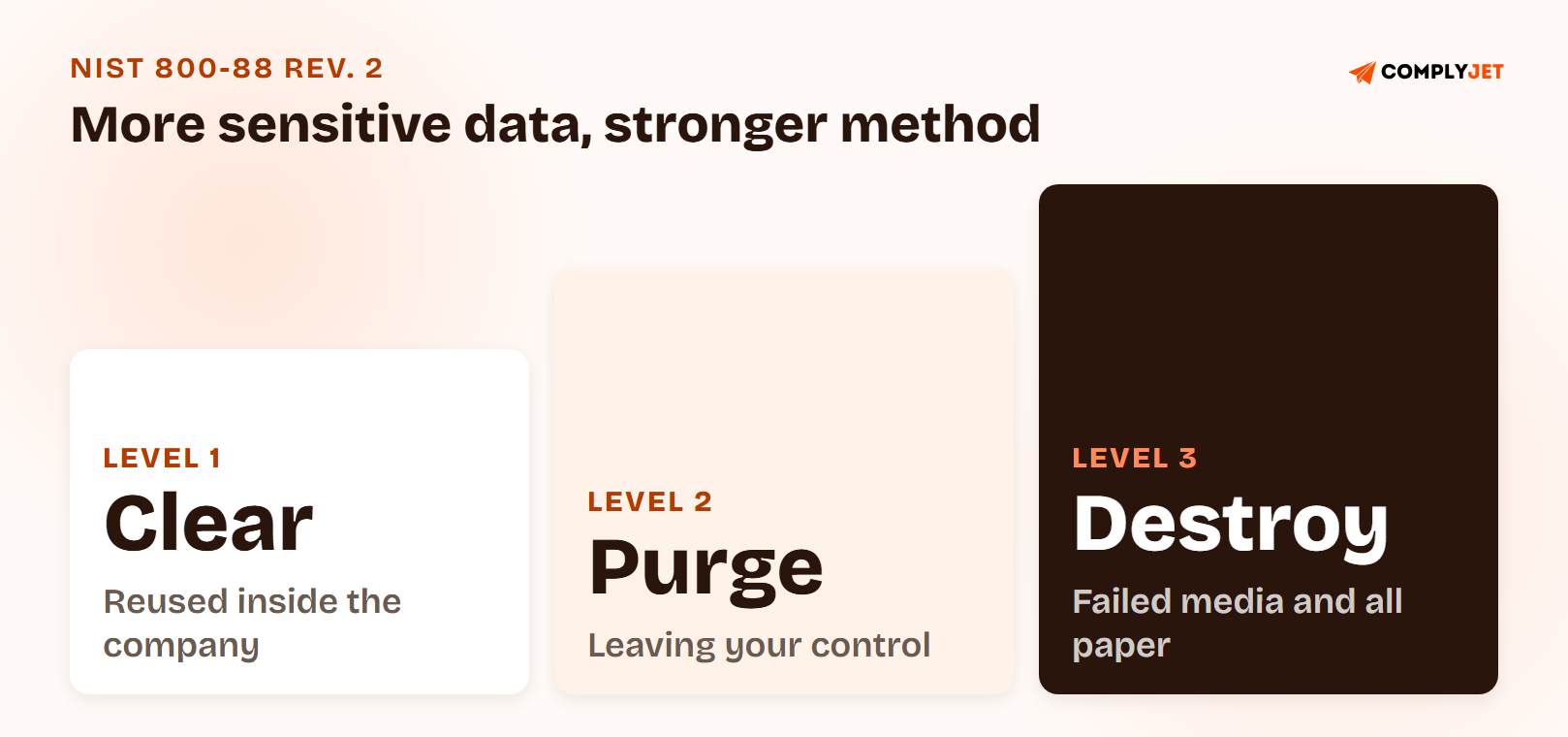
Every serious media sanitization policy sorts methods into three levels, the clear, purge, and destroy model from NIST 800-88. The right level depends on how sensitive the data is and what happens to the media next.
| Method | What it does | Media stays usable? | Typical use |
|---|---|---|---|
| Clear | Logical techniques (overwrite or reset) that stop simple, non-invasive recovery through the normal interface | Yes | Media reused inside your organization, lower sensitivity |
| Purge | Physical or logical techniques that make recovery infeasible even with state-of-the-art laboratory techniques | Usually yes | Media leaving your control, higher sensitivity |
| Destroy | Physical destruction that makes recovery infeasible and ends the media's use for storage | No | Failed, obsolete, or highest-sensitivity media, and all hard copy |
Clear, Purge, and Destroy Explained
Clear works through the same read and write commands a user has. On a basic device it can be a factory reset. It is not appropriate for paper under any conditions.
Purge goes further, and it is the step most teams skip. For drives it usually means a dedicated sanitize command, block erase, or cryptographic erase (destroying the encryption keys so the data becomes unreadable). NIST says purge should be used instead of clear when possible.
Destroy means the media is no longer usable for storing data. NIST lists five destructive techniques: disintegrate, incinerate, melt, pulverize, and shred. Bending, cutting, or drilling a hole through a drive may only partly damage it, leaving areas readable in a lab.
One old habit is worth retiring. Multiple overwrite passes (the "DoD 5220.22-M" pattern, up to 39 passes in some tools) made sense for early hard drives. For SSDs with overprovisioning, NIST says such practices should be avoided because very little confidentiality protection is achieved.
NIST SP 800-88 Rev. 2 Replaced Rev. 1 in September 2025
NIST published Revision 2 of SP 800-88 in September 2025. Revision 1, from December 2014, was withdrawn on September 26, 2025 and superseded by Rev. 2.
That matters for your policy text. Plenty of policy templates still cite Rev. 1 by name, and an auditor or customer reviewer who checks will notice a withdrawn reference.
The bigger change is philosophical. Rev. 2 is written around running a media sanitization program: a written policy, defined roles, verification, validation, and documentation. It points to IEEE 2883 for technique-level detail on specific hardware, and gives cryptographic erase a section of its own.
Action step
Search your existing policy for "800-88." If it says Rev. 1, or "Revision 1," update the citation to SP 800-88 Rev. 2 and re-read the method sections against it. The template below already does.
Which Media Sanitization Policy Method Fits Which Media Type
A policy that says "sanitize securely" gives nobody anything to do, and secure data disposal only happens when someone knows which step to take. A table that maps each media type to a default method, with a fallback, does. The mapping below follows NIST Rev. 2's logic. Adjust it to your data classification.
| Media type | Default method | Fallback or escalation |
|---|---|---|
| HDD (laptop, server) | Purge via a vendor sanitize command, or cryptographic erase if fully encrypted | Destroy (shred, disintegrate) |
| SSD and NVMe | Cryptographic erase or dedicated sanitize command | Destroy; never degauss |
| Phone and tablet | Cryptographic erase plus factory reset, removed from MDM | Destroy if damaged or unsupported |
| USB and removable media | Purge if supported, otherwise destroy | Destroy |
| Backup tape | Purge (degauss only if matched to the tape) or destroy | Destroy |
| Printer and copier storage | Vendor reset, then purge or destroy on retirement | Destroy |
| Paper and optical discs | Destroy (cross-cut shred, pulp, incinerate) | None; clear and purge do not apply to paper |
| Cloud and virtual volumes | Cryptographic erase and account deprovisioning | Contractual deletion evidence from the provider |
Hard Drive Disposal: HDDs vs. SSDs
Hard drive disposal splits cleanly by technology, and it is where policies often go wrong.
For magnetic drives, overwrite and degaussing can work. NIST is careful about degaussing though: it only applies to magnetic media, the degausser has to be matched to the drive's coercivity (how hard it is to demagnetize), and many existing degaussers lack the force for modern drives. At the time of writing, Rev. 2 says degaussing is not considered an approved destroy technique.
For SSDs, degaussing does nothing. NIST's own example of a bad validation is an SSD that gets degaussed, where the operation completes successfully and no sensitive data is sanitized. Wear levelling and spare cells also mean a simple overwrite cannot reach every location where data was stored.
Myth debunking
"We degauss everything." NO. Degaussing a solid-state drive leaves the data intact. A policy that lists degaussing as a blanket method for "hard drives" is wrong for every SSD in your fleet.
As drives get denser and harder, shredding and pulverizing stop being reliable. NIST says to avoid them for anything but the lowest security categories of data, so do not treat a shred certificate as the final word for your most sensitive media.
Cryptographic Erase for Encrypted and Cloud Storage
Cryptographic erase (CE) sanitizes the keys instead of the data. If a drive was fully encrypted from first use with strong cryptography, destroying or blocking access to the key makes the contents unreadable, which is why it is so fast.
It comes with conditions. NIST points to the strength of the cryptography, correct key sanitization, the quality of the implementation, and a record that the operation happened. Skip any of those and the assurance drops.
In cloud and virtual storage you often cannot touch the physical media, so CE may be the only purge option available. One Hacker News commenter put the practitioner version bluntly in January 2026: "always encrypt the drive with software" (Hacker News, January 2026). Your Data Encryption Policy is what makes that an enforceable rule instead of a habit.
Secure Data Disposal for Paper, Removable Media, and Factory-Reset Devices
Secure data disposal for paper is the simplest case and the most ignored. NIST says clear and purge do not apply to hard copy, so it gets destroyed. For cardholder data, PCI DSS 4.0 names cross-cut shredding, incineration, or pulping, with secure storage containers before destruction.
Basic devices like office equipment or feature phones may offer only a factory reset. NIST accepts that as a clear technique as long as the device interface does not let anyone retrieve the original data. Say so in the policy, and decide what retires those devices early.
Customer Story
"ComplyJet helped us move much quicker than expected through SOC 2 by intuitively guiding us through what we needed."
Andy Brock, Director of Technology, PatientFocus
Verification, Validation, and the Certificate of Sanitization
Running the method is half the job. NIST splits the other half into two separate checks, and a good policy names both.
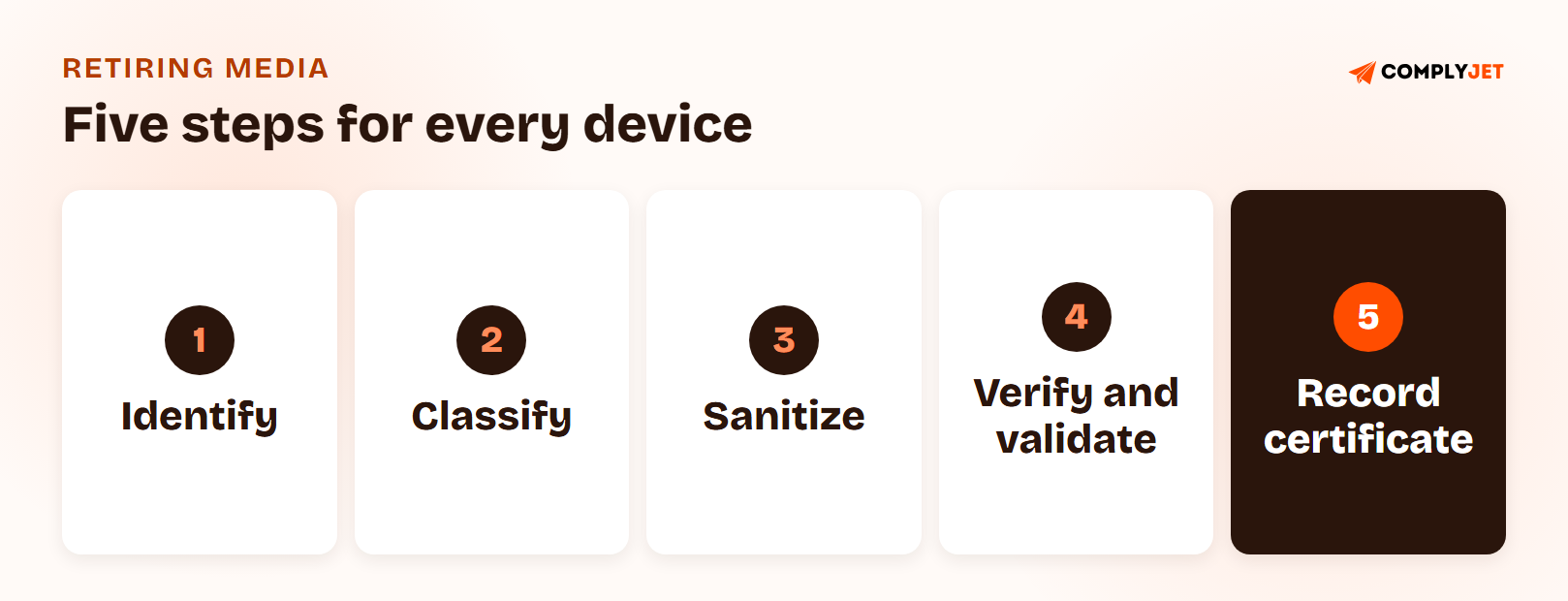
Verification asks whether the technique completed. For a destroyed drive, that means inspecting the remnants and identifying the equipment used. For a wipe, it means checking the tool's completion status and the health of the media.
Validation asks whether the data was actually sanitized, and ends in a decision: approve or reject. Rejection means repeating the work with a different technique or escalating to a stronger method.
NIST's examples of work that finished but did not count are worth copying into your own policy:
- A degaussed SSD: the operation succeeds, nothing is sanitized.
- A shredder that cuts an optical disc into pieces 50% larger than the organization allows.
- An overprovisioned SSD cleared with simple writes, leaving a substantial amount of data untouched.
- Work done by unqualified staff, or with uncalibrated or unapproved equipment.
What the Certificate of Sanitization Records
Rev. 2 says a certificate should be completed for each piece of media sanitized, and it can be a paper or electronic record. A barcode scan into a tracking tool is fine. At minimum it should capture:
- Manufacturer, model, serial number, and your own asset tag
- Media type and source (user, computer)
- Method used (clear, purge, destroy) and the technique (overwrite, block erase, cryptographic erase, shred)
- Tool used, including version
- How it was verified
- Name, title, date, location, contact details, and signature of the person who verified and validated
A certificate from a vendor is only as good as your tracking around it. NIST notes that records are most useful when you also log the media when it enters your environment and when it leaves its last location, because otherwise you only prove that some media were sanitized, not that all of them were.
Media That Leaves Your Control
Leases, RMA returns, donations, resale, and recyclers all move media out from under you. NIST says media handed to a maintenance provider can still count as under your control when a contract specifically covers confidentiality. Media swapped for a warranty replacement that will not come back is out of your control.
ISO/IEC 27002 guidance adds two habits: do due diligence on the disposal vendor, and keep a record of every disposed item. The guidance for control 8.10 adds that when specialists delete data for you, you should get documented evidence that it was done.
Try this yourself
Email your current recycler or ITAD (IT asset disposition) vendor and ask three questions: which sanitization method do you apply to SSDs, which revision of NIST 800-88 do you certify against, and does your certificate list serial numbers? A vague answer to any of the three tells you what your audit evidence looks like.
Media Sanitization Policy Requirements by Framework: SOC 2, ISO 27001, HIPAA, PCI DSS, and GDPR
No framework hands you a method. All of them ask for the same thing in different words: dispose of media so the data cannot be recovered, and be able to show you did.
| Framework | Where it lives | What it asks | Evidence to keep |
|---|---|---|---|
| SOC 2 | Criteria CC6.5 and C1.2 | Logical and physical protections over assets are removed only after the ability to read or recover data has been diminished (CC6.5); confidential information is disposed of to meet confidentiality objectives (C1.2) | Sanitization records, disposal log, vendor certificates |
| ISO 27001:2022 | Annex A 7.10, 7.14, 8.10 | Storage media managed from acquisition to disposal; equipment verified as wiped or overwritten before disposal or re-use; information deleted when no longer required | Verification records, disposed-item record, deletion evidence |
| HIPAA | 45 CFR 164.310(d)(2) | Disposal and media re-use are Required; accountability records and pre-move backup are Addressable | Device movement records, sanitization records |
| PCI DSS 4.0 | Requirements 9.4.6 and 9.4.7 | Hard copy cross-cut shredded, incinerated, or pulped; electronic media destroyed or rendered unrecoverable | Destruction records, secure container logs |
| GDPR | Article 5(1)(e) and Article 17 | Data kept no longer than necessary; erasure on valid request | Erasure logs, backup and media coverage |
SOC 2 and ISO 27001
SOC 2 has no standalone "media sanitization" criterion. CC6.5 and C1.2 are where disposal lands, and you should expect an auditor to ask for evidence on retired devices. ISO 27001 is more explicit. The 2022 edition added control 8.10, information deletion, which has no counterpart in the 2013 edition, and 7.10 and 7.14 cover media and equipment specifically.
HIPAA, PCI DSS, and GDPR
HIPAA is the clearest on what is mandatory. Under 45 CFR 164.310(d)(2), a policy for the final disposition of electronic protected health information and hardware, and procedures to remove ePHI from media before re-use, are both Required. Keeping a record of hardware movements is Addressable, meaning implement it or document an equivalent (45 CFR 164.310).
PCI DSS 4.0 requirements 9.4.6 and 9.4.7 set the physical standard: hard copy must be cross-cut shredded, incinerated, or pulped, and electronic media destroyed or rendered unrecoverable, when no longer needed for business or legal reasons.
GDPR names no method. Article 5(1)(e) limits how long personal data can be kept, and Article 17 gives people the right to erasure. Both fail if deleted records live on in an unsanitized backup drive.
Every framework asks the same question about old hardware: can you show that the data is gone? A media sanitization policy is how you answer it once and reuse the answer everywhere. -- Upendra Varma, CTO at ComplyJet
Media Sanitization Policy Template: A Free Example You Can Download
Here is what real policy language looks like, rather than a description of what it should contain.
Sample clause: Sanitization Method by Classification
All storage media containing Confidential or Regulated/Restricted data must be sanitized using a purge or destroy method before leaving the control of [Company Name], including for return, resale, donation, recycling, or disposal. Clear may be used only for media being reassigned internally to a user cleared for the same classification. Sanitization must follow NIST 800-88 Rev. 2. Hard copy must be destroyed by cross-cut shredding, pulping, or incineration.
Sample clause: Verification and Records
Each sanitization event must be verified and validated by a person other than the requester, and a certificate of sanitization must be completed recording the manufacturer, model, serial number, asset tag, method, technique, tool and version, verifier, and date. Certificates are retained for [retention period]. Third-party vendors must supply a certificate per serial number. Exceptions require written approval from [Policy Owner].
Free Template
Download the Free Media Sanitization Policy Template (PDF)
Method-by-media-type table, verification and validation steps, a certificate of sanitization, and control notes for SOC 2, ISO 27001, HIPAA, PCI DSS, and GDPR.
Rolling Out a Data Disposal Policy
The template is a day of work. The rollout is where the policy becomes real.
- Assign an owner, usually the IT or security lead, with a named backup.
- Inventory your media. Laptops, phones, servers, removable media, printers, backups, and the cloud volumes behind each system.
- Map each type to a classification and a default method using the table above.
- Pick the tools and the vendor. Name the MDM wipe workflow, the sanitize tool and version, and one ITAD vendor who certifies against Rev. 2.
- Set the record. Decide where certificates and log entries live, and who signs them.
- Get leadership approval once it reflects what you actually do.
- Review it at least annually and whenever your storage estate changes.
Right-Sizing Your Media Disposal Policy for a Startup
Not every company needs a shredding truck. The right level depends on where your media actually is.
- Fully remote, managed laptops, cloud-hosted product: the policy is mostly cryptographic erase on encrypted laptops, an MDM wipe log, cloud deprovisioning, and a clear rule for paper. Destruction is the exception for failed drives.
- Some on-prem servers or backup media: add a vendor for physical destruction and a certificate per serial number.
- Leased hardware: add a return step with a confirmed sanitization before anything ships back.
Action step
Count the devices that left your company in the last year: laptops, phones, anything with storage. For each one, find the record that shows what happened to its data. The gaps you find are your policy's first draft.
Media Sanitization Policy Mistakes That Show Up in Audits
- Treating delete or format as sanitization. Removing files or quick-formatting a drive leaves the data recoverable. NIST's clear method rewrites all user-addressable storage, which is far more than a delete.
- Degaussing SSDs. It completes without error and leaves the data untouched.
- No record per device. The work is done, and nothing shows serial number, method, date, or person.
- Citing the withdrawn revision. A policy that references NIST 800-88 Rev. 1 is pointing at a document NIST withdrew on September 26, 2025.
- Forgetting the quiet media. Printer and copier storage, old phones in a drawer, backup drives, and cloud snapshots rarely make it onto the list.
- Trusting a vendor with no certificate. "We destroyed it" from a recycler is not evidence unless it lists serial numbers and a method.
- Offboarded laptops sitting in a closet. The device is still your data, still your risk, and often not in your asset inventory.
- No owner. Everyone assumes IT handles it, and IT assumes the requester does.
How ComplyJet Supports Your Media Sanitization Policy
Writing the policy is the easy part. Collecting the evidence, device by device, is what eats audit prep.
We help teams turn a written policy into evidence as part of a SOC 2, ISO 27001, HIPAA, or PCI DSS program, with AI-assisted policy drafting and integrations that pull control evidence from the systems you already use, so disposal records don't get rebuilt from memory the week before an audit.
Compliance Automation
Turn your media sanitization policy into audit-ready evidence
ComplyJet pairs AI-assisted policy drafting with integrations across your connected systems, mapped to SOC 2, ISO 27001, HIPAA, and PCI DSS.
FAQs
What Is a Media Sanitization Policy?
A written document that defines how storage media and the data on it are made unrecoverable before reuse, return, or disposal. It sets the method by media type, the verification step, and the records you keep.
What Should a Data Disposal Policy Include?
Scope and media types, a method for each (clear, purge, or destroy), verification and validation, a certificate or log entry per device, vendor requirements, roles, exceptions, and a review cadence. Retention periods belong in your data retention policy.
What Is the Difference Between Clear, Purge, and Destroy?
Clear overwrites or resets media through its normal interface and leaves it reusable. Purge makes recovery infeasible even in a lab and often keeps the media usable. Destroy physically ends the media's use. Paper only gets destroyed.
Is Deleting Files or Formatting a Drive Enough?
No. Deleting or quick-formatting leaves recoverable data. Sanitization needs an approved technique applied to all user-addressable storage, then verification that it worked.
How Do You Sanitize an SSD?
Use cryptographic erase on a drive that was encrypted from first use, or the drive's dedicated sanitize command, then verify. Simple overwrites miss spare cells. If the drive is damaged or you cannot validate the result, destroy it.
Does Degaussing Work on SSDs?
No. Degaussing only applies to magnetic media, and NIST's own example of a failed validation is a degaussed SSD where no data gets sanitized. As of NIST SP 800-88 Rev. 2, degaussing is also not an approved destroy technique.
Do I Need a Certificate of Destruction?
For third-party destruction, yes, in practice. NIST says a certificate should be completed for each sanitized device, and auditors ask for it. Insist on serial numbers, method, date, and a named person.
Is Media Sanitization Required for SOC 2?
SOC 2 has no standalone sanitization control, but CC6.5 and C1.2 cover disposal, and auditors can ask for evidence on retired devices. Having a written policy and a record per device is how you pass that sample.
Related Reading
- Data Retention Policy, for deciding how long data is kept before it reaches this policy.
- Asset Management Policy, for tracking each device from purchase to retirement.
- Physical Security Policy, for the facility and equipment controls around stored media.
- Data Encryption Policy, for the encryption that makes cryptographic erase possible.
- Data Classification Policy, for the tiers that decide which sanitization method applies.
Sources: NIST SP 800-88 Rev. 2, Guidelines for Media Sanitization (September 2025); NIST SP 800-88 Rev. 1, withdrawn September 26, 2025; ISO/IEC 27002:2022 control 7.10, Storage Media, summarized by ISMS.online; SOC 2 Trust Services Criteria CC6.5 and C1.2 (AICPA); PCI DSS 4.0 requirements 9.4.6 and 9.4.7; GDPR Articles 5 and 17; practitioner threads linked inline.