.svg)

The GDPR badge sitting in your website footer might be doing more harm than good, and most businesses that display one have never stopped to ask where it came from, what it actually means, or whether they are legally allowed to show it.
That is a bigger problem than it sounds.
Most companies add a "GDPR compliant" badge and move on. They treat it like a decoration, a visual shorthand that says "we take privacy seriously" without any real thought about what sits behind it. But GDPR is not a certification scheme. There is no official logo.
There is no governing body that hands you a badge when you pass a test. Every PNG, SVG, and shield icon you find online is an unofficial design asset created by independent designers, and displaying one without proper authorization may constitute a deceptive commercial practice under EU law.
That is both a risk and an opportunity. A risk, because misuse creates legal exposure. An opportunity, because when you use the badge correctly after doing the actual compliance work, it becomes one of the most effective trust signals you can put in front of enterprise buyers, EU customers, and procurement teams.
This guide covers everything you need to handle the GDPR logo correctly:
- What the GDPR logo actually is and what it is not.
- PNG, SVG, EPS, which format to use and when.
- Transparent vs. white background: How to pick the right version.
- Where to safely download a licensed GDPR logo PNG.
- The legal rules for displaying it on your website.
- Where to place it for maximum impact on trust and conversions.
- The messaging that builds credibility vs. the language that destroys it.
- What to do if you are not fully compliant yet.
- Seven of the most common questions are answered directly.
Let's start with the fact that most organizations get this wrong before they even download the file.
There Is No Official GDPR Logo!
Before you download anything, you need to know this: the European Union has never issued an official GDPR compliance logo. Not one, not ever.
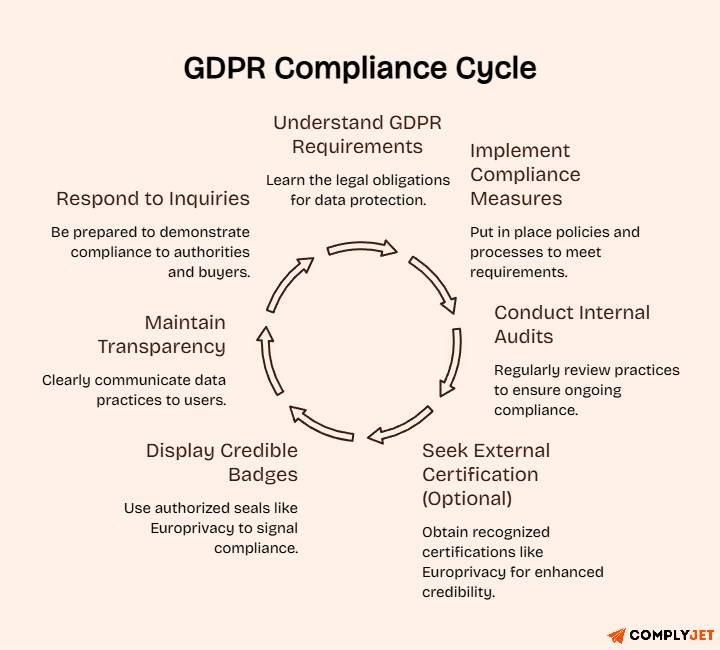
GDPR, the General Data Protection Regulation, EU 2016/679, is a law. It is not a certification program. There is no official body that reviews your data practices, approves your compliance, and grants you a badge the way the AICPA does for SOC 2 or the International Organization for Standardization does for ISO 27001. Compliance with GDPR is a legal obligation. It is not a credential you earn and display.
The European Data Protection Board (EDPB), the body responsible for the consistent application of GDPR across the EU, does not issue compliance badges. Neither do the national Data Protection Authorities, nor the ICO in the UK, nor the CNIL in France, nor the BfDI in Germany, nor the DPC in Ireland. None of them distributes logos for general business use.
What Does Officially Exist?
Two things are worth knowing about:
The EDPS Logo: This is the institutional mark of the European Data Protection Supervisor, the EU's independent supervisory authority. It requires written permission from the EDPS (press@edps.europa.eu) to use and cannot be displayed in any way that implies EDPS endorsement of a product, service, or organization. This logo is not available for general business use. If you see it used on a commercial website without context, it is being misused.
The Europrivacy Seal: This is the only EDPB-recognised European Data Protection Seal under Article 42 of the GDPR. It has been recognized across all EU and EEA member states since October 2022. Only organizations that have completed the formal Europrivacy certification process are authorized to display it. It is not a logo you download from a stock site; it is a credential issued after a structured, independent assessment.
Everything else, every GDPR shield, badge, PNG, and icon available on stock image sites and free download pages is an unofficial design asset. Created by independent designers. Not endorsed by any regulatory body. Not tied to any compliance standard.
What This Means Practically
It means two things. First, you have freedom of choice. Because there is no official logo, no one format or design is more "official" than another. You can choose a badge that fits your brand identity without violating any official design standards.
Second, you carry full responsibility for what your badge implies. Displaying any GDPR compliance badge creates a public-facing statement that you are handling personal data lawfully. If you cannot back that up with real documentation, real processes, and real compliance, and a DPA investigator or an enterprise buyer asks you to demonstrate it, the badge makes your position worse, not better. A misleading compliance claim is a separate violation under the EU Unfair Commercial Practices Directive, independent of any GDPR enforcement action.
Pro Tip: The fact that there is no official GDPR logo also means no single badge carries inherent authority in the market. What gives the badge credibility is what sits behind it: your Privacy Policy, your cookie consent mechanism, your Records of Processing Activities, and your Data Processing Agreements. Build the substance first. The badge is just the visible surface.
GDPR Logo PNG, SVG, EPS: Which Format Should You Use?
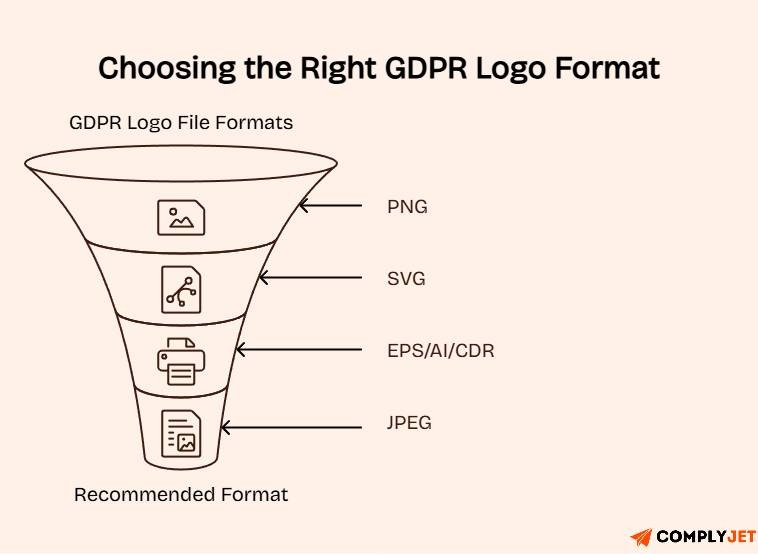
Not all file formats serve the same purpose. Picking the wrong one creates visual problems, such as a blurry badge in a presentation, a badge with a white box around it on a dark website background, or a file that looks sharp on a desktop and pixelated on a Retina display.
Here is a clear breakdown of what each format is and when to use it:
PNG: A raster image format that supports transparent backgrounds (via the alpha channel). It renders at a fixed resolution, meaning it looks sharp at its native size but can degrade if scaled up significantly. PNG is the most versatile format for general web use, website footers, email signatures, blog posts, and static pages. For most teams, this is the default format.
SVG: A scalable vector format. It renders perfectly at any size, on any screen density, including high-resolution Retina and 4K displays. It can be styled with CSS, animated, and embedded directly in HTML. SVG is the best choice for modern responsive websites where the badge might appear at different sizes in different contexts. If your developer can implement SVG, always prefer it over PNG for web use.
EPS / AI / CDR: Professional vector formats used in print design workflows. Not web-native. Use these when producing printed marketing materials, datasheets, exhibition banners, or pitch decks that will go to a professional designer or printer.
JPEG: Does not support transparent backgrounds. Never use JPEG for a GDPR badge. It will display with a solid white or colored box behind it, which looks unprofessional on any non-white background.
Format by Use Case
The short version: save an SVG if your site supports it, and keep a transparent PNG as your backup for everything else.
Pro Tip: Download both SVG and transparent PNG versions when you find a source you are happy with. Keep them in a shared brand assets folder, not on someone's personal laptop. When the badge needs to go into a press kit, a sales deck, or a vendor security questionnaire response, you want it immediately accessible and in the right format.
Transparent Background vs. White Background: Which GDPR PNG Is Right for You?
This is the question that trips up more marketing teams than you would expect. The difference between these two file types seems minor until you place the wrong one on your website and your GDPR badge displays as a white rectangle floating on your navy footer.
What a Transparent Background PNG Actually Is
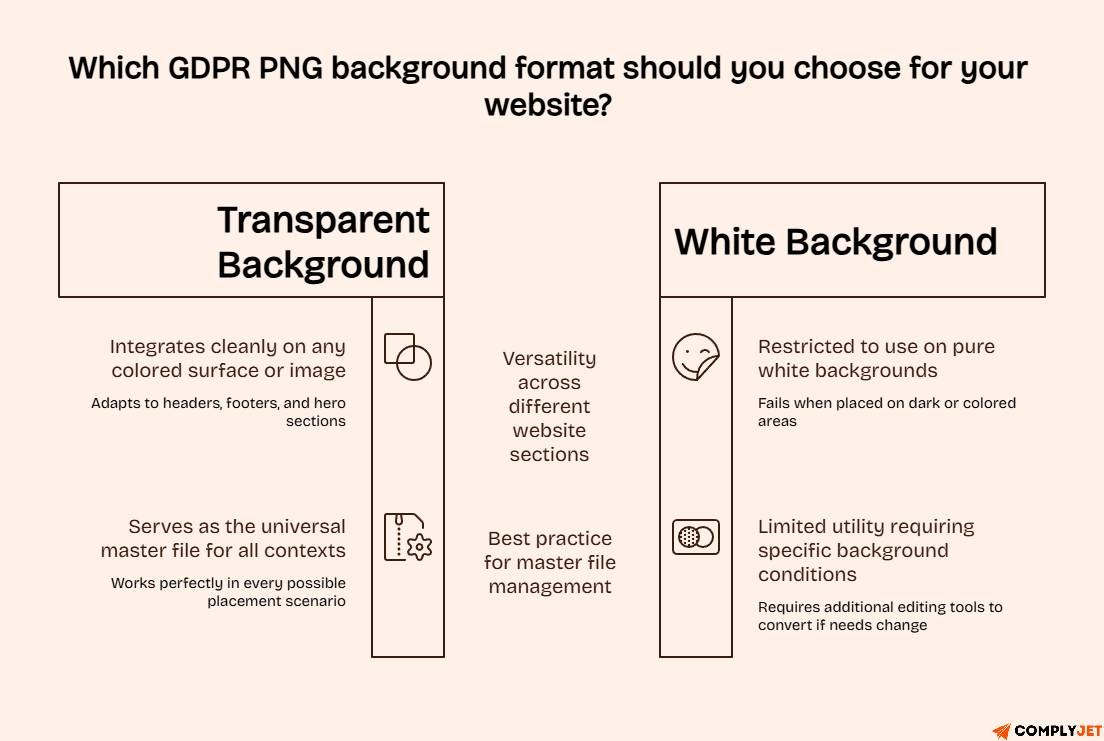
A PNG with a transparent background uses the alpha channel, an invisible layer that removes the background color entirely. When you place this file on any colored surface, the badge integrates cleanly because the background of the image is not white, grey, or any other color. It is literally nothing. The surface behind it shows through.
When You Need a Transparent Background PNG
Use a transparent background PNG in any of these situations:
- Your website has a non-white background anywhere the badge appears
- The badge sits in a footer with a dark or colored background
- You are placing the badge over a hero image, a gradient section, or a colored banner
- Your brand uses multiple background colors across different pages
- You are using the badge in an email template with a colored header or background section
- The badge will be placed in a presentation slide with any background color other than pure white
In practice, transparent PNG is the right choice for the overwhelming majority of website use cases. Most modern websites do not use solid white backgrounds throughout headers, footers, and trust sections, and almost always use a contrasting color.
When a White Background PNG Might Be Acceptable
A white background PNG is acceptable only in contexts where the background is guaranteed to be pure white:
- Legal or documentation pages with plain white backgrounds
- Word documents or PDF reports with white pages
- Email templates where the entire template is white
Even in these cases, using a transparent PNG works perfectly. A transparent PNG placed on a white background looks identical to a white background PNG. The reverse is not true.
Best practice: Always work from a transparent PNG as your master file. It works everywhere a white-background file does, and in every situation where a white-background file fails.
If you only have a white-background PNG and need a transparent version, tools like Canva, Adobe Express, or GIMP can remove the background at no cost. However, check your license before modifying the file; some image licenses restrict derivative works.
Pro Tip: Before publishing your badge anywhere, test it by placing it on both a white background and a dark background in your image editor. If you see a white box or halo effect on the dark background, you have a white-background PNG, not a transparent one. Go back and get the correct version before publishing.
Already working on GDPR compliance, and not sure what you still need to complete? ComplyJet gives SaaS companies and growing businesses a clear compliance roadmap from data mapping to cookie consent to DPA management. Book a free consultation
Where to Download a GDPR Logo PNG Safely
Dozens of websites offer free GDPR PNG downloads. The problem is that "free to download" and "free to use commercially on your website" are not the same thing. Many stock image sites offer free downloads for personal or editorial use, but require a paid license for commercial use, and displaying a badge on your business website is considered commercial use.
Before downloading from any source, ask two questions: Does the license explicitly permit commercial use? Is attribution required, and if so, where?
Recommended Sources by Use Case
Use with Caution
CleanPNG, HiClipart, PNGTree, and similar aggregator sites frequently have unclear or mixed license terms. Some assets on these platforms are uploaded by third parties whose licensing rights are uncertain. For a business website, the reputational risk of using an unlicensed image is not worth the convenience.
The Best Option for Most Businesses
For a business website, a purpose-built GDPR compliance badge, the kind generated or provided by a GDPR compliance software platform, carries more credibility than a generic stock icon. It signals to visitors that the badge is connected to a real compliance process, not just a design choice someone made in Canva.
If your organization uses a consent management platform or a GDPR compliance tool, check whether they provide a branded badge as part of the service. Many do. Using their badge adds a layer of implied third-party verification that a stock icon cannot.
Pro Tip: When you find a source you trust, download the file, record the license terms, and store both the file and the license documentation together in your brand assets folder. If anyone ever challenges your right to use the image, a regulator reviewing your site, or a legal team doing due diligence, you need to be able to show the license instantly. "I downloaded it from a free site" is not an answer that holds up.
The Legal Rules for Using a GDPR Logo PNG on Your Website
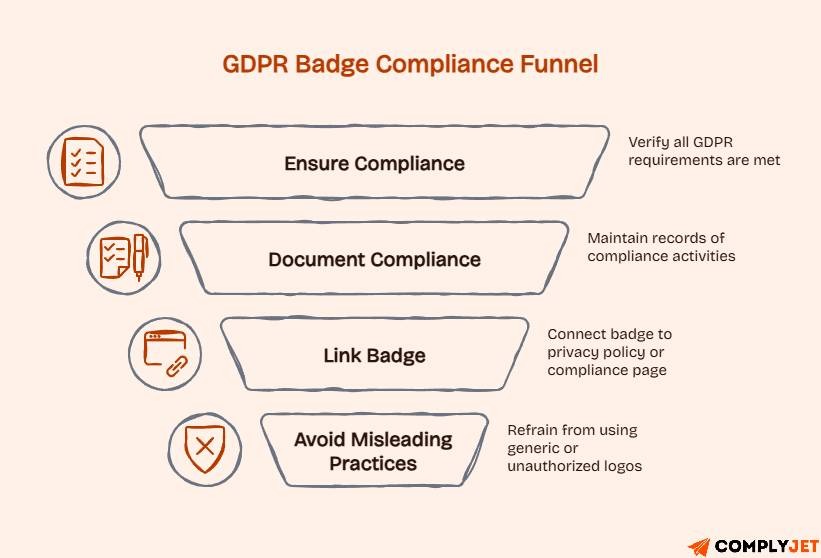
Displaying a GDPR badge without genuine compliance behind it is not a grey area. Under the EU Unfair Commercial Practices Directive, using a trust signal to create a false impression in the minds of consumers is a deceptive commercial practice, and it is enforceable independently of GDPR itself.
Here are the rules that every business must follow before placing a GDPR badge anywhere public-facing.
Rule 1: Compliance Comes Before the Badge
You must actually be GDPR compliant before displaying any badge that implies compliance. The badge is not a goal. It is a signal that the goal has been reached.
At a minimum, these elements must be in place before you display a GDPR trust badge:
- A documented lawful basis for every personal data processing activity your organization conducts.
- An accurate, specific Privacy Policy is available to all users.
- A compliant cookie consent mechanism, not a banner that says "by continuing to use this site, you agree," which is not valid consent under GDPR.
- Records of Processing Activities (ROPA) are maintained under Article 30.
- A functioning process for handling data subject rights requests (access, rectification, erasure, portability, objection).
- Data Processing Agreements are signed with every vendor that handles personal data on your behalf.
- A DPO is appointed if required under Article 37 (mandatory for large-scale processing of sensitive data categories).
If any of these are absent, the badge is ahead of the compliance. Fix the compliance first.
Rule 2: A Generic GDPR Icon Has No Legal Weight
Let's be direct about this. A stock shield icon with "GDPR" written on it does not mean anything legally. It is a design element. It carries exactly as much legal authority as the words you choose to put next to it on the page.
The legal substance comes from your documentation, your processes, and your ability to demonstrate compliance to a regulator or an enterprise buyer during due diligence.
If you cannot produce your ROPA, your DPAs, your cookie consent records, and your data breach response plan on request, the badge is decoration, and it may be harmful decoration if it implies a level of compliance you cannot substantiate.
Rule 3: Misleading Display Is a Regulatory Risk
Using a GDPR badge to create a false impression of compliance can be treated as a misleading commercial practice under the EU Unfair Commercial Practices Directive, separate from GDPR enforcement. This means two regulators could potentially be interested in the same badge: the DPA for the GDPR compliance position, and the consumer protection authority for the misleading commercial practice.
This is not a theoretical risk. Consumer protection enforcement in the EU is active and increasing. For B2C businesses in particular, the combination of a false compliance claim and a complaint from an affected consumer is a scenario worth taking seriously.
Rule 4: Never Use Official EU Institutional Logos Without Permission
Do not display the EDPS logo, the EU flag, or any other official EU institutional design mark in a way that implies EU endorsement of your organization, product, or service. These are protected institutional identifiers. Using them without written authorization from the relevant institution, regardless of context, is a violation of EU institutional branding rules.
This means you also cannot display the Europrivacy seal unless you have completed the Europrivacy certification process and been formally authorized to use it.
Do and Don't Table
Pro Tip: Link your GDPR badge directly to your Privacy Policy or a dedicated Trust and Security page. An unlinked badge tells visitors nothing beyond "we have a badge." A linked badge takes them somewhere that substantiates the claim, showing your privacy practices, your compliance stack, and your DPA contacts. That is the difference between a decoration and a trust asset.
Where to Place the GDPR Logo for Maximum Trust
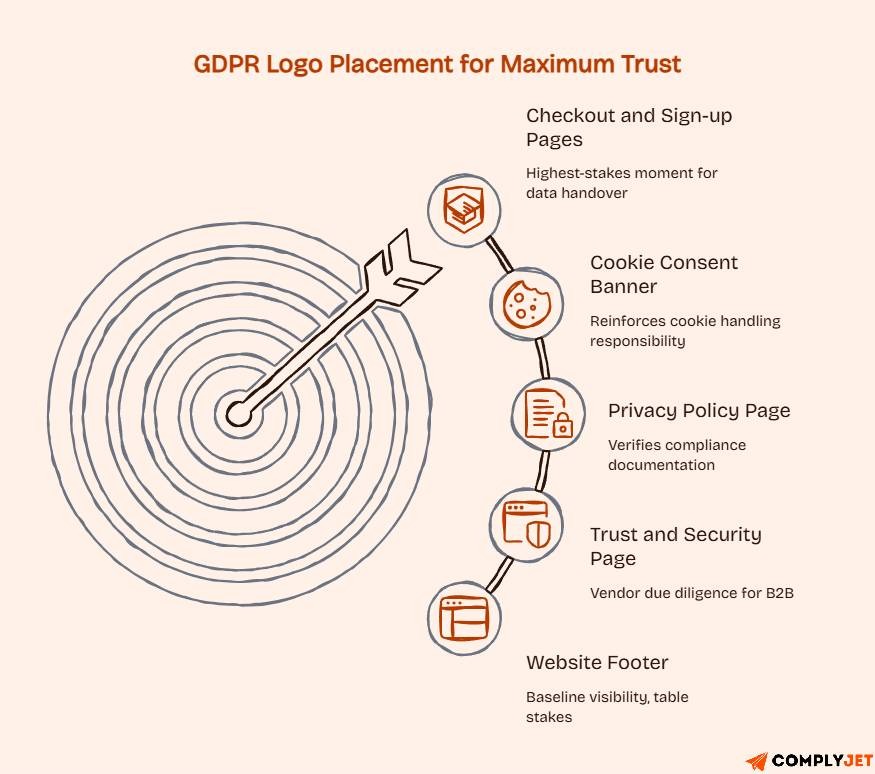
Most companies drop the badge in the footer and consider it placed. The footer is the lowest-value position on the entire site. Yes, it creates baseline visibility, but it misses every high-stakes moment in the buyer journey where data trust actually influences decisions.
Here is where the badge creates real impact:
Website footer: Site-wide visibility, expected by visitors who are actively looking for compliance signals. Always include it here, always link it to your Privacy Policy. This is table stakes, not strategy.
Checkout and sign-up pages: This is the highest-stakes moment in your entire conversion funnel. The user is about to hand over personal data, their name, email, payment details, or both. A GDPR badge at this exact moment directly addresses the anxiety that causes form abandonment. Privacy-conscious users in particular will scan for trust signals before entering any information. Put the badge here.
Cookie consent banner: The moment when a visitor is actively making a privacy decision is precisely when a GDPR compliance signal is most relevant. Including the badge in or near your cookie consent banner reinforces that your cookie handling is taken seriously, not just a legal formality.
Privacy Policy page: An obvious placement that is frequently overlooked. This is the page that privacy-conscious users visit when they want to verify your compliance. Finding the badge here, alongside your actual compliance documentation, completes the picture.
Trust and Security page: If you have one, this is where enterprise and B2B buyers do their vendor due diligence. Group your GDPR badge alongside any other compliance credentials, SOC 2, ISO 27001, PCI DSS, and give each one appropriate context. This page is scanned before sales conversations are approved, before contracts are signed, and before procurement teams give sign-off.
B2B sales decks and security questionnaire responses: When you are selling to enterprise buyers or regulated industries, include the GDPR badge in your security and compliance slide. Procurement teams and security reviewers are looking for exactly this information. Making them ask for it is friction you can remove.
Email signature: Every outbound email is a touchpoint with a customer, prospect, or partner. An email signature badge signals data responsibility at every interaction, particularly valuable in B2B outreach where the recipient may be evaluating you as a potential data processor.
Pro Tip: If your organization has multiple trust badges GDPR, SOC 2, ISO 27001, HIPAA), group them on a dedicated Trust or Security page with a brief explanation of what each one means and a link to your compliance documentation. Buyers doing due diligence want to see everything in one place. A disorganized set of badges scattered across different pages suggests a compliance posture that was assembled without a plan.
Say the Right Thing GDPR Messaging That Actually Builds Trust
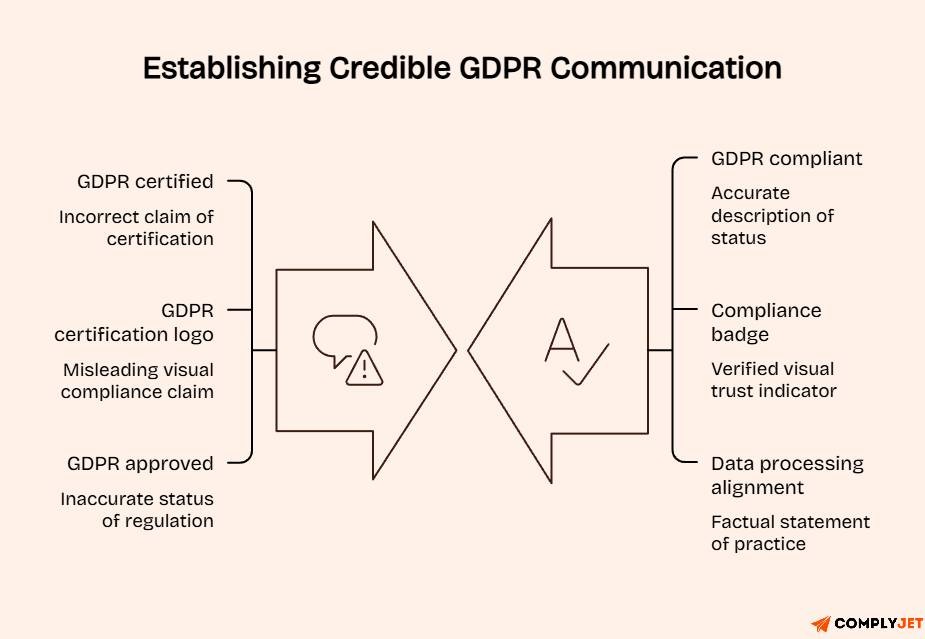
Calling yourself "GDPR certified" is not just inaccurate. When buyers who understand GDPR read it, it immediately signals that your organization does not understand the regulation it is claiming to comply with. That is not the impression you want to make.
GDPR is a regulation, not a certification scheme. No organization can be "GDPR certified" in the way that organizations can be ISO 27001 certified or SOC 2 certified. Nobody grants GDPR certification. The language matters both for legal accuracy and for credibility with informed buyers.
Language to Avoid vs. Language to Use
Example Copy That Works
Homepage or footer: "We take data privacy seriously. Our processes are fully aligned with the EU General Data Protection Regulation (GDPR, EU 2016/679). View our Privacy Policy for full details."
Trust page: "ComplyJet operates in full compliance with the EU General Data Protection Regulation. Our compliance program includes documented processing records, compliant cookie consent, data subject rights management, and signed Data Processing Agreements with all vendors handling personal data."
Email signature: "GDPR compliant. Data processed in accordance with EU Regulation 2016/679."
Sales deck: "Data Privacy: GDPR compliant. All personal data processed under EU GDPR requirements. Full documentation available on request."
The common thread in all of these is specific, factual, and linked to something real. Not aspirational, not vague, and not claiming a certification status that does not exist.
Pro Tip: Review every piece of marketing copy, every sales deck, every product page, and every email template for the word "certified" in the context of GDPR. Replace it with "compliant." This is a five-minute audit that removes a credibility risk that sophisticated buyers will notice.
What to Do If You're Not Fully Compliant Yet
This is the question most teams have, and almost nobody asks out loud: Can you display the badge while you are still working toward compliance?
The honest answer is no. Displaying a GDPR compliance badge before completing your compliance obligations is a misleading commercial practice. It creates a false impression of legal standing you have not yet achieved.
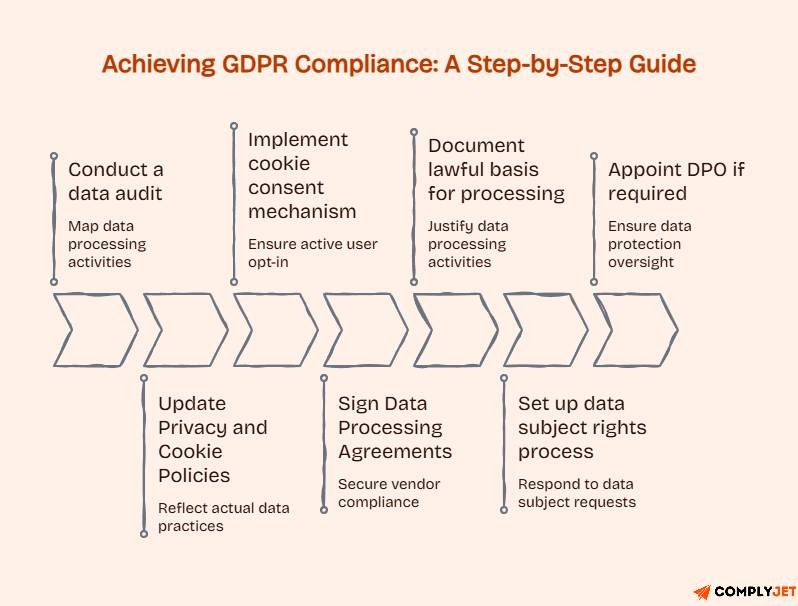
That does not mean you have to wait months or years. GDPR compliance, approached systematically, is achievable in weeks for most small and mid-sized organizations. Here is the sequence that gets you there:
- Conduct a data audit - Map every category of personal data your organization collects, where it comes from, how it is processed, where it is stored, and who can access it. This becomes your Records of Processing Activities (ROPA) under Article 30.
- Update your Privacy Policy and Cookie Policy - These need to accurately reflect your actual data practices, specific, not generic. Template privacy policies pulled from the internet that do not describe your real processing activities are not compliant with Privacy Policies.
- Implement a compliant cookie consent mechanism - This means a consent banner where users actively opt in to non-essential cookies, with a genuine option to decline. Pre-ticked boxes, implied consent by continued browsing, and "accept or leave" designs are not compliant.
- Sign Data Processing Agreements with all vendors - Every third party that handles personal data on your behalf, cloud providers, analytics platforms, CRM systems, email marketing tools, and payment processors need a signed DPA before they process any personal data.
- Document your lawful basis for each processing activity - Consent is one basis. Legitimate interests, contractual necessity, and legal obligation are others. Document which basis applies to each processing activity in your ROPA.
- Set up a data subject rights process - EU residents have the right to access, correct, delete, and export their personal data. You need a documented process for receiving, verifying, and responding to these requests within the one-month statutory window.
- Appoint a DPO if required - If your organization processes sensitive data categories at scale, or conducts systematic monitoring of individuals, a Data Protection Officer is mandatory under Article 37.
Once these steps are completed and documented, you can display the badge with full confidence and defend it clearly if a regulator, enterprise buyer, or data subject ever asks you to.
Being in progress toward compliance is not something to hide behind a badge. It is something to be transparent about. "We are actively implementing our GDPR compliance program" is a more credible position for an informed audience than a compliance badge that does not hold up to scrutiny.
Ready to get GDPR compliant so you can display your badge with confidence? ComplyJet automates the compliance work data mapping, DSAR management, DPA tracking, risk assessments, and audit-ready documentation so you get compliant faster and stay that way. See how ComplyJet works
Frequently Asked Questions
Can I use the GDPR logo on my website after becoming compliant?
Yes, once you have completed your GDPR compliance obligations and have the documentation to support them, you can display a GDPR compliance badge. Use a licensed PNG or SVG from a reputable source, link it to your Privacy Policy, and use accurate language like "GDPR compliant" rather than "GDPR certified."
How do I know if a GDPR logo PNG is safe to use commercially?
Check the license terms on the source website before downloading. Look for explicit language confirming commercial use is permitted. If attribution is required, confirm you can satisfy it. For business websites, stick to sources with clear, unambiguous commercial licenses. UXWing is the most straightforward for no-attribution commercial use.
Where should I place the GDPR logo for maximum trust impact?
The highest-value placements are your checkout and sign-up pages (where users are about to share data), your cookie consent banner, your Trust or Security page, and your B2B sales deck. The footer gives site-wide visibility but is the lowest-impact placement on its own.
Is a transparent background PNG better than a white background PNG?
For virtually all website use cases, yes. A transparent-background PNG works with any background color. A white background PNG produces a visible white box on any non-white surface. Always use transparent PNG as your default for web use.
How long does GDPR compliance remain valid after displaying the badge?
GDPR compliance is not a one-time status; it is an ongoing obligation. Your compliance position must be actively maintained: regular risk assessments, updated documentation when your processing activities change, renewed DPAs when vendor contracts are updated, and current cookie consent mechanisms. Review your compliance program at least annually, and after any material change to your data processing activities.
Can I download a free GDPR logo PNG for commercial use?
Yes, UXWing offers free SVG and PNG downloads with no attribution requirement for commercial use. Flaticon and Freepik offer free tiers with attribution requirements. Always read the license terms before using any file downloaded from a business website.
Can I modify or customize a GDPR logo PNG for my brand?
It depends on the license. Many free-tier licenses permit modification for personal use but restrict it for commercial use. Check the specific license terms for the file you are using. If modification is permitted, keep changes to colors and sizing rather than altering the core design in ways that might mislead users about what the badge represents.
Conclusion
The GDPR badge is a trust signal, but only when what sits behind it is real.
To recap what matters: there is no official GDPR logo, so every badge you display is an unofficial design asset you are responsible for. Choose a licensed SVG or transparent PNG from a reputable source.
Complete your GDPR compliance before displaying it anywhere public-facing. Place it where data trust decisions actually happen: checkout pages, cookie banners, trust pages, sales decks. Use language that reflects attestation ("GDPR compliant"), not certification ("GDPR certified"). And keep your compliance documentation current, because the badge is only as credible as what you can produce when someone asks.
The badge does not build trust by itself. The documentation, the processes, the practices, and the genuine respect for user privacy behind it do. The badge just makes that work visible.
Already GDPR compliant and want to showcase it properly? Build a Trust Center that converts enterprise buyers and closes security questionnaires before they open. Read our guide on building a compliance trust center.
Or if you are still working through your GDPR compliance program, book a free demo with ComplyJet and see how fast systematic compliance can move.