.svg)

You know the feeling. You are on the one-yard line. The client is sold, the budget is approved, and the contract is out for signature. Then, you get the email that makes every founder's stomach drop.
Subject: Security Review Request.
Attached is a 200-row Excel spreadsheet, a demand for your latest penetration test, and a request for three years of policy history. Suddenly, you aren't a CEO closing a $20k deal. You are a data entry clerk. You spend the next week chasing your CTO for PDFs, emailing zip files, and waiting for legal teams to redline a Non-Disclosure Agreement (NDA) just so you can share a basic SOC 2 report.
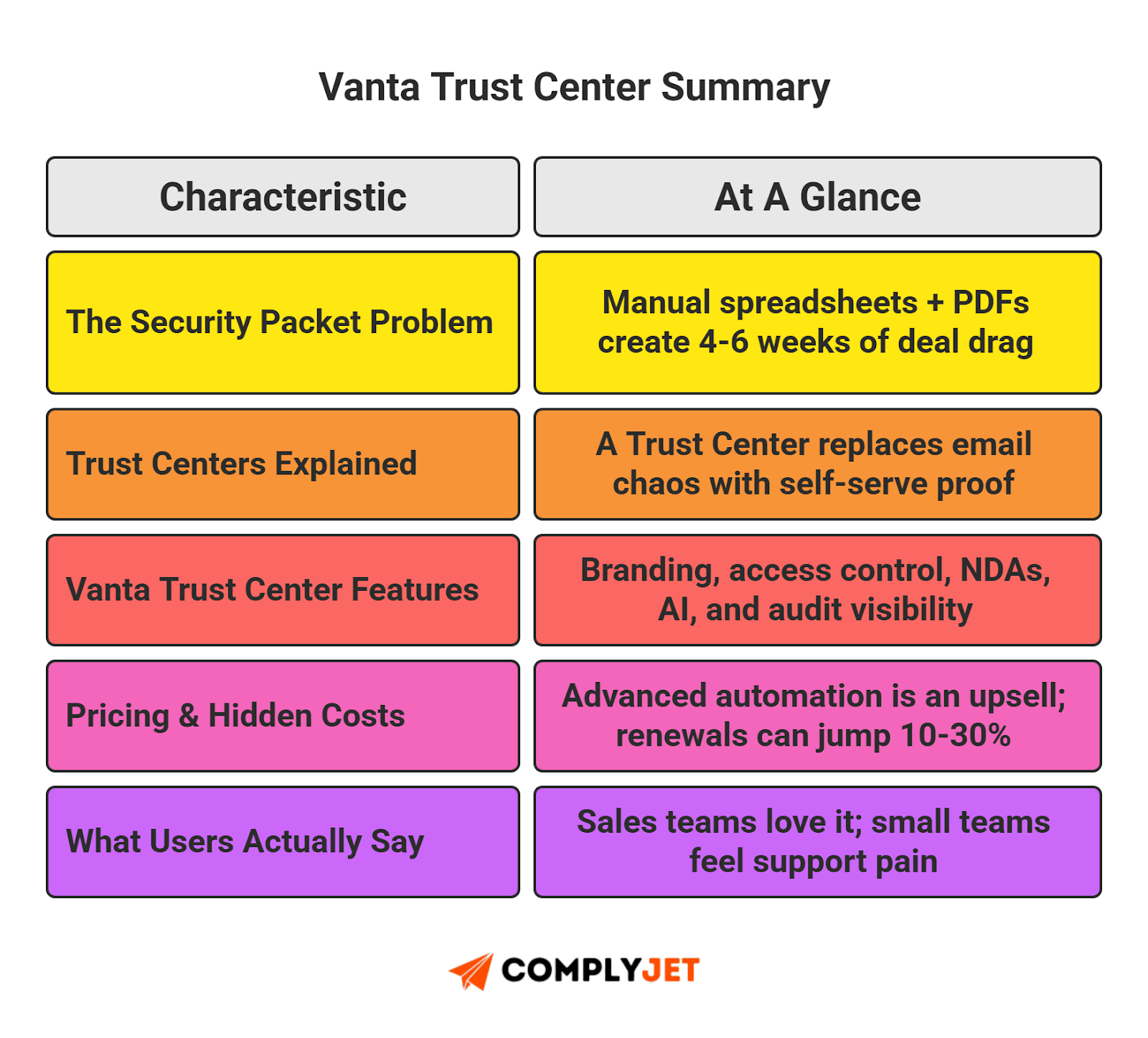
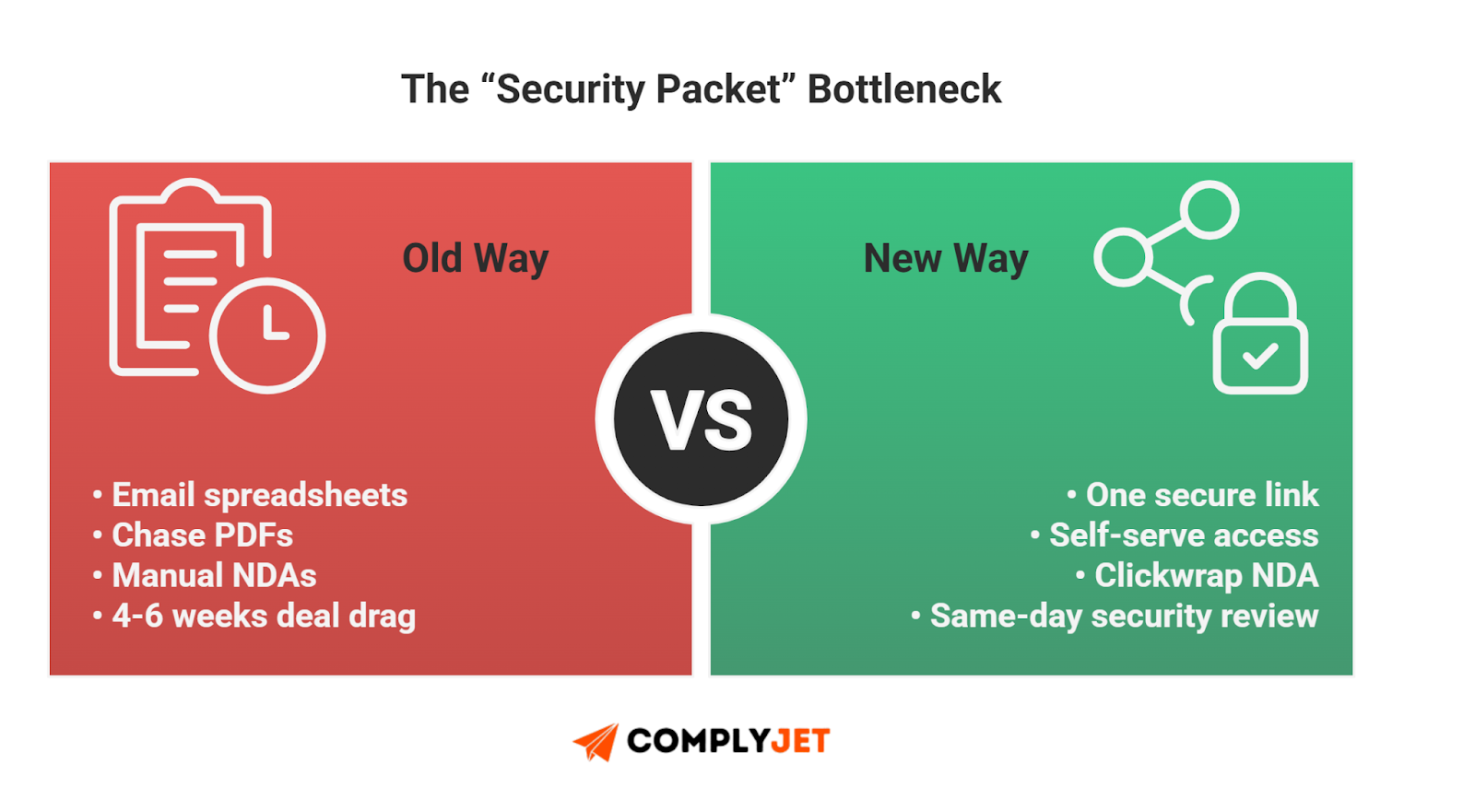
This is the "Security Packet" bottleneck. In the old world, this friction could drag a deal out by four to six weeks. That is weeks of "deal drag" where your revenue sits in limbo.
Don't have a dedicated Compliance Officer? You don't need one. ComplyJet is engineered specifically for lean teams who need to kill deal drag without hiring a whole new department. See how we automate the grunt work for companies just getting started in the compliance landscape.
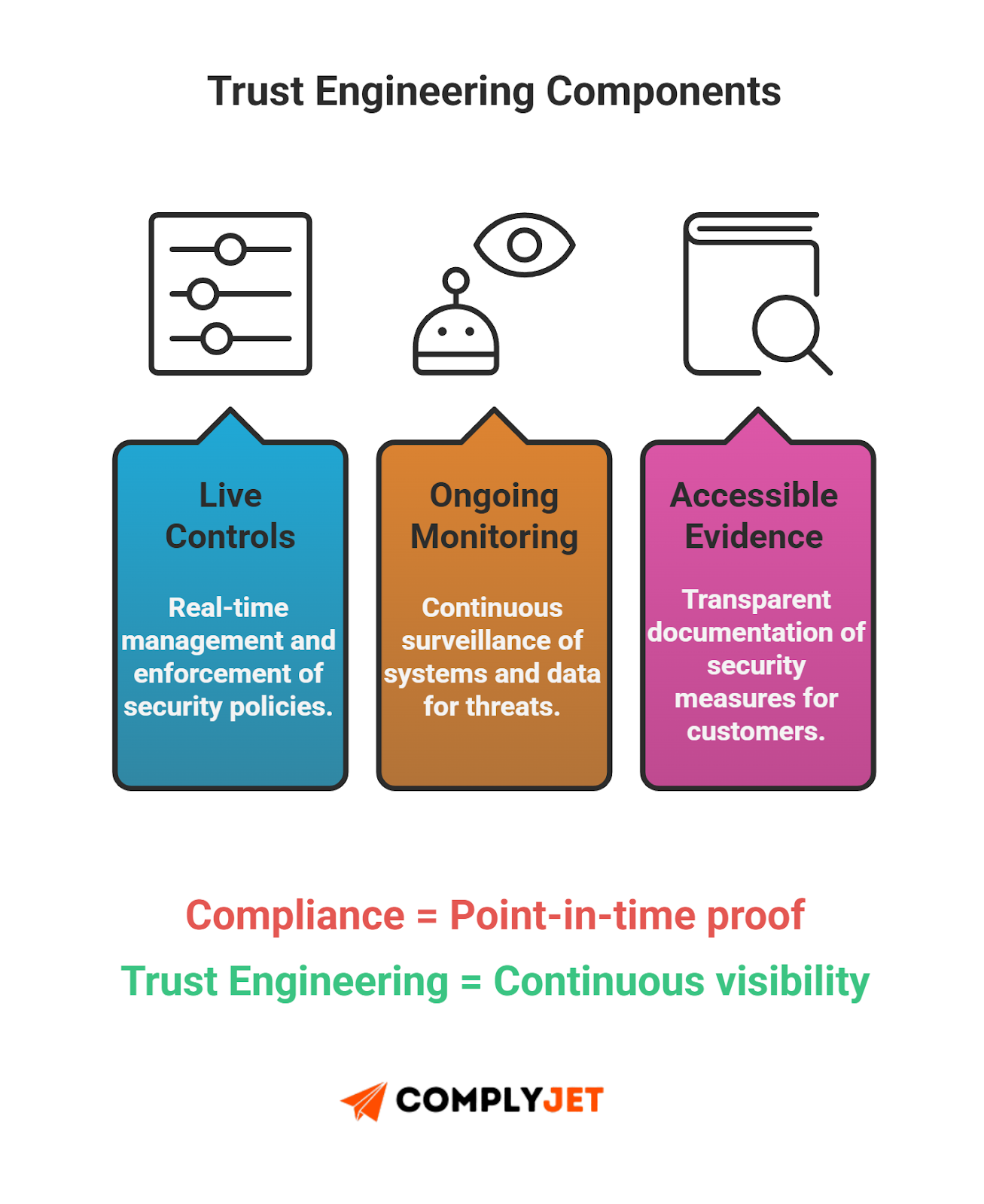
But the game is changing. We are seeing a massive shift in how B2B companies prove their legitimacy, moving from "Compliance" to "Trust Engineering". The industry is pivoting from a "Push" model - where you manually email zip files - to a "Pull" model, where prospects self-serve the data they need from a secure portal.
Enter the Vanta Trust Center.
Vanta has positioned this tool not just as a compliance repository, but as a strategic revenue accelerator designed to bridge the gap between your security team and your sales targets. But does it actually work? Or is it just another subscription to forget about?
We aren't here to sell you Vanta. We are here to strip away the marketing gloss. In this guide, we will analyze the unfiltered Vanta Trust Center reviews to see what actual users love (and hate). For a thorough breakdown of Vanta’s compliance offerings, check out our comprehensive article here.
We will dissect the opaque Vanta Trust Center pricing structure so you don't get hit with hidden renewal costs. And we will answer the critical question: Does a publicly accessible Trust Center actually drive revenue, or is it just a vanity metric for your footer?
Let's dive in.
What is the Vanta Trust Center?
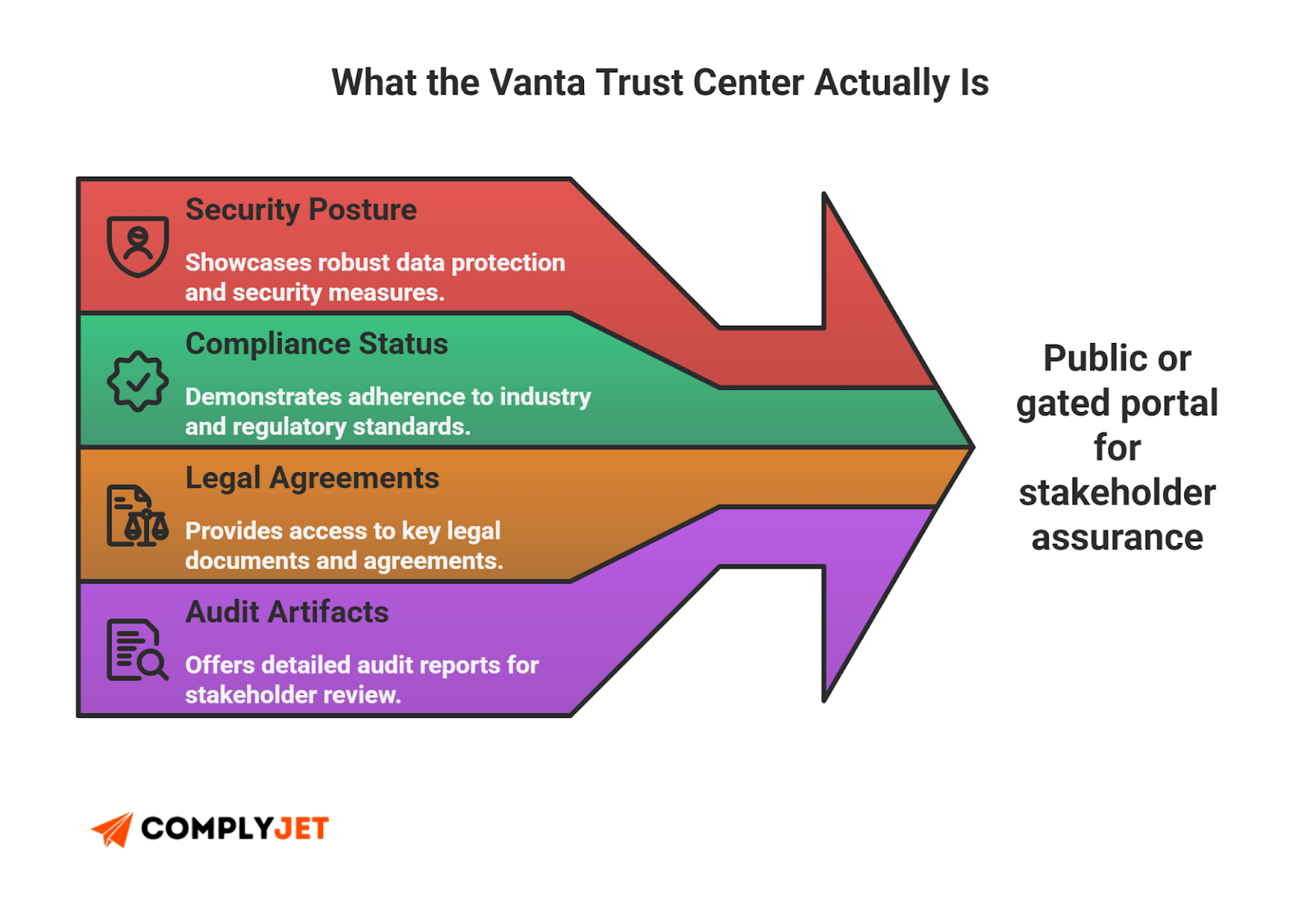
At its core, the Vanta Trust Center is a public or semi-public landing page that hosts your company's entire security posture.
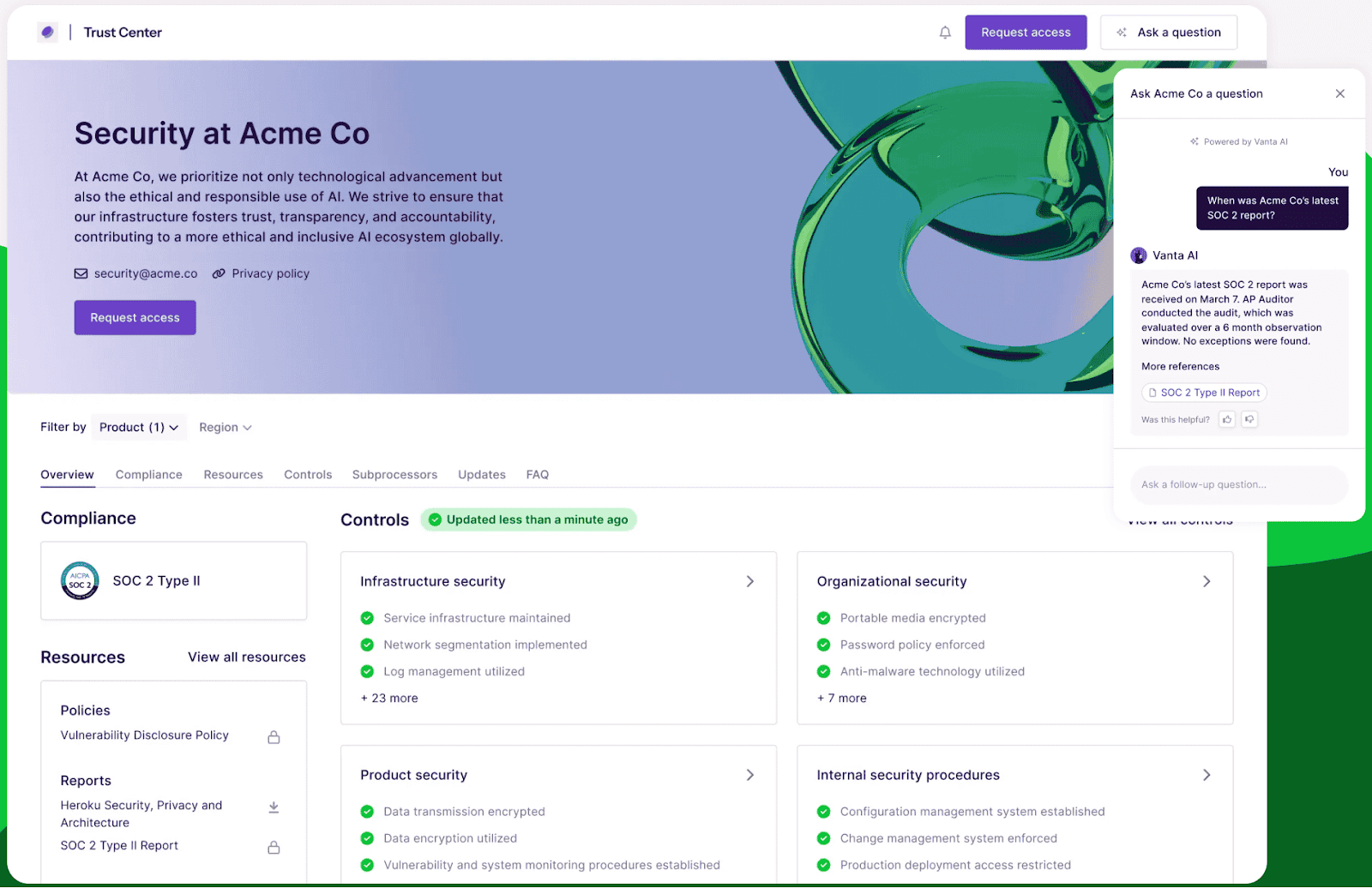
Think of it as a "LinkedIn Profile" for your security compliance. Just as you wouldn't send a recruiter a zip file of your resume, references, and portfolio, you shouldn't be sending prospects a zip file of your security docs. You send them a link.
But it is not just a glorified Dropbox folder. The real power lies in the ecosystem. Unlike standalone competitors that would require you to manually upload evidence, the Vanta Trust Center lives inside the Vanta platform. It pulls data directly from the live monitoring agents you likely already installed on your cloud infrastructure (AWS, Azure) and tools (GitHub, Okta) for your SOC 2 audit.
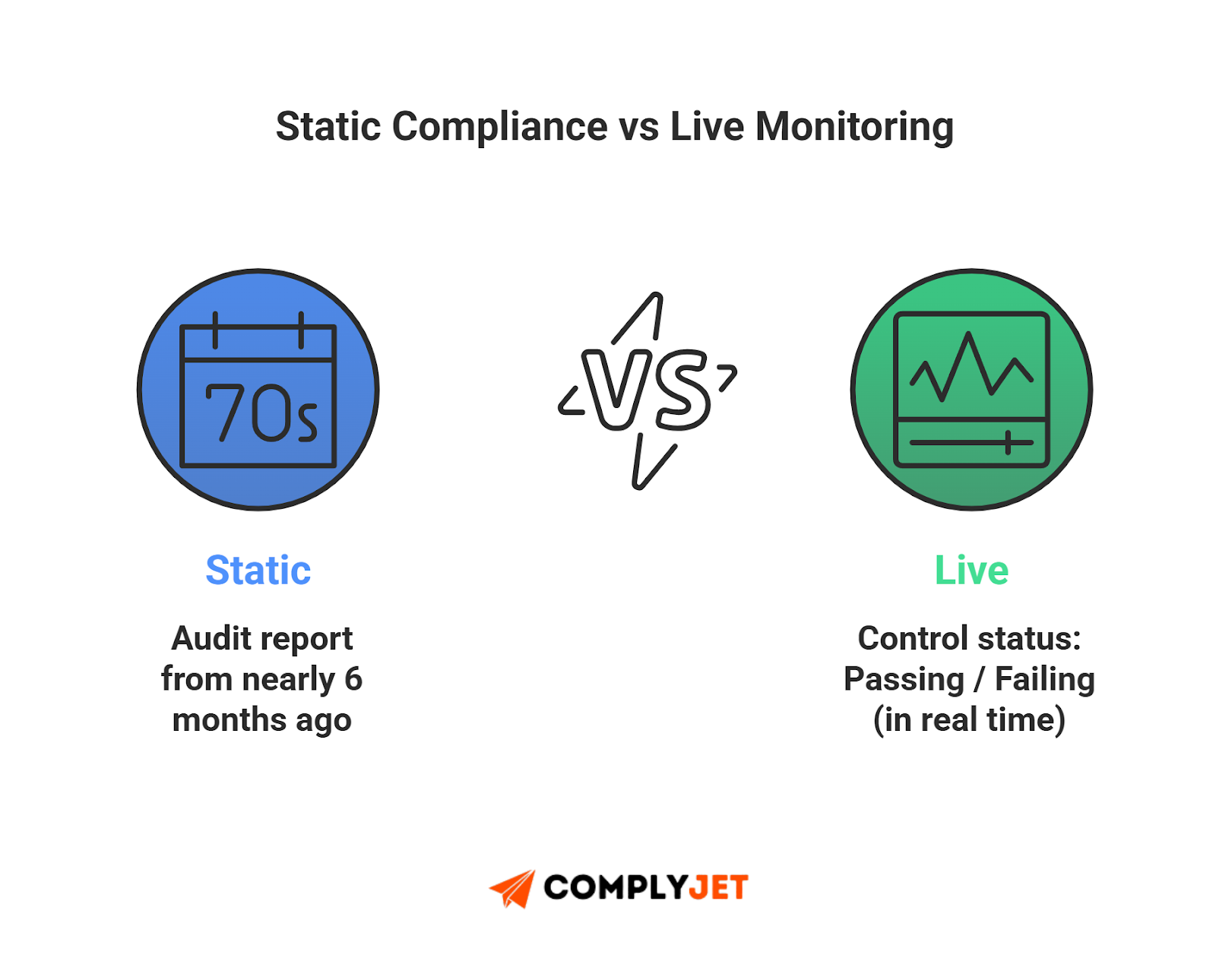
This architectural difference changes the conversation from "Look at this audit report from six months ago" to "Look at our security status right now".
Imagine a restaurant. In the old model, if a customer wanted to know if the food was safe, they would have to ask the manager for the health inspector's report from last year. That is the Security Packet.
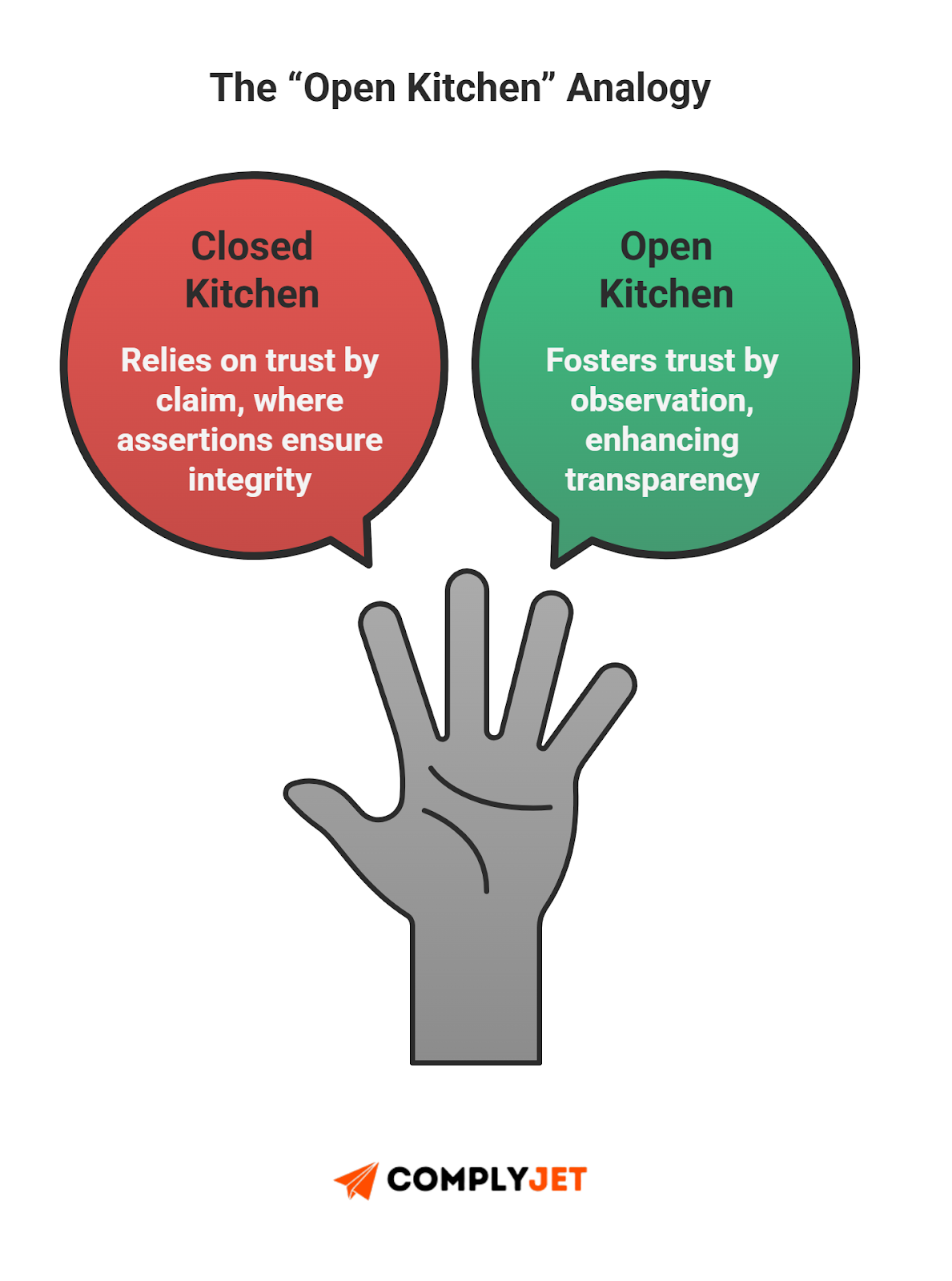
Vanta's Trust Center has an "Open Kitchen" policy. Instead of telling the health inspector you are clean, you let the customers see the chef washing their hands in real-time. You aren't just claiming to be secure; you are proving it through visible, continuous monitoring.
Why does this matter? Speed.
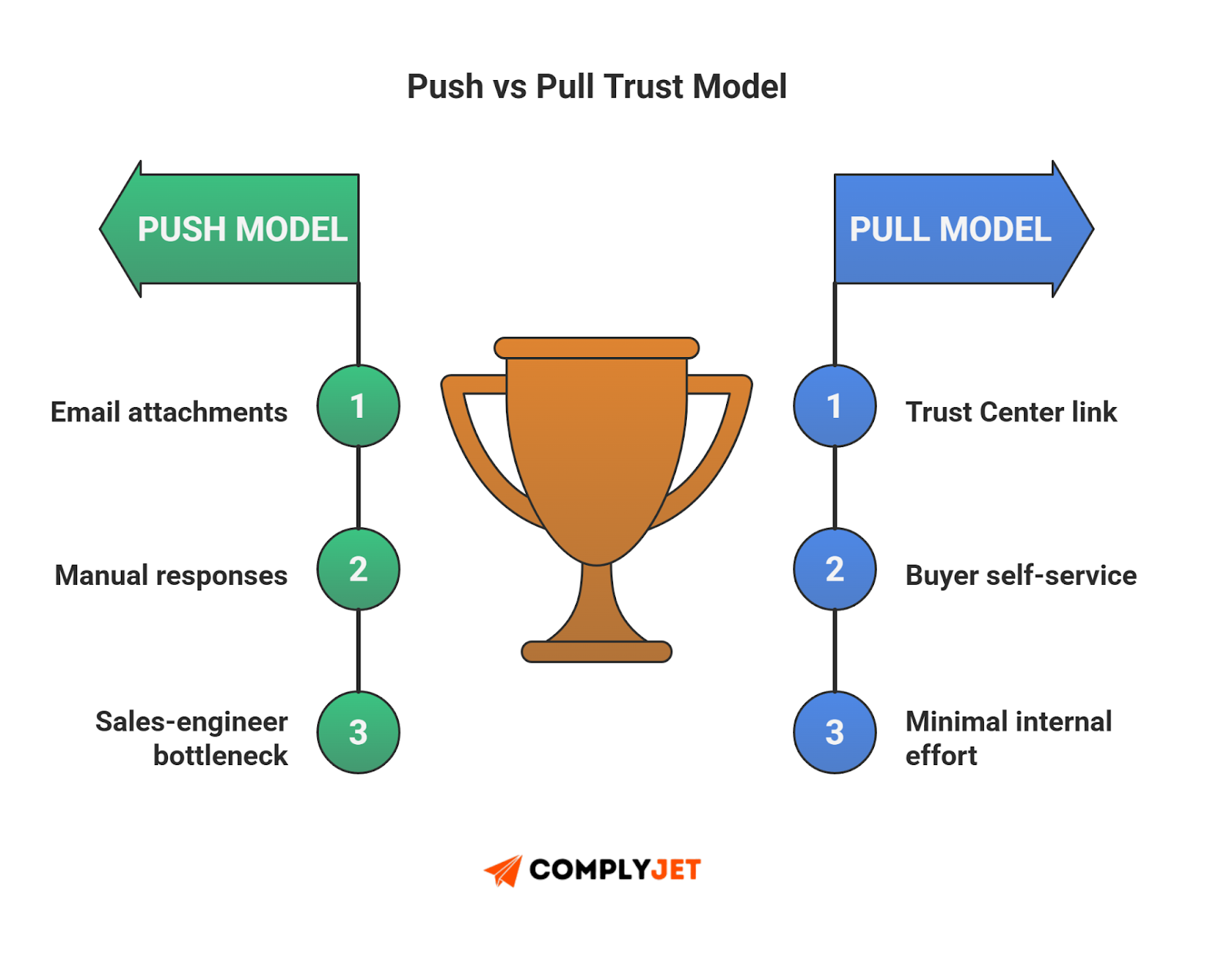
The primary goal here isn't just transparency; it is reducing "deal drag". By moving to a publicly accessible Trust Center (or at least an easily requestable one), you shift from a "Push" model to a "Pull" model.
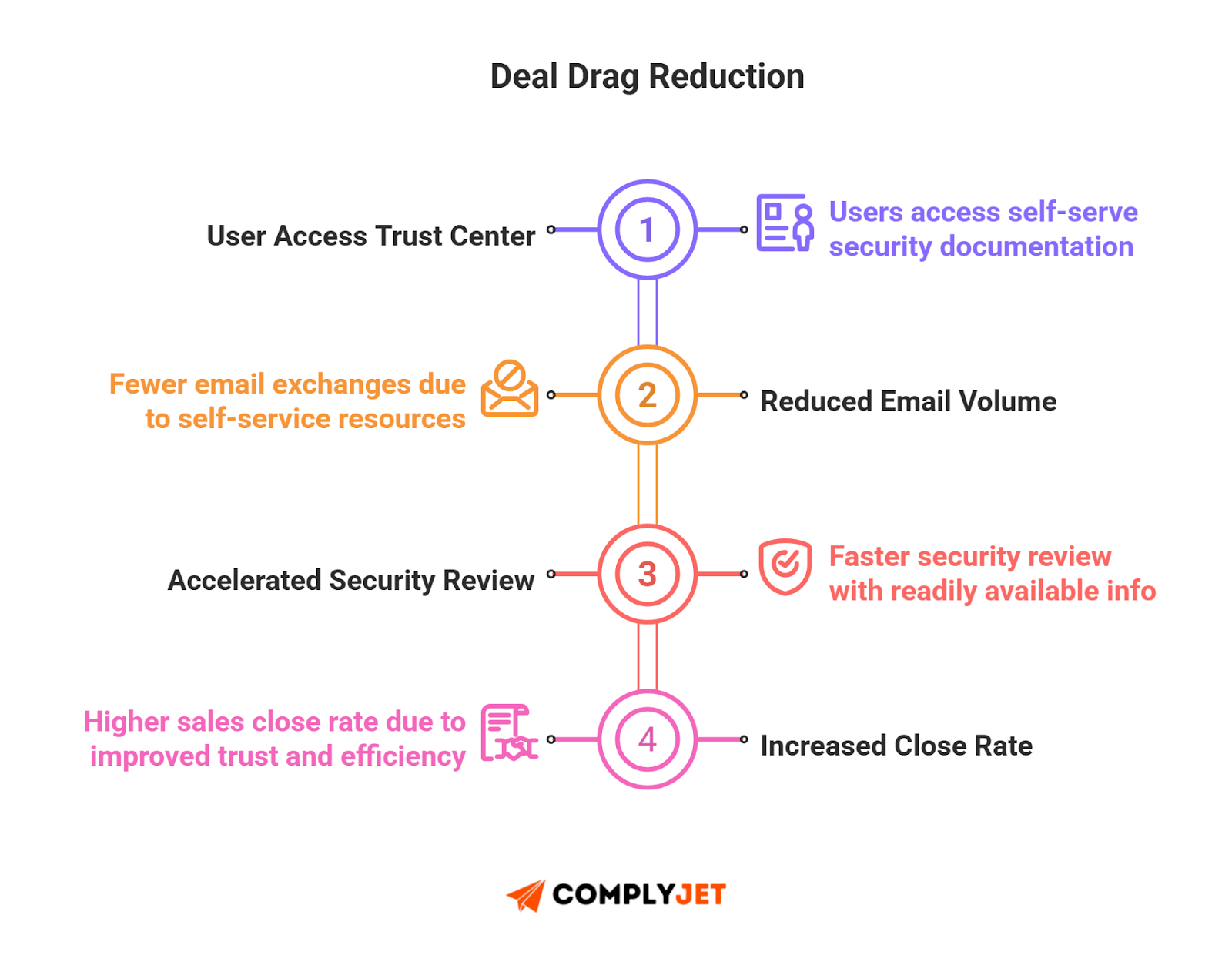
Prospects can self-serve the documents they need - downloading your SOC 2 report or viewing your penetration test summary - without your team lifting a finger. This saves engineering hours and keeps the momentum in the deal, rather than letting it die in a compliance inbox.
Deep Dive: The Major Vanta Trust Center Features
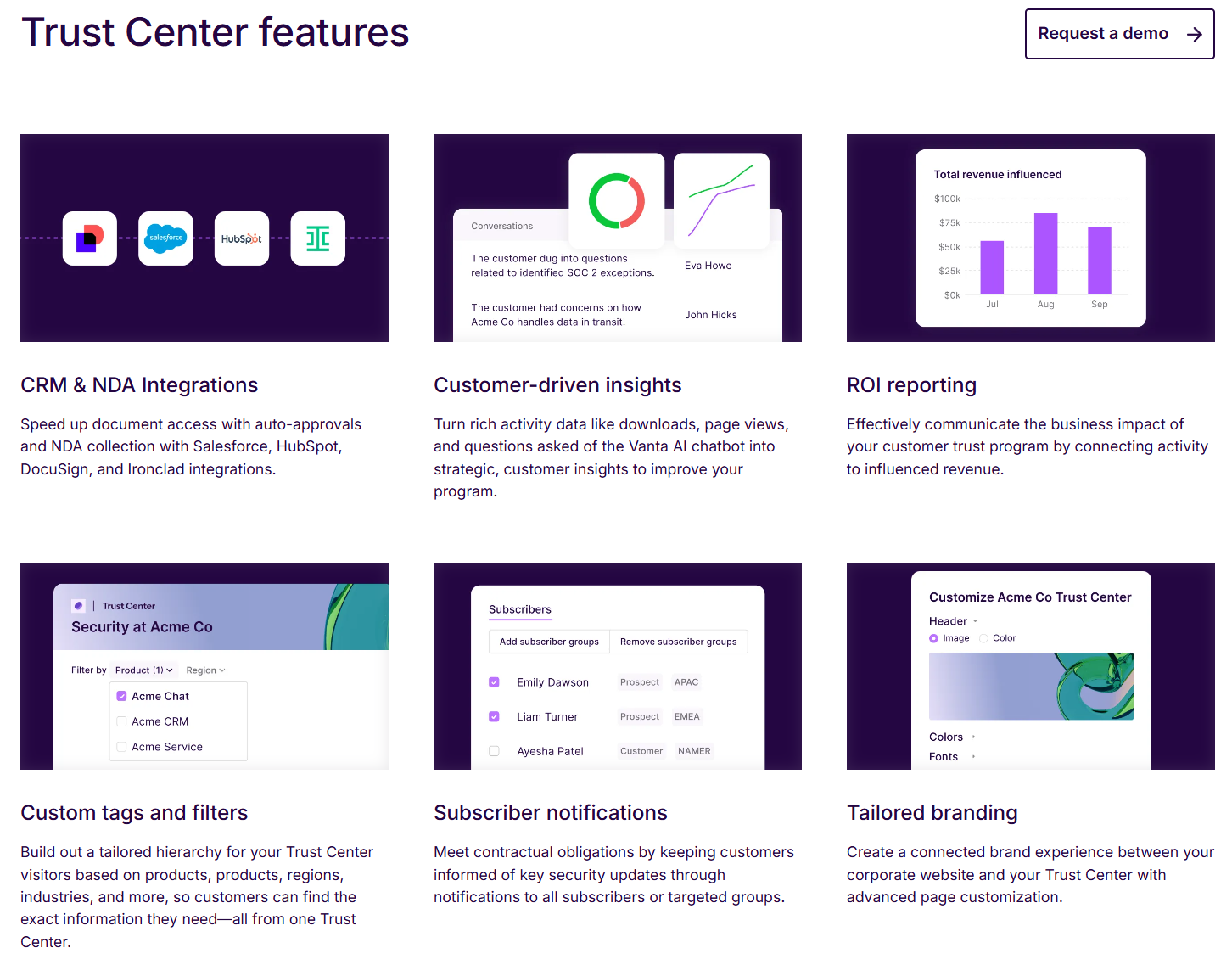
Let's strip away the sales deck and look at the engine. What exactly are you paying for? Here is a breakdown of the primary Vanta Trust Center features that actually matter to a CTO or Head of Sales.
"Customer Trust" Tab & Visual Customization
Everything starts in the Customer Trust tab within your Vanta dashboard. This is your command center.
One mistake founders make is leaving the default settings on. A generic portal looks suspicious; a branded one looks enterprise. Vanta allows you to align the typography, colors, and logos to match your corporate identity. It sounds cosmetic, but visual consistency reduces cognitive dissonance for the buyer.
More importantly, you can host this on a custom domain (e.g., trust.yourcompany.com). This is critical for phishing prevention. Veteran security buyers are trained to distrust third-party URLs hosting sensitive files. Putting the Trust Center on your primary DNS root establishes immediate legitimacy.
Real-Time Data vs. Curated Reality
This is where Vanta separates itself from the "static PDF" crowd. The system displays real-time status (Passing/Failing) for individual controls, like "All laptops encrypted".
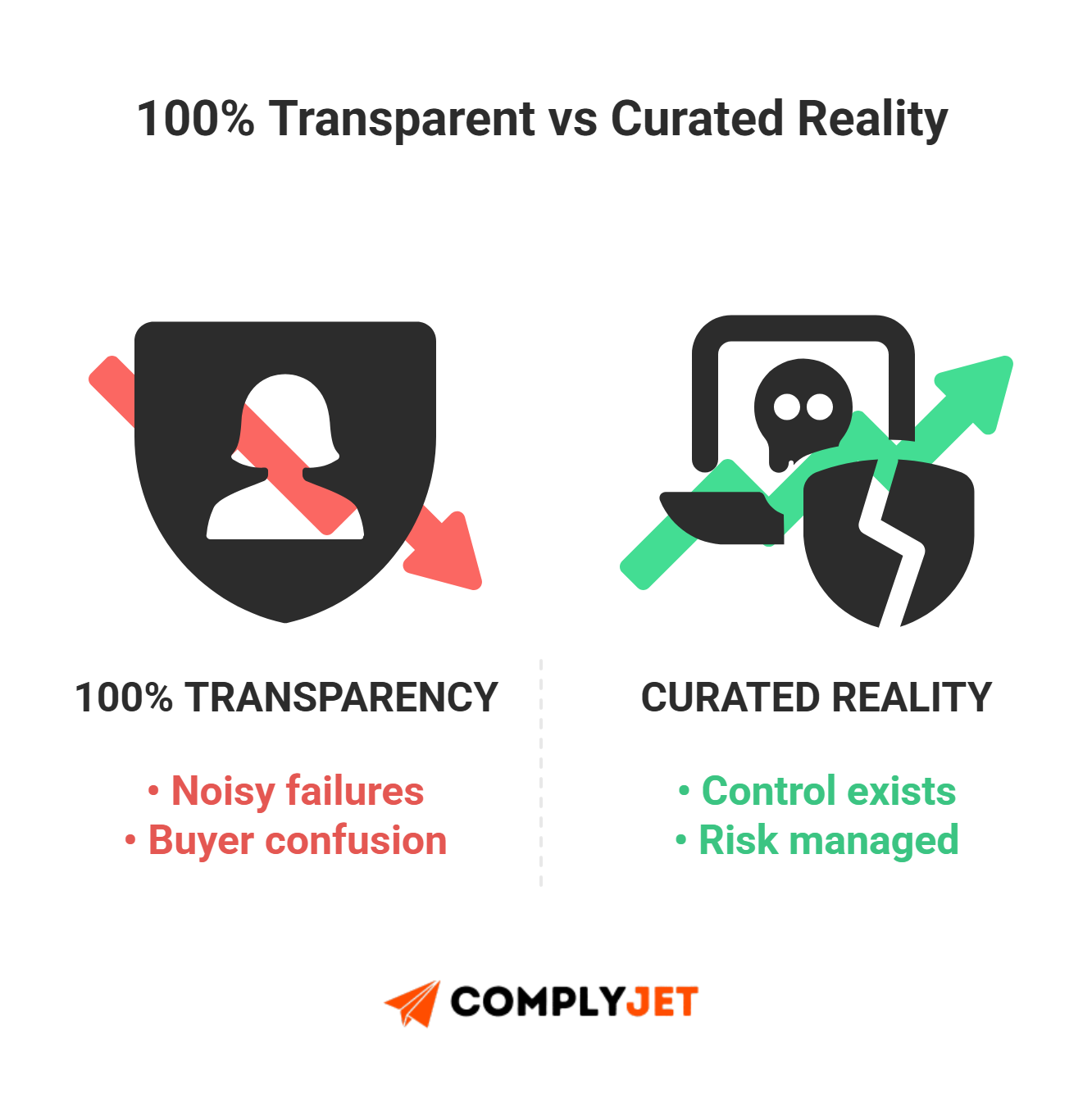
However, this introduces the "Green Checkmark Paradox". You want transparency, but you don't want to show a prospect that Dave from Engineering forgot to update his OS yesterday. Most mature organizations opt for a curated view, displaying the existence of controls without exposing the raw, potentially noisy compliance feed.
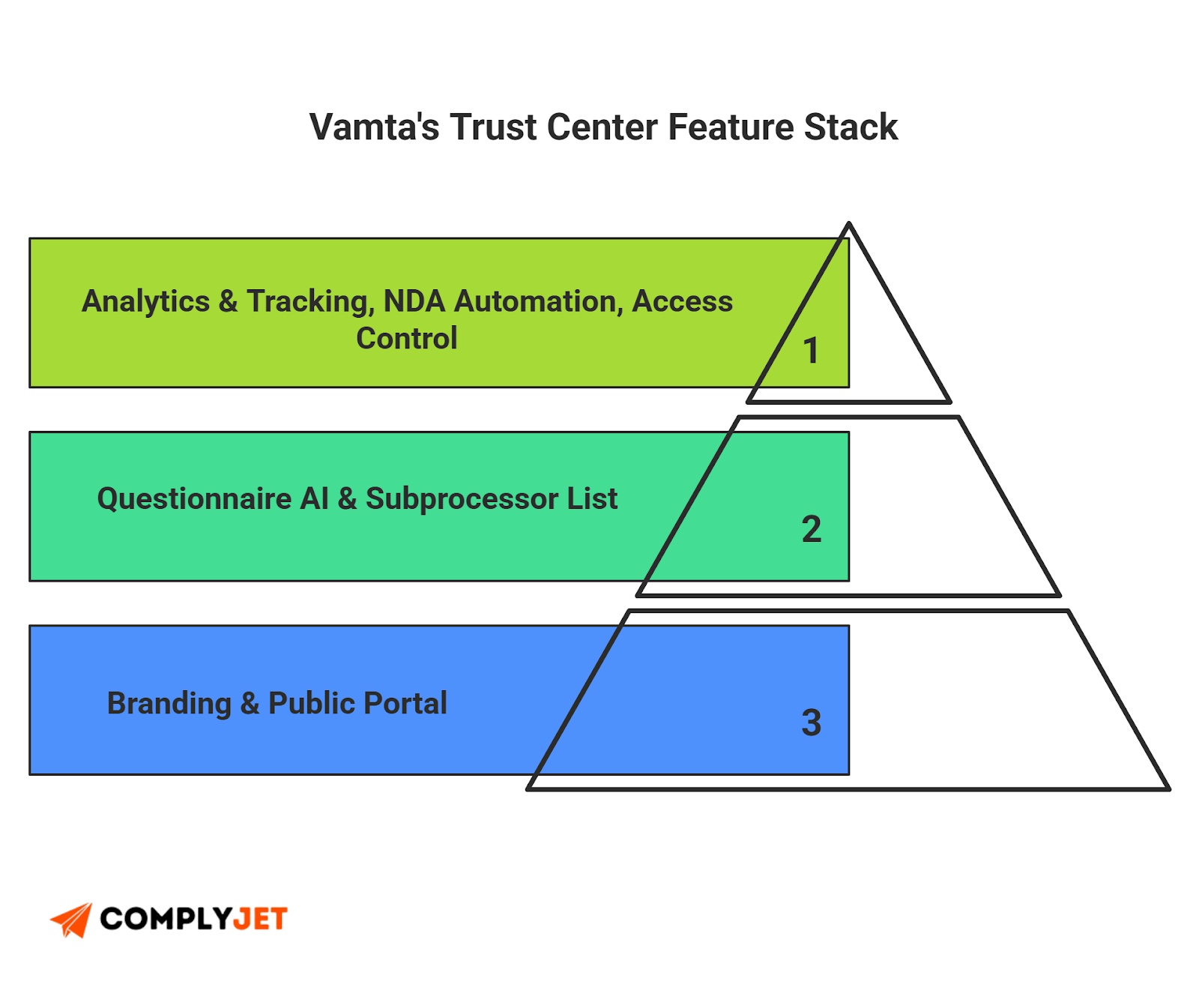
You also have the Vanta trust center subprocessor section. This is non-negotiable for GDPR and CCPA compliance. Instead of answering "Who processes your data?" fifty times a month, you list your vendors (AWS, OpenAI, etc.) here once, and Vanta automates the display.
AI & Questionnaire Automation
The newest addition to the feature set tackles "Questionnaire Fatigue". The Trust Center now includes an AI chatbot that uses Retrieval-Augmented Generation (RAG) to answer buyer questions based on your Knowledge Base.
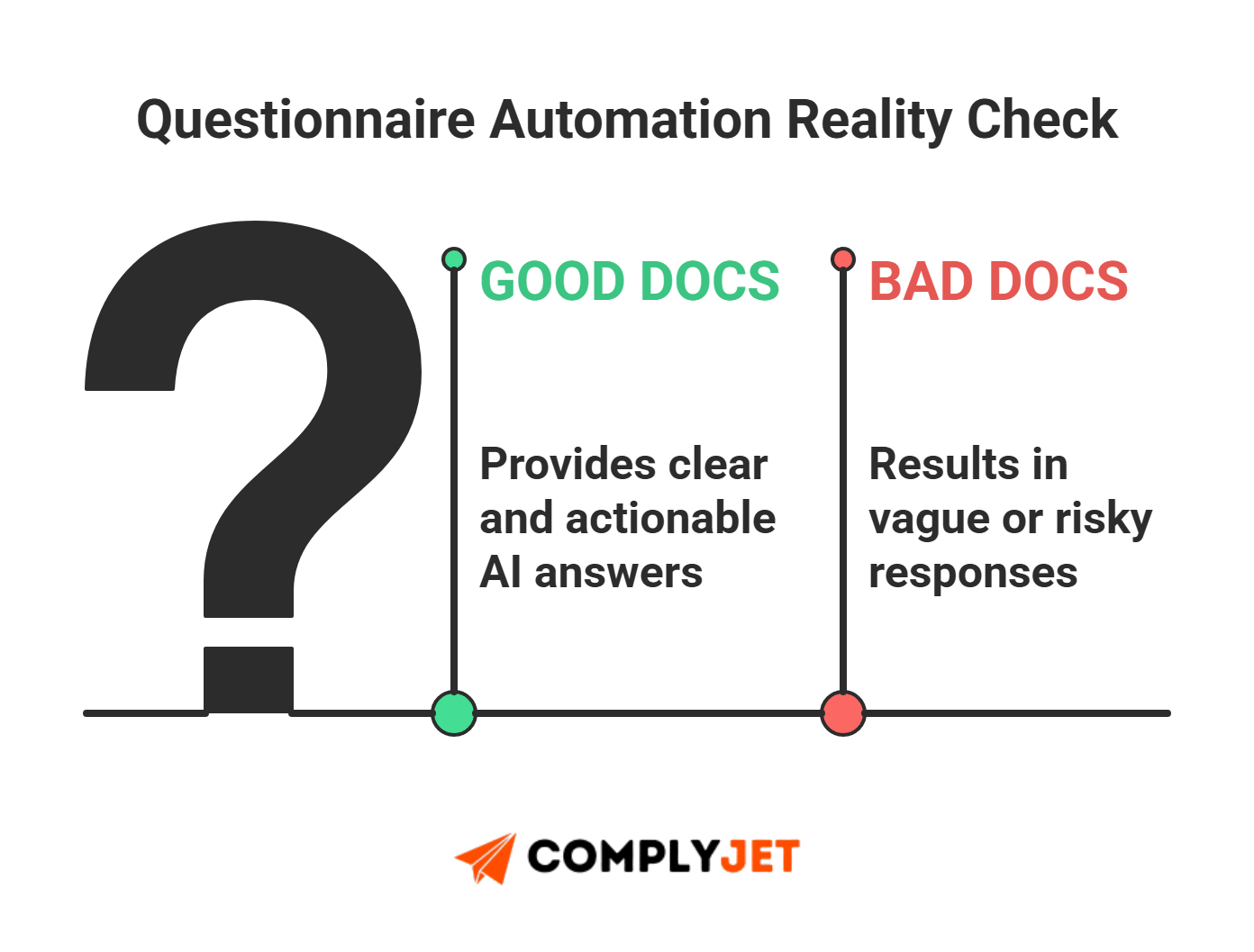
If a buyer asks, 'Do you encrypt data at rest?', the AI pulls the answer from your policy docs. It is a powerful tool to deflect basic questions, but we do need a reality check on these Vanta Trust Center features. The AI is only as good as its data; if your documentation is sparse, it will give vague answers or hallucinate, which can spook technical buyers.
A Look at Access Controls & The Legal Layer
Let's be real: you don't want just anyone downloading your Penetration Test report. While transparency is great, handing over a roadmap of your vulnerabilities to a competitor or a casual browser is a strategic error.
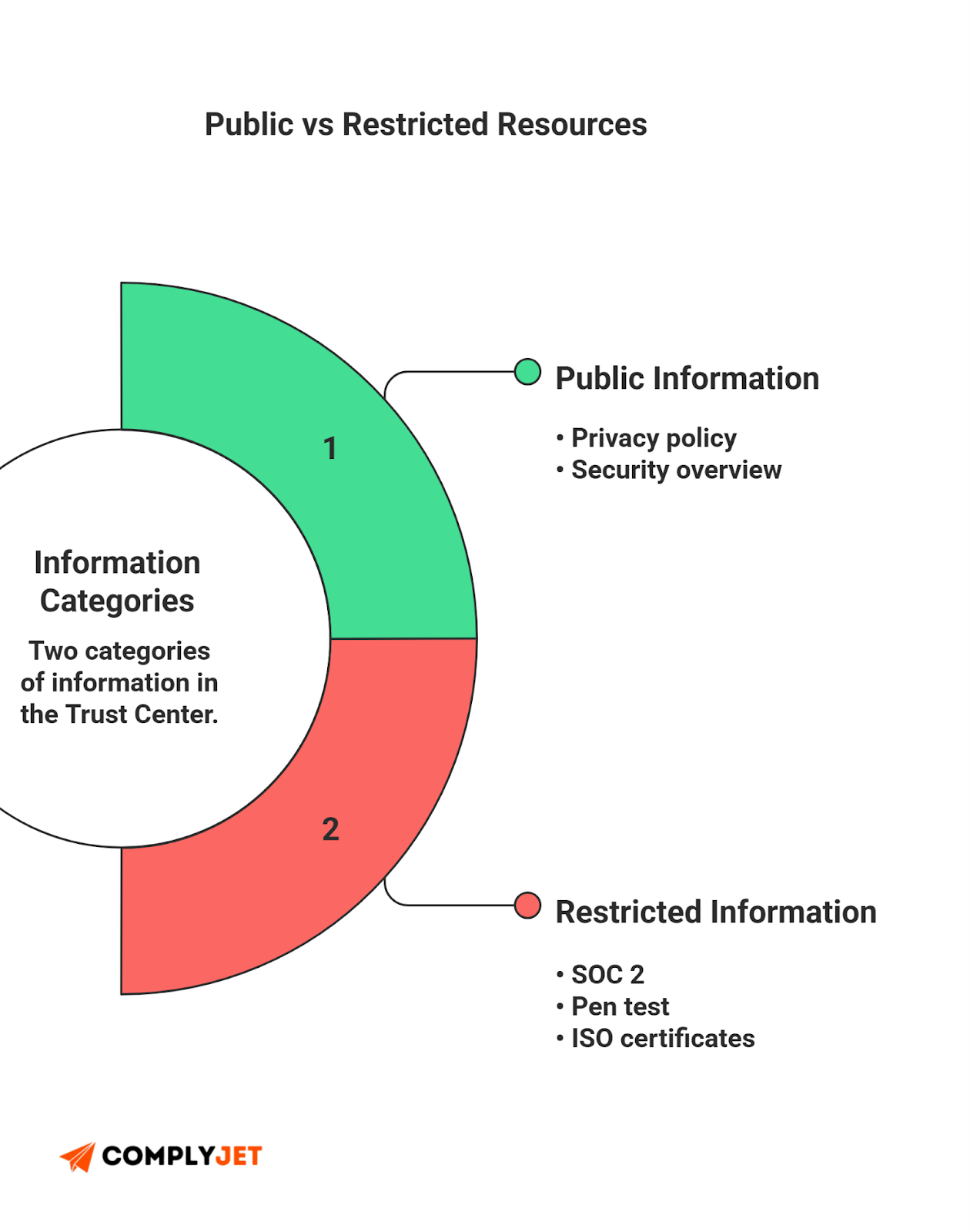
The Vanta Trust Center solves this with a "Gatekeeper" model based on Tiered Access.
- Public Resources: Things like your Privacy Policy or "Security at a Glance" summary are open to the world. These are your marketing assets.
- Restricted Resources: Sensitive artifacts like your SOC 2 Report or ISO 27001 certificate require a login and approval. This forces the buyer to identify themselves, turning your security portal into a lead capture engine.
Automating the NDA Process
In the old world, sharing these restricted documents meant entering "Redline Hell." You emailed a Word doc, their legal team spent a week redlining it, and you spent another week chasing signatures.
The new way is frictionless. You set up a standard Vanta Trust Center Clickwrap agreement. The workflow is simple: the user requests access, a non-negotiable NDA pops up, they click "I Agree," and they get the file immediately. For about 90% of your mid-market deals, this removes the legal bottleneck entirely.
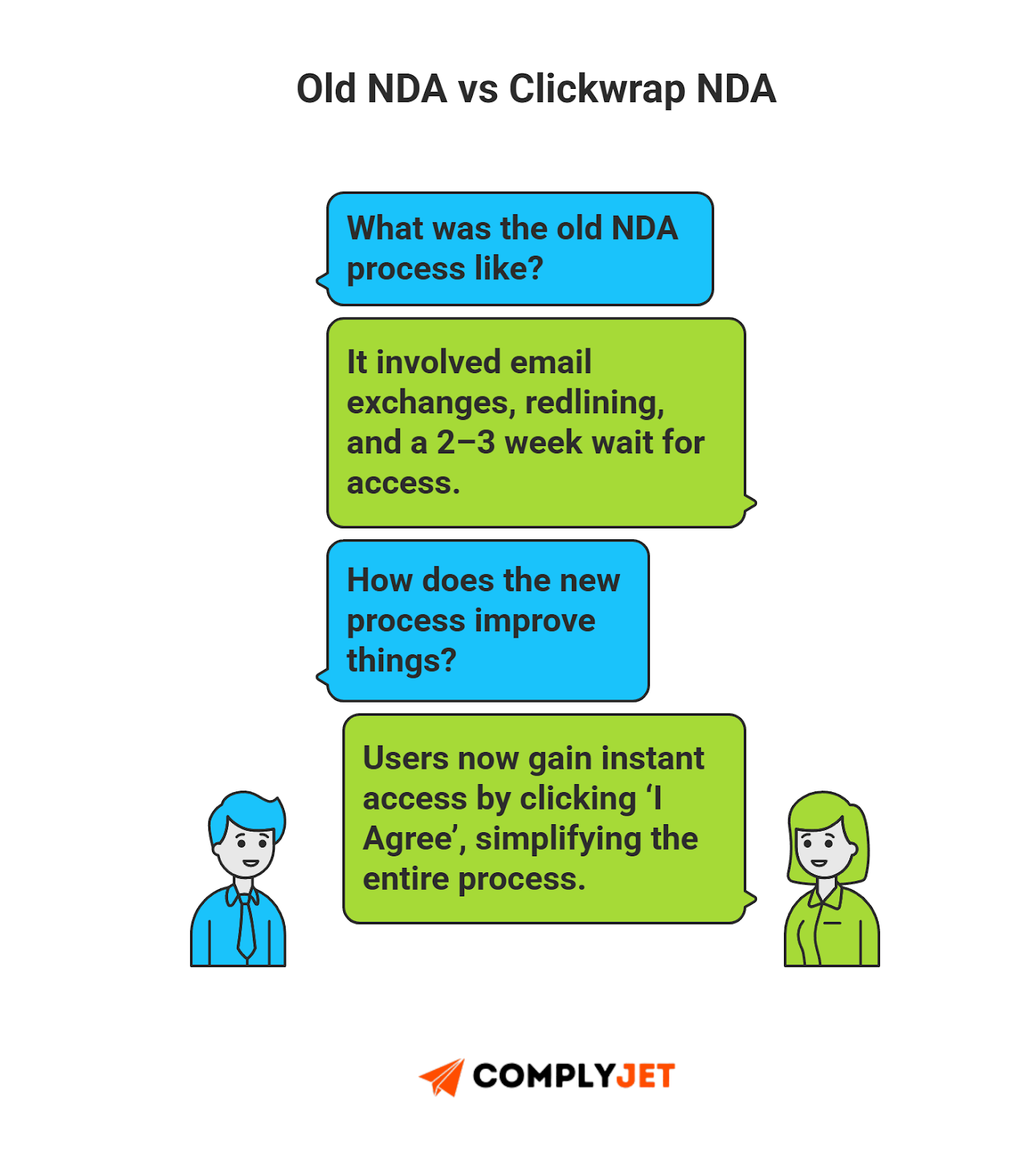
But what about Enterprise-grade businesses? If you are selling to Microsoft or a bank, they may flat-out refuse to sign your clickwrap. They have their own Master Services Agreements (MSAs). This is where the Vanta Trust Center NDA settings save the day. You can configure "Bypass Logic" - if a prospect's email domain matches an existing record in your contract management system (like Ironclad), the system recognizes they are already covered and skips the gate.
Tracking & Analytics: Who is Looking?
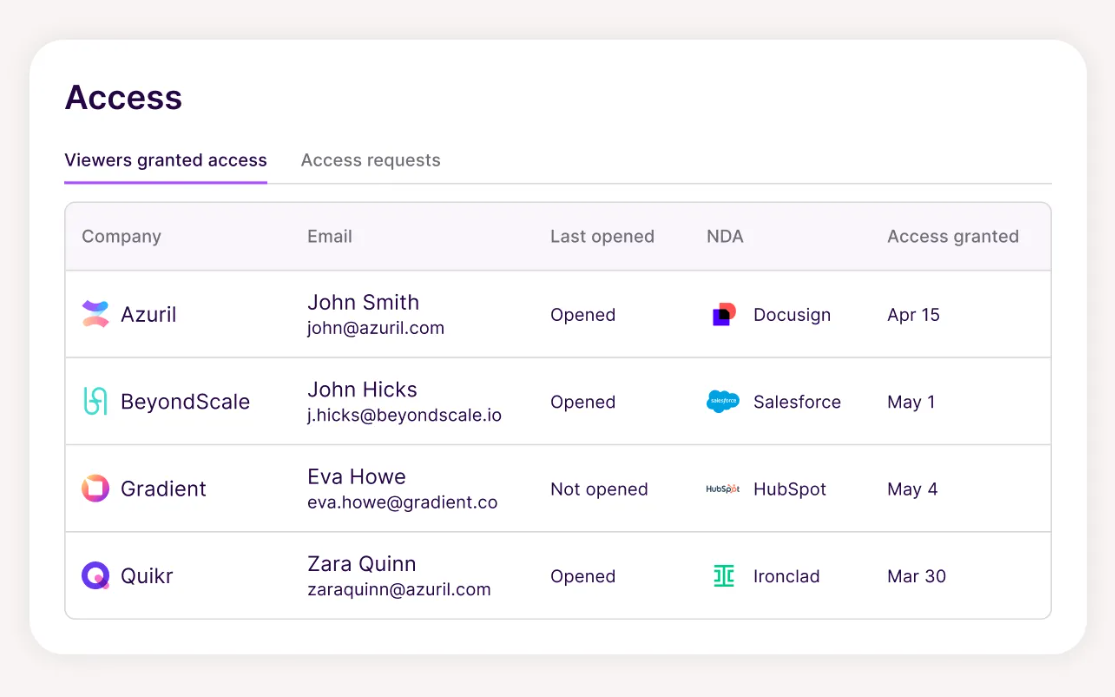
Founder Tip: Access control isn't just about blocking people; it's about intelligence. You need to know exactly who is looking at your data and when.
Vanta provides a granular audit trail for every interaction. This is critical for forensics. If a document leaks, or if your own auditors ask for proof of confidentiality, you can pull the NDA signature history log. This gives you a timestamped record of exactly who signed what and when, essential for proving you are only sharing sensitive data with covered parties.
Finally, there is the psychological layer: Dynamic Watermarking.
When a prospect downloads a PDF, Vanta stamps their email address, date of access, and the time directly onto the pages. It's a subtle but effective trick that reminds them: "We know you have this file, so don't share it."
The Economics: Vanta Trust Center Pricing & Hidden Costs
Vanta's pricing model is a black box. It is custom-quoted, multi-dimensional, and often opaque. If you go into a negotiation blind, you will overpay.
The Base vs. The Upgrade
Here is the first trap: assuming the "Trust Center" is a single product. It isn't.
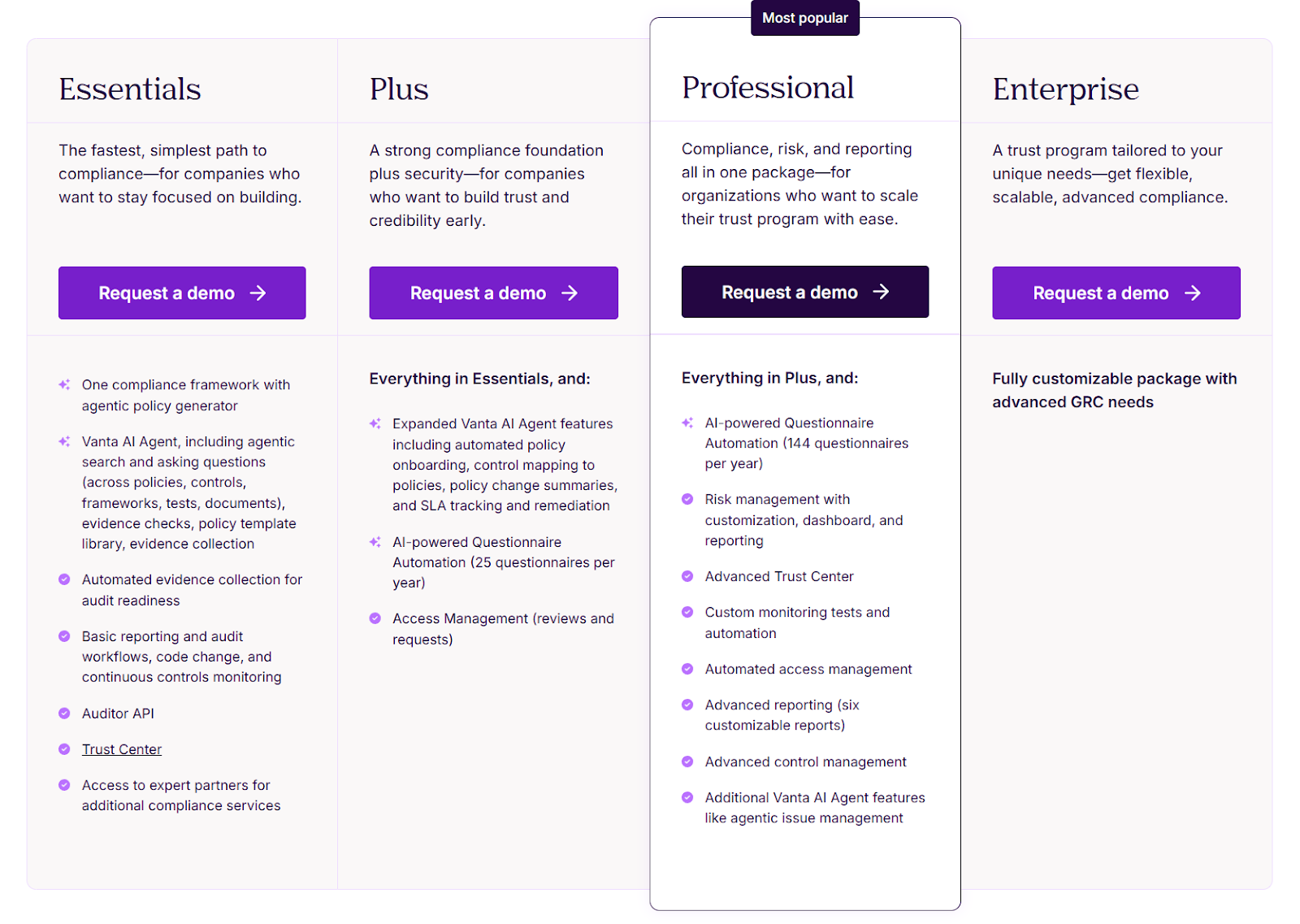
Most Vanta platform subscriptions (like the "Essentials" tier) include a basic version of the Trust Center. This gets you the public landing page and manual access requests. It's functional, but it's manual.
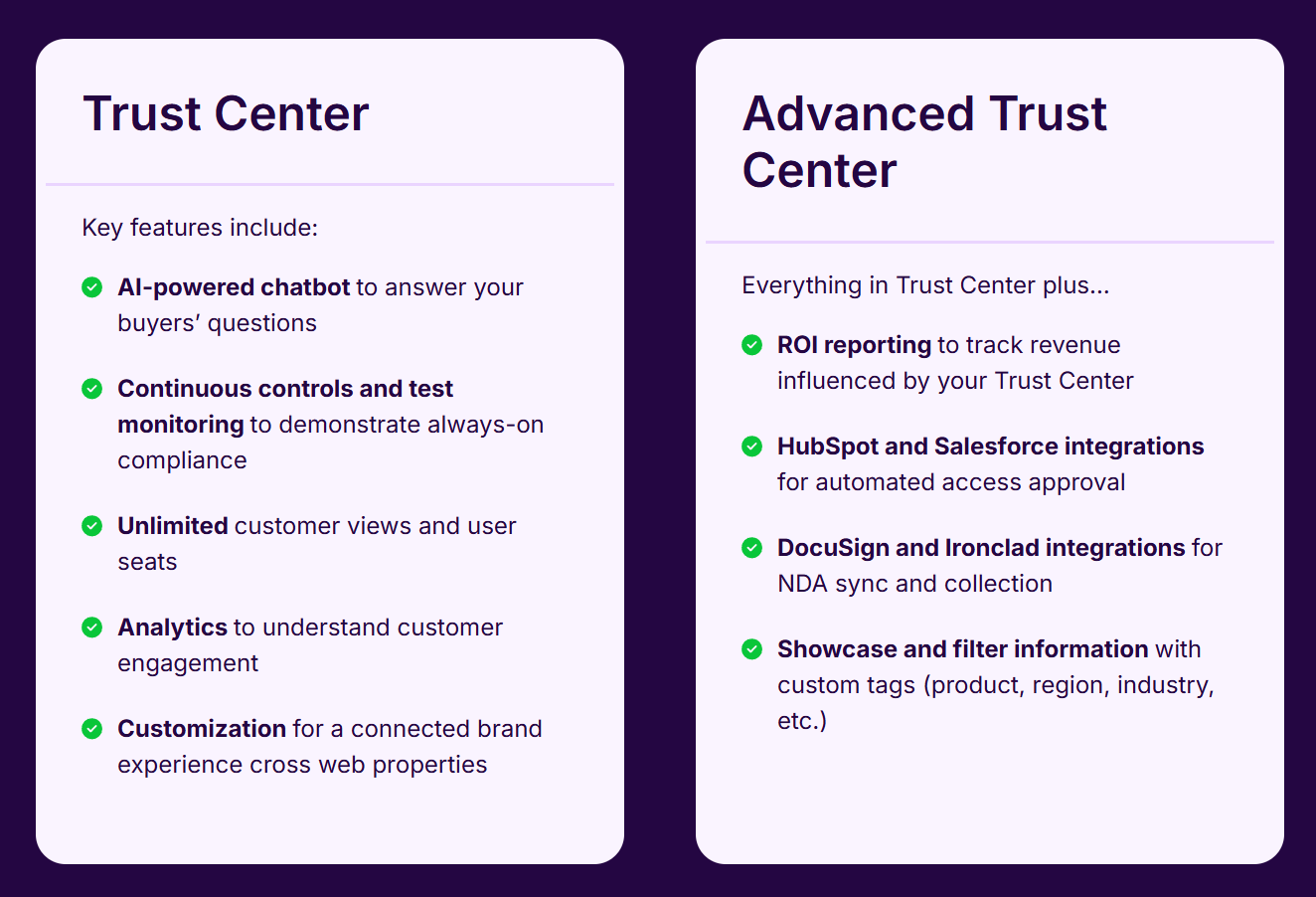
The real automation power - the "Salesforce integration" and "Bypass Logic" we just discussed - is locked behind a gate called Trust Center Advanced. This is the classic SaaS upsell. You get hooked on the idea of automation, only to realize the specific features that actually save you time are an add-on.
To understand the nuances of Vanta's Trust Center pricing, you have to look at the tiers:
- Essentials Plan: Great for early-stage startups. You get the portal, but you are manually approving every request.
- Enterprise Plan: This is where you usually find Trust Center Advanced bundled in. This unlocks the "Auto-Approval" workflows based on CRM deal stages, which is essential if you are closing more than 10 deals a month.
The Renewal Shock
The most consistent complaint from the founder community isn't about the software; it's about the renewal.
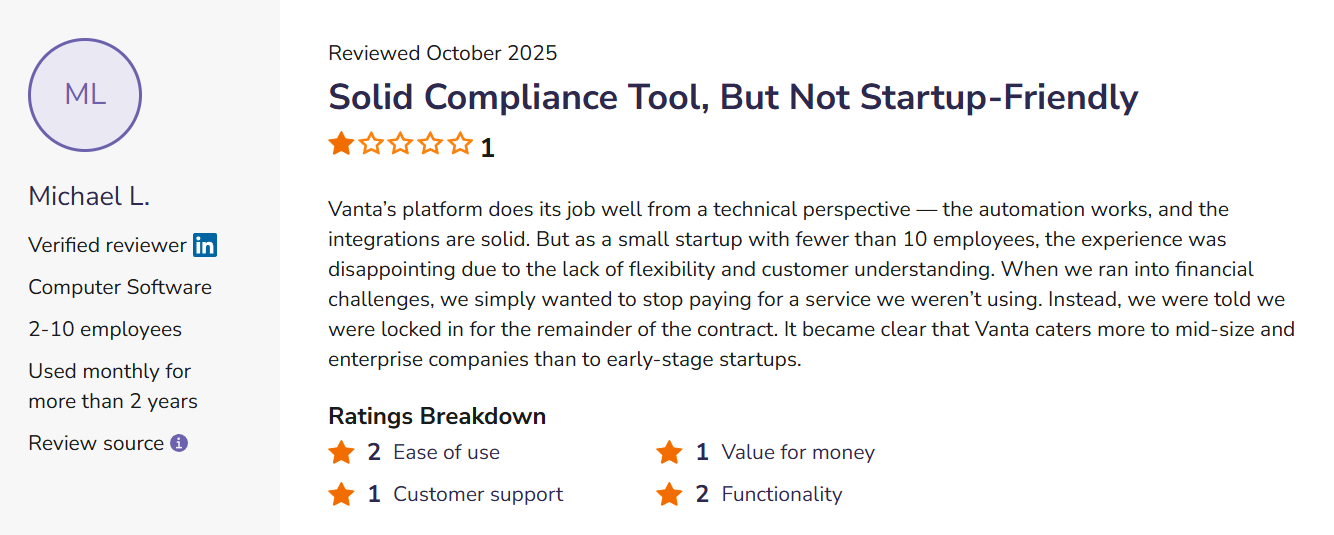
Vanta is generally aggressive with Year 1 discounts to "win the logo." You might sign a contract that feels like a steal, only to perhaps face a "Year 2 Uplift" of 10% to 30%. Be wary that once you have installed agents on every laptop and integrated your cloud infrastructure, switching costs are high.
SaaS pricing shouldn't require a decoder ring. Stop paying the 'Unicorn Tax' and get a fully audit-ready Trust Center for a flat, transparent rate with ComplyJet.
Then there is the "Overage Trap." Some plans cap your automated questionnaire responses (reportedly around 25 per year). In a high-growth phase, you might burn through that in a month. Once you hit the limit, you are either forced to pay significant add-on fees or upgrade to a higher tier entirely.
Founder Tip: Negotiate a multi-year lock with a price cap (e.g., "max 5% uplift") before you sign the initial contract.
Vanta Trust Center Reviews & General Sentiment
Marketing brochures are great, but peer feedback is better. We scoured G2, Capterra, and the depths of Reddit to see what founders and CISOs are actually saying. Here is the unfiltered reality.
The Good
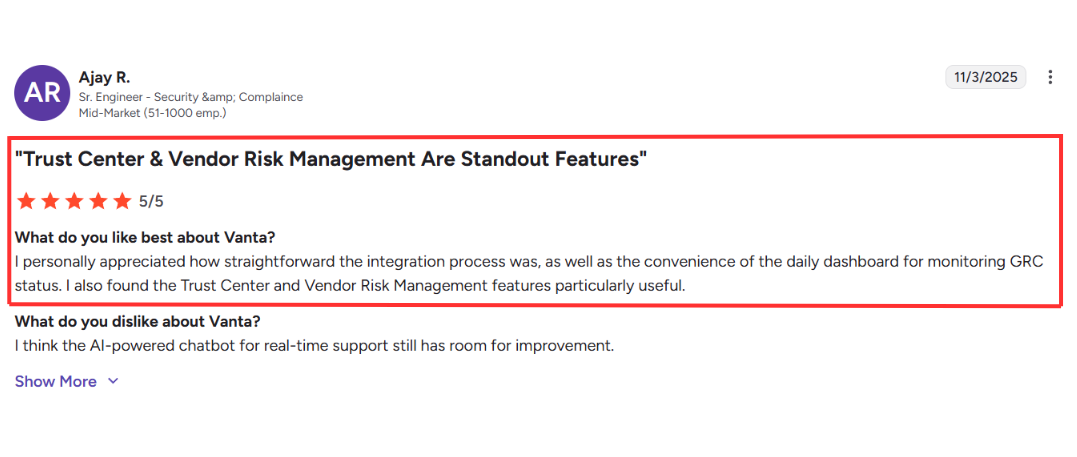
The most consistent praise comes from the revenue side of the house. Sales leaders don't care about the nuances of a control framework; they care about speed.
- Sales Acceleration: Users report that the Trust Center reduces the administrative burden of security reviews by up to 81%. The ability to just drop a link instead of filling out a spreadsheet is a game-changer for deal velocity.
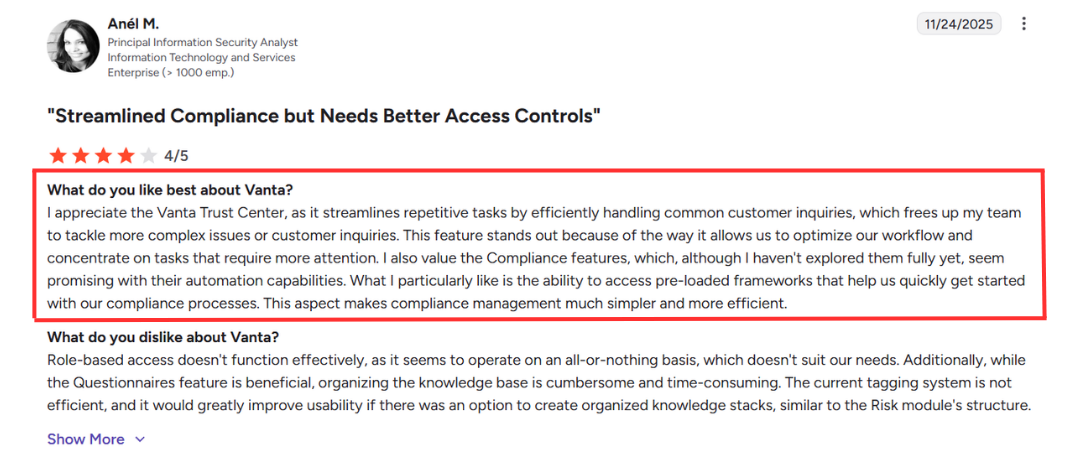
- Ease of Use: Positive Vanta Trust Center reviews consistently praise how intuitive the setup is. You don't need a PhD in cybersecurity to configure the Customer Trust tab; you just toggle the visibility of your documents and you are live.
The Bad
It isn't all sunshine. Once you get past the glossy setup, operational friction may start to show.
- Support Issues: Critical Vanta Trust Center reviews highlight a significant drop in support quality for smaller accounts. If you are on the "Essentials" plan, you might find yourself shouting into the void of a chatbot when things break.
- The "Stale Artifact" Problem: The Trust Center is only as good as the data you feed it. If you forget to upload your new penetration test, your portal looks abandoned. A "stale" Trust Center can actually hurt trust more than not having one at all.
Sick of the chatbot runaround? At ComplyJet, we guarantee a direct line to the experts building your program - not a support queue. Get the founder-to-founder guidance you deserve, 24/7. Book a demo with our founder today.
The Ugly
This is the one that keeps security purists up at night.
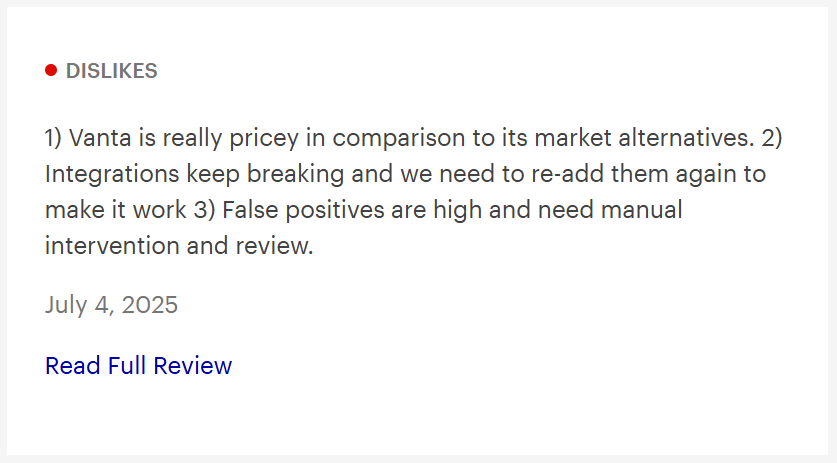
- Looking Secure vs. Being Secure: Some engineers argue that a pretty portal is just "Security Theater". You can have a beautiful Trust Center with a "Green" status while hiding failing controls or ignoring minor risks that don't trigger a red flag in the dashboard. It automates the appearance of trust, which isn't always the same as actual security.
Vanta Trust Center Implementation Guide
You have bought the tool. Now, how do you actually set it up without wasting a week? Here is the "Speed Run" strategy to get live in under 48-72 hours.
Step 1: The Basics (Don't Skip Branding)
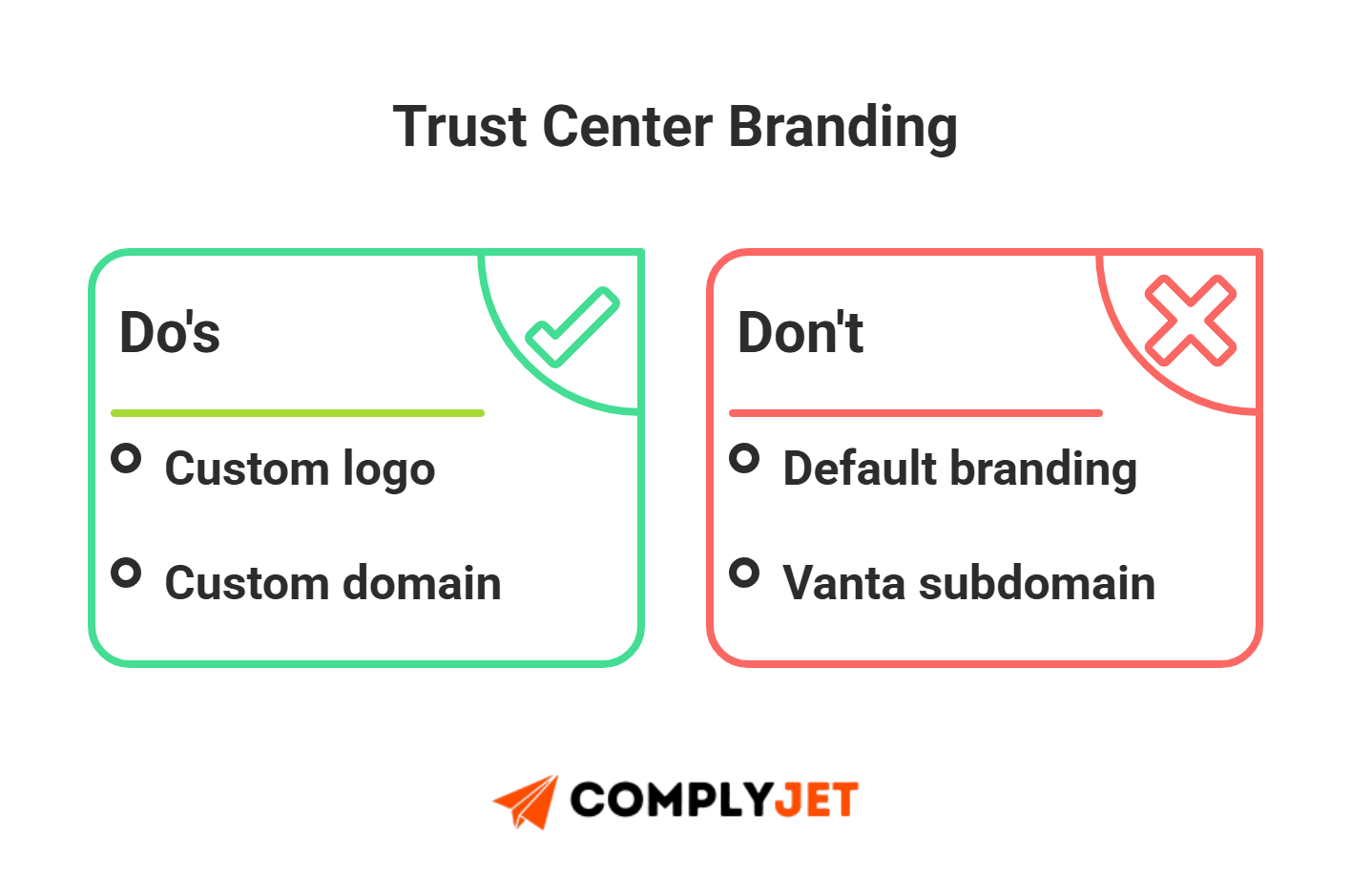
First impressions matter. Navigate to the Customer Trust tab in your dashboard immediately. This is where you set the tone. Upload your high-res logo, set your primary hex codes, and write a punchy "About Us" blurb. If you leave this generic, it looks like a phishing site. Make it look like you.
Step 2: Populating the Data
A Trust Center with no data is useless. Start by toggling "Public" on your low-risk documents: Code of Conduct, Privacy Policy, and Data Classification.
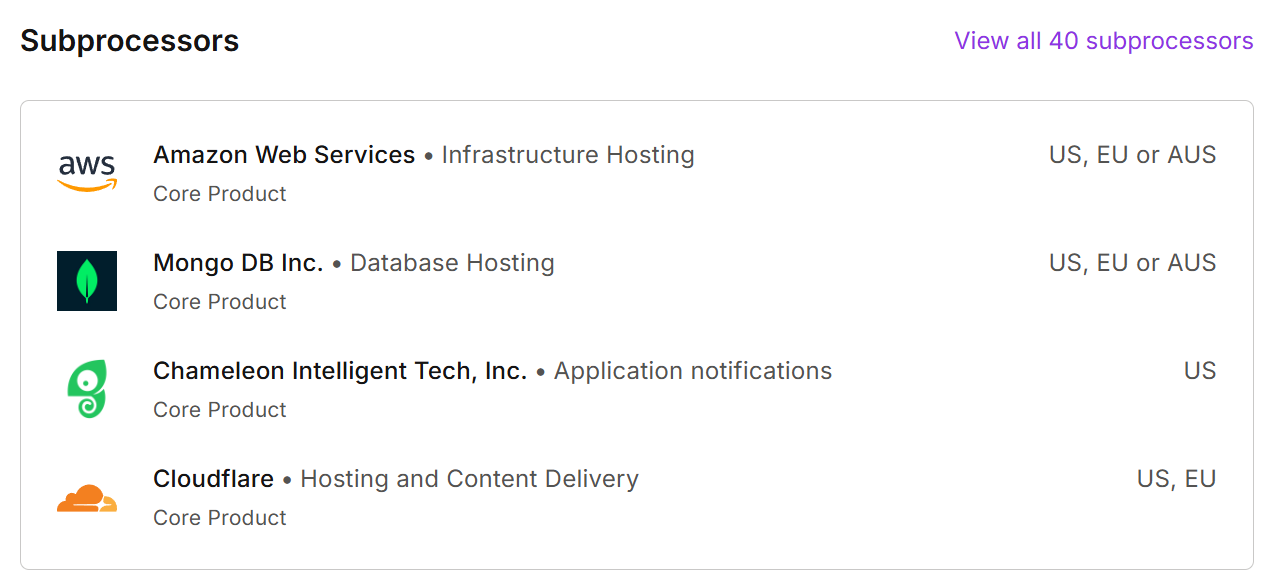
Then, tackle the vendor list. Privacy-conscious buyers (especially in Europe) will immediately look for your sub-processors. You need to configure the Vanta trust center subprocessor list to show exactly who handles your data (AWS, OpenAI, Slack). Vanta automates a lot of this, but you need to verify it to ensure you aren't listing a vendor you fired six months ago.
Step 3: Legal Setup & Testing
Now, let's get to the crux. You have two choices for your restricted assets:
- The Easy Route: Use the default Vanta Trust Center Clickwrap. It is standard, legally sound for most SMBs, and requires zero effort.
- The Enterprise Route: If your legal team is picky, you can upload your specific NDA to Vanta's Trust Center.
Founder Tip: Don't just set it up and pray. Create a dummy account and request a document yourself. Go through the flow, sign the agreement, and then go back to the dashboard to verify that your email appears in the NDA signature history. If that log isn't populating, you have a problem.
Step 4: Integration
If you want to automate access based on deal stages (e.g., "Unlock SOC 2 when Opportunity = Negotiation"), you need to connect Salesforce or HubSpot. Just be aware: this level of automation usually requires Trust Center Advanced. It's powerful, but make sure your CRM data is clean before you turn it on, or you'll be sending sensitive data to dead leads.
Competitive Landscape: Who Else is Out There?
Vanta might be the loud market leader, but they aren't the only game in town. Depending on your budget and company stage, you might find a better fit elsewhere.
Vanta vs. SafeBase by Drata: The "All-in-One" vs. The "Ferrari"
If Vanta is Coke, Drata is Pepsi. They are the two giants in the space, and honestly, Vanta's Trust Center features are remarkably similar to Safebase by Drata.
- The Difference: Vanta is an "All-in-One" platform (Audit + Trust Center). SafeBase is a specialized, standalone product dedicated only to Trust Centers.
- The Verdict: SafeBase is the "Ferrari." It offers deep customization, superior "Buyer Experience" features, and robust Salesforce logic that Vanta's bundled tool struggles to match. But Ferraris are expensive. SafeBase is an additional line item (often $15k+), whereas Vanta bundles it in.
If you are an enterprise prioritizing external trust, managing sensitive data, you buy SafeBase. If you are a Series B to C startup, you stick with the Vanta bundle and manage to avoid unnecessary hassle.
Vanta vs. SecurityPal: The "Concierge" Alternative
- The Model: SecurityPal isn't just software; it's a managed service. They use a "human-in-the-loop" approach to manually answer your questionnaires.
- The Verdict: If you are drowning in questionnaires and AI isn't cutting it, SecurityPal's "Concierge" model can offload the work entirely. However, it lacks the instant, self-serve "real-time monitoring" ethos of Vanta.
Vanta vs. ComplyJet: The "Lean Team" Alternative
- The Reality: Vanta and SafeBase are built for scale, and their pricing reflects that. For early-stage startups or lean teams who don't want to burn $20k+ just to get a logo on their footer, ComplyJet is the pragmatic choice.
- The Pivot: Think of ComplyJet as the "Founder-Led" alternative. It offers a fully functional Trust Center and SOC 2 automation for a fraction of the cost of the big players (often starting around $4,999/year).
- Why It Matters: You get the same "audit-ready in 7 days" speed, but instead of being routed to a generic support queue, you often get a direct line to the team building the product. For founders who need a bit of hand-holding without the corporate runaround, it's the safe, budget-conscious bet.
Founders' FAQs
We scoured the forums so you don't have to. Here are the blunt answers to the questions most founders are afraid to ask on a sales call.
Is the Vanta Trust Center NDA legally binding?
Yes, for the vast majority of your deals, it is. The standard Vanta Trust Center Clickwrap is sufficient for most SMB and mid-market transactions. However, reality hits when you move upmarket. Enterprise legal teams (think Microsoft or heavily regulated banks) will often refuse to click "I Agree" on a generic form.
They will demand their own paper. This is where the Vanta Trust Center NDA bypass feature becomes critical - allowing you to white-list domains that have already signed a Master Services Agreement (MSA) so they don't get blocked by a redundant gate.
Does the AI actually work?
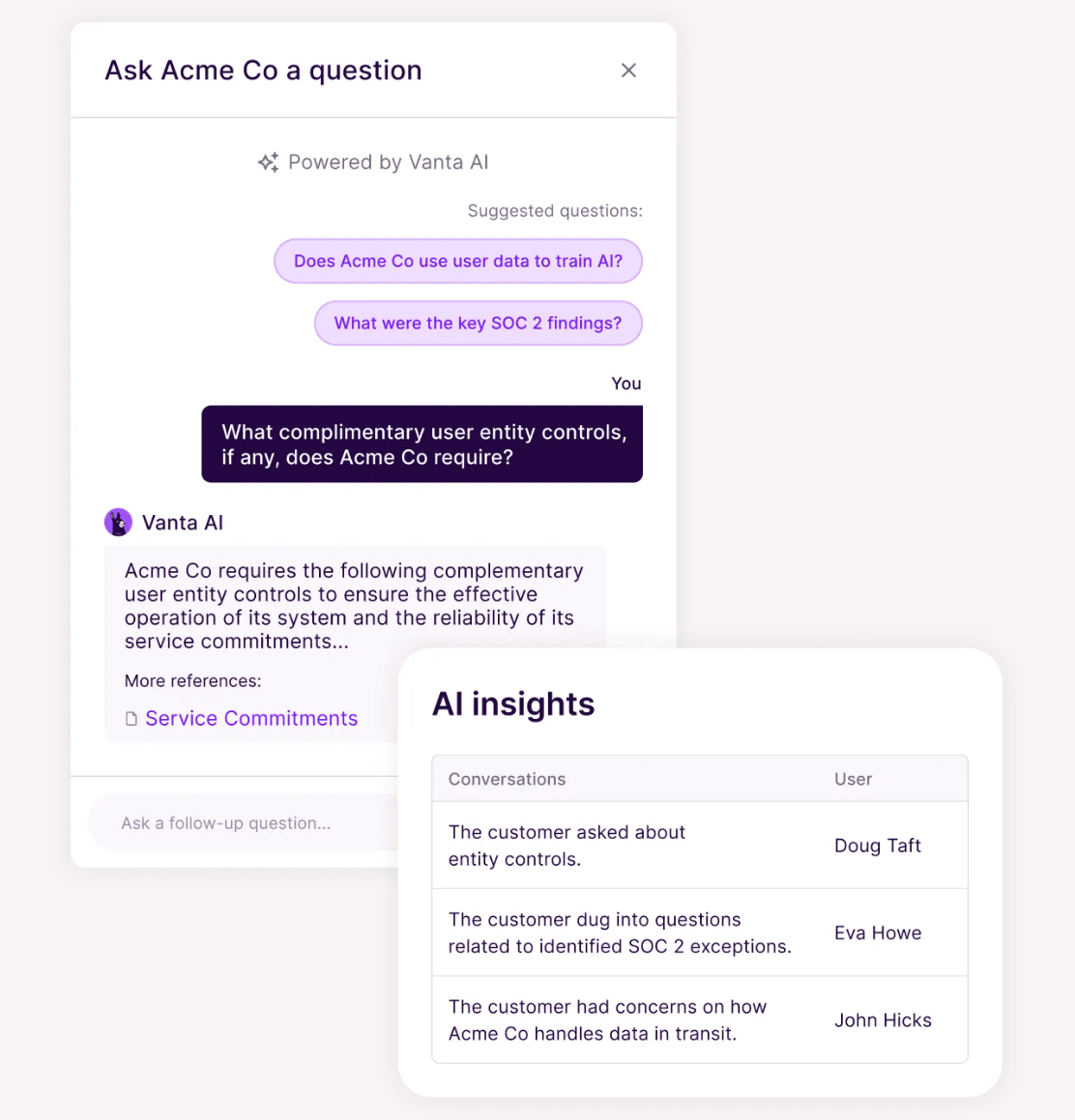
It's hit or miss depending mostly on context. The AI Chatbot uses your existing documentation to answer buyer questions, but it is strictly constrained by the quality of your data. If your Knowledge Base is sparse or your policies are vague, the AI will either give "I don't know" responses or, worse, hallucinate an answer that isn't true.
Security engineers are often skeptical of these auto-answers and may prefer to verify the primary documents themselves.
Can I have a publicly accessible Trust Center without exposing my vulnerabilities?
Absolutely. You never want to show the world your raw, unfiltered audit logs. Most mature organizations opt for a "curated reality".
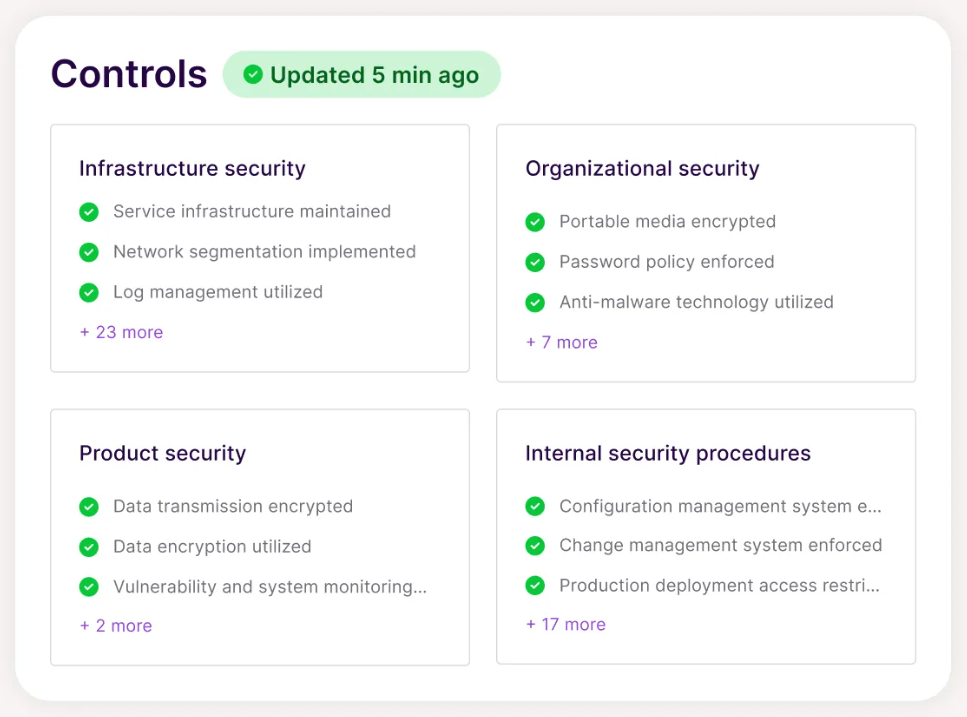
You use the dashboard to display the existence of security controls (e.g., "We have laptop encryption") without showing the live feed that Steve from Marketing hasn't restarted his computer in three weeks. You curate the view to signal maturity, not to air your dirty laundry.
Is Trust Center Advanced worth the extra money?
Only if you have high deal velocity. If you are doing 5 deals a month, you can handle manual approvals. But if you are scaling, Trust Center Advanced becomes a necessity rather than a luxury.
It unlocks the CRM integrations that auto-approve requests based on deal stage (e.g., "Opportunity > $20k"). Without it, your sales engineer is going to spend half their week manually approving access requests.
How does Vanta Trust Center pricing compare to SafeBase?
Vanta Trust Center pricing is generally more "efficient" for Series B/C companies because it is often bundled into the platform cost. SafeBase, while powerful, is typically a standalone line item that can start at $15k+ on top of whatever you pay for compliance.
If you are already paying for Vanta's audit module, using their built-in Trust Center is the logical economic choice until you outgrow it.
Where do I find the NDA signature history?
You can find the audit trail in the Customer Trust tab under the Access Requests section. This is your Cover Your Assets log. It provides a timestamped record of exactly who accessed your documents, their IP address, and the specific legal agreement they signed.
Does it auto-update my Vanta trust center subprocessor list?
Yes, largely. Because the Vanta trust center subprocessor list pulls from the vendors detected by the monitoring agents (like AWS or Azure) connected to your account, it stays relatively current. However, for niche vendors that don't have an API integration, you will still need to manually add them to ensure your GDPR list is accurate.
What do Vanta Trust Center reviews say about the mobile experience?
The consensus from Vanta Trust Center reviews is that this is a desktop-first game. B2B buyers are reviewing SOC 2 reports on their laptops, not their iPhones. While the portal is mobile-responsive, the complex tables and document viewers are optimized for the big screen.
The Final Verdict: Is It Worth It?
We've covered the features, the pricing traps, and the competition. So, what's the verdict?
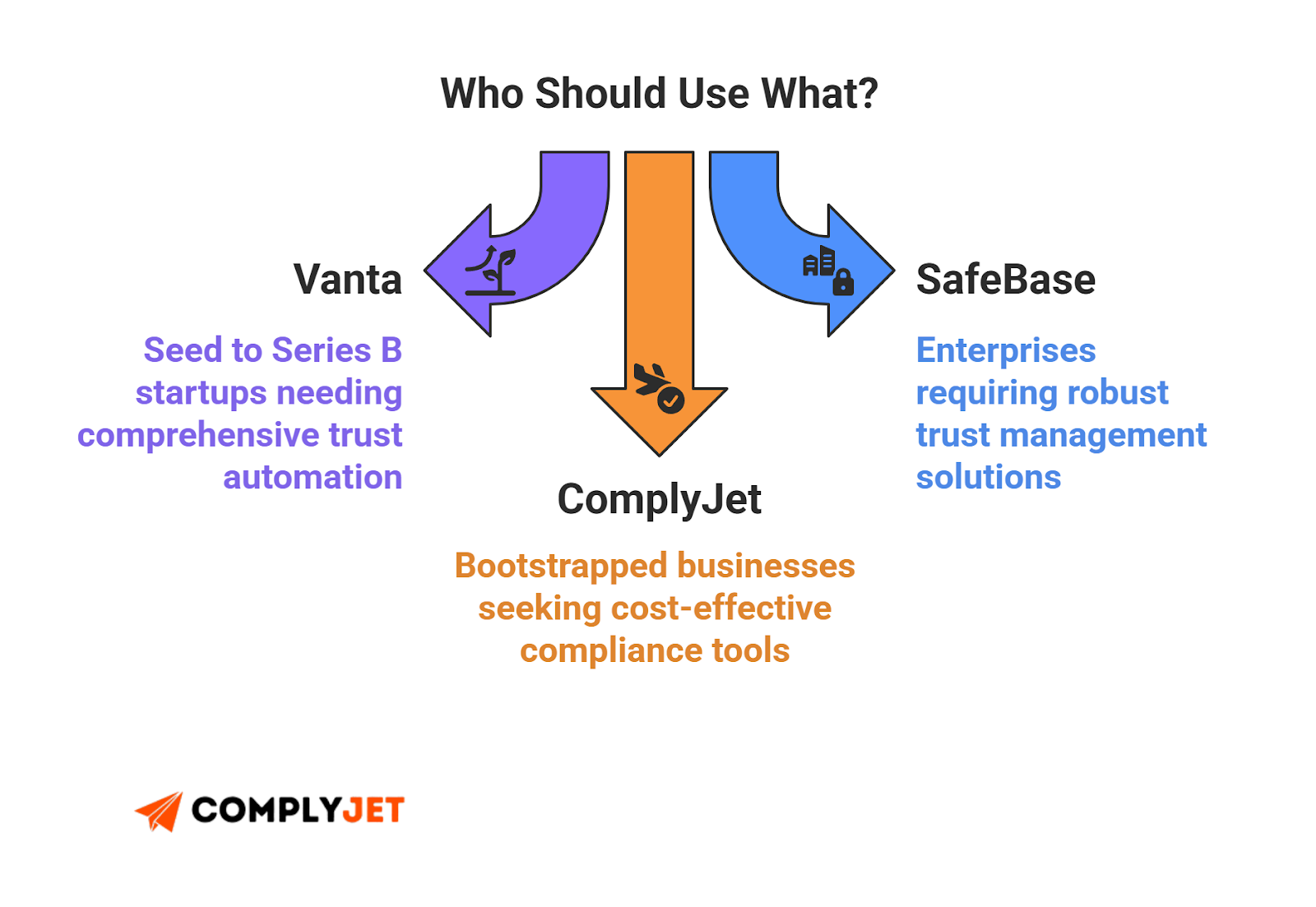
- For Series B to C: Yes. Vanta is the standard for a reason. If you are already using them for SOC 2, enabling the Trust Center is a no-brainer. It makes you look like a grown-up company instantly and removes the friction of emailing zip files.
- For Enterprise: Maybe. If you have a complex sales cycle involving multiple product lines and bespoke legal requirements, you might outgrow Vanta's "bundled" approach and need a specialized tool like SafeBase.
- For the Bootstrapper: Don't overspend. If you are just starting, a lean option like ComplyJet can give you the same "audit-ready" legitimacy for a fraction of the cost, keeping your burn rate low while you find product-market fit.
Here's the final takeaway:
The Bottom Line: Think of Vanta's Trust Center like a bouncer for your security team. It checks IDs (NDAs), lets the right people in, and keeps the riff-raff out, all while you focus on what actually matters: building the product.
- If you want to automate trust, the core Vanta Trust Center features are a solid foundation, provided you set them up correctly.
- Be wary of Vanta Trust Center pricing jumps in year two - always negotiate a cap.
- Don't ignore user reviews of Vanta's Trust Center, especially regarding support; if you are small, you will likely be relying on self-service docs.
- Ensure you configure the Customer Trust tab to hide your "failing" controls so you don't accidentally leak data that kills a deal.
Does all this still feel a bit overwhelming? That's normal. Compliance is a mountain, but you shouldn't have to burn a hole in your wallet to climb it. Start your journey with the team that respects your runway. Get audit-ready with ComplyJet.