.svg)

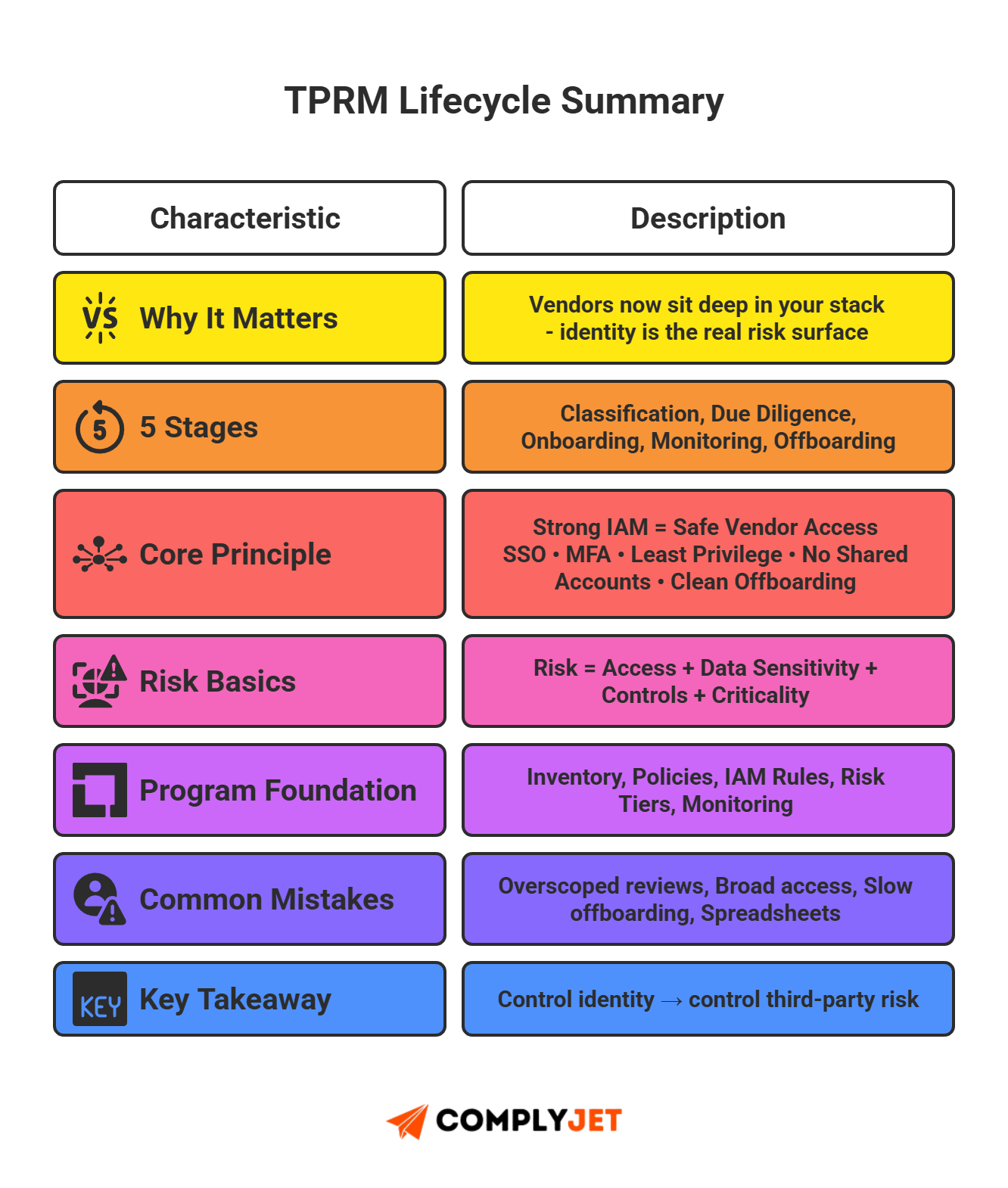
A TPRM lifecycle is the process companies use to classify, assess, onboard, monitor, and offboard third-party vendors and their identity access. It defines who gets in, what they touch, and how permissions are handled.
Vendor risk management is not optional anymore. Vendors now sit deep inside your stack. They hold keys to data, systems, and workflows. One weak vendor can expose everything. A solid risk management system protects you. A solid TPRM lifecycle delivers that control.
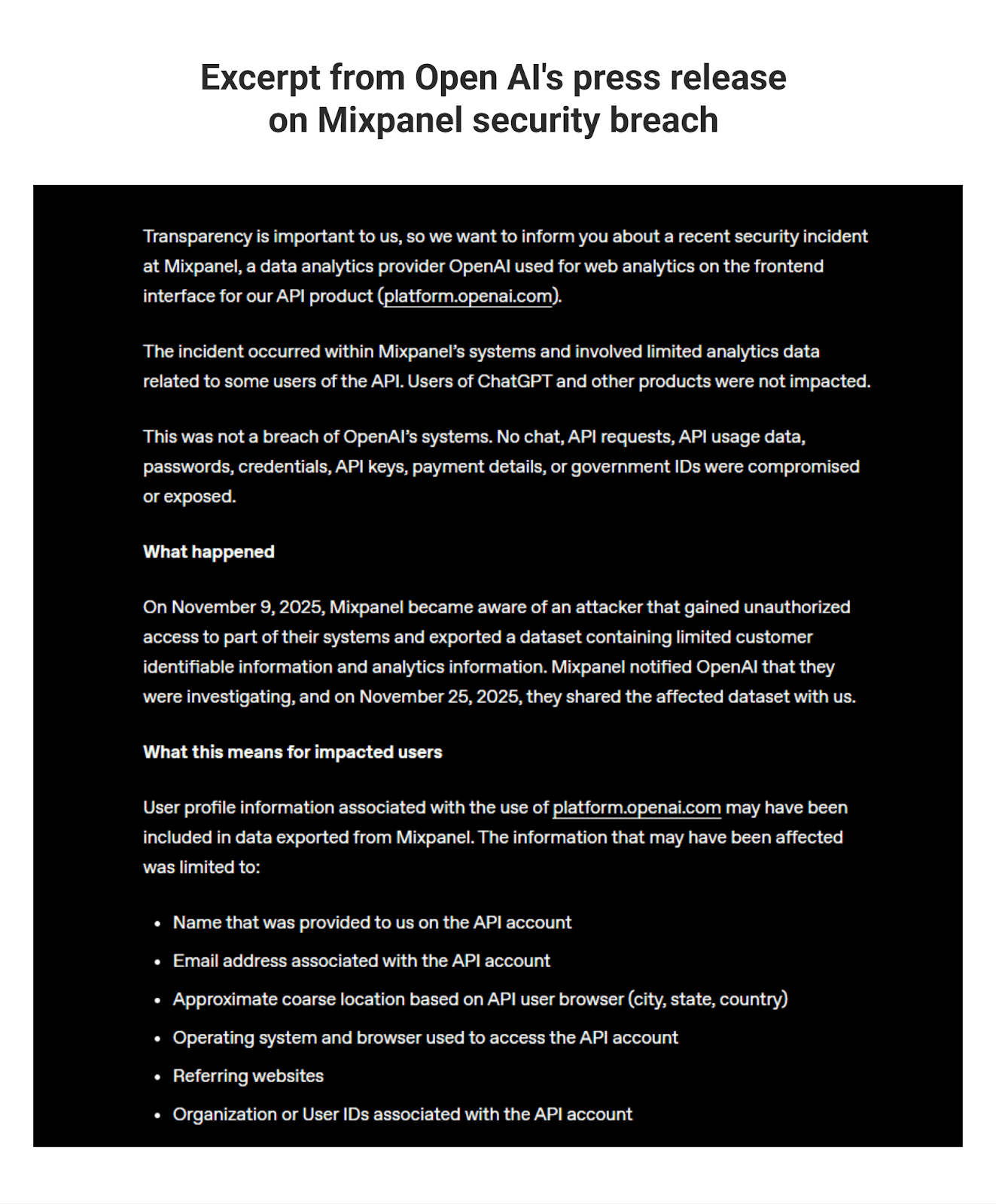
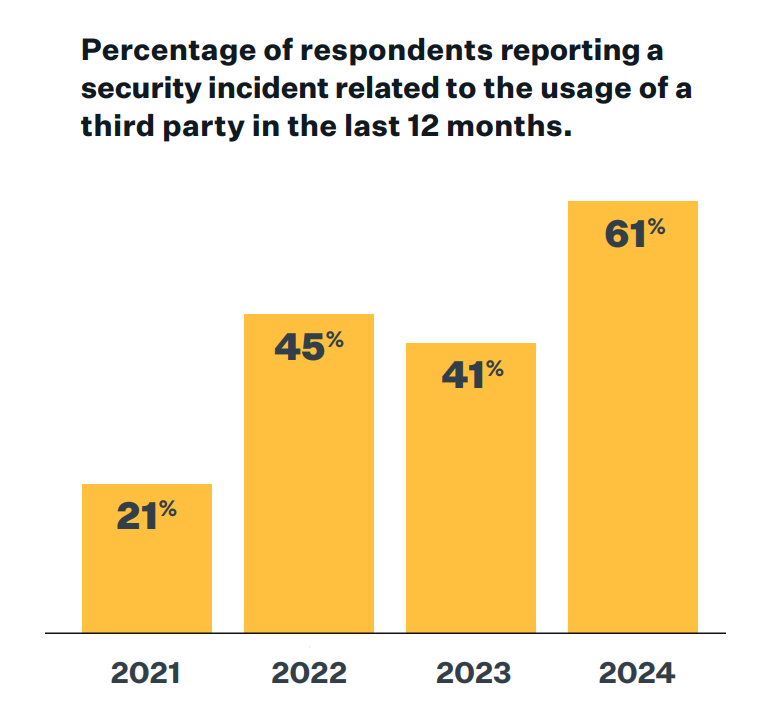
Third-party identity management is the real threat surface now. In 2024, 35.5% of all data breaches traced back to vendor or third-party compromises. Studies also confirm that a majority of companies - over 60% - experienced a third-party security incident in the past year. Even OpenAI got shaken by a vendor-related security lapse this week. If companies at that scale can get blindsided, everyone else is exposed.
If you scale quickly or run lean, you just can't afford to ignore this threat. The risk is palpable; prevent and prepare, before you repent and repair.
ComplyJet gives you a clean platform to manage assessments, automate access reviews, and track third-party identity permissions - all in one place. No complexity. Just clarity.
A well-executed TPRM lifecycle turns vendor chaos into clear, auditable identity flows. It shields your data, supports compliance, and lets you scale safely. If you're here, chances are you've already spotted the gaps in your third-party risk assessment. Or maybe you're a diligent founder who's ahead of the curve. Regardless, this guide will catch you up with the basics of third party risk management in 2025, along with the fast, practical steps to start closing them.
What Is a TPRM Lifecycle?
TPRM lifecycle is the structured series of steps a company uses to manage vendor risk - from initial vendor classification through due diligence, onboarding, continuous monitoring, and offboarding.
Every vendor your company works with passes through this lifecycle. It ensures you control external access, minimize exposure, and manage vendor risk systematically.
Core Components of TPRM
Here's a breakdown of a typical TPRM lifecycle:
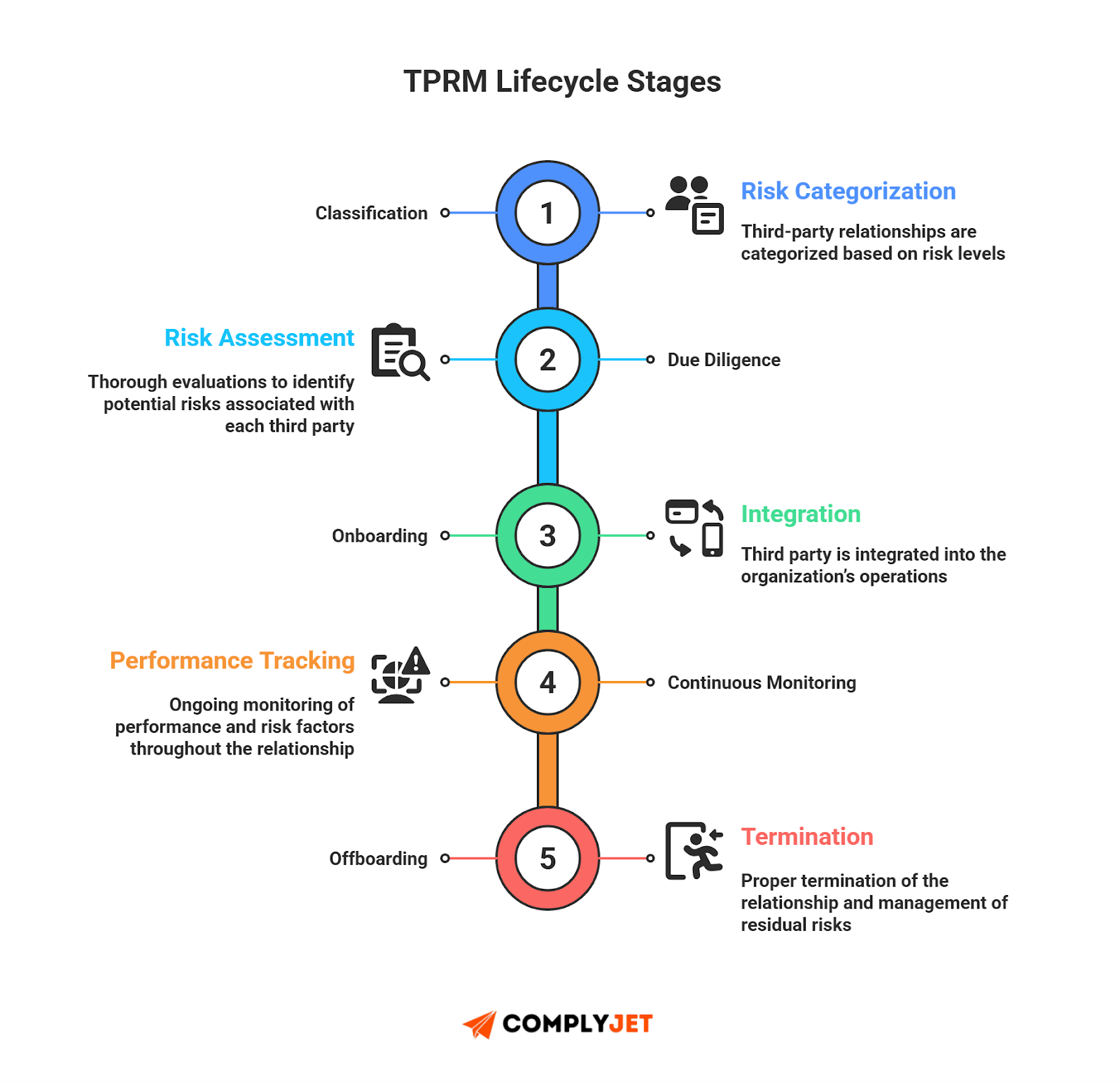
- Classification / Identification - catalog vendors, suppliers, contractors; assess criticality and data access scope.
- Due Diligence (Evaluation & Risk Assessment) - review vendor controls, compliance, security posture, and third-party identity access.
- Onboarding - grant access under least-privilege policies, enforce Identity access management (IAM) standards, document permissions.
- Continuous Monitoring - track vendor activity, audit access, refresh assessments, and maintain oversight over identity permissions over time. Offboarding / Termination - revoke access, remove vendor identities, close out contracts, and archive documentation.
Third-party identity management and vendor access control aren't side notes - they form the backbone of every stage. Without strong identity governance, the lifecycle fails.
Rule of thumb: If your company is new and you can't explain your TPRM lifecycle in two sentences, your vendor-risk approach is probably too complex. Lean frameworks work best for developing enterprises.
How Has TPRM Lifecycle Evolved in 2025?
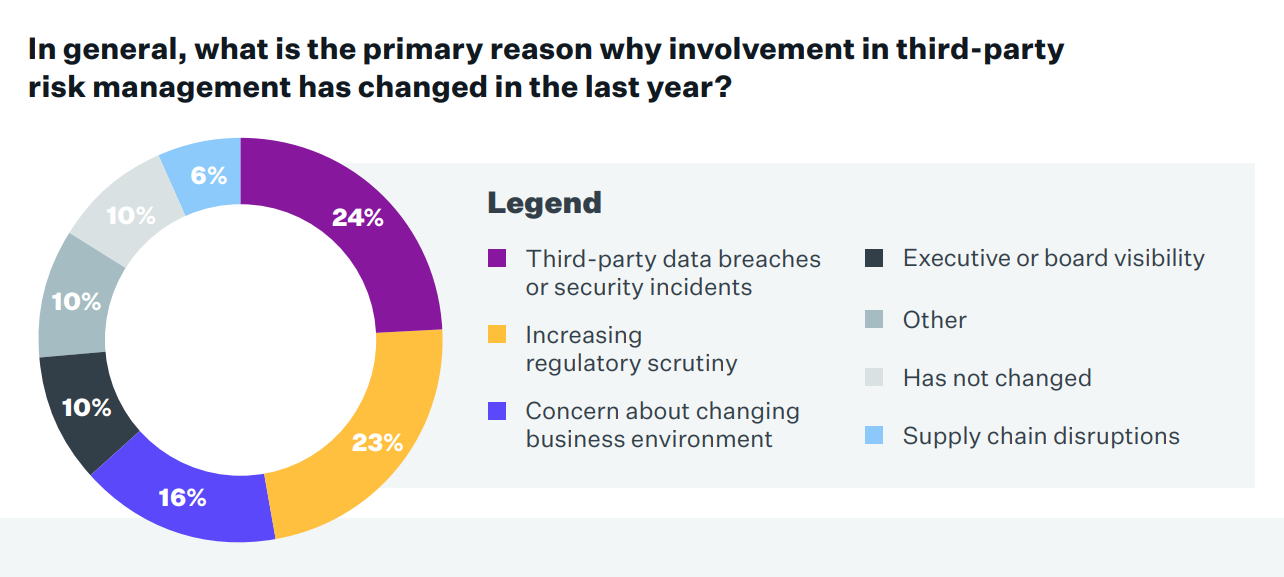
2025 hasn't gone easy on anyone. OpenAI's vendor security incident was a warning shot - a clear sign that third-party access check failures pose a threat to giants and new ventures alike. Vendor access changed faster than most teams did. It used to be simple; now vendors sit deep in your stack, handle customer data, and plug into APIs you never built.
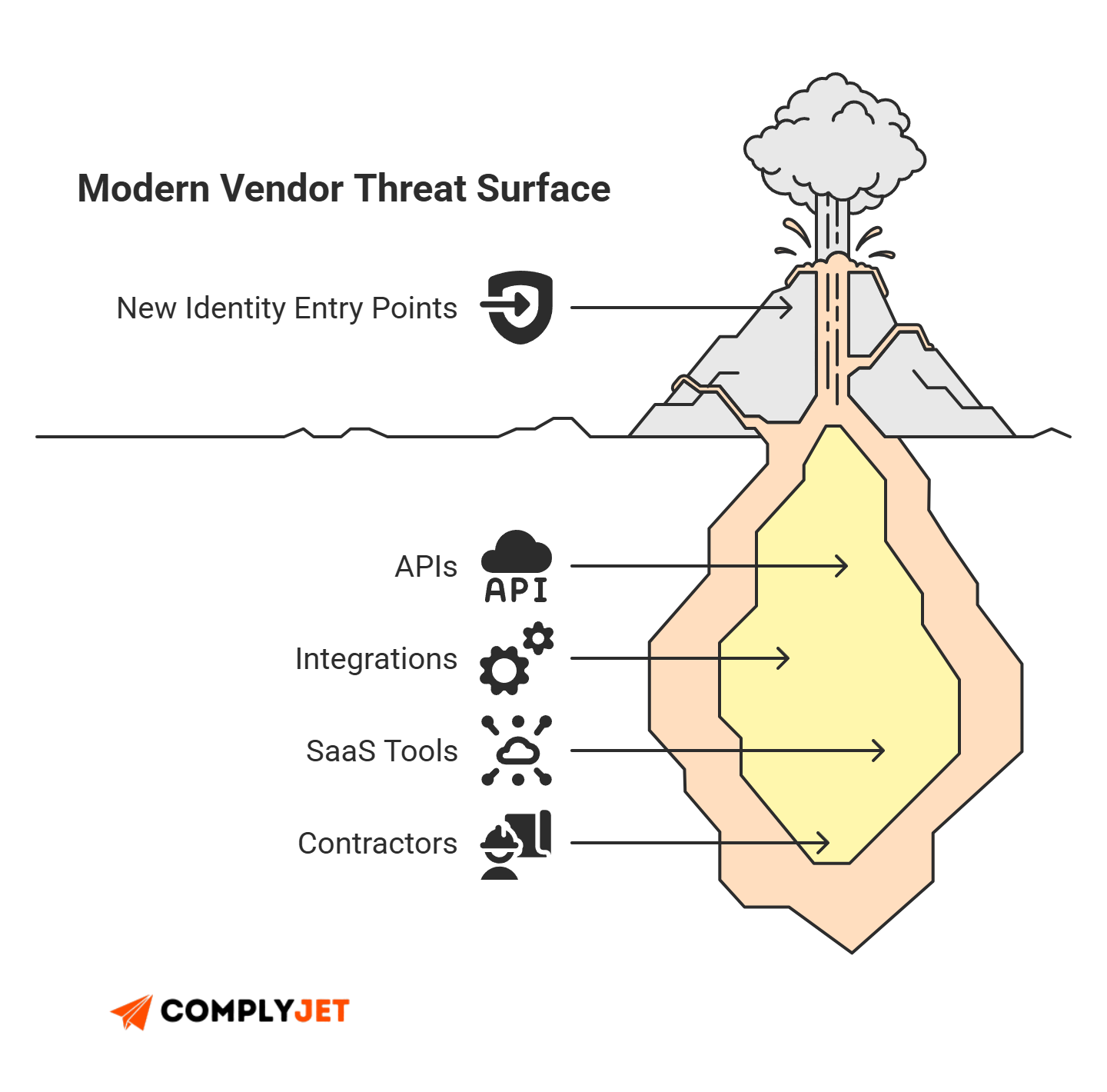
Modern vendor risk management is an identity problem first. CISA warns that third-party access is "one of the highest-risk elements" in supply-chain operations because it creates direct entry points into internal systems. Many breaches now trace back to weak or over-privileged vendor accounts, and NIST's SP 800-53 makes this clear: you must use unique IDs, track permissions, and enforce least privilege for all external entities. SaaS sprawl amplifies the issue. Even lean teams rely on dozens of tools, each adding another access path. This is unmanaged third-party identity management, which is why supplier risk assessment, third party management, and lightweight TPRM software are no longer optional.
Startups feel this shift most. Growth forces rapid vendor adoption, but structure rarely keeps pace. At the same time, SOC 2, ISO 27001, GDPR, and NIST SP 800-161 expect documented reviews, identity governance, and continuous oversight for suppliers. That's why risk management for startups must stay simple, repeatable, and anchored in a clear TPRM lifecycle supported by consistent third-party due diligence. More tools. More identities. More requirements. The modern founder now stands in the middle of a supply-chain attack surface they never planned for - but must control.
Founder's note: Fellow founders must pay attention where even giants stumble. OpenAI's vendor incident was a loud reminder that one weak external identity can compromise an entire ecosystem.
The 5 Stages of a TPRM Lifecycle
TPRM lifecycle runs through five core stages. Each stage controls how vendors enter your environment, what access they receive, how their identity behaves over time, and how you cut access cleanly when the work ends. This structure is simple, but it solves real problems. Most security failures trace back to weak identity onboarding, poor monitoring, or slow offboarding. This lifecycle fixes that.
Below is the full breakdown your team can use today.
1. Vendor Classification
This is the first gate in a TPRM lifecycle. Classification defines how much risk a vendor brings into your stack. Startups often skip this step, but it drives everything else - due diligence depth, IAM policy strength, and monitoring cadence.
Access Types
List what the vendor can access: data, systems, APIs, credentials, and admin tools. This also supports early supplier risk assessment, because higher access means higher potential blast radius.
Pro-tip: Mapping access first often reveals the majority of urgent vendor risks, far more than a vendor list alone ever will.
Critical vs Non-Critical
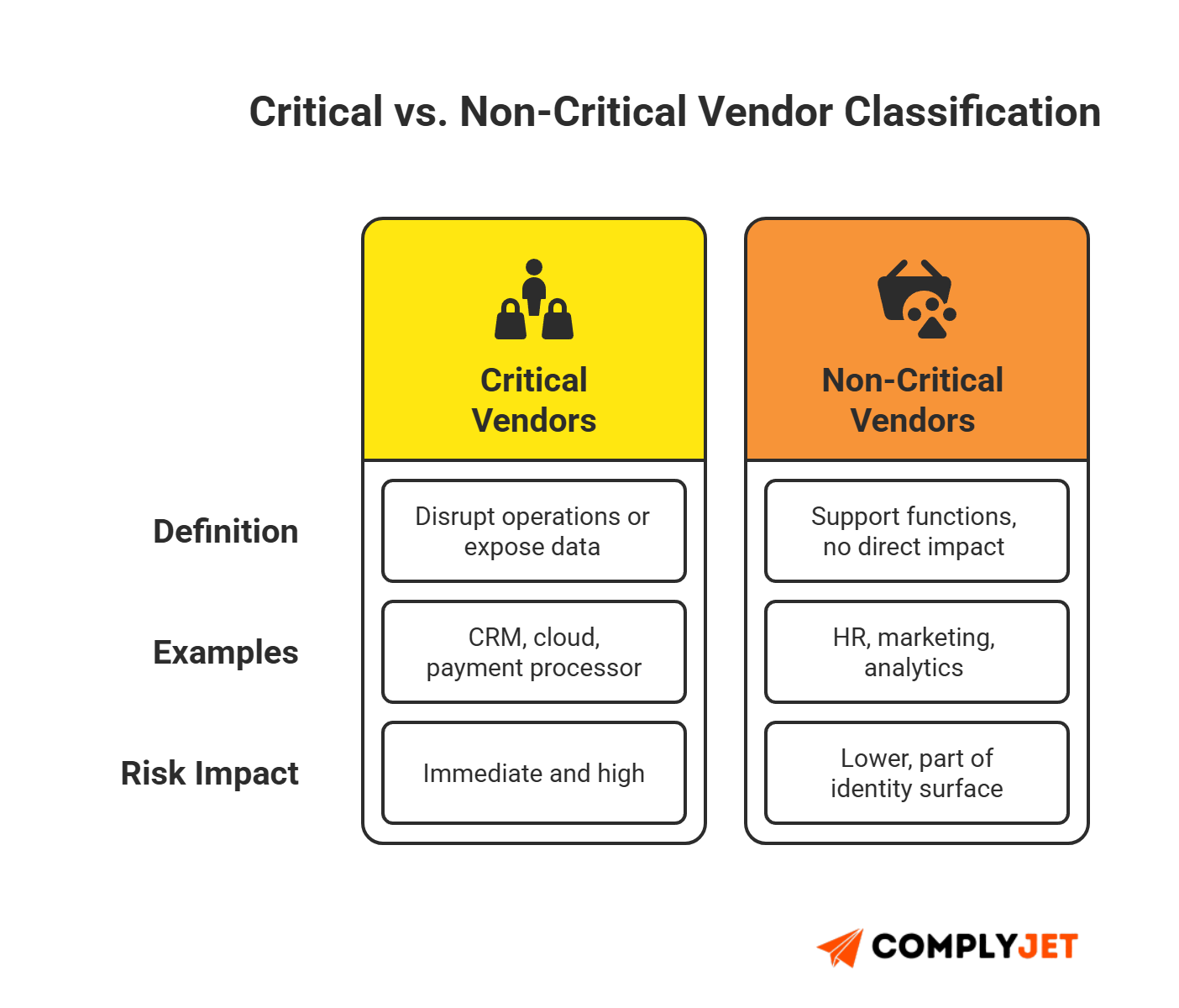
A critical vendor is one whose failure or compromise can stop operations or expose data. For example, your CRM, payment processor, or cloud provider. Non-critical vendors include HR tools, marketing tools, and niche utilities.
Data Sensitivity Tiers
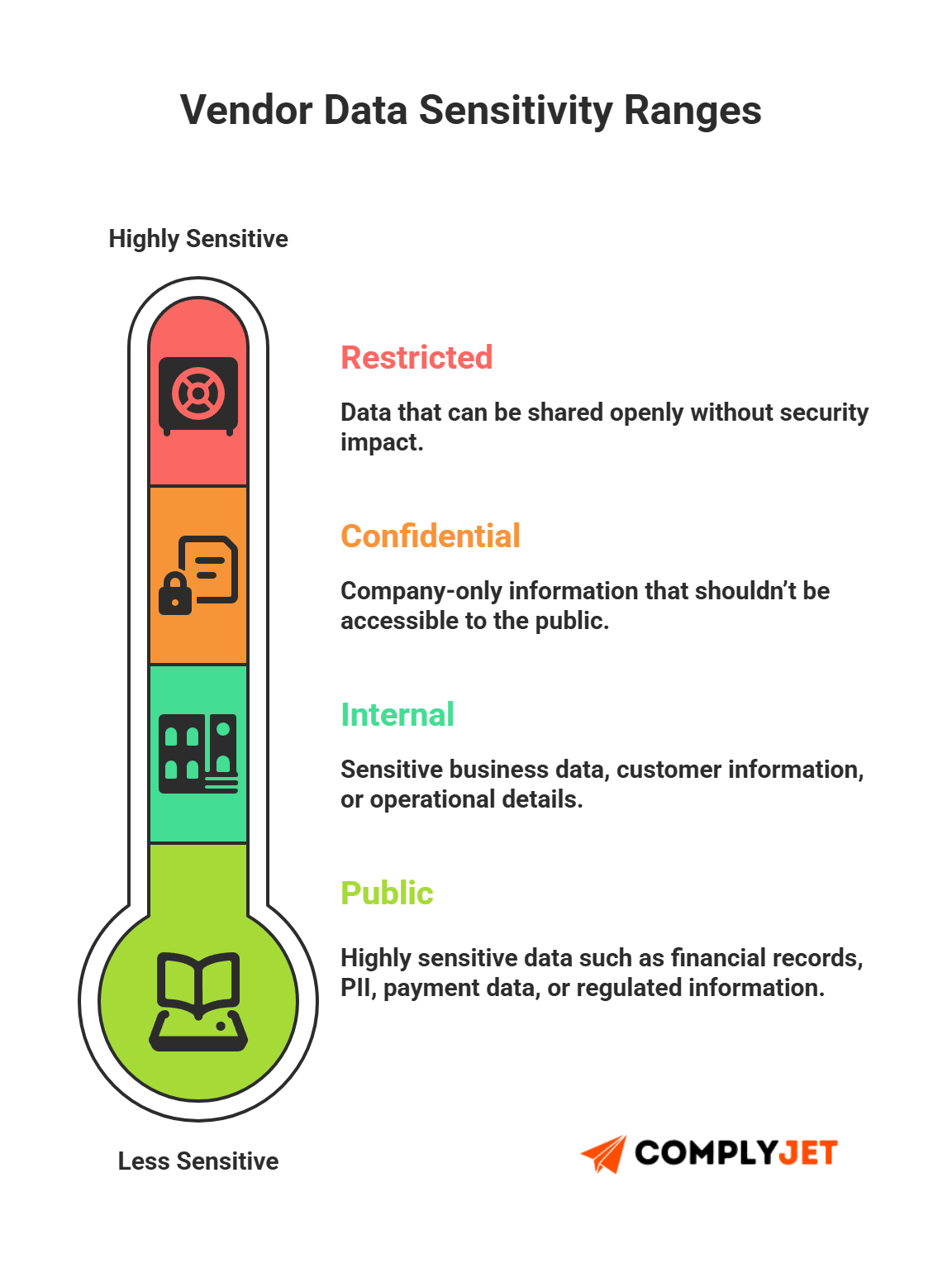
Group access by sensitivity:
- Public
- Internal
- Confidential
- Restricted
This is an industry-standard step recommended by both compliance auditors and experienced governance teams.
2. Security & IAM Due Diligence
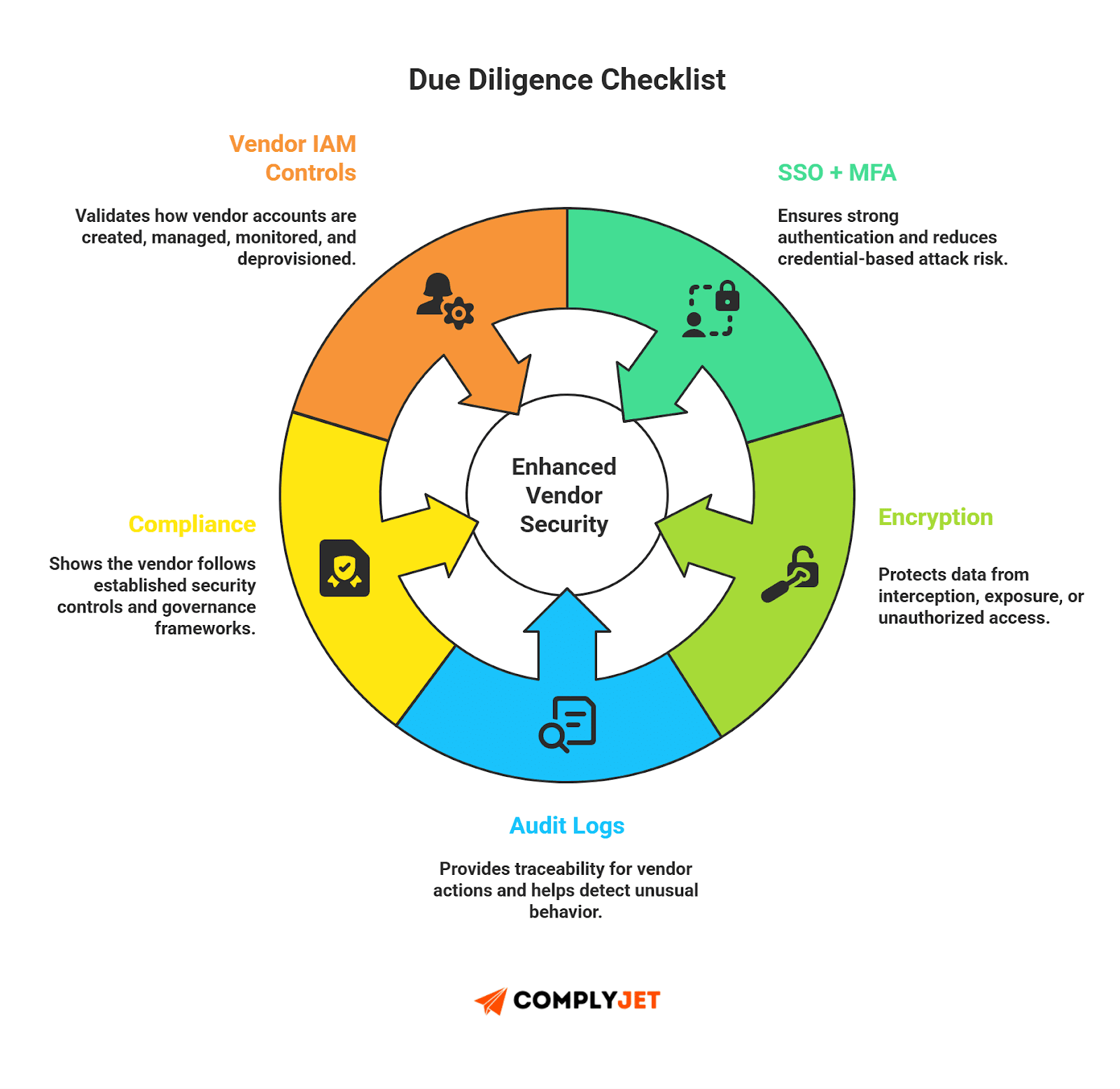
This is where most teams struggle. Due diligence reduces vendor risk early. It also sets identity controls for the rest of the TPRM lifecycle.
Controls
Review security controls: encryption, MFA, SSO, audit logs, incident response, and compliance frameworks. Many vendor reports indicate that third-party compromises often stem from weak controls, not malicious intent.
Third-Party Identity Checks
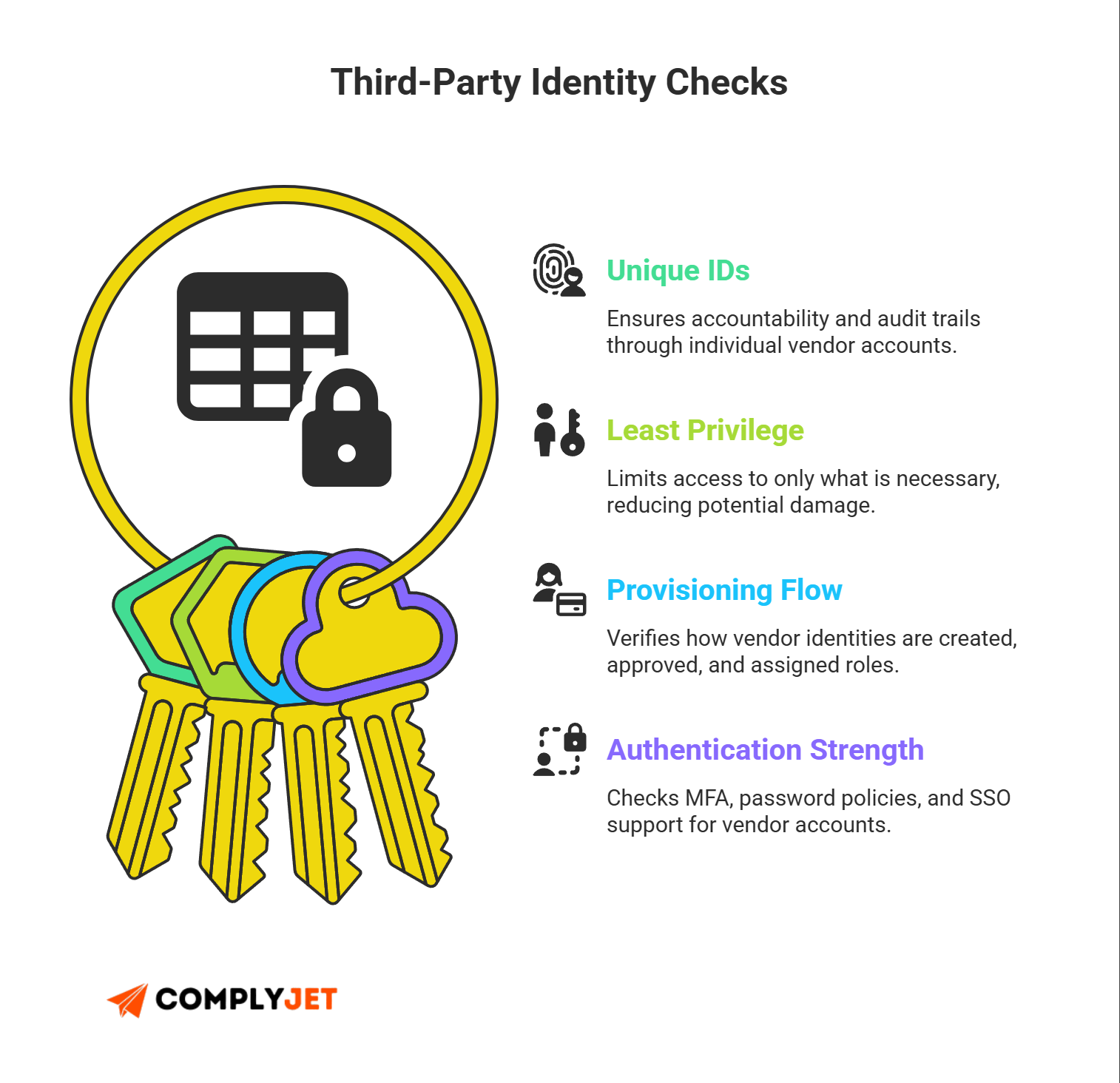
This ties directly to third-party identity management - one of the biggest sources of breaches today. Check how vendor accounts are created, managed, and monitored. Validate authentication mechanisms and provisioning flows.
Privilege Levels
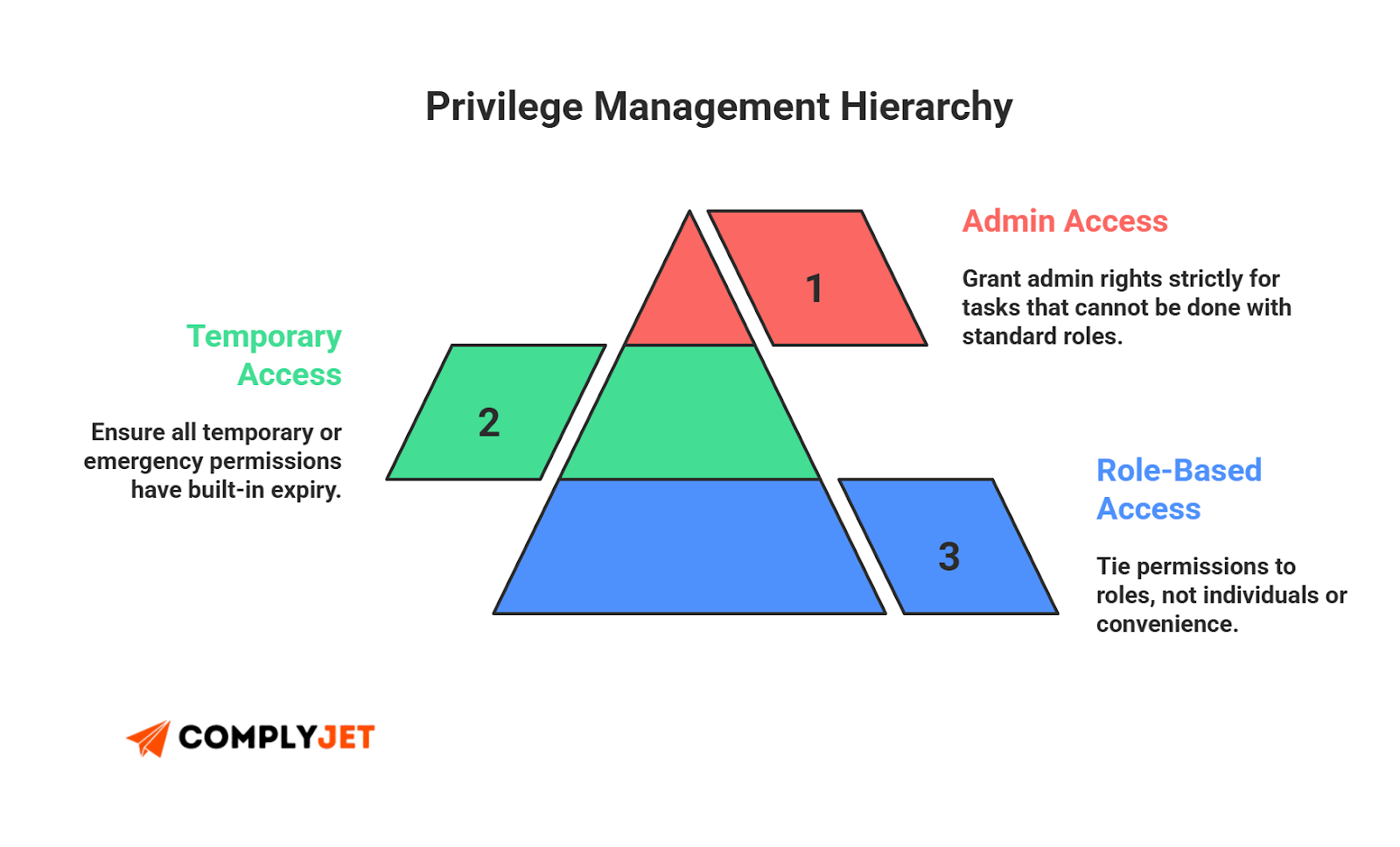
Collect details on what roles vendors will receive. Limit standing access. Enforce least privilege and restrict admins unless necessary. This is a core part of vendor risk management.
Risk Scoring
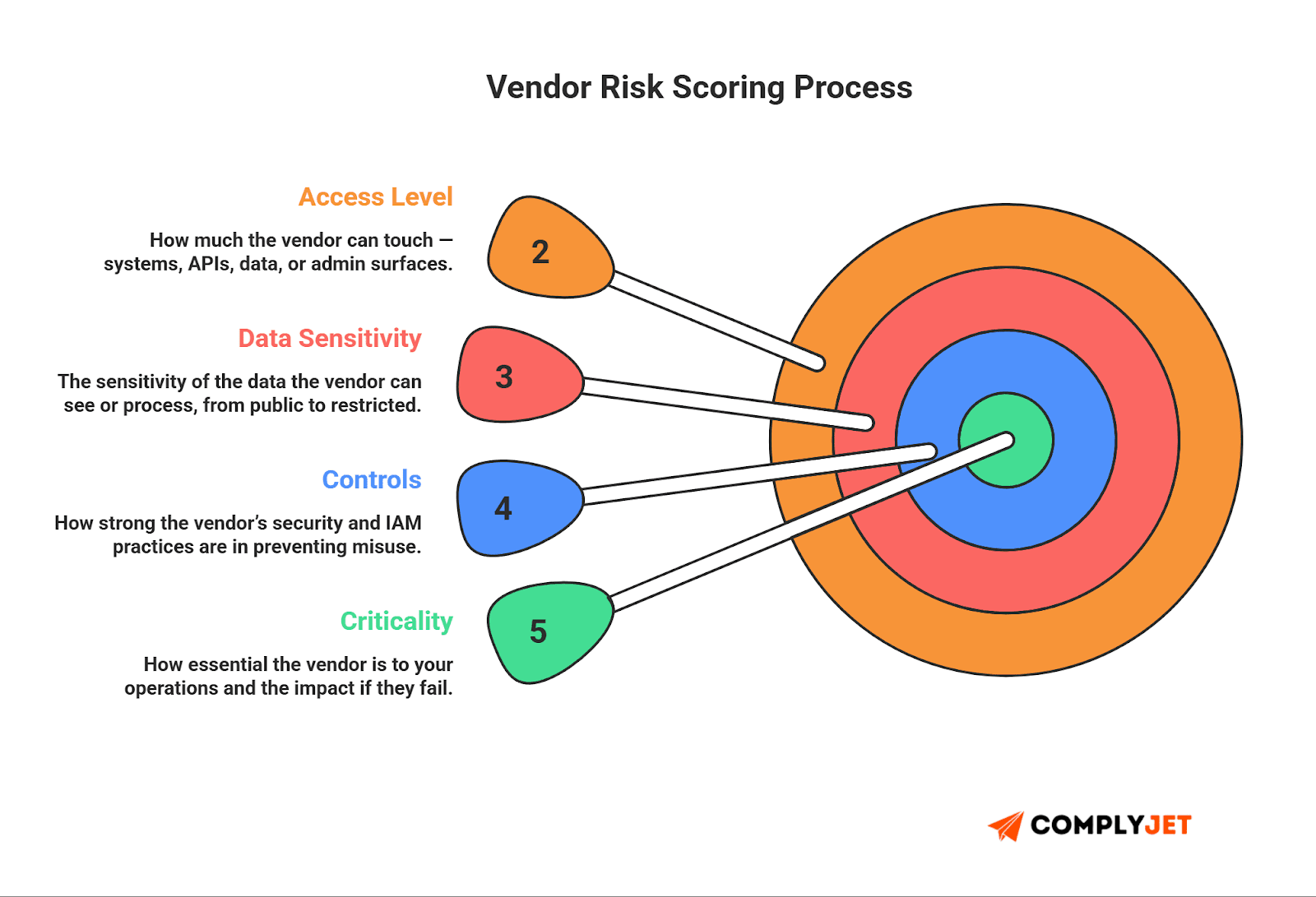
Use a simple system. Scoring doesn't need to be complex. Combine access type, data sensitivity, vendor controls, and history of security performance.
3. Onboarding
This is where risk enters your environment. Strong onboarding protects you for the rest of the TPRM lifecycle.
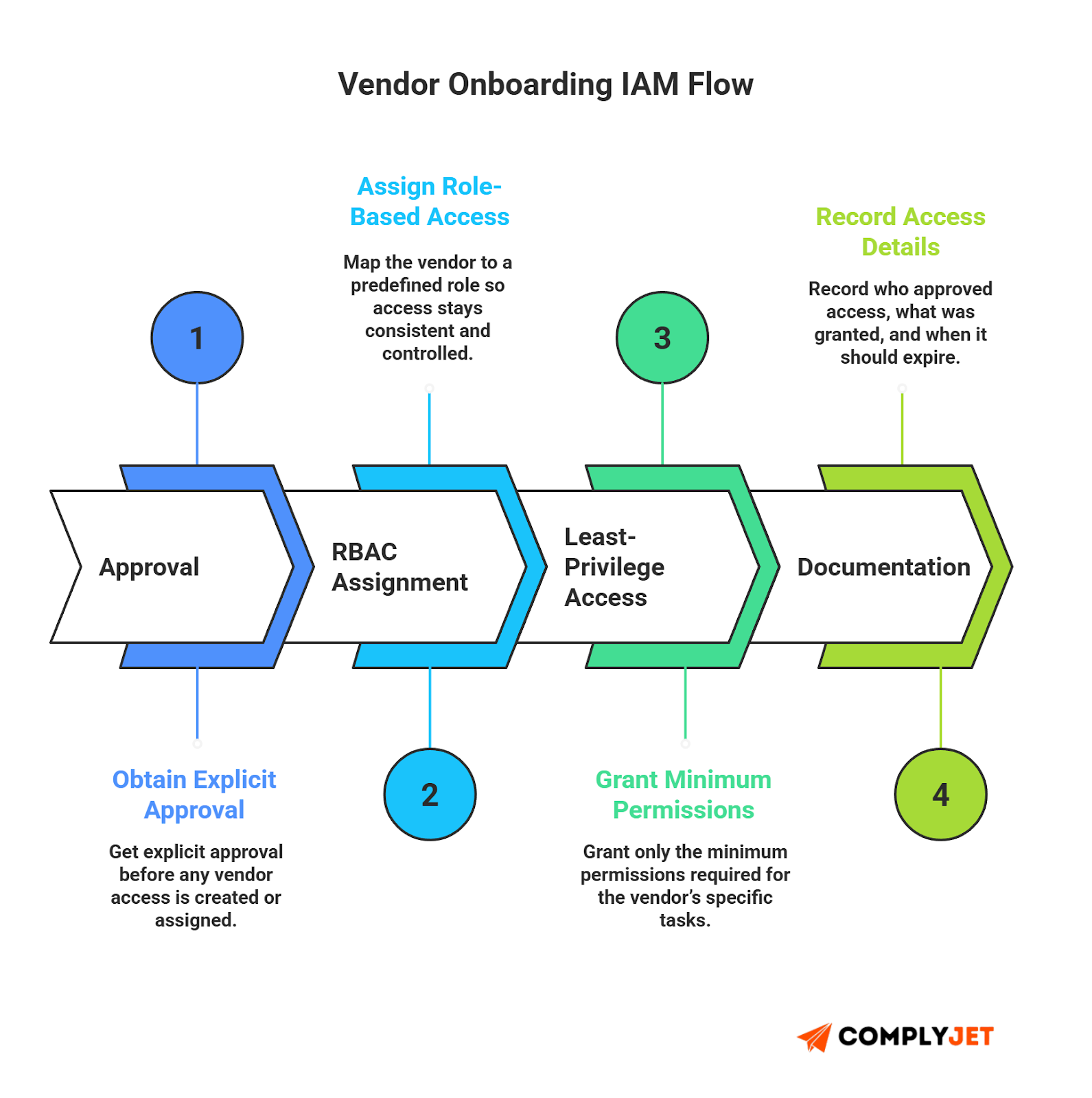
Access Approval Flow
Define who approves what. Make approvals explicit. Tie the final approval to a clean risk management system.
RBAC, Least Privilege
Assign roles based on tasks. No unnecessary permissions. Most audits fail because someone approved a broad access bundle "just to get things moving."
Contractual Controls
Add clauses that enforce security expectations: data handling, breach reporting, access reviews, and termination policies. These terms reduce friction when issues occur.
ComplyJet cuts manual checks and gives you clean visibility into every vendor's identity permissions across the lifecycle. Built for teams that move fast. Start a free trial today.
4. Continuous Monitoring
This is one of the more ignored stage of a TPRM lifecycle - and the one where most breaches happen.
Access Review
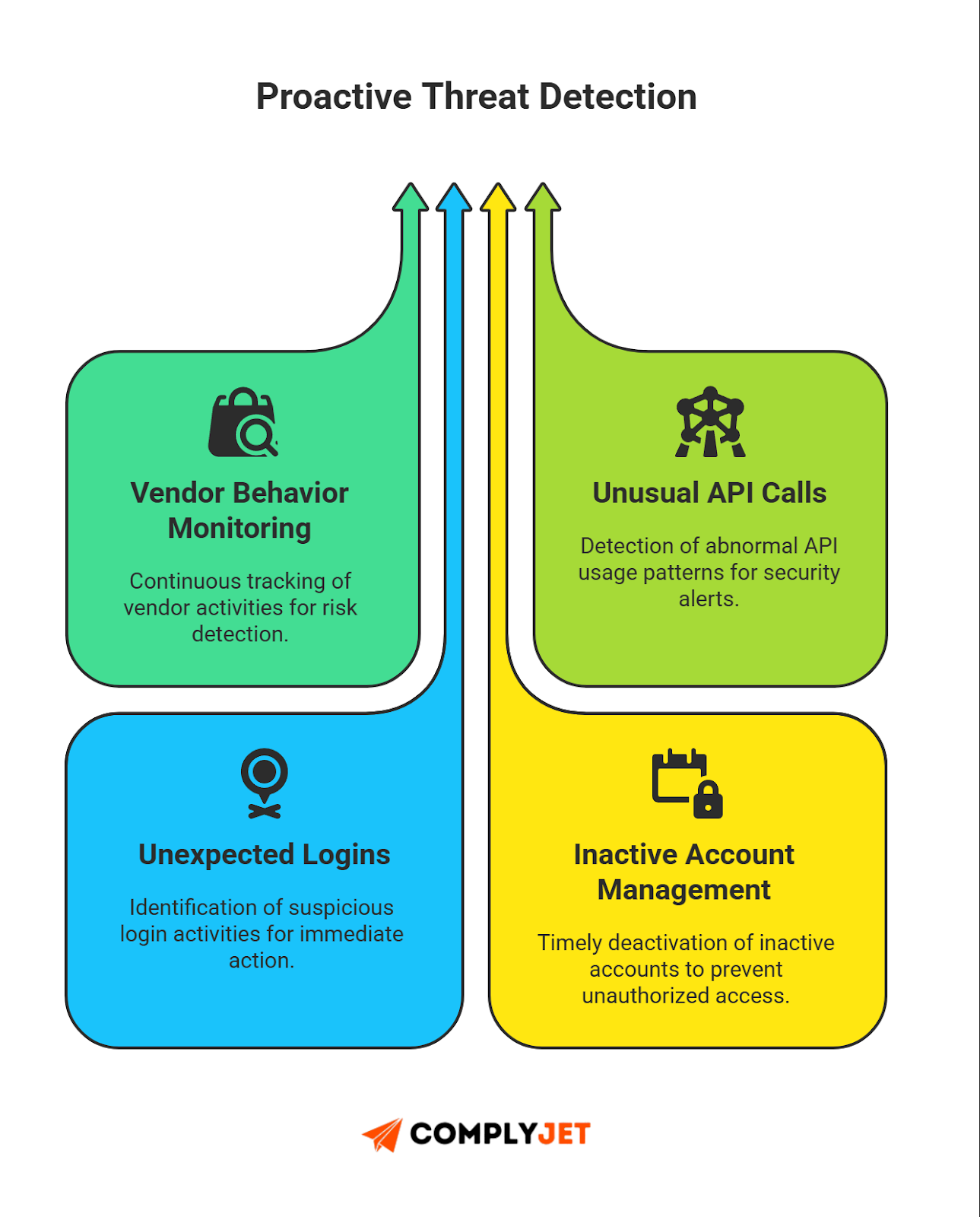
Quarterly reviews should be the bare minimum. Monthly for critical vendors. Remove accounts that are inactive or misaligned with current work.
IAM Drift
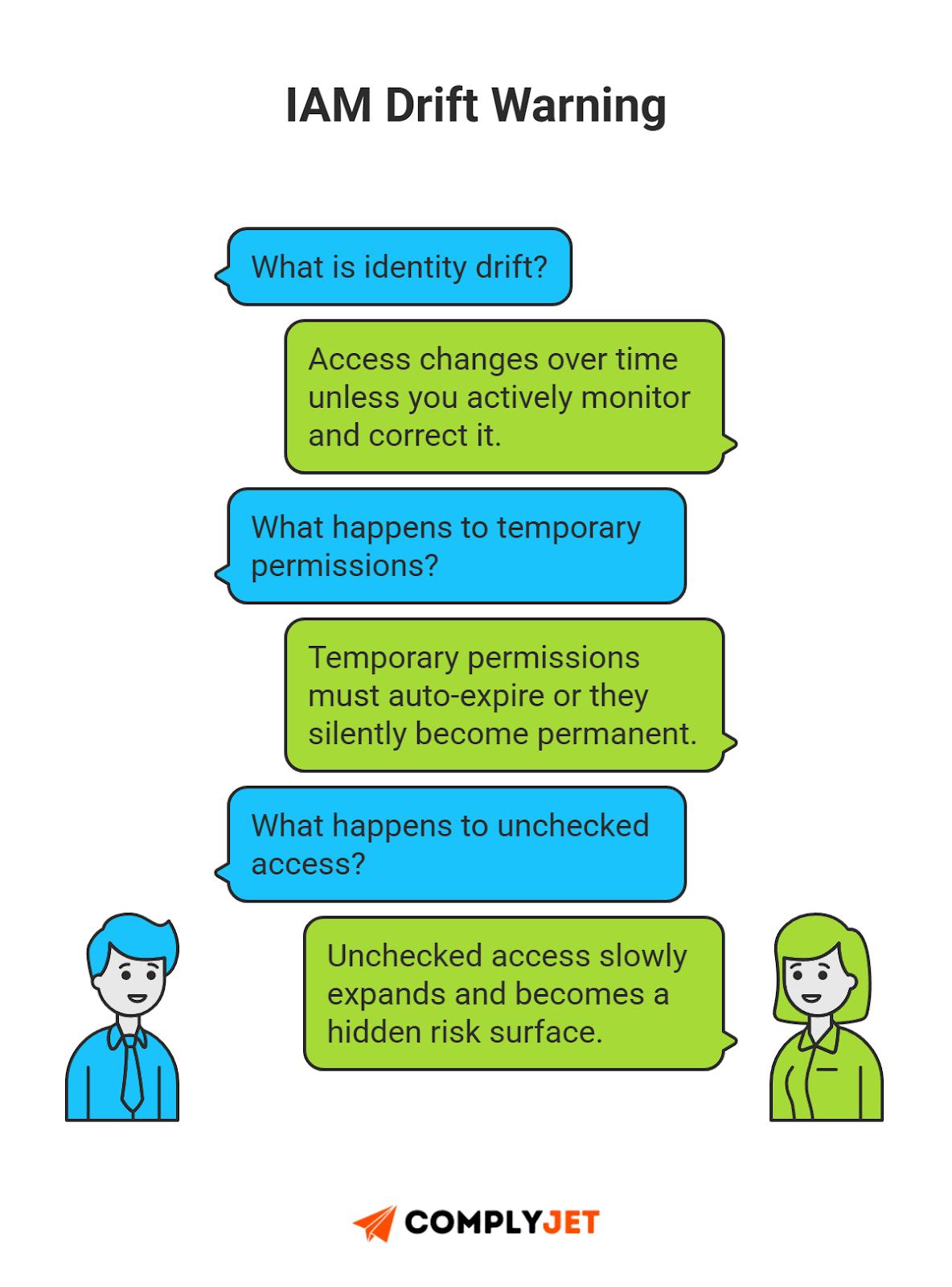
Monitor for privilege creep or identity drift. Vendors often request temporary access. Temporary access often becomes permanent if no one checks.
Behavior Monitoring
Track for unusual access patterns. Multiple industry reports show that many third-party compromises involve unusual API behavior or credential misuse.
SLA Checks
Review vendor performance and security commitments. This supports structured third-party management and maintains contract accountability.
5. Offboarding
Offboarding protects you when a vendor relationship ends. Many companies fail here, and attackers know it.
Rapid Access Kill
Shut down old accounts. Revoke API keys. Rotate shared secrets. Incomplete offboarding is a known source of breaches.
Identity Removal
Remove the vendor from your directories and identity systems completely. No lingering accounts. No "unused but still active" credentials.
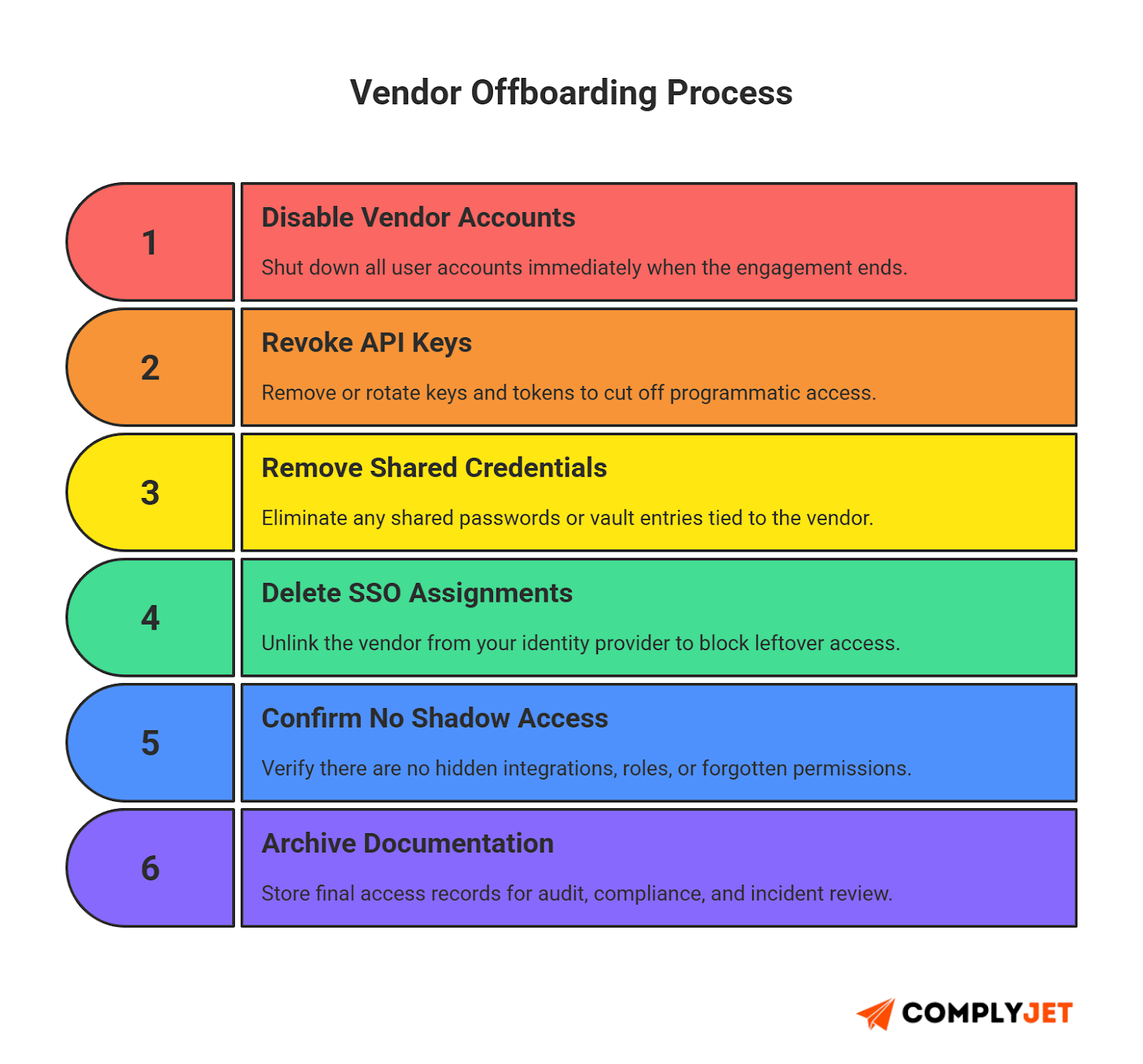
Final Review
Document what access was removed. Run a final third-party due diligence check to ensure no permissions remain.
Note to Founders: Faster onboarding should never mean fast-tracking permissions. Most breaches begin with a rushed decision.
IAM Inside the TPRM Lifecycle
Identity and Access Management (IAM) is the backbone of a TPRM lifecycle. You can run assessments, check controls, and track vendors, but none of it matters if identities are unmanaged. A vendor account with broad access is more dangerous than a vendor with weak paperwork. Identity is the real risk surface area.
Strong IAM reduces your risk fast. It gives structure to third-party identity management, limits privilege, and keeps access clean at every stage of the lifecycle.
Identity Governance for Vendors
Treat vendor accounts like internal user accounts. Apply the same guardrails: onboarding rules, approval flows, monitoring, and clean offboarding. This supports better vendor risk management and reduces confusion about who owns what access.
Governance also means mapping roles to tasks. Vendors should get access that matches their job, nothing more. Keep documentation tight. This becomes helpful during audits, incident reviews, or compliance checks.
SSO, MFA, SCIM, JIT
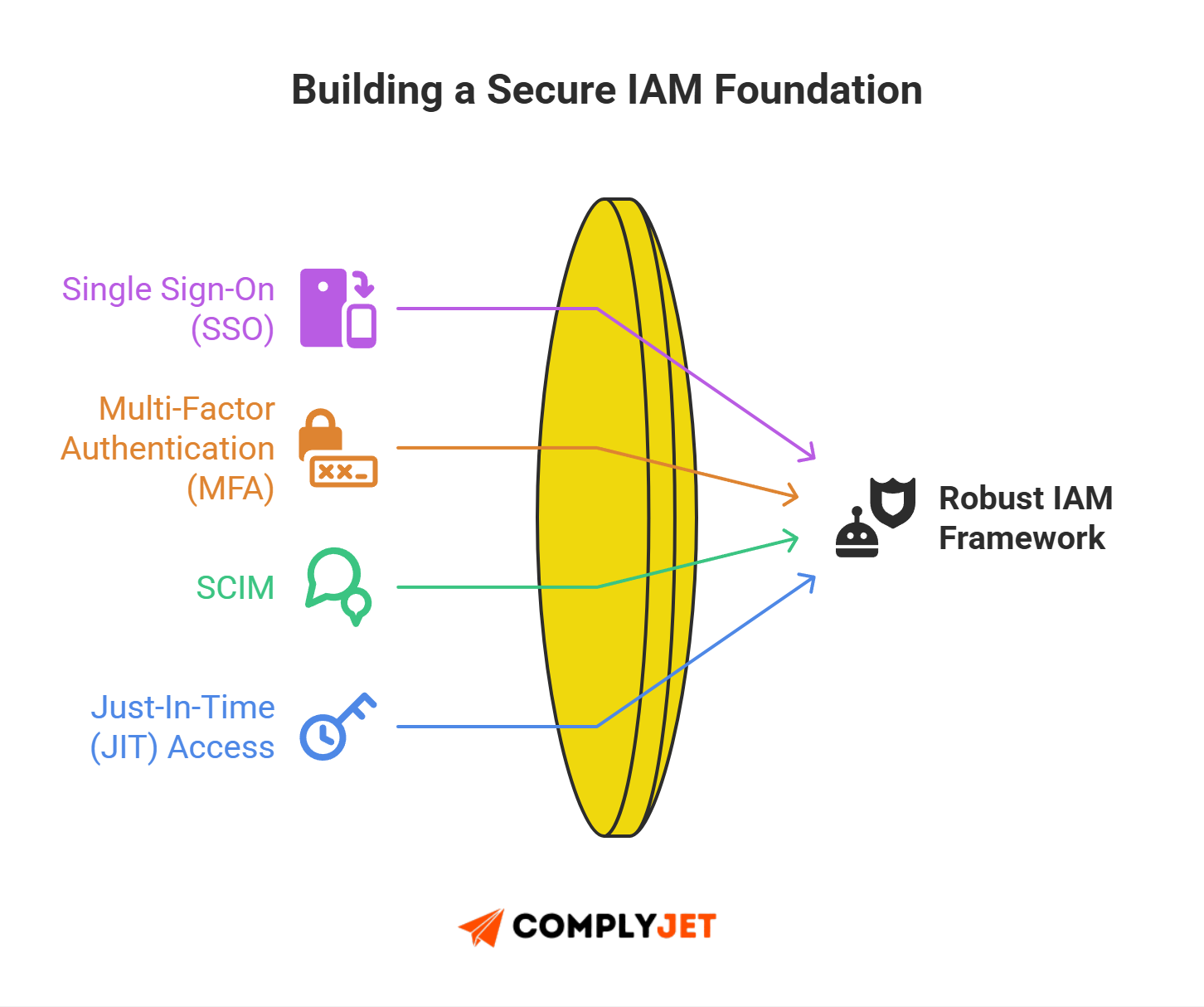
Modern IAM tools give you leverage.
- SSO reduces password-based risk.
- MFA blocks most credential theft.
- SCIM automates provisioning and deprovisioning.
- Just-In-Time (JIT) access grants temporary rights without leaving standing privileges.
These are industry best practices recommended across TPRM software platforms and identity governance solutions.
API Access Security
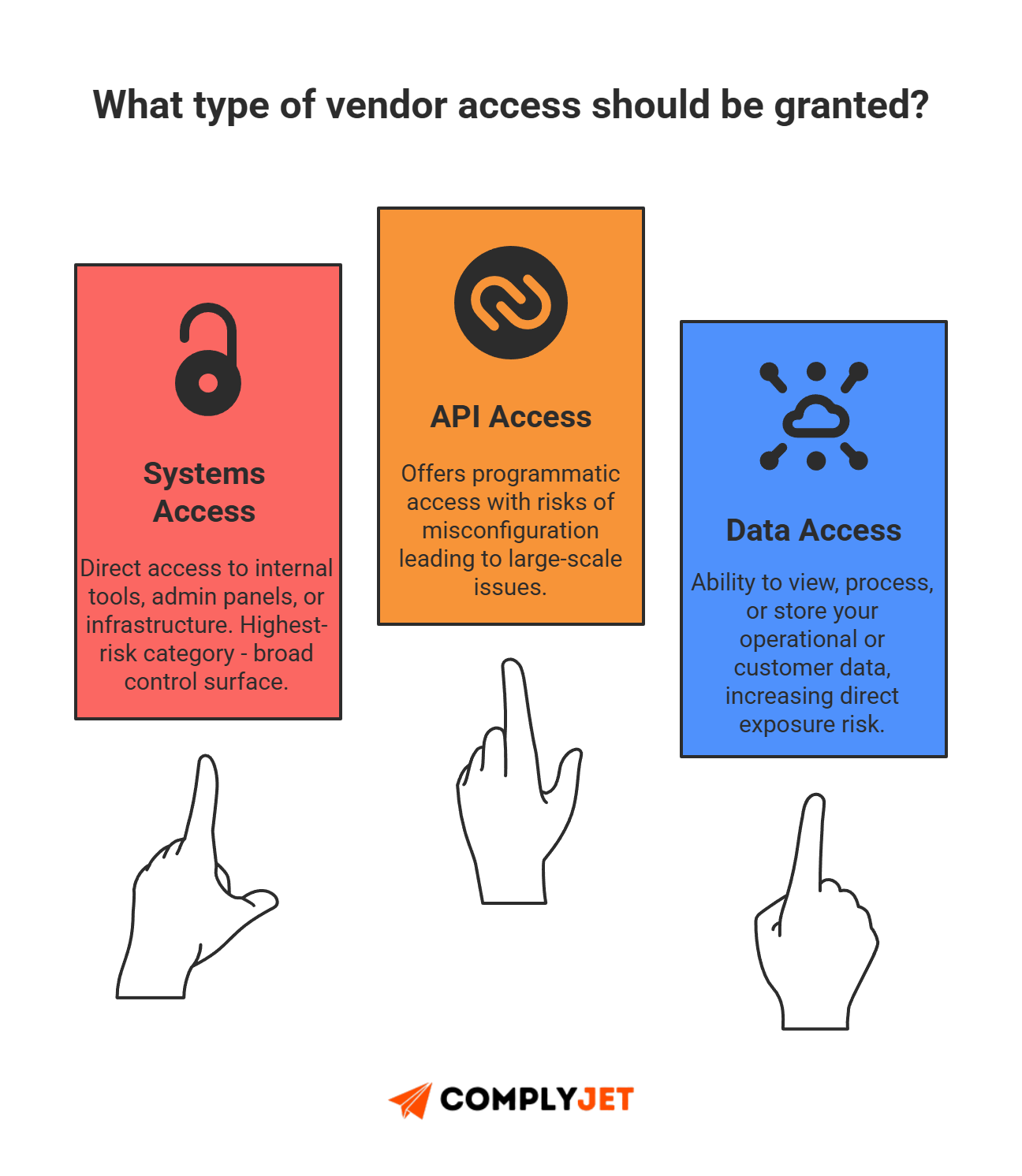
Vendors often use APIs to connect to your systems. These keys can unlock large parts of your environment if misconfigured. Rotate keys. Bind them to specific IPs if possible. Limit permissions to the smallest possible scope. APIs are a high-value target for attackers, and they create hidden entry points.
Shared Account Risks
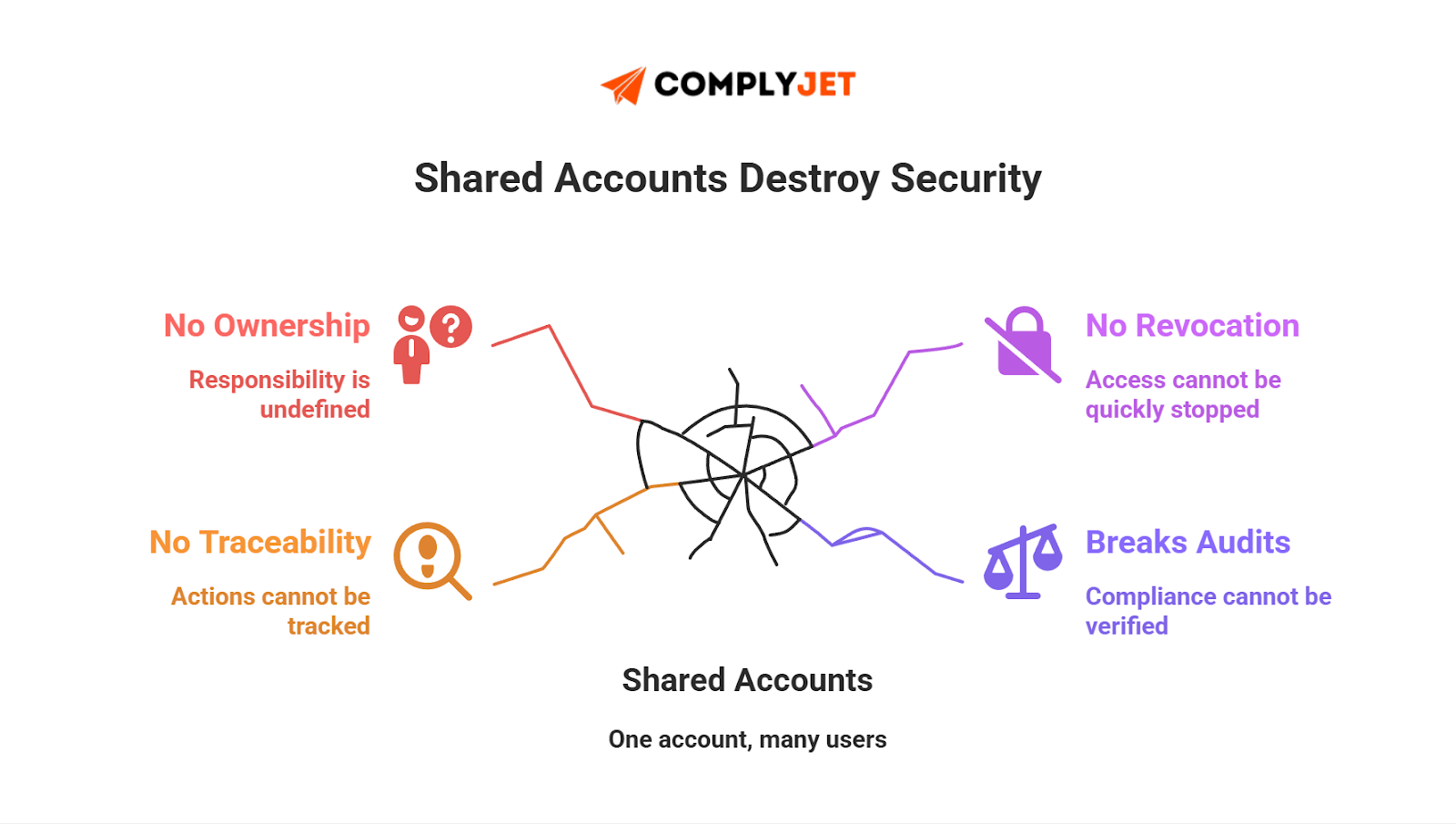
Shared vendor accounts break accountability. You can't trace activity. You can't link actions to users. You can't disable access quickly when people leave.
Common Pitfall: Shared vendor accounts violate core audit requirements for unique identification and traceability. Auditors typically require either unique IDs or compensating controls (vaulting, rotation, session recording).
Privileged Vendor Access
Some vendors need deeper access: engineering tools, payment processors, critical SaaS platforms. These accounts require strict monitoring. Use session logs, activity alerts, and periodic access reviews. Privileged access is where most identity-related incidents begin, especially in risk management for startups that move fast and skip structure.
Why IAM Holds the Lifecycle Together
IAM is present in every part of a robust TPRM lifecycle:
- Classification defines identity scope.
- Due diligence checks identity controls.
- Onboarding configures access.
- Monitoring tracks identity behavior.
- Offboarding removes identities cleanly.
IAM also helps with supplier risk management solutions, because identity discipline improves every downstream security process.
Building a TPRM Program in 2025
Start small. Start with data. The program must be repeatable and auditable.
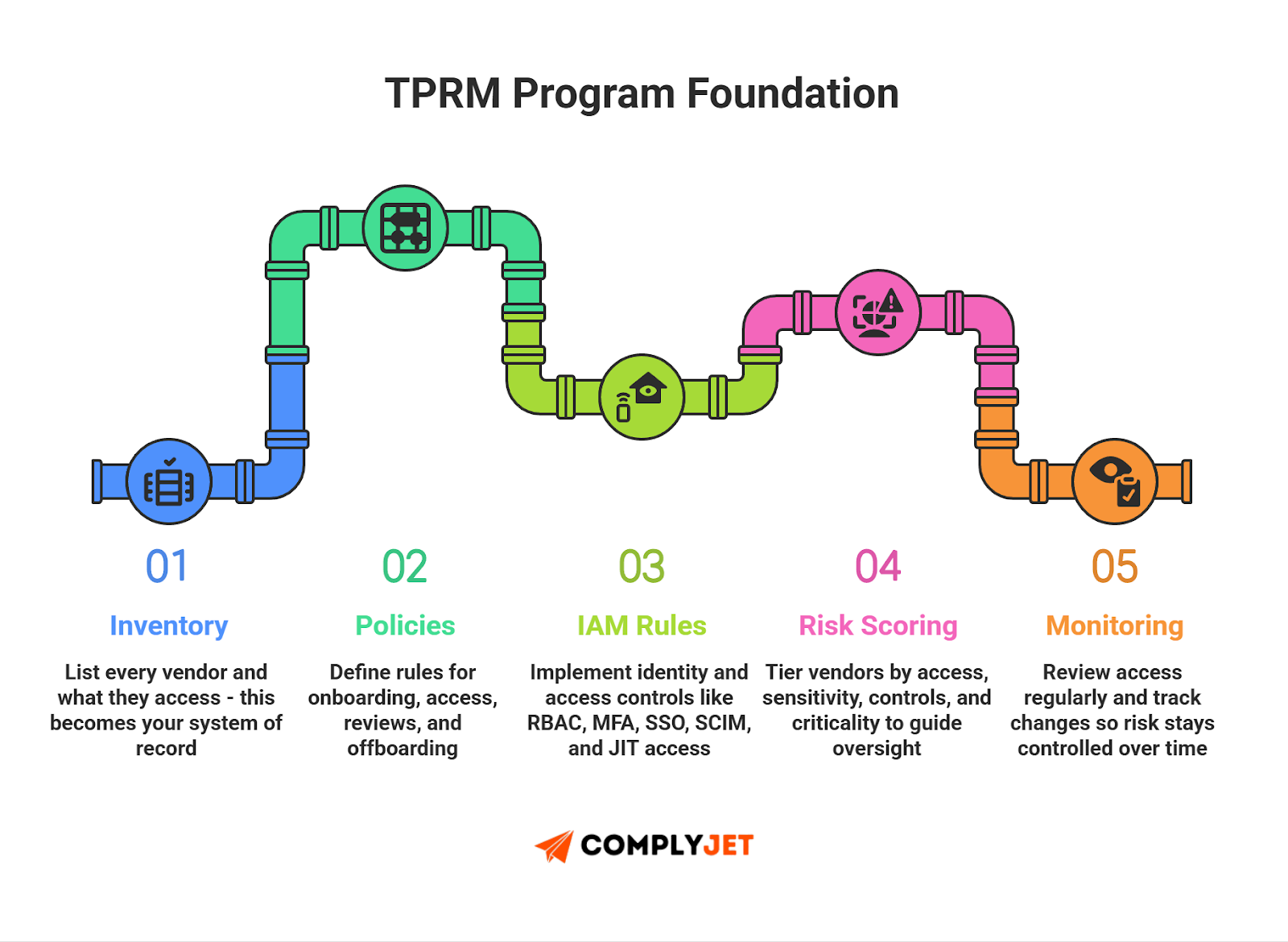
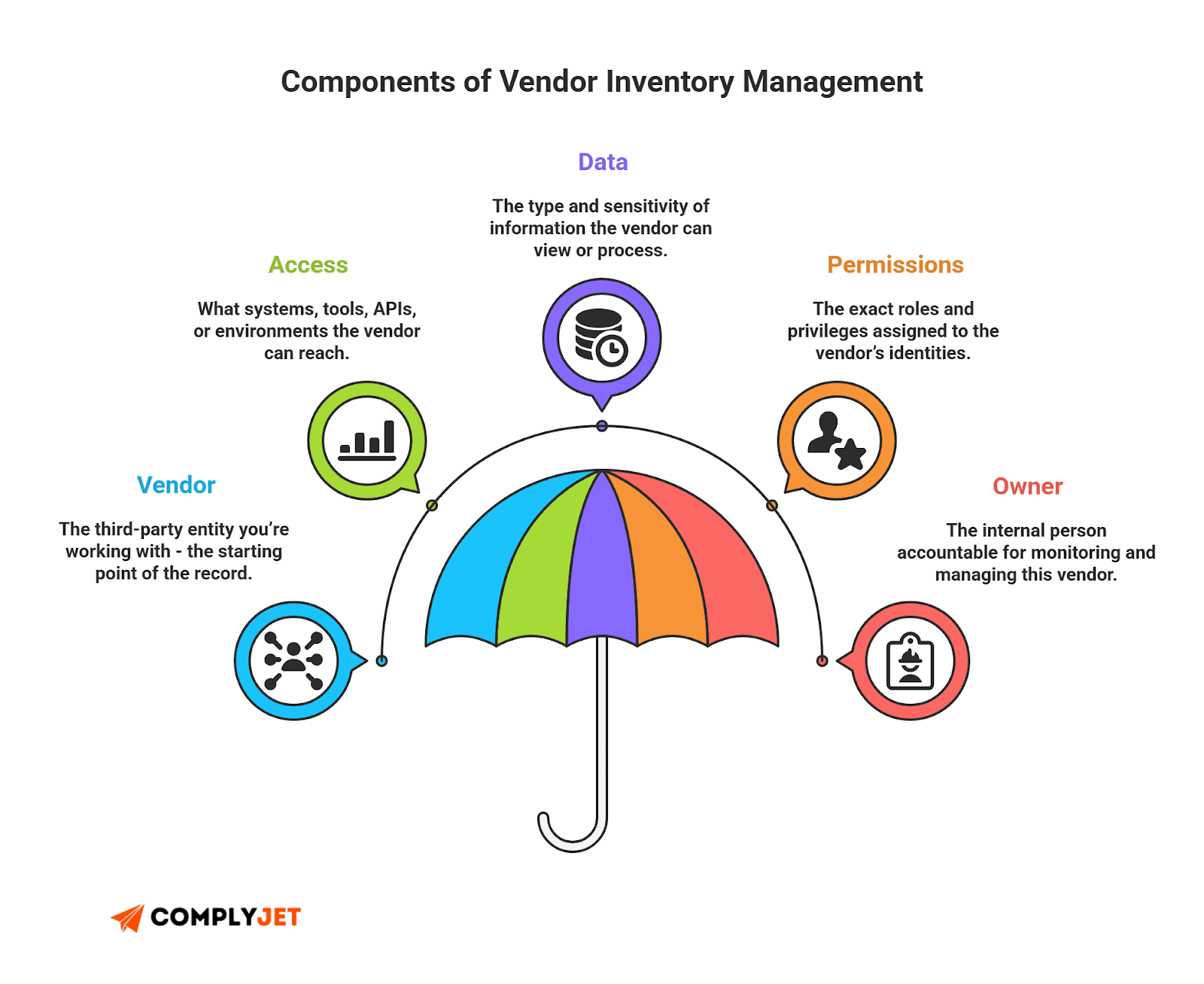
1. Inventory
List every vendor and what they touch. Systems. APIs. Data. Accounts. Tag each entry by access type and sensitivity. This inventory is the single source of truth for your TPRM lifecycle.
2. Policies
Write short, clear policies: onboarding, access requests, reviews, incident reporting, and offboarding. Tie policies to contracts and SLAs. Keep the policy language minimal and enforceable.
3. IAM rules
Define RBAC, MFA, SSO, SCIM provisioning, and JIT access. Map roles to the least privilege needed. Automate provisioning where possible. IAM rules make your risk management system actionable.
4. Vendor scoring
Score vendors by access, sensitivity, controls, and business criticality. Use simple tiers: critical, high, medium, low. Use the score to set due diligence depth and monitoring cadence. This is your operational vendor risk management lever.
5. Access documentation
For each vendor, record approved permissions, approval owners, and expiry dates. Store this in the inventory. Use it during audits and when you rotate keys or revoke access.
6. Monitoring cadence
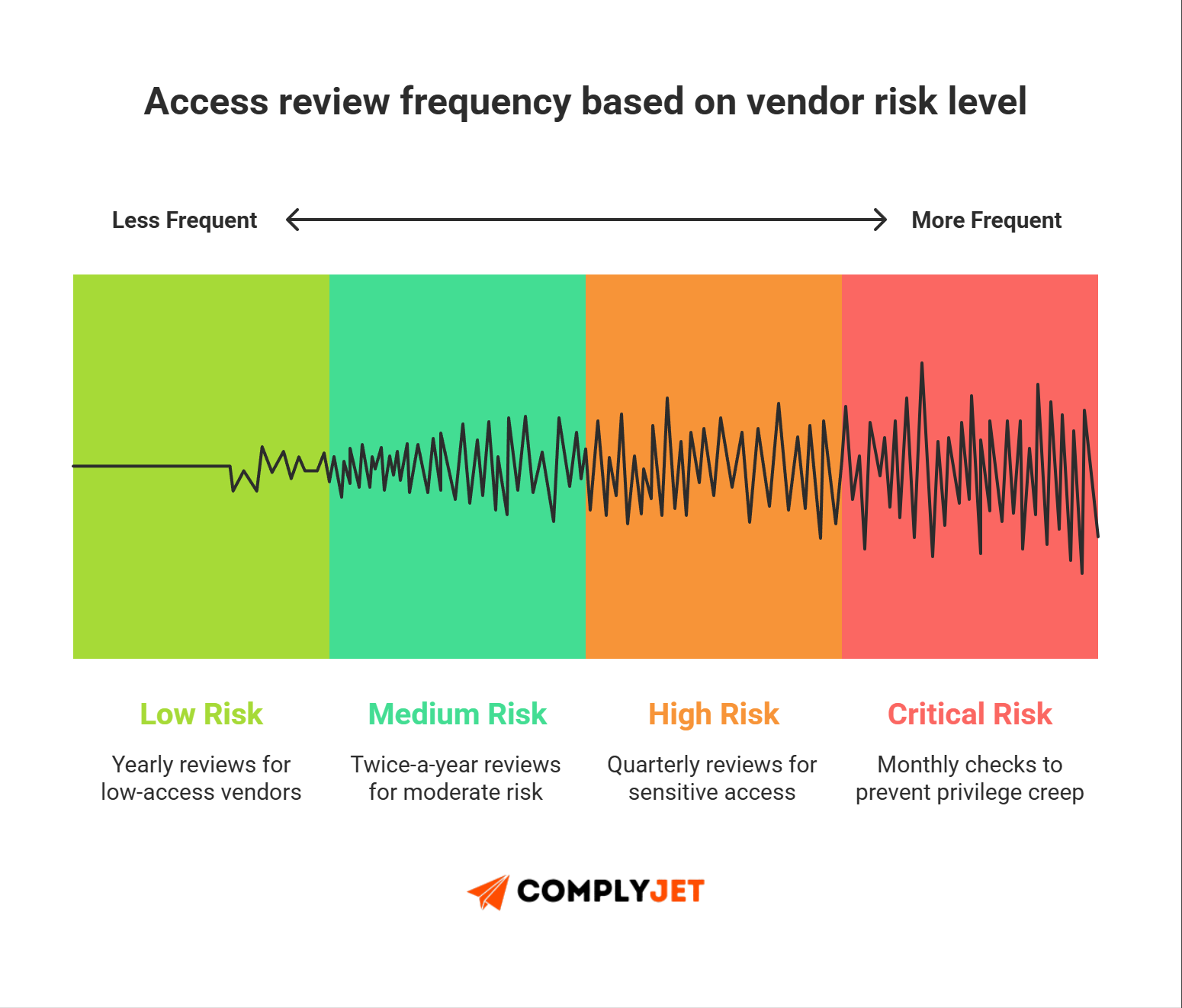
Set review cadences by tier. Monthly for critical vendors. Quarterly for high. Semiannual for medium. Trigger ad-hoc reviews on changes. Track findings and remediate within SLAs.
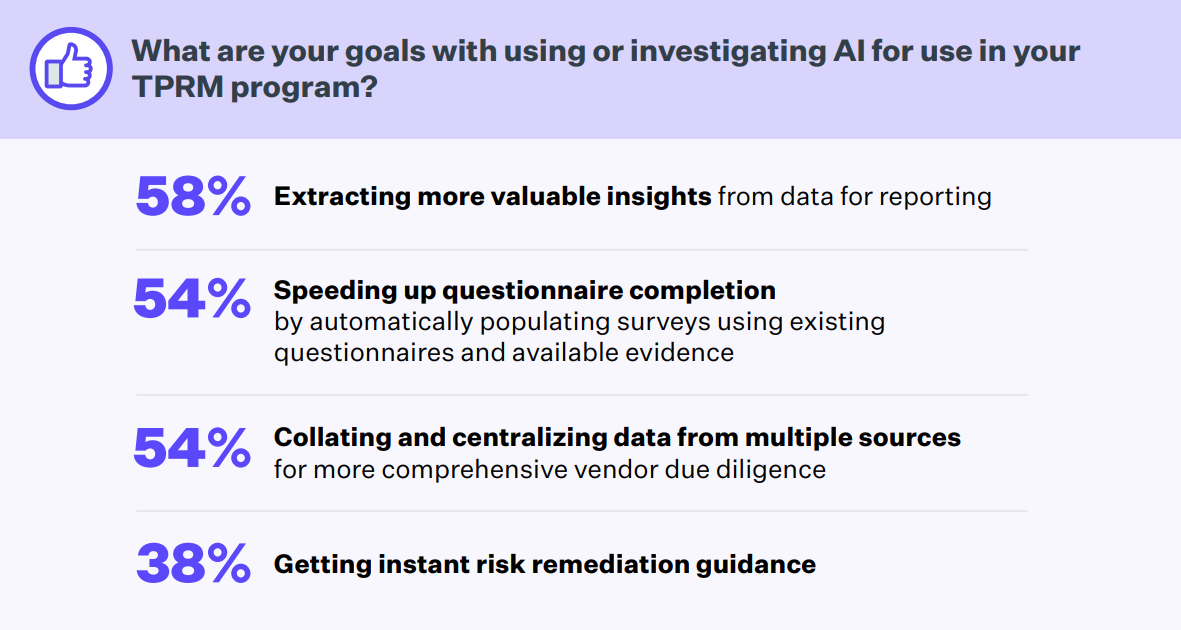
Source: Mitratech survey
Pro-tip: Do not design your TPRM program around the largest vendor. Design it around the riskiest one.
TPRM Tools & Automation
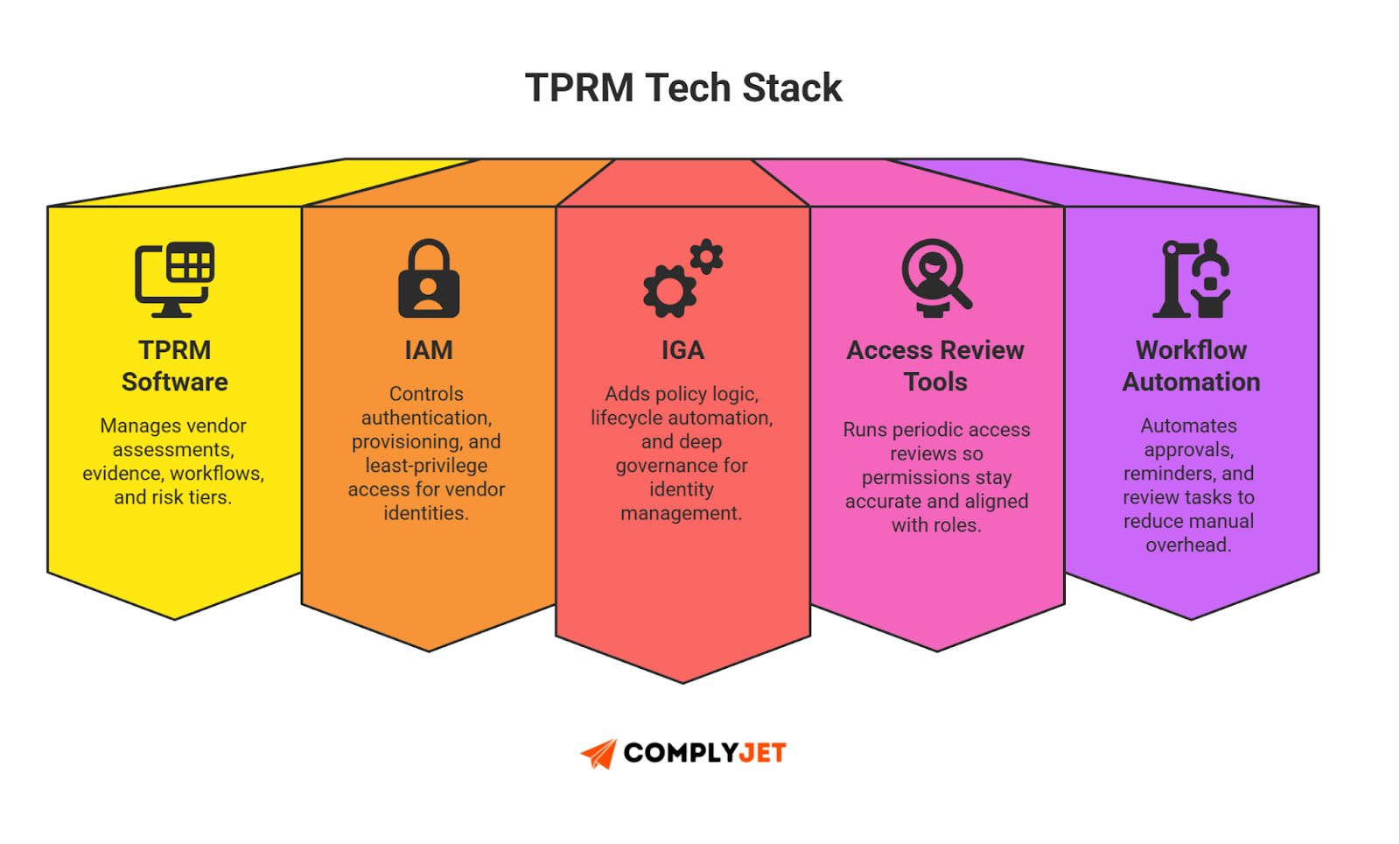
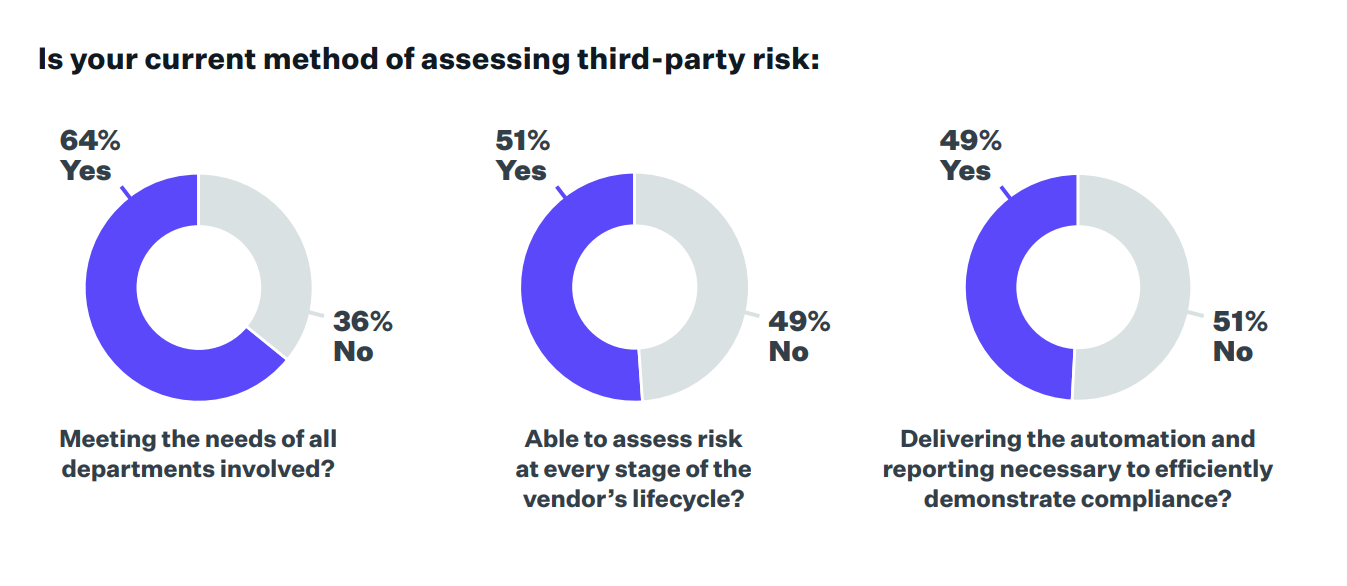
Tools matter, but only when they reduce friction. Most companies use scattered spreadsheets and tickets to run a TPRM lifecycle. That works early on but fails fast as vendor count grows. Tools help you centralize access, automate checks, and cut manual tracking.
Below are the core categories you need to know.
1. TPRM Software (Assessment + Vendor Tracking)
These platforms manage questionnaires, scoring, workflows, and evidence. Good TPRM software gives you a single view of vendors, their controls, and their risk tier.
Look for: simple assessments, clean evidence storage, flexible workflows.
Avoid: heavy suites that require onboarding teams to manage.
2. IAM Systems (Identity Foundation)
IAM tools enforce SSO, MFA, provisioning, and deprovisioning. They protect vendor accounts and API access. IAM tools also help with third-party identity management, because they control how accounts are created and removed.
3. Access Review Tools (Periodic Checks)
Access review systems help you run quarterly or monthly reviews. They show who has access, what permissions exist, and which accounts are unused. They connect your risk management system to real identity data.
4. IGA Systems (Identity Governance & Automation)
IGA platforms add deeper policy logic, approval rules, and lifecycle automation. They reduce human error and give structure to provisioning, role assignments, and access cleanup. These support scalable TPRM solutions when your vendor count grows.
5. Workflow Automation Frameworks
Tools like workflow engines or low-code pipelines help teams route approvals, trigger tasks, and collect evidence. Use them to automate renewals, reminders, and escalations. These remove manual steps and keep reviews consistent.
What Startups Should Avoid: Try to avoid tools that require dedicated admins. Don't choose platforms that need 90-day onboarding. And don't adopt systems you can't maintain during fast growth. Lightweight beats complex. Every time.
TPRM Best Practices for 2025
Good security depends on clear habits. These habits strengthen the TPRM lifecycle, reduce noise, and prevent identity gaps that attackers exploit. Industry data backs this up: according to SecurityScorecard's 2024 findings, 35.5% of global breaches involved a vendor or external partner. That alone justifies strong, simple vendor controls.
Here are the practices that work in 2025:
Central vendor inventory
Track every vendor, what they access, and why they exist. A clean inventory is the base of strong vendor risk management. This also improves accuracy during audits and internal reviews.
IAM-first controls
Identity failures are the top driver of third-party incidents. A 2024 study found 61% of companies had a vendor-related security event in the past year. Enforce SSO, MFA, least privilege, and clean provisioning. Treat vendor accounts like internal accounts - because that's how attackers see them.
Defined review cadence
Run scheduled access reviews. Critical vendors monthly. High-risk vendors quarterly. Lower tiers semiannually. Access reviews are worth the effort - Ponemon Institute's analysis shows that the global average cost of a data breach is 4.4 million USD. Companies don't go under by overspending on access security - they do by ignoring it.
Clear ownership
Stick to one owner per vendor because ownership drives accountability. This is especially important in risk management for startups, where security teams are lean and responsibility often blurs.
No standing privileges
Temporary admin access should expire on its own. JIT access prevents accidental overexposure. Keep logs of approvals and revocations.
Vendor update workflows
Vendors change tools, staff, and infrastructure. Trigger reviews when a vendor makes changes. Update access. Update documentation. Keep the risk surface small.
Keep it simple
Simple systems stay healthy longer. Use straightforward tools and workflows. Avoid heavy processes that slow people down.
Key Insight: Least privilege is useless if no one verifies it every quarter.
Common Mistakes to Avoid in TPRM Lifecycle
Most vendor issues come from the same patterns. These patterns cut across industries, company sizes, and tool stacks. The good news: they're easy to spot and even easier to fix once you know them.
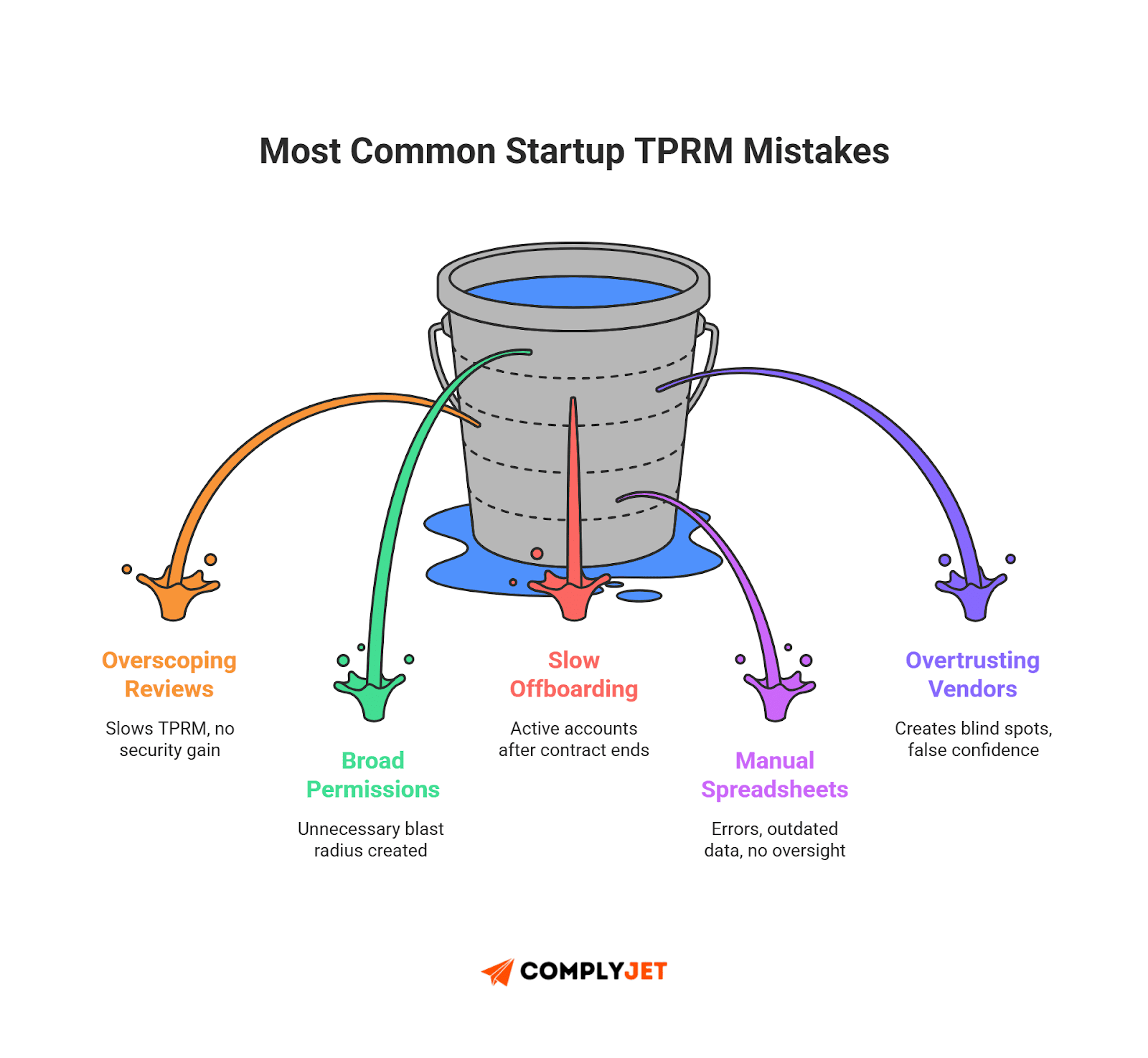
Here are the mistakes that often hurt teams the most:
Overscoping due diligence
Teams drown vendors in long questionnaires. Then no one reads the answers. Keep due diligence tight. Focus on identity, access, and proof of controls. This helps your risk management system stay practical.
No access recertifications
Skipping reviews is a predictable failure. Vendors keep access long after projects end. Even a single missed review weakens your entire TPRM lifecycle.
Overtrusting vendors
A vendor logo doesn't equal a strong security posture. Treat every vendor as a potential risk until proven otherwise. This is core to good vendor risk management.
Manual spreadsheets
Spreadsheets don't scale. They break during audits, get outdated, and hide mistakes. Use workflows or lightweight TPRM solutions when vendor count grows.
Slow onboarding
Delays force teams to grant broad or temporary access "just to get moving." These permissions stay longer than planned and create long-term identity debt.
No offboarding plan
The most dangerous vendor is the one that's gone but still has access. Missed offboarding is one of the top contributors to vendor-related incidents across industries.
Founder Note: More vendors does not necessarily equal more risk. Unmanaged access does.
TPRM Checklist in 2025 - For Building Your Own TPRM Template
A smart TPRM lifecycle plan becomes simple when you use clear, repeatable templates. And a continuously updated TPRM Checklist in 2025 helps founders create templates suited to their unique needs, without missing key steps.
Note that it's always better to create your own templates. They adapt to your systems and scale with you, unlike generic downloads. Think of the checklist below as the basics - core elements you can build on, refine, or expand based on your processes.
Source: Mitratech survey
1. Due Diligence Checklist
Use this when evaluating any new vendor. It keeps your third party due diligence clean and structured.
Security Controls
- SSO + MFA supported
- Encryption at rest & in transit
- Incident response plan shared
- Vulnerability disclosure program available
Compliance
Identity & Access
- Account provisioning method
- Access logging enabled
- API key permissions documented
Operational
- Uptime SLAs
- Subprocessor list provided
- Breach notification timeline
2. IAM Vendor Checklist
Focus on third-party identity management.
- Confirm RBAC support
- Confirm least-privilege defaults
- Review admin roles
- Validate SCIM or automatic provisioning
- Log source-of-truth identity events
- Check session timeout policies
3. Access Review Checklist
Use this monthly or quarterly.
- List all active vendor accounts
- Remove unused or stale identities
- Reduce over-broad permissions
- Validate temporary access expiration
- Check logs for unusual activity
- Compare access against job scope
4. Offboarding Checklist
Clean exits prevent future incidents.
- Disable vendor accounts immediately
- Rotate or revoke API keys
- Remove shared credentials
- Delete SSO assignments
- Confirm no shadow access remains
- Archive documents for audit
5. Monitoring Cadence Template
A simple tier-based schedule:
Why this works: A tight inventory, clear policies, and automated IAM rules let small teams scale vendor security without extra headcount. That's true TPRM for startups.
FAQs: Founders’ Frequently Asked Questions
Real risk rarely shows up in a dramatic hack. It shows up in small, boring gaps that grow over time. These are the questions almost every new founder has - especially while scaling fast.
1. What’s the risk with SaaS vendors accessing customer data?
You plug in a SaaS analytics tool. It gets full customer metadata because that's the "default integration."
Six months later, the vendor changes their internal structure. New engineers join. Some leave. Access expands without notice.
If you aren't tracking what the vendor can see, you don't know your exposure. This is the moment where vendor risk management breaks down.
Source: Mitratech survey
2. Why are AI vendors with API key access risky?
AI services often need API keys with broad permissions. Founders paste these keys straight into backend configs "just to test."
Those keys live in logs, repos, or build pipelines.
One leaked key gives attackers a direct route into your systems. This is a third-party identity management failure - not a model failure.
3. What happens when IT vendors get admin access?
You hire a freelance IT shop to configure internal tools. They get admin rights because it's "faster."
Work finishes. Everyone forgets they still have access.
That abandoned admin account becomes the highest-risk identity in your stack.
This is where your risk management system needs tight offboarding and scheduled reviews.
Source: Mitratech survey
4. How dangerous is misconfigured S3 access?
A dev tool you use needs file access. You assign wide S3 bucket permissions because "the tool needs it."
Most of the time, it doesn't.
Misconfigurations like this are responsible for huge data leaks. One tool + one broad permission = massive blast radius.
5. Do old vendor or contractor accounts really matter?
This is the most relatable example for new teams.
An old contractor, agency, or SaaS integration still has access.
Password never rotated.
Identity never removed.
If someone compromises that account, attackers skip your defenses and walk straight in. This is where a properly implemented TPRM lifecycle protects you - if you have one.
Pro-tip: Audit any vendor that stores logs outside your region. Logs often contain sensitive metadata and access details. You need to know where that data lives.
Summary & Final Guidance
Vendor security doesn't need to be heavy. It needs to be clear. A strong TPRM lifecycle gives you structure. IAM gives you control. Together, they remove the guesswork and stop small identity gaps from turning into real incidents.
Keep your vendor list tight. Review access often. Kill stale accounts fast. Most breaches come from simple mistakes, not advanced attacks - and strong vendor risk management fixes those mistakes before they matter.
Treat identity as the real surface. Every integration, every API key, every contractor account is part of third-party identity management. When you control identity, you control risk.
Build small. Stay consistent. Let tools remove friction. This is the path that works for fast teams.
If you want predictable vendor onboarding, simple identity access management guardrails, and a TPRM lifecycle you don't have to babysit, ComplyJet gives you the cleanest path. Fewer headaches. Zero drift. Full visibility. Book a demo today to see how.